
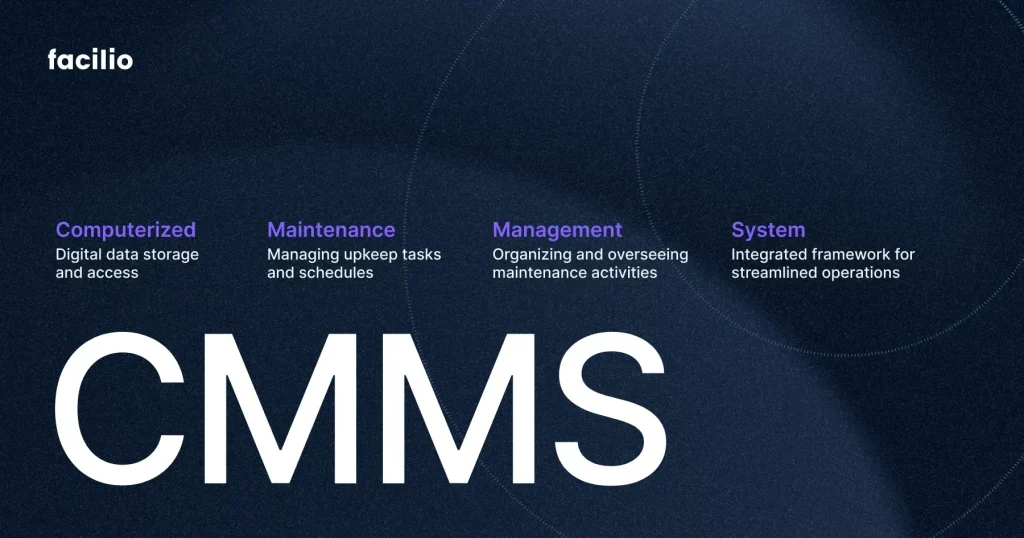
Have you ever wondered how businesses keep their machines running smoothly without constant breakdowns? The secret often lies in a tool called a Computerized Maintenance Management System, or CMMS.
This system helps you organize, track, and schedule all your maintenance tasks in one place. Imagine saving time, reducing costs, and avoiding unexpected equipment failures—all by using a smart, easy-to-use platform. Keep reading to discover exactly how a CMMS works and how it can transform your maintenance routine for the better.

Credit: www.ise-erp.com
Cmms Basics
A Computerized Maintenance Management System (CMMS) helps companies manage their maintenance tasks efficiently. It organizes all maintenance information in one place. This system simplifies tracking work orders, schedules, and equipment history. Understanding the basics of CMMS is key to using it well.
Definition Of Cmms
A CMMS is software that manages maintenance operations. It stores data about assets, work orders, and maintenance schedules. It helps teams plan and track all maintenance activities. The system ensures that maintenance tasks are done on time. It also records details about repairs and inspections.
Importance In Modern Maintenance
CMMS improves maintenance efficiency and reduces downtime. It helps prevent equipment failure by scheduling regular checks. The system provides clear reports to track performance and costs. It supports decision-making with accurate, up-to-date information. Overall, CMMS saves time and money while keeping equipment reliable.
Key Features
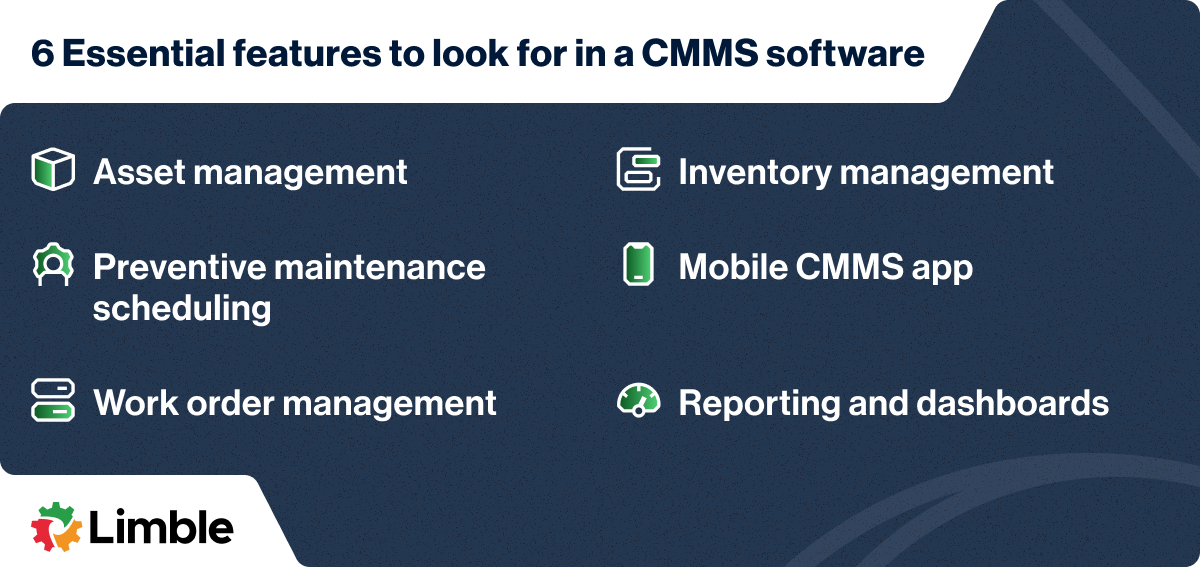
A Computerized Maintenance Management System (CMMS) includes several key features. These features help businesses manage equipment and maintenance tasks efficiently. Understanding these features shows how a CMMS improves daily operations.
Asset Management
Asset management tracks all equipment and machines. It stores details like purchase date, warranty, and location. This helps keep an accurate inventory of assets. Teams can see each asset’s condition and maintenance history easily.
Work Order Management
Work order management organizes maintenance tasks. It allows users to create, assign, and track work orders. This ensures repairs and inspections happen on time. It also improves communication between technicians and managers.
Preventive Maintenance Scheduling
Preventive maintenance scheduling plans regular check-ups and fixes. It reduces unexpected breakdowns and extends asset life. The system sends alerts to remind teams of upcoming tasks. This keeps equipment running smoothly.
Inventory Control
Inventory control monitors spare parts and supplies. It tracks stock levels and usage rates. This prevents shortages and overstocking. Users can reorder items before they run out, saving time and money.
Reporting And Analytics
Reporting and analytics provide insights into maintenance activities. The system generates reports on work orders, costs, and asset performance. These reports help managers make informed decisions. Data trends reveal areas for improvement.
Implementation Process
Implementing a Computerized Maintenance Management System (CMMS) requires careful planning and execution. The process involves several key steps that ensure the system fits your needs and works smoothly with your existing operations. Understanding each phase will help you avoid common pitfalls and maximize the benefits of your investment.
Needs Assessment
Start by identifying what your maintenance team truly needs. Are you looking to track asset history, schedule preventive maintenance, or manage work orders more efficiently? Documenting these requirements helps you focus on the features that matter most.
Talk to your technicians and managers to gather their input. Their daily challenges often highlight gaps that the CMMS should address. This step saves time later by preventing unnecessary features from complicating your system.
Choosing The Right Software
With clear needs in hand, evaluate different CMMS options against your criteria. Look beyond popular brands and consider factors like ease of use, customization, and scalability. Remember, a user-friendly system encourages adoption among your team.
Ask vendors for demos and trial periods. Hands-on experience reveals whether the software aligns with your workflow. Also, check for customer support quality and update policies to ensure long-term reliability.
Data Migration
Transferring existing maintenance data into the new system is crucial and often challenging. Clean your data before migration to avoid clutter and errors. This means removing duplicates, correcting inaccuracies, and standardizing formats.
Plan the migration timing carefully to minimize disruption. Test the process with a small data set first to catch issues early. Accurate data sets the foundation for effective maintenance tracking and decision-making.
System Integration
Your CMMS should work seamlessly with other software like inventory management or ERP systems. Integration prevents data silos and streamlines operations. Identify which systems need to connect and verify compatibility early.
Work with IT and vendors to map out data flow and automate processes where possible. This reduces manual entry and errors, freeing your team to focus on critical maintenance tasks.
Training And Support
Training is vital to ensure your team uses the CMMS effectively. Tailor sessions to different roles, focusing on the features they’ll use daily. Hands-on training helps users feel confident and reduces resistance.
Don’t overlook ongoing support. Set up clear channels for help and schedule refresher courses. Your team’s comfort with the system directly impacts your maintenance success.
Benefits For Organizations
Understanding how a Computerized Maintenance Management System (CMMS) benefits your organization can change the way you view maintenance altogether. It’s not just about fixing things when they break but managing assets smartly to save time, money, and effort. Let’s look at some clear advantages that could impact your daily operations.
Cost Efficiency
A CMMS helps you cut unnecessary expenses by scheduling maintenance only when needed. This reduces emergency repairs that often come with higher costs.
You can also track parts inventory better, avoiding overstock or last-minute purchases at premium prices. Have you noticed how small savings on repairs add up over months?
Improved Asset Lifespan
Regular and timely maintenance extends the life of your equipment. Instead of waiting for a breakdown, you keep machines running smoothly.
This proactive approach means you get more value from each asset, delaying costly replacements. Think about how a well-maintained machine works better and lasts longer in your experience.
Enhanced Productivity
Your team spends less time firefighting and more time on planned tasks. A CMMS organizes work orders efficiently, so nothing falls through the cracks.
With fewer unexpected downtimes, your operations stay on track. Imagine completing projects faster simply because your equipment is reliable and maintenance is predictable.
Compliance And Safety
Meeting safety regulations can be tough, but a CMMS keeps you on top of inspections and certifications. Automated reminders prevent missed deadlines that could lead to fines or accidents.
Tracking maintenance history also provides proof of compliance during audits. How confident would you feel knowing every safety check is documented and accessible at any time?
Challenges And Solutions
Implementing a Computerized Maintenance Management System (CMMS) can transform how you handle maintenance tasks, but it’s not without its challenges. Understanding these obstacles and knowing how to tackle them can save you time, money, and frustration. Let’s look at some common issues you might face and practical ways to address them.
Common Implementation Hurdles
Many organizations struggle with setting up a CMMS because they underestimate the initial workload. Data migration from old systems or paper records can be overwhelming and time-consuming. You might find that incomplete or outdated asset information slows down the process.
Another hurdle is choosing the right system that fits your specific needs. If the CMMS is too complex or lacks essential features, your team may not use it effectively. It’s critical to match the software capabilities with your maintenance goals to avoid wasted effort.
Overcoming Resistance To Change
People often resist new tools because they fear extra work or don’t see immediate benefits. You might notice pushback from technicians comfortable with current routines. To ease this, involve your team early and listen to their concerns.
Training is key. Providing hands-on sessions and real-life scenarios helps your staff feel confident. Highlighting quick wins, like faster work order completion, can motivate them to embrace the system.
Ensuring Data Accuracy
Accurate data is the backbone of an effective CMMS. If your asset details or maintenance histories are wrong, decisions based on that data will be flawed. Regular audits and updates are necessary to maintain trust in the system.
Encourage your team to report discrepancies as they spot them. Setting clear responsibilities for data entry and review prevents errors from piling up. Think of your CMMS as a living tool that needs ongoing care to deliver real value.
Credit: limblecmms.com
Future Trends
The future of Computerized Maintenance Management Systems (CMMS) is bright and full of innovation. As technology advances, these systems will become smarter, more connected, and easier to use. Understanding upcoming trends can help you make better decisions about your maintenance strategies.
Integration With Iot
IoT devices can provide real-time data from machines and equipment, feeding your CMMS with valuable insights. Imagine your system automatically alerting you when a sensor detects unusual vibrations, preventing a costly breakdown. This connectivity allows you to move from reactive to predictive maintenance, saving time and money.
Are you ready to connect your equipment to a network that talks back? This integration helps you track asset health continuously without manual checks, making maintenance more efficient and less prone to human error.
Ai And Machine Learning
AI can analyze vast amounts of data quickly, spotting patterns you might miss. Your CMMS could learn the best times for maintenance based on past failures and usage trends. This smart scheduling reduces downtime and extends equipment life.
Machine learning also helps prioritize maintenance tasks by predicting which issues are most urgent. Wouldn’t it be helpful if your system could tell you what to fix first, instead of overwhelming you with alerts?
Cloud-based Solutions
Cloud technology allows you to access your CMMS from anywhere, on any device. This flexibility is ideal if your team works across multiple sites or remotely. Updates and backups happen automatically, so you don’t worry about losing data.
Cloud systems often offer scalable pricing, meaning you can start small and add features as your needs grow. How could having instant access to maintenance data improve your daily operations?

Credit: www.foodengineeringmag.com
Frequently Asked Questions
What Is A Computerized Maintenance Management System?
A CMMS is software that helps plan, track, and optimize maintenance tasks. It improves efficiency and reduces downtime. CMMS stores data on equipment, schedules maintenance, and tracks work orders digitally.
How Does Cmms Improve Maintenance Scheduling?
CMMS automates maintenance scheduling based on usage or time. It sends alerts for upcoming tasks, preventing equipment failure. This ensures timely upkeep, extending asset life and reducing emergency repairs.
Can Cmms Track Maintenance Costs Effectively?
Yes, CMMS tracks labor, parts, and service costs. It provides detailed reports to analyze expenses. This helps businesses control budgets and make informed maintenance decisions.
What Industries Benefit Most From Cmms?
Manufacturing, healthcare, facilities management, and transportation benefit greatly. CMMS improves asset reliability and compliance. It streamlines workflows across various sectors with heavy equipment use.
Conclusion
A Computerized Maintenance Management System helps keep equipment in good shape. It tracks work orders, schedules tasks, and stores important data. Teams can work faster and avoid costly repairs. This system makes maintenance organized and clear. Businesses save time and money by using it.
It supports better decisions for managing assets. Simple steps lead to big improvements in maintenance work. A CMMS is a useful tool for any maintenance team.


