What Computer Maintenance System Does: Boost Performance Fast
Have you ever wondered what a computer maintenance system really does for your device? You rely on your computer every day, but without proper care, it can slow down, crash, or even lose important data.
Understanding how a computer maintenance system works can save you time, money, and frustration. You’ll discover the simple yet powerful ways these systems keep your computer running smoothly and protect your information. Keep reading to find out how you can take control of your computer’s health and avoid costly problems before they happen.
Importance Of Computer Maintenance
Keeping your computer in top shape is more than just a tech-savvy habit; it directly affects how smoothly your daily tasks run. Regular computer maintenance helps you avoid unexpected crashes, slowdowns, and even data loss. Have you ever lost hours of work because your computer suddenly froze? That’s exactly the kind of frustration proper upkeep prevents.
Improved Performance And Speed
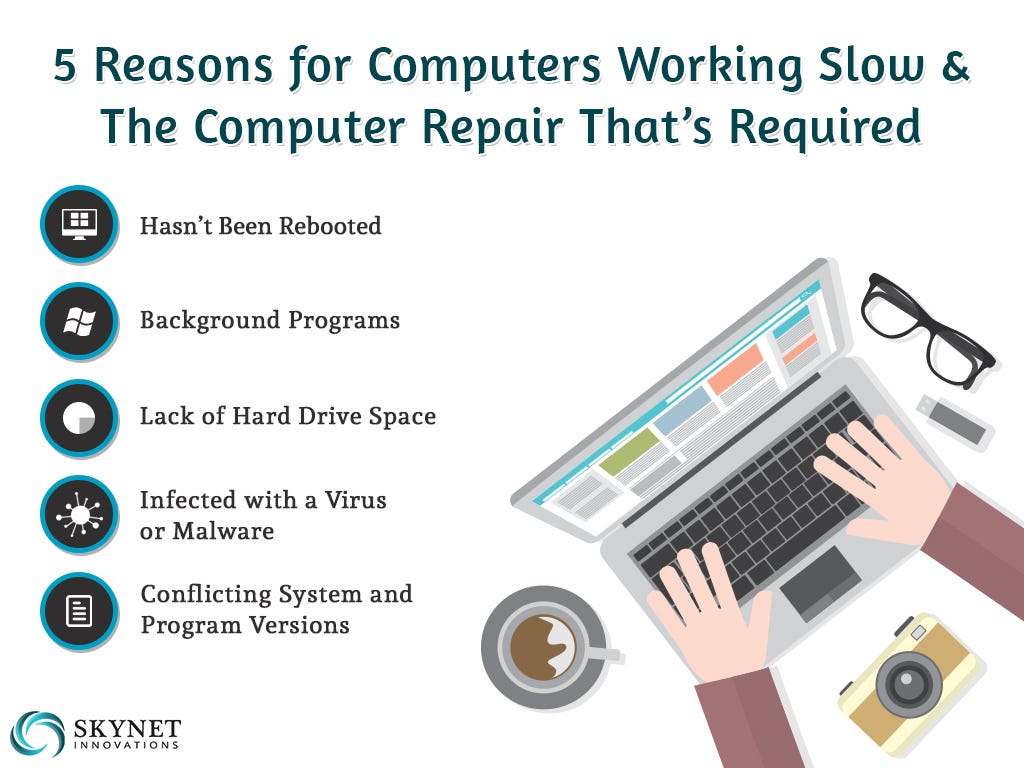
Your computer can slow down over time due to cluttered files, outdated software, or unnecessary background programs. Maintenance tasks like disk cleanup, software updates, and removing unused applications keep your system running fast and responsive. Imagine launching your favorite program without waiting minutes for it to load—that’s the power of regular care.
Extended Hardware Lifespan
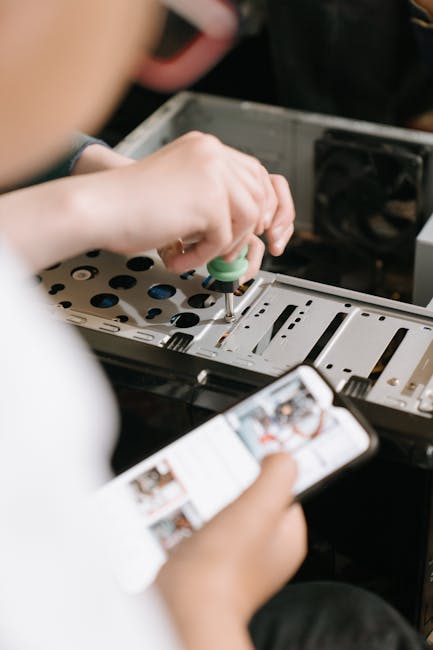
Components like the hard drive, RAM, and cooling system wear out faster when your computer overheats or struggles with heavy workloads. Routine checks and cleaning help prevent dust buildup and overheating, protecting your investment. By taking care of these parts, you can avoid costly repairs or early replacements.
Enhanced Security And Protection
Without regular updates and scans, your computer becomes vulnerable to viruses, malware, and hacking attempts. A solid maintenance routine includes updating antivirus software and patching security holes. This shields your personal information and keeps your data safe from cyber threats.
Preventing Data Loss
Backing up your data and fixing disk errors are crucial steps in computer maintenance. These actions ensure you don’t lose important files due to hardware failure or accidental deletion. Have you ever thought about what would happen if your hard drive crashed tomorrow? Maintenance helps you avoid that nightmare.
Saving Time And Money
It might seem easier to fix problems only when they arise, but emergency repairs often cost more and take longer. Regular maintenance minimizes downtime and unexpected expenses by catching issues early. You’ll spend less time troubleshooting and more time getting things done.
Types Of Maintenance Systems
Understanding the different types of computer maintenance systems can help you manage your devices more effectively. Each type serves a specific purpose and knowing when to apply them can save you time and money. Let’s break down the two main categories to help you decide what fits your needs best.
Preventive Maintenance
Preventive maintenance is all about stopping problems before they start. It includes regular tasks like updating software, cleaning hardware, and running antivirus scans. These actions keep your computer running smoothly and reduce the risk of unexpected failures.
Think about how you regularly back up your files or clear out unnecessary programs. These simple habits are part of preventive maintenance, helping you avoid data loss or slow performance. Have you ever ignored a software update and then faced a security issue? That’s a clear sign preventive care matters.
Corrective Maintenance
Corrective maintenance happens after a problem shows up. It involves fixing errors, replacing faulty parts, or restoring lost data. This type usually requires immediate attention to get your system back to normal.
Imagine your computer suddenly crashes or won’t start. Corrective maintenance would mean troubleshooting the issue, repairing hardware, or reinstalling the operating system. While it’s reactive, the sooner you act, the less damage and downtime you’ll face.
Key Features Of Maintenance Systems
Computer maintenance systems keep your device running smoothly. They handle many tasks automatically. These systems improve speed, security, and overall performance. Understanding their key features helps you appreciate their value.
Automated Scans And Updates
Maintenance systems run scans to detect problems fast. They check for malware, errors, and outdated software. Updates install automatically to fix bugs and improve security. This keeps your computer safe and current without manual work.
Disk Cleanup And Optimization
These systems remove unnecessary files and free disk space. They delete temporary files, caches, and old logs. Disk optimization rearranges data for quicker access. This helps your computer work faster and prevents slowdowns.
Registry Repair And Management
The registry stores settings and options for Windows. Over time, it can become cluttered or corrupted. Maintenance tools scan and fix registry errors. They remove invalid entries to improve system stability and speed.
Security Enhancements
Maintenance systems strengthen your computer’s defenses. They detect and remove viruses, spyware, and other threats. Some include firewall management and real-time protection. These features guard your data and privacy continuously.
How Maintenance Boosts Performance
Computer maintenance helps keep your system running smoothly. It removes unnecessary files and fixes errors. This process ensures the computer works faster and more reliably. Regular care also protects hardware from damage, saving money on repairs.
Speed Enhancement
Removing junk files frees up storage space. This allows programs to load faster. Cleaning the registry fixes broken links that slow down the system. Updating software improves efficiency and reduces delays. These actions make your computer respond quickly.
Improved System Stability
Maintenance fixes software bugs that cause crashes. It clears corrupted files that disrupt normal operations. Regular updates patch security holes and prevent malware attacks. This reduces system freezes and unexpected shutdowns. Stability means fewer interruptions during work or play.
Prolonged Hardware Lifespan
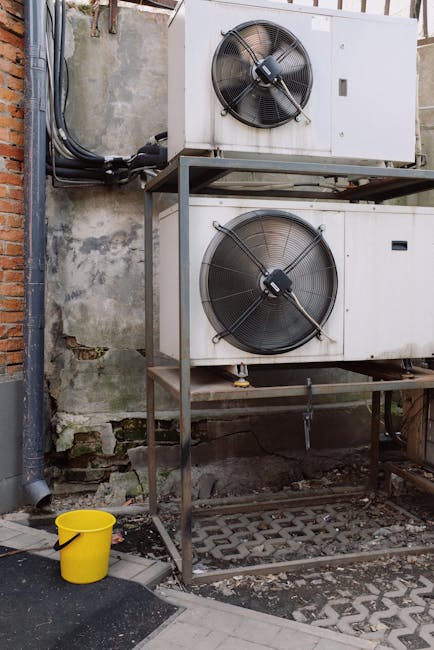
Dust and heat damage hardware components over time. Cleaning fans and vents prevents overheating. Monitoring system health detects early signs of hardware failure. Timely repairs avoid costly replacements. Proper maintenance keeps hardware working longer and better.
Choosing The Right System
Choosing the right computer maintenance system is key to keeping devices healthy. It helps fix issues, clean clutter, and boost performance. Picking the correct system can save time and prevent headaches. Consider some important factors before deciding on one.
Compatibility And Requirements
Check if the system works with your computer’s operating system. Some tools support only Windows, macOS, or Linux. Verify the minimum hardware needs, like RAM and storage. A system that matches your device avoids errors and crashes. Also, see if it supports your device type, such as laptops or desktops.
User-friendly Interface
Choose a system with a simple and clear interface. Easy menus and buttons help users find features fast. Avoid complex layouts that confuse or slow you down. Good systems offer guided scans and clear instructions. This saves time and reduces mistakes during maintenance tasks.
Cost And Value
Compare prices and features before buying a system. Free options may cover basic cleaning and fixing. Paid versions often include advanced tools and better support. Consider what features you need and if the cost fits your budget. Focus on value—how much benefit you get for the price.

Credit: medium.com
Common Maintenance Tools
Keeping your computer running smoothly depends heavily on regular maintenance. Common maintenance tools help you clean up junk files, fix errors, and optimize performance. These tools come in two main forms: those built into your system and third-party options you can install.
Built-in System Tools
Your computer already has several useful tools designed to keep it in shape. For example, Windows includes Disk Cleanup, which removes temporary files and system cache that slow down your PC. Another handy tool is the Disk Defragmenter, which organizes fragmented data to speed up file access.
Mac users can rely on Disk Utility to repair disk permissions and check for errors. You might be surprised how often these simple tools can fix problems without needing extra software. Have you ever run a built-in scan only to find your system running noticeably faster afterward?
Third-party Software Options
If you want more control or advanced features, third-party maintenance software is worth considering. Programs like CCleaner offer deep cleaning options, including browser cache, registry errors, and unnecessary startup programs. These tools often provide automated schedules, so you don’t forget to perform routine maintenance.
Some software also includes real-time monitoring to alert you about potential issues before they become serious. However, it’s crucial to choose reputable programs, as some can cause more harm than good. Have you tested any third-party tools that genuinely improved your computer’s performance?
Tips For Effective Maintenance
Maintaining your computer system is essential to keep it running smoothly and avoid unexpected crashes or slowdowns. Effective maintenance doesn’t have to be complicated or time-consuming. With a few simple practices, you can extend the life of your device and protect your valuable data.
Regular Scheduling
Set a consistent routine for computer maintenance tasks. This could be weekly, bi-weekly, or monthly, depending on how often you use your system. Regular checks prevent small issues from turning into bigger problems.
Consider using reminders or calendar alerts to keep you on track. You might find it helpful to create a checklist that includes actions like disk cleanup, software updates, and virus scans. I once ignored these tasks and faced frustrating slowdowns that were easy to avoid with timely care.
Backup And Recovery
Backing up your data is non-negotiable. You never know when hardware might fail or malware could strike. Having a reliable backup plan saves you from losing important files.
Use external drives or cloud storage services for your backups. Test your recovery process regularly to ensure you can restore data quickly when needed. This simple step can turn a potential disaster into a minor inconvenience.

Credit: www.foodengineeringmag.com
Credit: medium.com
Frequently Asked Questions
What Does A Computer Maintenance System Do?
A computer maintenance system optimizes performance by cleaning files and fixing errors. It protects against malware and ensures software updates. It helps prevent crashes and data loss, improving overall system reliability and speed.
How Often Should Computer Maintenance Be Performed?
Regular maintenance is recommended monthly or quarterly. Frequent upkeep prevents issues, keeps software updated, and improves speed. Consistent care extends hardware lifespan and enhances security against threats.
Can Computer Maintenance Improve System Speed?
Yes, computer maintenance removes junk files and repairs errors. It frees up storage and optimizes memory usage. These actions enhance processing speed and reduce system lag.
Is Automated Computer Maintenance Safe To Use?
Automated maintenance tools are safe if from reputable sources. They efficiently scan and fix common issues without user errors. Always back up data before running automated programs.
Conclusion
A computer maintenance system keeps your device running smoothly. It cleans up files and fixes small problems fast. Regular care helps avoid big issues later. It saves time and protects your data. Everyone benefits from simple, routine maintenance tasks. Stay safe and keep your computer healthy.
Small efforts make a big difference every day. Trust the process for better performance and longer device life.