
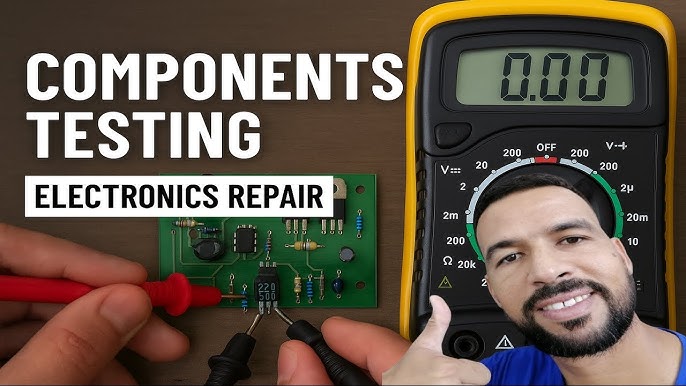
Are you struggling to figure out if your electronic components are working right? Knowing how to test them can save you time, money, and frustration.
In Part 2 of our guide, you’ll discover simple, effective ways to check your components with tools you probably already have. Whether you’re fixing a gadget or building a new project, this article will give you the confidence to spot problems quickly and easily.
Keep reading, and soon you’ll be testing like a pro.

Credit: www.youtube.com
Safety Precautions
Working with electronic components can be rewarding, but it also carries risks if safety isn’t your priority. Before you begin testing, it’s crucial to take precautions that protect both you and your equipment. Ignoring safety measures can lead to injury or damage that’s often avoidable with simple steps.
Wear Proper Personal Protective Equipment
Always wear safety glasses to shield your eyes from sparks or debris. Gloves can protect your hands from sharp leads and accidental electric shocks, especially when handling live circuits. Avoid loose clothing or jewelry that might get caught or cause a short circuit.
Disconnect Power Before Testing
Never test components while the circuit is powered unless the test specifically requires it. Disconnecting power reduces the risk of electric shock and prevents damage to your multimeter or tester. Have you ever experienced a sudden spark that startled you? That usually happens when power isn’t properly disconnected.
Use The Right Tools For The Job
Select testing tools rated for the voltage and current levels you expect to encounter. Using a multimeter with an inappropriate rating can result in inaccurate readings or even tool failure. Consider investing in insulated tools designed for electronics work to add an extra layer of safety.
Work In A Well-lit And Organized Area
A cluttered workspace increases the chances of accidental shorts and misplaced components. Make sure you have enough light to clearly see what you’re doing. Organizing your components and tools beforehand helps you stay focused and avoid mistakes.
Beware Of Capacitors And Stored Charges
Capacitors can hold a dangerous charge even when power is off. Always discharge capacitors safely before testing or handling them. Have you checked if the capacitor is fully discharged? A quick test with your multimeter can save you from an unexpected shock.
Follow Manufacturer’s Instructions
Component datasheets often include specific safety instructions and handling tips. Ignoring these details can lead to improper testing and damage. Take a moment to review the datasheet—it’s a small step that can prevent costly errors.
Basic Tools For Testing
Testing electronic components requires the right tools. Basic tools help you measure and analyze electrical properties. These tools provide accurate data for diagnosing faults. Understanding how to use them is essential for any electronics work.
Multimeters
Multimeters measure voltage, current, and resistance. They are handheld and easy to use. You can check batteries, resistors, and circuits with a multimeter. Digital multimeters show precise readings on a screen. Analog ones use a needle to display values. Always set the correct mode before testing.
Oscilloscopes
Oscilloscopes display electrical signals as waveforms. They show how voltage changes over time. This helps analyze signal shape and frequency. Oscilloscopes are useful for testing complex circuits. They reveal noise, glitches, and timing issues. Learning basic controls is important for clear readings.
Function Generators
Function generators create electrical signals of different shapes. They supply test signals to circuits for response checking. Common waveforms include sine, square, and triangle waves. Function generators help simulate real operating conditions. They assist in testing amplifiers and filters. Adjust frequency and amplitude to match your needs.
Testing Resistors
Resistors are one of the most common components you’ll find on any electronic board. Testing them properly ensures your circuit works as intended without unexpected failures. Understanding how to measure and identify faulty resistors saves time and keeps your projects running smoothly.
Measuring Resistance
To measure resistance, you’ll need a digital multimeter set to the resistance (ohm) mode. Make sure the resistor is disconnected from the circuit to avoid incorrect readings caused by parallel paths.
Place the multimeter probes on each lead of the resistor. The display should show a value close to the resistor’s rated resistance printed on its body.
If the reading fluctuates wildly or shows infinite resistance, the resistor might be damaged or broken internally.
Identifying Faulty Resistors
Faulty resistors often show signs like burnt marks, discoloration, or a cracked body. However, some defects are invisible to the naked eye, so testing is crucial.
- Check if the measured resistance deviates significantly (more than 10%) from the labeled value.
- Look for sudden jumps in resistance during measurement, which indicate internal damage.
- Compare resistors from the same batch or circuit section to spot outliers.
Have you ever replaced a resistor that looked perfect but caused a circuit malfunction? Testing before swapping parts can prevent unnecessary replacements and frustration.
Capacitor Testing Methods
Capacitors are essential components in any electronic circuit, storing and releasing electrical energy as needed. Testing them accurately ensures your devices run smoothly and prevents potential failures. Understanding how to check a capacitor’s health can save you time and money during repairs or projects.
Checking Capacitance
Measuring capacitance helps you confirm if a capacitor holds the right amount of charge. Use a digital multimeter with a capacitance setting or a dedicated capacitance meter for this test. Simply connect the meter leads to the capacitor terminals and compare the reading to the capacitor’s rated value.
If the reading is significantly lower or higher, the capacitor may be faulty. Keep in mind that electrolytic capacitors often have a tolerance range of ±20%, so slight variations are normal. Have you noticed how some capacitors still look fine but fail this test? That’s why measuring capacitance is crucial.
Detecting Leakage
Leakage current indicates a capacitor isn’t holding charge properly, often due to internal damage. To check for leakage, set your multimeter to the highest resistance range and connect it across the capacitor terminals. A healthy capacitor will show a high resistance value, often in the megaohms range.
If the resistance drops quickly or reads very low, the capacitor is leaking and should be replaced. You can also use an insulation tester for a more precise leakage check. Ever tried powering a circuit with a leaking capacitor? The unexpected behavior can be frustrating to diagnose, so spotting leakage early can save headaches.
Inductors And Coils
Inductors and coils play a crucial role in many electronic circuits, storing energy in magnetic fields and filtering signals. Testing these components helps ensure your circuit performs reliably. Understanding how to measure their properties and detect faults can save you hours troubleshooting your projects.
Inductance Measurement
Measuring inductance is key to verifying if an inductor matches its specifications. A digital LCR meter is your best tool here, as it directly measures inductance in microhenries (µH) or millihenries (mH).
To measure inductance:
- Connect the LCR meter leads to the inductor terminals.
- Set the meter to the inductance mode (L).
- Read the displayed value and compare it with the inductor’s rated inductance.
Keep in mind that the measurement can vary based on frequency settings of your meter. If your meter allows selecting test frequency, try 100 Hz and 1 kHz to see if the value remains stable. Large deviations may indicate a damaged or degraded inductor.
Identifying Short Circuits
Short circuits within inductors or coils usually happen due to damaged wire insulation or physical deformation. This causes the coil to lose its inductive properties and behave like a simple conductor.
Check for shorts by measuring resistance with a multimeter:
- Set your meter to the lowest resistance range.
- Place the probes on the coil’s terminals.
- If you get a reading close to zero ohms, the coil is shorted.
Remember, a healthy inductor typically has low but not zero resistance, depending on wire gauge and length. A shorted coil might still show low resistance, but it won’t have proper inductance, so combine resistance and inductance tests.
Have you ever encountered an inductor that passed resistance tests but failed in circuit operation? That’s why measuring both parameters is essential for accurate diagnosis.
Diode Testing
Diode testing is a key step in checking electronic circuits. Diodes control current flow in one direction. Testing ensures the diode works correctly and protects the circuit.
Forward And Reverse Bias
A diode allows current when forward biased. This means the positive lead connects to the anode and the negative to the cathode. The diode should show a low resistance reading in this state.
In reverse bias, the leads switch places. The diode should block current and show high resistance. Measuring resistance in both directions confirms the diode’s condition.
Detecting Faulty Diodes
Use a multimeter set to diode mode for testing. A healthy diode shows a voltage drop of about 0.6 to 0.7 volts forward biased.
- A reading close to 0 volts in both directions means a shorted diode.
- A high or infinite reading both ways means an open diode.
These readings help quickly identify faulty diodes. Replace any diode that fails these tests to avoid circuit damage.
Transistor Testing Techniques
Testing transistors is a crucial skill if you want to keep your electronic projects running smoothly. Transistors come in different types, and each requires a slightly different approach to testing. Understanding these techniques helps you quickly identify faulty components and avoid wasting time troubleshooting the wrong parts.
Bipolar Junction Transistors
Bipolar Junction Transistors (BJTs) have three terminals: the emitter, base, and collector. Testing them usually means checking the junctions between these terminals, which behave like diodes.
You can use a digital multimeter on the diode setting to measure the voltage drop between the base-emitter and base-collector junctions. A healthy transistor typically shows a forward voltage drop of about 0.6 to 0.7 volts in one direction and no conduction in the opposite direction.
Try this test yourself: connect the positive lead to the base and the negative lead to the emitter, then swap and check the collector. If you find conduction both ways or no conduction at all, the transistor might be damaged.
Another quick check is the transistor hFE (gain) test, available on many multimeters. It gives you an idea of how well the transistor amplifies current. Low or zero gain indicates a faulty transistor.
Field Effect Transistors
Field Effect Transistors (FETs) are different from BJTs because they rely on voltage at the gate terminal to control current flow between the source and drain. Testing FETs requires careful handling, as they are sensitive to static electricity.
Using a multimeter, start by identifying the gate, source, and drain terminals. Then, check for shorts between these terminals. A short circuit usually means the FET is bad.
Next, test the gate-to-source voltage by applying a small voltage and measuring if the device switches on or off as expected. This may require a simple test circuit or a specialized tester.
Have you ever been surprised by a transistor that passed a diode test but still failed in the circuit? That’s common with FETs, which often need dynamic testing under actual operating conditions to verify proper function.

Credit: www.youtube.com
Integrated Circuit Evaluation
Integrated circuits (ICs) form the heart of many electronic devices. Testing these components ensures they function correctly and avoid device failure. Evaluation focuses on verifying the IC’s operation and correct pin connections. This process helps detect faults early and saves repair time.
Functional Testing
Functional testing checks if the IC performs its intended tasks. Use a test circuit or an IC tester to apply signals and observe outputs. Compare the actual output with expected results. Variations indicate possible damage or faults inside the IC.
Testing includes:
- Applying power and ground connections properly
- Sending input signals as per the IC datasheet
- Measuring output signals with a multimeter or oscilloscope
- Verifying timing and logic operations
Functional testing reveals internal faults like broken transistors or logic errors.
Pin Configuration Checks
Checking pin configuration confirms correct wiring and no short circuits. Refer to the IC datasheet for accurate pin layout details. Use a multimeter to test continuity between pins and the circuit board.
- Verify power supply pins receive correct voltage
- Check ground pins for proper connection
- Test input pins for proper signal presence
- Ensure output pins are not shorted or open
Incorrect pin connections can cause IC failure or damage other components. Pin checks prevent such issues before powering the circuit.
Advanced Testing Tips
Advanced testing techniques help you understand electronic components better. These tips improve accuracy and save time during testing. Use the right tools and methods to catch hidden faults quickly. Learning these skills boosts confidence in your electronics work.
Signal Analysis
Signal analysis reveals how components behave in real situations. Use an oscilloscope to view voltage changes over time. Check wave shapes for distortions or noise that affect performance. Analyze frequency response for filters and amplifiers. Use a logic analyzer for digital signals to trace logic states clearly.
Look for irregular signals that indicate problems. Measure rise and fall times to assess speed. Compare signals to datasheet specifications for accuracy. Proper signal analysis detects issues not visible with simple testing.
Troubleshooting Common Issues
Faulty connections cause many test errors. Check solder joints and wire connections carefully. Use a multimeter to test continuity and resistance. Look for short circuits that create unexpected paths.
Component overheating signals overload or failure. Test components under normal conditions, then under stress. Replace suspicious parts to confirm faults. Keep a checklist of symptoms and tests for faster diagnosis.
- Verify power supply voltages before testing components.
- Test components outside the circuit if possible.
- Observe component behavior under different loads.
- Document test results for future reference.

Credit: www.youtube.com
Frequently Asked Questions
How Do I Test A Transistor With A Multimeter?
To test a transistor, set your multimeter to diode mode. Check the junctions between the base and collector, and base and emitter. A good transistor shows a low reading in one direction and no reading in the reverse. This confirms proper functionality.
What Is The Best Way To Test A Capacitor?
Discharge the capacitor first, then use a multimeter in capacitance mode. A reading close to the capacitor’s rated value indicates it’s good. A very high or zero reading suggests the capacitor is faulty or damaged.
How Can I Check A Resistor’s Value Accurately?
Use a digital multimeter set to the resistance (ohms) mode. Connect the probes to each resistor lead and read the value. Compare this to the resistor’s color code or rated value to ensure it is within tolerance.
Why Is Testing Diodes Important In Electronics?
Diodes control current flow direction, so faulty ones can cause circuit failure. Testing ensures they conduct in one direction only and block current in reverse. This prevents damage and maintains circuit performance.
Conclusion
Testing electronic components needs patience and care. Use the right tools and follow steps clearly. Check each part carefully for any faults or damage. Practice helps you get better and faster. Keep learning and stay safe while working. Testing ensures your devices work well and last longer.
Small checks save big problems later. Stay curious and keep improving your skills.


