How Do I Use Smart Devices Without Hub: Simple Steps to Connect Easily
Are you curious about how to make the most out of your smart devices without the need for a hub? You’re not alone.
Many people just like you are eager to streamline their tech setup without complicating it with extra gadgets. Imagine controlling your lights, thermostat, and even your coffee maker with just a few taps on your phone. Sounds convenient, right? In this guide, we’ll reveal the secrets to maximizing the potential of your smart devices, all without the hassle of a hub.
Dive in to discover how you can simplify your smart home experience and enjoy seamless connectivity in a way that’s both efficient and easy on the wallet. Keep reading, and unlock the full potential of your smart gadgets today.
Choosing Hub-free Smart Devices
Choosing hub-free smart devices simplifies your smart home setup. These devices connect directly to Wi-Fi or use Bluetooth, removing the need for extra hubs. This reduces clutter and makes installation easier. Hub-free devices often work with popular voice assistants. This ensures smooth control and better compatibility.
Focus on devices that are easy to install and maintain. Check if they support your smartphone or voice assistant. Also, consider devices with good customer reviews and regular software updates.
Popular Devices That Don’t Need A Hub
- Smart bulbs from brands like Philips Hue Bluetooth and LIFX
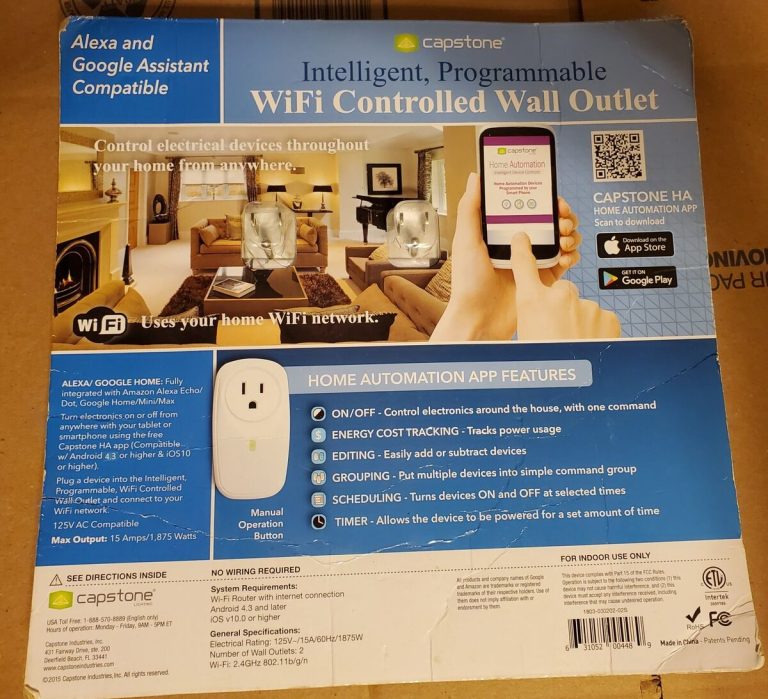
- Wi-Fi smart plugs such as TP-Link Kasa and Amazon Smart Plug
- Smart thermostats like Google Nest Thermostat (some models)
- Voice assistants including Amazon Echo Dot and Google Nest Mini
- Wi-Fi security cameras from Ring and Arlo
Benefits Of Hubless Smart Devices
- Easy setup without extra equipment
- Lower upfront cost by skipping hub purchase
- Less space needed, ideal for small homes
- Direct control via smartphone or voice assistant
- Fewer technical issues and easier troubleshooting

Credit: www.amazon.ca
Connecting Via Wi-fi
Connecting smart devices directly to Wi-Fi is a simple way to control them without a hub. Many smart gadgets have built-in Wi-Fi that lets them link to your home network. This setup allows you to manage devices through their apps or voice assistants. It saves space and cuts down on extra equipment.
Using Wi-Fi also means devices can work independently. Each device communicates with your router and sends data over your internet connection. This method supports a wide range of smart devices, from bulbs to cameras. It offers flexibility in managing your smart home setup.
Setting Up Wi-fi Enabled Devices
Start by powering on your smart device. Download the device’s app from the app store. Open the app and follow the setup instructions. Usually, you must connect the device to your Wi-Fi network.
Ensure your phone is on the same Wi-Fi network you want your device to join. Enter your Wi-Fi password carefully. Wait for the device to confirm it is connected. Test the device using the app to check if it responds.
- Check Wi-Fi signal strength near the device
- Keep your router password ready
- Update the device firmware if prompted
Troubleshooting Wi-fi Connections
Devices may fail to connect or lose connection sometimes. First, check if your Wi-Fi is working correctly on other devices. Restart your router and the smart device to refresh connections. Confirm the device is within the Wi-Fi range.
Remove and re-add the device to your network if problems continue. Look for interference from other electronics nearby. Ensure your router supports the Wi-Fi band required by the device (2.4 GHz or 5 GHz).
| Issue | Solution |
|---|---|
| Device not found during setup | Restart device and app, then try again |
| Weak signal | Move device closer to router |
| Incorrect Wi-Fi password | Re-enter password carefully |
Using Bluetooth For Direct Control
Using Bluetooth for direct control is a simple way to manage your smart devices without needing a hub. This approach lets you connect your phone straight to the device, cutting out extra equipment and setup time. It’s perfect if you want quick, easy access and less clutter in your smart home system.
Pairing Devices With Your Phone
Pairing your smart device with your phone usually starts in the device’s app or your phone’s Bluetooth settings. Make sure Bluetooth is turned on your phone, then put the smart device into pairing mode—often by holding a button or following prompts in the app.
Once your phone detects the device, tap its name to connect. You may need to enter a code or confirm the connection. This process creates a secure link, so you can control the device directly from your phone.
Range And Limitations Of Bluetooth
Bluetooth works best within a short range, typically about 30 feet or 10 meters. Walls, furniture, and other obstacles can reduce this range. Think about where you place your devices and how far you’ll be from them when controlling them.
Also, Bluetooth connections usually allow only one device to connect at a time. This means you can control your smart device from your phone but not from multiple phones simultaneously. Does this limitation fit your daily routine?
Leveraging Voice Assistants
Voice assistants offer an easy way to control smart devices without a hub. They connect directly with many smart gadgets. This lets you manage your home with simple voice commands. No need for extra hardware or complicated setups. Voice assistants make smart living smoother and more accessible.
Integrating With Alexa, Google, And Siri
Many smart devices work well with Alexa, Google Assistant, and Siri. You just link your device to the app of your voice assistant. The process usually involves:
- Opening the voice assistant app on your phone
- Adding the smart device through the app’s device section
- Following on-screen instructions to connect and authorize
Once connected, your device appears in the assistant’s ecosystem. You can group devices, create routines, or set schedules. Each assistant supports different brands and features, so check compatibility first.
Controlling Devices Hands-free
Using voice commands lets you control devices without touching anything. Just say what you want, like:
- “Turn on the living room light.”
- “Set the thermostat to 72 degrees.”
- “Play music in the kitchen.”
Hands-free control works well for busy moments or when you can’t reach your phone. It helps with quick actions and improves convenience. Voice assistants also respond to follow-up commands, making interactions natural and easy.
Utilizing Mobile Apps
Utilizing mobile apps is a straightforward way to control your smart devices without needing a separate hub. These apps connect directly to your devices via Wi-Fi or Bluetooth, giving you full control from your smartphone. This approach keeps your setup simple and often more responsive.
Downloading And Installing Device Apps
Start by identifying the specific app designed for your smart device. Most manufacturers offer free apps on popular platforms like the Apple App Store or Google Play Store. Look for apps with good reviews and regular updates to ensure reliability.
After downloading, follow the app’s setup instructions carefully. Usually, you’ll need to create an account, connect your phone to the device’s network, and then link the device to your home Wi-Fi. This process often takes just a few minutes and lets you start controlling the device immediately.
Managing Multiple Devices In One App
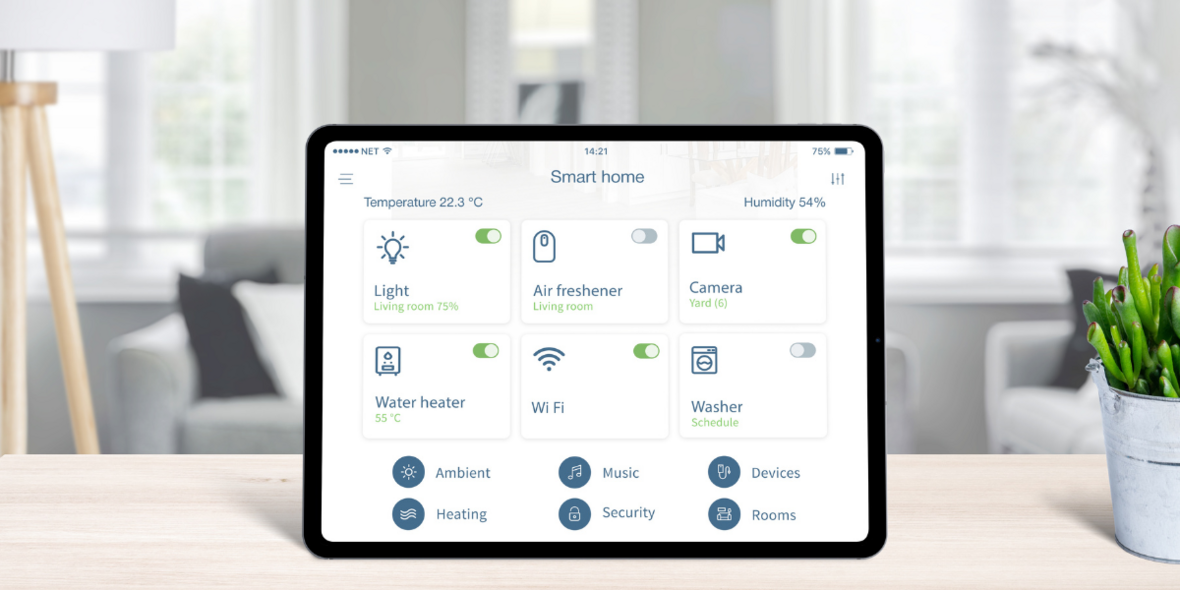
Many modern smart device apps allow you to add and manage several devices within a single interface. This feature is a game-changer if you have smart bulbs, plugs, or cameras from the same brand. You can switch devices on or off, set schedules, or adjust settings without opening multiple apps.
If your devices come from different brands, some third-party apps like Smart Life or Tuya might help you control them all from one place. These apps support a wide range of devices and simplify management. Have you tried grouping devices by room or function in an app? It can make daily control even smoother.
Ensuring Security Without A Hub
Using smart devices without a hub can simplify your setup, but it also means you need to take extra care to protect your devices and personal data. Without a central hub managing security, your responsibility to keep everything safe increases. Let’s look at practical ways to secure your smart devices effectively.
Securing Your Network
Your home Wi-Fi network is the gateway for all your smart devices. If it’s weak or unprotected, anyone could gain access to your devices and data.
Start by setting a strong, unique password for your Wi-Fi. Avoid common or default passwords like “12345678” or “password.”
Enable WPA3 or WPA2 encryption in your router settings to keep your network traffic safe from outsiders.
Consider creating a separate guest network for your smart devices. This way, even if a device is compromised, your main devices like computers and phones remain protected.
Keeping Device Firmware Updated
Manufacturers regularly release firmware updates to patch security flaws and improve device performance. Skipping these updates leaves your devices vulnerable to hackers.
Check your device’s app or website regularly for firmware updates. Many smart devices allow automatic updates—turn this feature on if possible.
When updating, connect your device to a secure Wi-Fi network to prevent interruptions or man-in-the-middle attacks.
I once ignored a firmware update on a smart camera, thinking it was just a minor bug fix. Within weeks, a security flaw was exploited on similar models, leading to unauthorized access. That experience taught me to prioritize updates immediately.
Expanding Your Smart Setup
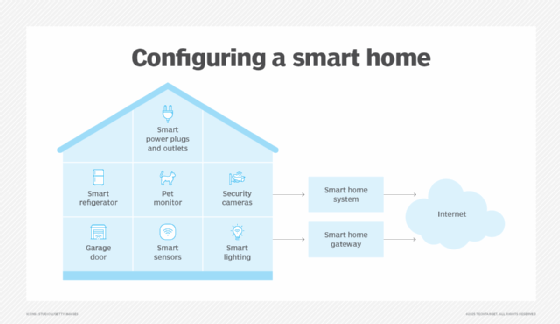
Expanding your smart setup without a hub can be simple and efficient. It means adding more devices to your home that work well together. You can build a smart home step by step without extra equipment. This approach saves money and reduces complexity. It also keeps your system flexible and easy to manage.
Adding New Devices Seamlessly
Choose devices that connect directly to your Wi-Fi or use Bluetooth. Many smart gadgets have apps to guide you through setup. Follow simple on-screen instructions to pair devices quickly. Look for compatibility with your phone or voice assistant. This ensures new devices work smoothly with your existing setup.
- Select devices supporting common standards like Wi-Fi or Bluetooth.
- Use manufacturer apps for easy installation.
- Check device compatibility before purchase.
Syncing Devices Without A Central Hub
Use apps that control multiple smart devices from one place. Some smart devices can connect directly to each other. Create routines or scenes in your smartphone app for automation. Voice assistants like Alexa or Google Assistant can manage devices together. This setup keeps your system organized without needing a hub.
| Method | Description | Example |
|---|---|---|
| Direct Device Communication | Devices connect and share data with each other. | Smart bulbs syncing with motion sensors. |
| Single App Control | Use one app to manage all smart devices. | SmartThings app or manufacturer’s app. |
| Voice Assistant Integration | Control devices using voice commands. | Amazon Alexa or Google Home. |
Credit: www.knx.org
Credit: www.vesternet.com
Frequently Asked Questions
Can I Control Smart Devices Without A Hub?
Yes, many smart devices connect directly to Wi-Fi or Bluetooth. This allows you to control them using smartphone apps without needing a hub.
What Smart Devices Work Without A Hub?
Devices like smart plugs, bulbs, and cameras often work independently. They use Wi-Fi or Bluetooth, eliminating the need for a central hub.
How Do I Set Up Smart Devices Without A Hub?
Download the device’s app, connect your phone to its Wi-Fi or Bluetooth, and follow the setup instructions. This process is usually quick and simple.
Are There Limitations Without Using A Hub?
Without a hub, device integration may be limited. You might lose advanced automation and centralized control features available through hubs.
Conclusion
Using smart devices without a hub is simple and practical. Many devices connect directly to Wi-Fi or Bluetooth. This means fewer gadgets and easier setup. You can control your devices with apps on your phone. Voice assistants often work without extra hubs too.
Keep your network secure and update devices regularly. This helps your smart home stay safe and smooth. Start small, add devices one by one, and enjoy smart living without extra hubs. It’s an easy way to bring technology into your home.