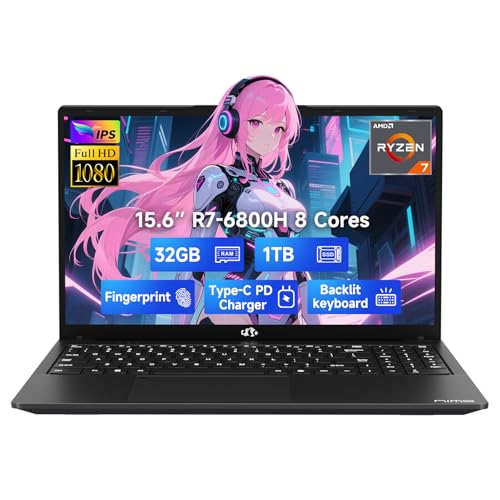
Best Way to Ship a Laptop Safely: Tips for Fragile Electronics
Shipping a laptop safely can be a challenge. Ensuring it reaches its destination intact is crucial.
Choosing the best way to ship a laptop involves several key considerations. Proper packaging is essential to protect the device from damage during transit. Use a sturdy box with bubble wrap or foam padding to cushion the laptop. Secure the box with strong tape to prevent accidental opening.
Consider using a shipping service that offers tracking and insurance for peace of mind. This ensures that you can monitor the shipment and have coverage in case of loss or damage. Selecting the right carrier is also important, as some specialize in handling electronics. Following these guidelines helps ensure your laptop arrives safely and securely at its destination.
Acer Chromebook 315 Laptop

The Acer Chromebook 315 Laptop is ideal for students, casual users, and professionals who need a lightweight, affordable, and efficient device primarily for web browsing, streaming, and basic productivity tasks. If you are looking for a portable laptop with a long battery life and a user-friendly operating system, this Chromebook is a great choice.
Pros:
- 15.6″ HD Display provides a spacious and clear viewing experience.
- Intel Celeron N4020 processor with speeds up to 2.8GHz offers smooth performance for everyday tasks.
- 12.5-hour battery life ensures long usage without frequent charging.
- 4GB RAM and 64GB eMMC storage balance speed and storage for most web-based applications.
- Lightweight design at just 3.59 pounds makes it highly portable.
- Chrome OS offers fast boot times and seamless integration with Google services.
Cons:
- Limited storage with 64GB eMMC may require cloud storage for large files.
- Intel UHD Graphics is not suitable for heavy gaming or graphic-intensive applications.
- Processor may struggle with multitasking or demanding software.
The Acer Chromebook 315 features a large 15.6-inch HD display that enhances productivity and multimedia consumption, making it perfect for watching videos, browsing the web, or working on documents. Its Intel Celeron N4020 processor paired with 4GB RAM ensures smooth operation for everyday tasks such as email, streaming, and online collaboration. Additionally, the lightweight and slim design offers great portability for users on the move.
One of the standout benefits of this Chromebook is its impressive 12.5-hour battery life, which allows users to work or study throughout the day without worrying about recharging. The device runs on Chrome OS, providing a simple, secure, and fast user experience with seamless access to Google apps and the Chrome Web Store. While storage is limited to 64GB eMMC, the emphasis on cloud storage solutions makes it an efficient choice for users who rely on online file access and backup.
To buy this product, click here.
Asus Chromebook Cm14 Laptop

The ASUS Chromebook CM14 Laptop is ideal for students, professionals, and casual users who need a lightweight, efficient device for everyday tasks such as browsing, streaming, and productivity work. Those looking for a budget-friendly laptop with a reliable operating system and decent performance will find this Chromebook a great choice.
Pros:
- 14″ HD Anti-Glare Display offers comfortable viewing with reduced eye strain.
- Powered by the efficient MediaTek Kompanio 520 processor for smooth multitasking.
- 4GB RAM ensures adequate performance for most ChromeOS applications.
- 64GB eMMC storage provides sufficient space for cloud-based storage and offline files.
- ChromeOS delivers fast boot times, security, and seamless integration with Google services.
- Lightweight design (4.4 pounds) and compact dimensions make it portable for on-the-go use.
Cons:
- Screen resolution of 1366×768 may feel low compared to Full HD displays.
- Limited storage might require reliance on cloud storage solutions.
- Not suitable for heavy gaming or resource-intensive software.
The 14″ HD Anti-Glare Display of the ASUS Chromebook CM14 provides a comfortable viewing experience even during extended use, minimizing reflections and glare. This makes it an excellent option for students attending virtual classes or professionals working long hours on documents and spreadsheets. The MediaTek Kompanio 520 processor, combined with 4GB RAM, delivers responsive performance for everyday applications such as web browsing, video conferencing, and content consumption.
With 64GB eMMC storage, users get enough space to store essential files offline while benefiting from the speed and simplicity of ChromeOS. The operating system ensures quick boot times, automatic updates, and enhanced security, making it ideal for users who prefer a hassle-free computing experience. The lightweight and compact design enhances portability, allowing users to carry the Chromebook easily between home, school, or work. Overall, the ASUS Chromebook CM14 balances performance, portability, and value, making it a practical choice for those seeking an affordable and efficient laptop.
To buy this product, click here.
Hp Newest Pavilion 15.6″ Hd Ips Laptop

The HP Newest Pavilion 15.6″ HD IPS Laptop is ideal for users seeking a powerful yet portable device that balances performance and affordability. Perfect for students, professionals, and casual gamers, this laptop is designed for those who need reliable multitasking capabilities, smooth graphics, and fast processing speeds without breaking the bank. If you require a versatile machine for work, entertainment, and light creative tasks, this HP Pavilion model is a great choice.
Pros:
- Equipped with a robust 8-Core AMD Ryzen 7-5700U processor that outperforms many Intel i7 counterparts.
- Large 16GB RAM ensures smooth multitasking and efficient performance.
- Fast and spacious 512GB NVMe SSD for quick boot times and ample storage.
- Vibrant 15.6″ HD IPS display offers wide viewing angles and crisp visuals.
- Integrated AMD Radeon Graphics provide solid performance for casual gaming and media editing.
- Convenient features like a numpad, HDMI port, USB-A & USB-C ports, and fast charging enhance usability.
- Lightweight design at just 3.86 pounds makes it highly portable.
Cons:
- Display resolution is HD rather than Full HD, which might not satisfy users seeking ultra-sharp visuals.
- Battery life may vary depending on usage, potentially requiring frequent charging during intensive tasks.
- Limited upgrade options due to integrated components and compact design.
The HP Pavilion 15.6″ HD IPS Laptop boasts a powerful AMD Ryzen 7-5700U processor that can reach speeds up to 4.3GHz, delivering exceptional computing power for everyday tasks and demanding applications alike. Coupled with 16GB of RAM, this laptop handles multitasking with ease, allowing users to run multiple applications smoothly without lag. The inclusion of a 512GB NVMe SSD ensures fast boot times and quick access to files, enhancing overall productivity. The laptop’s sleek and lightweight design makes it convenient to carry, perfect for users on the go.
Its 15.6-inch HD IPS display provides clear and vibrant visuals with wide viewing angles, ideal for streaming videos, browsing, and light photo editing. The integrated AMD Radeon Graphics add a layer of versatility, supporting casual gaming and creative work without the need for an external GPU. Connectivity options such as USB-A and USB-C ports, HDMI output, and WiFi ensure seamless integration with peripherals and networks. Additionally, the fast charging capability minimizes downtime, allowing users to stay productive throughout the day.
To buy this product, click here.
Hp 15.6″ Portable Laptop

The HP 15.6″ Portable Laptop is ideal for students, professionals, and everyday users seeking a reliable and stylish device for both work and entertainment. With its vibrant HD Display and powerful Intel Quad-Core N200 Processor, this laptop is perfect for multitasking, streaming, and productivity tasks. Its lightweight design and included 1 Year Microsoft 365 subscription make it an excellent choice for those who need a portable and versatile computing solution.
Pros:
- 8GB RAM ensures smooth multitasking and responsive performance.
- 128GB Storage provides ample space for essential files and applications.
- Includes 1 Year Microsoft 365 for access to popular productivity tools.
- HD Display offers clear visuals and vibrant colors for work and entertainment.
- Portable and lightweight design, weighing just over 3.5 pounds.
- Windows 11 Home pre-installed for the latest user experience and security features.
- Numeric keypad enhances productivity for data entry tasks.
- Multiple connectivity options including Wi-Fi 5, HDMI, and webcam.
Cons:
- 128GB storage may be limiting for users with large media libraries or extensive software needs.
- Wi-Fi 5 is not the latest standard, which may affect future-proofing for faster internet speeds.
- The Intel Quad-Core N200 Processor is suitable for everyday tasks but might struggle with heavy gaming or intensive video editing.
The HP 15.6″ Portable Laptop stands out with its balanced combination of performance and portability. The Intel Quad-Core N200 Processor paired with 8GB of RAM ensures users can efficiently handle multiple applications, from web browsing to office productivity. The inclusion of Windows 11 Home enhances security and usability, while the pre-installed Microsoft 365 subscription adds immediate value for those requiring access to Word, Excel, and other essential tools.
Its HD Display delivers crisp and vibrant visuals, making it well-suited for streaming videos, video calls via the integrated webcam, and everyday creative tasks. The laptop’s lightweight design and robust feature set, including a numeric keypad and HDMI port, provide users with convenience and flexibility whether working from home, attending classes, or traveling. Overall, this laptop offers a compelling package for users seeking an affordable, reliable, and stylish computing device.
To buy this product, click here.
Hp 15 Inch Laptop
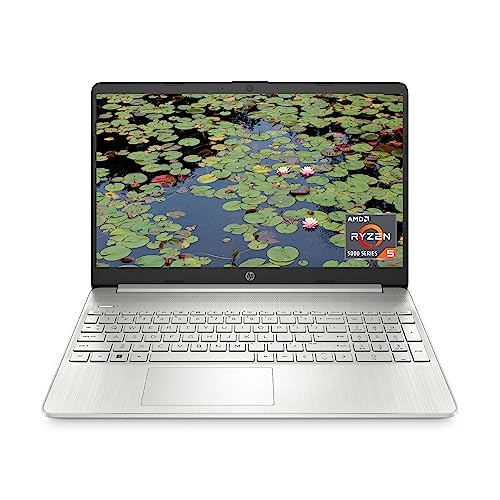
The HP 15 inch Laptop with an HD Display and powered by the AMD Ryzen 5 5500U processor is ideal for students, professionals, and everyday users who need a reliable and efficient laptop for multitasking, media consumption, and light gaming. This laptop suits those looking for a balance between performance and portability without breaking the bank.
Pros:
- Powerful AMD Ryzen 5 5500U processor for smooth multitasking and efficient performance.
- Bright and clear 15 inch HD Display ideal for work and entertainment.
- Ample 8 GB RAM for running multiple applications simultaneously.
- Fast 256 GB SSD storage for quick boot-up and file access.
- Integrated AMD Radeon Graphics for enhanced visuals and light gaming.
- Comes with the latest Windows 11 Home operating system for a modern user experience.
- Lightweight design at 3.75 pounds for easy portability.
Cons:
- Display resolution is HD rather than Full HD, which may not satisfy users seeking higher screen clarity.
- Storage capacity of 256 GB SSD might be limiting for users with large multimedia libraries.
- Not suited for heavy gaming or intensive graphical workloads despite having AMD Radeon Graphics.
The HP 15 inch Laptop boasts a sturdy build with dimensions of 9.53 inches height, 0.78 inches width, and 14.11 inches length, making it a portable choice for users on the go. The combination of the AMD Ryzen 5 5500U processor and 8 GB RAM ensures that everyday tasks such as web browsing, document editing, and multimedia playback are handled efficiently without lag. This makes it a dependable companion for work, school, or casual use.
The inclusion of a 256 GB SSD significantly improves system responsiveness with faster boot times and quick access to files compared to traditional hard drives. The integrated AMD Radeon Graphics enhances the visual experience, allowing users to enjoy streaming videos and light gaming with decent graphics performance. The pre-installed Windows 11 Home operating system offers a modern interface and improved security features, enhancing overall usability and user satisfaction.
To buy this product, click here.
Hp Envy 17 Inch Laptop

The HP Envy 17 inch Laptop is ideal for professionals, creatives, and power users who need a large, high-resolution touchscreen display combined with strong performance and ample storage. If you require a reliable machine for multitasking, content creation, or immersive media consumption, this laptop is designed to meet those demands efficiently.
Pros:
- FHD Touchscreen for intuitive and interactive use
- Powerful Intel Core Ultra 7 155H processor for smooth multitasking
- Generous 16 GB RAM ensuring seamless performance with demanding applications
- Spacious 1 TB SSD for fast storage and quick data access
- Intel Arc Graphics delivering enhanced visuals and graphics performance
- Comes with Windows 11 Home and a handy Copilot Key for improved productivity
- Large 17-inch display providing an immersive viewing experience
Cons:
- Relatively heavy at 5.5 pounds, making portability a bit challenging
- Dimensions may be bulky compared to smaller laptops for on-the-go use
The HP Envy 17 inch Laptop features a stunning FHD touchscreen that enhances user interaction, allowing for precise control and ease of use. Its large display is perfect for designers, video editors, and anyone who benefits from a spacious workspace. The combination of the Intel Core Ultra 7 155H processor and 16 GB RAM ensures that users can handle resource-intensive tasks such as video editing, 3D rendering, and multitasking without lag or slowdown.
With a lightning-fast 1 TB SSD, users experience quick boot times and rapid file access, improving overall efficiency. The inclusion of Intel Arc Graphics provides superior graphics performance, ideal for gaming, graphic design, and streaming high-definition content. Additionally, the built-in Copilot Key integrated with Windows 11 Home enhances productivity by providing quick access to helpful AI features, making this laptop a versatile tool for both work and entertainment.
To buy this product, click here.
Asus E410 Laptop

The ASUS E410 Intel Celeron N4020 4GB 64GB 14-Inch HD LED Win 10 Laptop (Star Black) is an ideal choice for students, casual users, and professionals who need a lightweight, budget-friendly device for everyday tasks such as web browsing, document editing, and media consumption. Those seeking portability combined with basic performance will find this laptop especially suitable.
Pros:
- Compact and lightweight design for easy portability
- Reliable Intel Celeron N4020 processor for efficient multitasking
- 14-inch HD LED display offers clear visuals for work and entertainment
- Pre-installed Windows 10 for a familiar and user-friendly interface
- Affordable price point ideal for budget-conscious buyers
Cons:
- Limited 64GB storage may require external solutions for heavy users
- 4GB RAM may restrict performance with demanding applications
- Basic Intel Celeron processor is not suited for high-end gaming or intensive software
The ASUS E410 features a sleek Star Black finish with dimensions measuring just 0.74 inches in height, 8.56 inches in width, and 12.81 inches in length, making it extremely portable and easy to carry throughout the day. Weighing only 1.0 pounds, this laptop is perfect for users who are frequently on the move, such as students attending classes or professionals traveling between meetings. Its compact size does not compromise the screen quality, with a 14-inch HD LED display that provides sharp and vibrant visuals suitable for both work and entertainment.
Powered by the Intel Celeron N4020 processor and equipped with 4GB of RAM, the ASUS E410 handles everyday computing tasks smoothly, including web browsing, streaming, and using office applications. Although the 64GB storage is on the lower side, it supports basic file storage and can be supplemented with cloud services or external drives. Additionally, the laptop comes pre-installed with Windows 10, offering a familiar operating system that supports a wide range of software, ensuring users can stay productive right out of the box.
To buy this product, click here.
Frequently Asked Questions
How To Pack A Laptop For Safe Shipping?
Use the original box or a sturdy laptop box. Wrap the laptop in bubble wrap. Add cushioning materials like foam or packing peanuts. Ensure no movement inside the box. Seal with strong packing tape. Label the box as fragile for careful handling.
Which Shipping Service Is Best For Laptops?
Choose services offering tracking and insurance, like UPS, FedEx, or USPS Priority Mail. These provide reliable delivery and protection. Opt for expedited shipping to reduce transit time and minimize damage risks. Always check carrier policies for electronics before shipping.
Should I Remove The Battery Before Shipping A Laptop?
Yes, if possible, remove the battery to avoid leakage and damage. Some batteries are non-removable; in that case, ensure the laptop is powered off. Follow airline or courier regulations regarding lithium-ion batteries for safe transportation.
How To Insure A Laptop During Shipping?
Purchase shipping insurance covering the laptop’s full value. Declare the item as electronics when shipping. Keep receipts and serial numbers for claims. Check carrier insurance limits and consider third-party insurance for high-value laptops.
What Is The Best Way To Label A Laptop Shipment?
Mark the package with “Fragile” and “Handle with Care” labels. Include a clear shipping address and return address. Use waterproof labels or cover labels with clear tape. This ensures proper handling and reduces the risk of loss or damage.
Conclusion
Shipping a laptop safely takes careful planning and the right materials. Use strong boxes with plenty of padding to protect your device. Choose a reliable shipping service with tracking and insurance for peace of mind. Make sure to back up your data before sending your laptop.
Label the package clearly and avoid loose parts inside the box. Whether it’s an Acer Chromebook, an ASUS model, or an HP laptop, these steps help avoid damage during transit. Taking time to pack correctly saves stress and extra costs later.
Proper shipping ensures your laptop arrives in good condition and ready to use. Remember, safety and clear communication with the carrier are key. By following these simple tips, you can ship any laptop confidently and securely.