
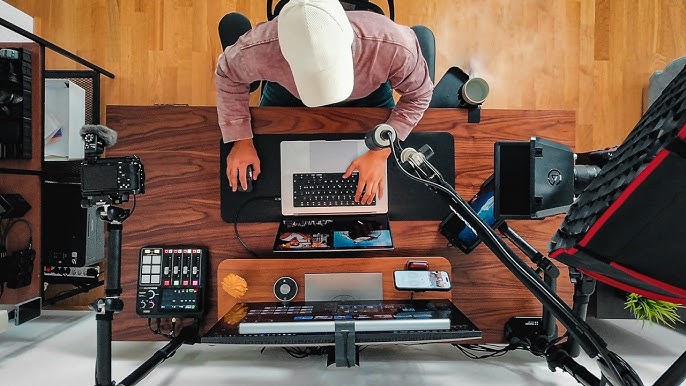
Are you tired of tangled cords and cluttered desks in your home office? Mounting your electronics might be the perfect solution you’ve been searching for.
Imagine a workspace where everything is neat, organized, and within arm’s reach. That’s what you’ll achieve by learning how to mount your home office electronics efficiently. This guide is designed with you in mind, offering step-by-step instructions that are easy to follow.
Not only will it transform your workspace, but it will also boost your productivity. Ready to create a more functional and stylish home office? Let’s dive into the details and get your workspace working for you!
Credit: www.temu.com
Choose The Right Location
Choosing the right location to mount your home office electronics sets the foundation for a productive and comfortable workspace. It’s not just about finding an empty wall or corner; it’s about thinking through how light, space, and power access will impact your daily work experience. You want a spot that supports focus without causing strain or clutter.
Consider Lighting And Space
Natural light can boost your mood and reduce eye strain, but too much glare on screens can be distracting. Position your monitors so that windows are either to the side or behind your seating area to control brightness without sacrificing daylight.
Think about the size of the equipment and how much desk or wall space you need. For example, mounting a large monitor too close to a wall might limit your movement or make cable management tricky. Measure your devices and visualize how they fit in the space before drilling any holes.
Assess Power Outlet Access
Nothing disrupts workflow faster than tangled cords or devices that can’t reach an outlet. Check where your power outlets are in relation to the mounting location to avoid long extension cords or unsafe setups.
If outlets are sparse, consider installing a power strip with surge protection nearby. This ensures your electronics stay safe and you have enough plugs for everything—from monitors and printers to chargers and lamps.
Credit: www.amazon.ca
Select Suitable Mounting Options
Choosing the right mounting option is key to organizing your home office electronics neatly. The right mount saves desk space and improves device accessibility. Consider your room layout, device size, and daily use before picking a mount. Proper mounting keeps cables tidy and prevents damage to your devices.
Wall Mounts And Brackets
Wall mounts free up desk space by lifting devices off the surface. They suit monitors, speakers, and routers well. These mounts come in fixed, tilting, or fully adjustable designs. Adjustable mounts let you change angles for better viewing comfort. Brackets provide strong support for heavy items like large monitors or printers.
- Save desk space and reduce clutter
- Improve airflow around devices to prevent overheating
- Keep electronics at eye level for better ergonomics
- Use cable clips to hide wires neatly along the wall
Desk Mounts And Stands
Desk mounts attach directly to your desk or sit on top as stands. They offer flexibility and easy access to your gadgets. Desk mounts are ideal for laptops, monitors, and tablets. Some have adjustable arms for better positioning. Stands support devices at a comfortable height and angle.
- Adjust height and angle for better posture
- Keep devices stable and prevent accidental falls
- Often include spaces to organize accessories like pens or notes
- Easy to install and move as needed
Prepare Your Tools And Materials
Preparing your tools and materials is the first step to mount home office electronics safely and efficiently. Having everything ready helps avoid interruptions and mistakes. It also keeps your workspace organized and stress-free.
Gathering the right tools and wearing proper safety gear makes the task easier. You can work faster and with more confidence. This preparation ensures a smooth setup for your home office.
Essential Tools Checklist
- Power drill with drill bits
- Screwdrivers (Phillips and flathead)
- Stud finder to locate wall studs
- Measuring tape for precise placement
- Level to keep mounts straight
- Wall anchors and screws
- Cable clips or ties for wire management
- Pencil or marker for marking spots
- Hammer for anchoring nails
Safety Gear Recommendations
- Safety goggles to protect your eyes
- Work gloves for hand protection
- Dust mask to avoid inhaling particles
- Ear protection if using loud tools
- Proper footwear for stability
Mount Your Monitor With Ease
Mounting your monitor correctly can transform your home office experience. It reduces neck strain, frees up desk space, and creates a cleaner workspace. Let’s focus on how to mount your monitor with ease, starting with finding the right height and securing it safely.
Find The Optimal Height
Position your monitor so the top of the screen is at or slightly below your eye level. This setup helps keep your neck straight and prevents slouching.
Try sitting comfortably and look straight ahead. Adjust the monitor height until your eyes naturally hit the top third of the screen.
If you share your workspace, consider adjustable arms or stands that let you easily change the height throughout the day.
Secure The Monitor Properly
Check the mounting bracket compatibility with your monitor’s VESA pattern. Most monitors have standard mounting holes on the back, but sizes can vary.
Use a sturdy wall mount or desk arm to keep the monitor steady and avoid wobbling. Tighten all screws firmly but be careful not to overtighten and damage your monitor.
Double-check cable connections after mounting to avoid strain or accidental unplugging. Have you noticed how a loose cable can ruin your workflow?
Organize Cables Neatly
Organizing cables neatly improves the look of your home office. It also prevents tangles and makes cleaning easier. A tidy space helps you focus and work better. Use simple tools and tricks to keep cables under control. Small changes make a big difference.
Use Cable Clips And Sleeves
Cable clips hold wires in place on desks or walls. They stop cables from slipping or falling. Use clips to separate different cords. This stops them from mixing and tangling.
Cable sleeves group multiple wires into one bundle. They protect cables and make them look clean. Choose sleeves that fit your cables well. Cut sleeves to the right length for neatness.
Both clips and sleeves come in many colors and sizes. Pick ones that match your office style. Installation takes just a few minutes.
Hide Cables Behind Furniture
Furniture can hide cables from view. Run cords behind desks, shelves, or cabinets. This keeps cables out of sight and out of reach.
Use adhesive hooks or Velcro strips to secure cables behind furniture. Keep cables off the floor to avoid damage. Make sure cables do not block air vents or outlets.
Hiding cables creates a cleaner and safer workspace. It also reduces distractions and clutter around your electronics.
Mount Additional Electronics
Mounting additional electronics in your home office can free up desk space and create a cleaner, more organized environment. It also helps protect your devices from accidental spills or knocks. Think about the electronics you use daily and how mounting them could enhance your workflow and comfort.
Speakers And Soundbars
Speakers and soundbars can easily clutter your desk if left sitting on the surface. Wall-mounting these devices not only saves space but also improves sound projection by positioning them at ear level.
Before mounting, check the weight and mounting options of your speakers or soundbar. Many come with built-in brackets or mounting points. If yours don’t, universal speaker mounts or adjustable arms can do the trick.
Consider the cable management too. Use adhesive cable clips or channels to keep wires tidy and out of sight. Have you noticed how much clearer your space feels when cables aren’t tangled across your desk?
Docking Stations And Hubs
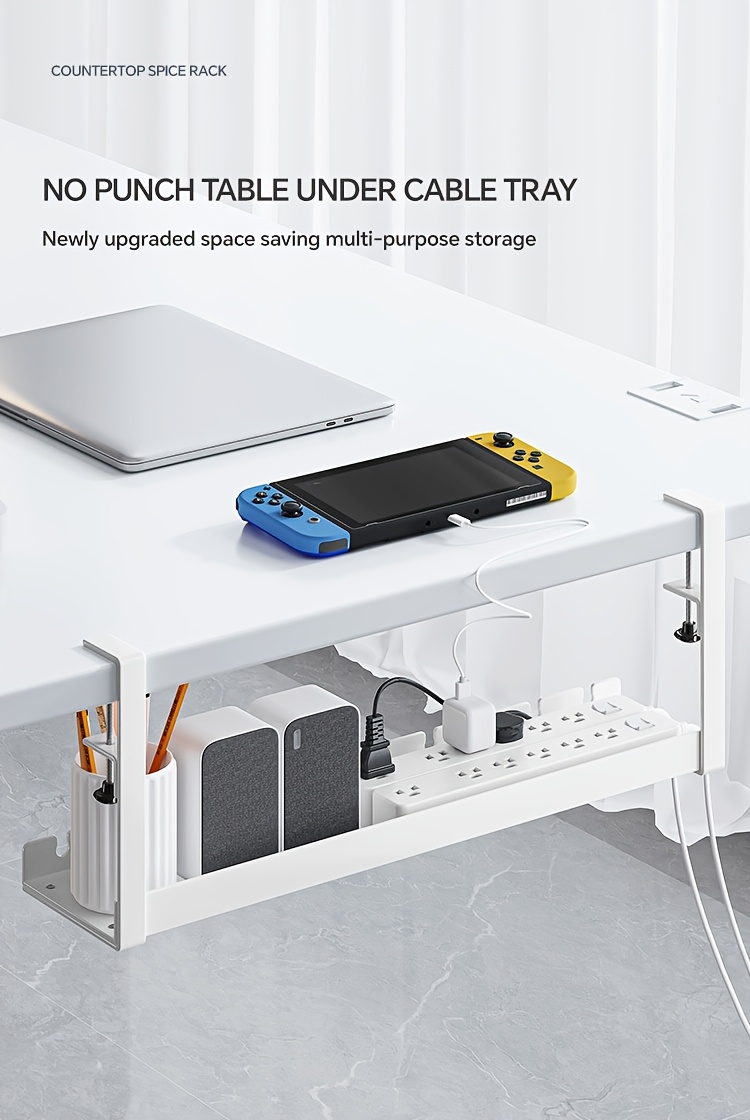
Docking stations and hubs are essential for connecting multiple devices, but they often add to desk clutter with their cables and bulk. Mounting these underneath your desk or on the side can keep them accessible without taking up precious workspace.
Look for mounts designed for small electronics or use strong Velcro strips for lighter hubs. Make sure the placement allows easy access to ports and buttons without stretching cables.
Try labeling cables near the hub to avoid confusion when unplugging or reconnecting devices. How much more efficient would your setup be if you could plug and unplug devices quickly without hunting for the right port?
Maintain A Clean And Functional Setup
Maintaining a clean and functional setup is key to boosting productivity and extending the life of your home office electronics. A clutter-free space not only helps you focus but also makes your equipment easier to use and less prone to damage. Taking a few simple steps to keep your setup organized will make a big difference in how comfortable and efficient your workday feels.
Regular Dusting And Cleaning
Dust can quickly build up on your screens, keyboards, and other devices, affecting performance and hygiene. Use a microfiber cloth to gently wipe surfaces at least once a week. Avoid harsh cleaners; instead, opt for screen-safe sprays or a little water on your cloth.
Don’t forget to clean vents and fans where dust tends to accumulate and cause overheating. You might be surprised how much smoother your devices run after a good cleaning session. Have you noticed your computer slowing down after a dusty week?
Adjusting For Comfort And Efficiency
Position your monitor at eye level to prevent neck strain and keep your wrists straight while typing. Adjust your chair height so your feet rest flat on the floor and your elbows are at a 90-degree angle. Small changes like these can reduce fatigue and improve your focus.
Consider cable management tools like clips or sleeves to avoid tangled cords that clutter your desk and limit movement. A tidy workspace helps your mind stay clear and your tasks stay on track. What’s one adjustment you can make today to feel more comfortable while working?

Credit: www.amazon.ca
Frequently Asked Questions
What Tools Do I Need To Mount Home Office Electronics?
You need a drill, screwdriver, level, measuring tape, and anchors. These tools ensure secure and precise mounting of devices like monitors and routers.
How To Choose The Right Wall Mount For Electronics?
Select mounts based on device size, weight, and wall type. Check compatibility to avoid damage and ensure stable installation.
Can Mounting Electronics Improve Home Office Ergonomics?
Yes, mounting helps position screens at eye level. This reduces neck strain and promotes better posture during work hours.
Are There Safety Tips For Mounting Home Office Devices?
Always locate studs before drilling. Use appropriate anchors and avoid overloading mounts to prevent accidents and damage.
Conclusion
Mounting home office electronics saves space and keeps your desk tidy. Choose the right tools and follow safety steps carefully. Secure cables to avoid clutter and accidents. Adjust mounts to get the best viewing angle. Regularly check the stability of your setup.
A neat workspace helps you focus and work better. Start with small projects and build your skills over time. Enjoy a cleaner, more organized home office every day.


