How Does Google Assistant Control Smart Devices: Ultimate Guide
Imagine walking into your home and simply telling your voice assistant to turn on the lights, adjust the thermostat, or play your favorite music. Sounds like magic, right?
But it’s not. It’s Google Assistant, and it’s designed to make your life easier by controlling your smart devices with just your voice. If you’ve ever wondered how this invisible helper understands your commands and manages your gadgets seamlessly, you’re about to find out.
Keep reading, because unlocking this secret can transform the way you interact with your home every single day.

Credit: www.youtube.com
Google Assistant Basics
Google Assistant serves as a smart hub that connects you to your devices through simple conversations. It listens to your voice commands, understands your requests, and sends instructions to compatible gadgets in your home. Getting familiar with how it works helps you control your smart devices more efficiently and personalize your experience.
Voice Commands And Recognition
Google Assistant recognizes natural language, so you don’t need to learn special phrases. You can say things like, “Turn off the living room lights” or “Set the thermostat to 72 degrees,” and it will respond instantly.
The Assistant uses advanced voice recognition to differentiate between users in the same household. This means it can personalize responses based on who’s speaking, making your smart home feel more intuitive.
Have you noticed how it even understands different accents and speech speeds? This flexibility ensures your commands are followed accurately, no matter how you speak.
Supported Smart Device Types
Google Assistant works with a wide variety of smart devices that you might already have or want to add. Here are some common types it supports:
- Smart Lights:Brands like Philips Hue, LIFX, and TP-Link allow you to adjust brightness and colors with your voice.
- Thermostats:Nest, Ecobee, and Honeywell thermostats can be controlled for optimal temperature settings.
- Smart Plugs:Turn any device on or off remotely, such as coffee makers or fans.
- Security Cameras and Doorbells:View live feeds or get alerts from Ring, Arlo, and Google Nest devices.
- Speakers and TVs:Play music, adjust volume, or change channels on compatible devices like Chromecast or smart TVs.
Are you using all the devices you own with Google Assistant, or could more of your gadgets become voice-controlled? Checking compatibility often opens up new ways to simplify daily tasks.
Setting Up Smart Devices
Setting up smart devices with Google Assistant is easier than you might think. The process mainly involves connecting your devices to your home network and then linking them to the Google Home app. Once done, you can control everything with simple voice commands.
Connecting Devices To Wi-fi
Most smart devices require a stable Wi-Fi connection to work properly. Start by turning on the device and making sure it’s in setup mode—usually indicated by a blinking light.
Use your smartphone to find the device’s temporary Wi-Fi network in your settings. Connect to it, then open the device’s setup app or follow the manufacturer’s instructions to add your home Wi-Fi details.
Ensure your Wi-Fi network is 2.4 GHz if your device doesn’t support 5 GHz. This small detail can save you hours of frustration.
Linking Devices With Google Home App
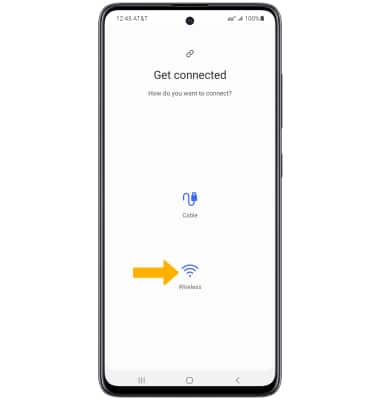
Open the Google Home app on your phone and tap the “+” icon to add a new device. Select “Set up device” and then “Works with Google” to browse compatible brands and devices.
Choose your device’s brand, then sign in with your account credentials linked to that device. This step connects your smart device to Google Assistant seamlessly.
After linking, the app will guide you through assigning the device to a room and customizing settings. Have you noticed how much easier it is to say “Hey Google, turn on the living room lights” once everything is properly set up?
Device Control Features
Google Assistant offers a range of device control features that make smart home management simple. It connects with many smart devices, allowing users to control them using voice commands. These features help adjust devices quickly without needing to use apps or switches.
Turning Devices On And Off
With Google Assistant, turning devices on and off is easy. Just speak a command like “Turn on the living room light.” The assistant sends the signal to the device instantly. This works for lights, plugs, fans, and many other smart products. It saves time and effort in daily routines.
Adjusting Settings And Preferences
Google Assistant can change device settings with simple voice instructions. You can ask it to dim lights, set thermostat temperatures, or change speaker volume. It understands natural language, so commands like “Set the thermostat to 72 degrees” work well. This makes personalizing your environment fast and hands-free.
Creating Routines And Automations
Routines let you group several actions into one command. For example, saying “Good morning” can turn on lights, start the coffee maker, and play the news. Google Assistant also supports automations that trigger based on time or device status. These features add convenience and help automate everyday tasks.

Credit: medium.com
Compatibility And Integrations
Understanding how Google Assistant works with various smart devices starts with knowing its compatibility and integrations. This determines what devices you can control and how seamlessly everything works together in your smart home setup.
When you connect Google Assistant to your devices, you want to ensure that the brands and models you own are supported. This avoids frustration and guarantees smooth operation whenever you use voice commands.
Popular Brands And Devices
Google Assistant supports a wide range of popular smart home brands. This includes well-known names like Philips Hue for lighting, Nest for thermostats and security cameras, and Samsung SmartThings for overall home automation.
Many users find that their smart speakers, smart plugs, and even smart TVs can be controlled through Google Assistant. Brands like TP-Link, Ecobee, and Ring also fit well into this ecosystem.
Checking the compatibility list before buying a new device can save you time and hassle. Have you ever bought a gadget only to find it doesn’t work with your assistant? Avoid that by verifying the supported devices first.
Third-party App Support
Google Assistant extends its capabilities through third-party apps. These apps act as bridges that allow Assistant to communicate with devices that might not have direct integration.
For example, if you use a smart home device from a smaller brand, its app might support Google Assistant commands. You just need to link the app with your Google account and grant the necessary permissions.
This flexibility means you can control a wider variety of devices without being limited to the biggest brands. Have you explored the apps connected to your Google Assistant lately? You might discover new ways to automate your home.
Security And Privacy
Security and privacy are key when using Google Assistant to control smart devices. People want to keep their personal data safe. They also want to control who can access their smart home. Google uses several methods to protect users and their data. Understanding these methods helps users trust and use smart devices confidently.
Data Handling And Permissions
Google Assistant collects data to work well with smart devices. It only gathers information needed for commands. Data is stored securely and encrypted to prevent hacking. Users can review and delete their voice recordings anytime. Permissions control which devices and apps Google Assistant can access. Users must grant explicit permission for smart device control. This limits data use to what is necessary.
Managing Voice Match And Access
Voice Match helps Google Assistant recognize different users by voice. It restricts device control to authorized voices only. This stops strangers from controlling smart devices. Users can set up Voice Match in the Google Home app. Access can also be managed by setting guest mode or restricting certain commands. These options help protect privacy and avoid accidental device use.

Credit: www.reddit.com
Troubleshooting Tips
Troubleshooting smart devices with Google Assistant can be simple. Knowing common issues helps fix problems quickly. Below are tips to solve frequent connection and voice command errors. Use these steps to keep your smart home running smoothly.
Common Connectivity Issues
Devices may lose connection due to network problems. Check your Wi-Fi signal strength near the device. Restart your router and smart device to refresh the connection.
- Ensure the device is within Wi-Fi range.
- Verify the device is connected to the correct network.
- Update the device firmware to the latest version.
- Check if your router blocks device access or ports.
Sometimes, multiple devices on one network cause interference. Try disconnecting unused devices. Reset network settings on your smart device to clear old configurations.
Resolving Voice Command Errors
Voice commands may not work if Google Assistant mishears you. Speak clearly and close to the device. Use simple commands that the assistant recognizes.
- Confirm the device name matches the command exactly.
- Review the linked accounts and permissions in the Google Home app.
- Repeat commands slowly and avoid background noise.
- Retrain voice model in the Google Assistant settings for better accuracy.
Check if the assistant’s language matches your speech. Reset the assistant if commands still fail. This refreshes the system and clears temporary errors.
Future Developments
The future of Google Assistant controlling smart devices is bright and full of potential. New developments promise easier, faster, and smarter interactions. These innovations will enhance how users manage their smart homes. The focus will be on more natural communication and better device integration.
Upcoming Features
Google Assistant will soon support advanced voice recognition. It will understand different accents and speech patterns better. Users can expect more personalized responses based on their habits and preferences. New commands will allow for complex tasks with simple voice instructions. There will be improved routines that combine multiple actions in one request. Enhanced security features will protect user data and device access.
Advancements In Smart Home Technology
Smart devices will become more connected and intelligent. Google Assistant will work seamlessly with a wider range of products. Devices will share data to optimize energy use and comfort. Sensors will detect user presence and adjust settings automatically. Machine learning will help predict user needs before commands are given. The overall smart home experience will become more intuitive and efficient.
Frequently Asked Questions
How Does Google Assistant Control Smart Devices?
Google Assistant connects to smart devices using Wi-Fi or Bluetooth. It sends commands through voice recognition technology. Once connected, it can control functions like turning on lights or adjusting thermostats. Users can manage devices via voice commands, creating a seamless smart home experience.
Integration varies depending on device compatibility.
Can Google Assistant Control All Smart Devices?
Google Assistant supports a wide range of smart devices. However, compatibility depends on the device manufacturer. It’s important to check if your device is compatible with Google Assistant. Most major brands offer compatibility, ensuring a smooth user experience. Always update device software for optimal performance and integration.
Is Setup For Google Assistant Easy?
Setting up Google Assistant with smart devices is straightforward. Most devices require installation of the Google Home app. Follow on-screen instructions to connect devices to your network. Ensure all devices are powered on and within range. The process is user-friendly, designed to facilitate easy integration.
What Smart Home Brands Work With Google Assistant?
Google Assistant is compatible with many popular smart home brands. Some include Philips Hue, Nest, and Samsung SmartThings. These brands offer a range of devices from lighting to security systems. Compatibility ensures users can control various aspects of their smart home effortlessly.
Always check for updates to maintain functionality.
Conclusion
Google Assistant makes smart devices easy to control with voice commands. You just speak, and it acts fast. It connects to many devices like lights, thermostats, and speakers. This helps you save time and effort every day. Using Google Assistant feels natural and simple.
It fits well into any home setup. Smart living becomes more comfortable and fun. Try it and see how technology helps you.