Do Other Smart Devices Work With Google Home Mini? Ultimate Guide
Are you wondering if your other smart devices can work with your Google Home Mini? You’re not alone.
Many people want to make their homes smarter and more connected but aren’t sure if their gadgets will play nicely together. Imagine controlling your lights, thermostat, and even your security system—all with just your voice through one small device. Sounds great, right?
Keep reading to discover which smart devices easily link up with your Google Home Mini and how to get them working seamlessly for you.

Credit: fonezone.me
Compatible Smart Devices
Google Home Mini works well with many smart devices. These devices make your home smarter and easier to control. You can use your voice to manage lights, temperature, and security. Here are some smart devices that connect smoothly with Google Home Mini.
Smart Lights
Smart lights are popular for easy control of home lighting. You can turn lights on or off using voice commands. Change colors and brightness without touching switches. Brands like Philips Hue, LIFX, and TP-Link work well. Schedule lights to match your daily routine.
Smart Thermostats
Smart thermostats help keep your home comfortable and save energy. Adjust temperature with simple voice commands. Nest, Ecobee, and Honeywell thermostats are compatible. Set heating or cooling schedules from anywhere. Monitor home temperature easily through Google Home Mini.
Smart Plugs And Switches
Smart plugs and switches turn regular devices into smart ones. Control appliances, fans, and lamps with your voice. TP-Link Kasa, Wemo, and Gosund offer great options. Schedule devices to turn off or on automatically. Manage energy use and add convenience quickly.
Smart Locks
Smart locks improve home security and access control. Lock or unlock doors using voice commands. August, Schlage, and Yale smart locks work with Google Home Mini. Receive alerts about door status anytime. Share temporary access with family or guests easily.
Smart Cameras
Smart cameras help you monitor your home remotely. View live feeds and receive alerts on your phone. Nest Cam, Arlo, and Ring cameras connect well with Google Home Mini. Use voice commands to show camera views on smart displays. Enhance your home’s safety with simple control.
Setting Up Devices With Google Home Mini
Setting up other smart devices with your Google Home Mini opens up a world of convenience and control. It allows you to manage lights, thermostats, cameras, and more, all through a single voice-activated hub. The process is straightforward, but knowing the right steps can save you time and frustration.
Connecting Through Google Home App
Start by opening the Google Home app on your smartphone. The app acts as the central control panel for all your devices, making it easy to add and organize them.
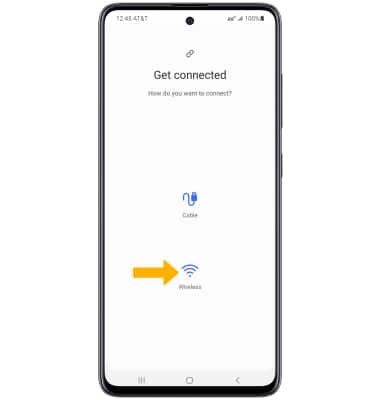
Tap the “+” icon to add a new device, then select “Set up device” and choose the type of device you want to connect. The app will guide you through the pairing process, which usually involves selecting your Wi-Fi network and entering device-specific information.
Keep your device close to the Google Home Mini during setup to ensure a smooth connection. If your device supports Google Assistant, it will appear in the list of compatible devices in the app.
Voice Command Integration
Once your device is connected, you can control it using simple voice commands. For example, say “Hey Google, turn on the living room lights” or “Hey Google, set the thermostat to 72 degrees.”
Make sure to use the exact device name you assigned in the app to avoid confusion. You can also create groups in the Google Home app to control multiple devices with one command, like turning off all lights at night.
Have you tried customizing commands or routines? It’s a powerful way to automate daily tasks and make your smart home truly responsive.
Troubleshooting Common Issues
Sometimes devices don’t connect or respond as expected. Start by checking your Wi-Fi connection—both your Google Home Mini and smart devices need a strong and stable network.
If a device is offline in the app, try restarting both the device and your Google Home Mini. Also, verify that the device’s firmware is up to date, as outdated software can cause compatibility problems.
Still stuck? Removing the device from the app and adding it again often fixes glitches. If problems persist, consult the device manufacturer’s support or Google’s help resources for specific advice.
Popular Brands That Work Seamlessly
Google Home Mini works smoothly with a variety of popular smart device brands. These brands offer reliable products that enhance your smart home experience without complicated setups. Connecting them to your Google Home Mini allows you to control lighting, security, and more with simple voice commands.
Philips Hue
Philips Hue smart lights are a favorite for many smart home users. You can easily control brightness, colors, and schedules just by talking to your Google Home Mini. Imagine turning your living room into the perfect movie scene with a quick voice command—no need to find your phone or switch.
Philips Hue also supports routines, so your lights can automatically adjust when you wake up or go to bed. Have you tried setting mood lighting for dinner parties? It’s effortless once connected.
Nest
Nest products, like thermostats and smoke detectors, pair naturally with Google Home Mini. Adjusting your home’s temperature becomes hands-free, helping you save energy without lifting a finger. Plus, receiving alerts from Nest devices via Google Assistant keeps you informed about safety concerns immediately.
Have you noticed how convenient it is to ask, “Hey Google, set the thermostat to 72 degrees” during chilly mornings? This seamless integration simplifies your daily routine.
Tp-link Kasa
TP-Link Kasa smart plugs and switches offer straightforward control for your devices. Plug in your lamps or appliances, and you can switch them on or off using your voice through Google Home Mini. This saves you from walking around the house to manage multiple devices.
What if you forget to turn off the coffee maker? A quick voice command to your Google Home Mini solves that instantly. This integration is perfect for those who value convenience and safety.
August Smart Lock
August Smart Locks provide an extra layer of security that works well with Google Home Mini. Lock or unlock your door remotely using voice commands or your phone, making it easy to let in guests without handing over keys. This feature is particularly useful when your hands are full or you’re in a rush.
Have you ever worried about whether you locked your door? With this smart lock, you can simply ask your Google Home Mini to check the status, offering peace of mind.
Arlo Cameras
Arlo security cameras integrate smoothly with Google Home Mini, allowing you to view live feeds on smart displays or get alerts through your speaker. This setup helps you monitor your home without needing to open multiple apps. Voice commands make it easy to check on your front door or backyard in seconds.
Wouldn’t it be great to see who’s at the door while cooking in the kitchen? Arlo and Google Home Mini make that possible with a quick question or command.

Credit: www.eweek.com
Using Routines And Automations
Using routines and automations with your Google Home Mini opens up a world of convenience by linking multiple smart devices and actions into one seamless command. This feature lets you customize how your devices respond together, saving time and effort in your daily tasks. Imagine waking up to your favorite news briefing, coffee maker starting, and lights dimming—all triggered by a single phrase or scheduled time.
Creating Custom Routines
You can design routines that fit your lifestyle perfectly. Start by choosing a trigger phrase like “Good morning” or a specific time of day. Then add actions such as playing music, adjusting thermostat settings, or turning on smart plugs.
Google Home Mini’s app allows you to mix and match these tasks to suit your preferences. The best part? You don’t need any coding skills—just pick from the available actions and order them as you like. Have you tried setting a routine that blends work and relaxation modes?
Combining Multiple Devices
One of the strengths of Google Home Mini is how well it connects with various smart devices. You can control lights, speakers, thermostats, and even smart locks in a single routine. This creates a more cohesive smart home experience.
Think about arriving home: your door unlocks, lights turn on, and your favorite playlist starts automatically. It’s like having your own personal assistant anticipating your needs. What devices in your home could you combine for a smoother daily flow?
Scheduling And Triggers
Routines don’t have to rely solely on voice commands. You can schedule them to activate at specific times or based on certain conditions, like sunrise or sunset. This hands-free automation helps maintain your daily rhythm without extra effort.
For example, set your lights to gradually brighten in the morning or schedule your air purifier to run when you leave the house. These triggers make your smart home smarter by adapting to your habits. What daily task could you automate to gain extra minutes in your day?
Limitations And Compatibility Challenges
Understanding the limitations and compatibility challenges of Google Home Mini with other smart devices can save you a lot of frustration. While it supports many gadgets, there are still barriers that might affect your smart home setup. Knowing these obstacles helps you make better choices and avoid unexpected hiccups.
Device Compatibility Issues
Not all smart devices are created equal, and Google Home Mini doesn’t support every brand or model. Some devices require specific protocols like Zigbee or Z-Wave, which Google Home Mini doesn’t natively support. You might find that certain smart bulbs, locks, or sensors won’t connect or respond as expected.
Even within the same category, some products have limited functions when paired with Google Home Mini. For example, a smart thermostat might allow temperature control but not advanced scheduling through voice commands. Have you ever bought a gadget expecting full integration, only to realize it works partially? This is a common experience due to these compatibility gaps.
Regional Restrictions
Your location can play a big role in what devices work seamlessly with Google Home Mini. Some smart devices are only certified or available in specific countries. This means a product that works perfectly in the US might not be supported in Europe or Asia.
Also, Google’s services and voice command options vary by region. You might lose access to certain features or device controls simply because of where you live. It’s worth checking regional support before investing in new smart devices to avoid disappointment.
Firmware And Software Updates
Smart devices rely heavily on regular firmware and software updates to fix bugs and improve functionality. If either Google Home Mini or your connected device misses critical updates, compatibility issues can arise. Sometimes a feature stops working after an update due to unforeseen bugs or changes in the software.
In my experience, a smart plug stopped responding to voice commands after a firmware update. It took weeks for the manufacturer to release a patch fixing the problem. Staying proactive about updates and monitoring device forums can help you catch issues early and maintain smooth operation.
Credit: medium.com
Expanding Your Smart Home Ecosystem
Expanding your smart home ecosystem with Google Home Mini creates a seamless and convenient living space. It allows various devices and services to work together under one control hub. This expansion makes daily tasks easier and your home more responsive to your needs.
Google Home Mini supports many smart devices, making it a versatile choice for building a connected home. Compatibility with third-party services, voice assistants, and future technologies ensures your setup stays relevant and efficient.
Adding Third-party Services
Google Home Mini works well with many third-party apps and devices. Popular brands like Philips Hue, Nest, and TP-Link integrate smoothly. You can control lights, thermostats, and cameras using simple voice commands. This broad compatibility lets you customize your smart home easily.
To add third-party services, use the Google Home app. Connect your devices and link the relevant accounts. This process usually takes just a few minutes. After linking, the devices become available for voice control or automation routines.
Integrating With Other Voice Assistants
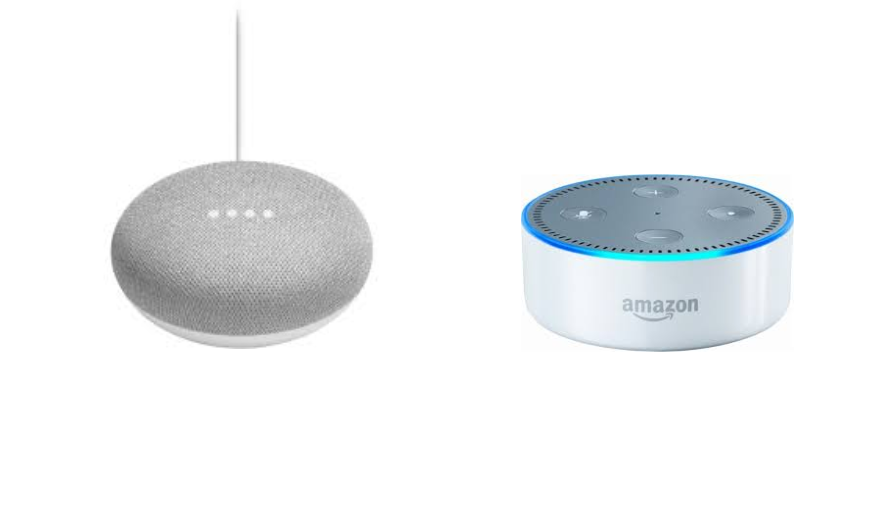
Google Home Mini can coexist with other voice assistants like Alexa or Siri. Though they operate separately, you can create a multi-assistant environment. Each assistant controls different parts of your smart home based on their strengths.
For example, use Google Home Mini for Google services and Alexa for Amazon-compatible devices. This setup maximizes device compatibility and control options. It also helps if you already use different ecosystems in your home.
Future-proofing Your Setup
Choosing Google Home Mini helps protect your smart home investment. Google regularly updates the software to add new features and support more devices. This keeps your system modern and secure.
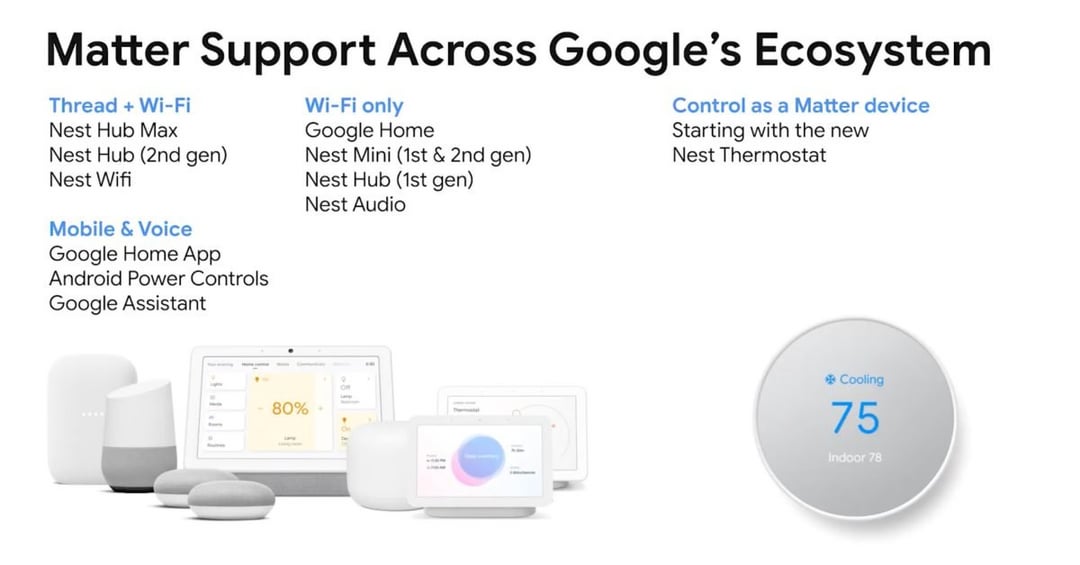
Look for devices that support popular standards like Matter or Works with Google Assistant. These standards improve device communication and compatibility. Investing in such devices ensures your smart home grows with new technology.
Frequently Asked Questions
What Devices Are Compatible With Google Home Mini?
Google Home Mini works with various smart devices, including lights, thermostats, and speakers. Brands like Philips Hue, Nest, and Samsung SmartThings are compatible. This integration allows seamless control of your smart home through voice commands. Always check for device compatibility before purchase to ensure smooth functionality.
Can I Control My Tv With Google Home Mini?
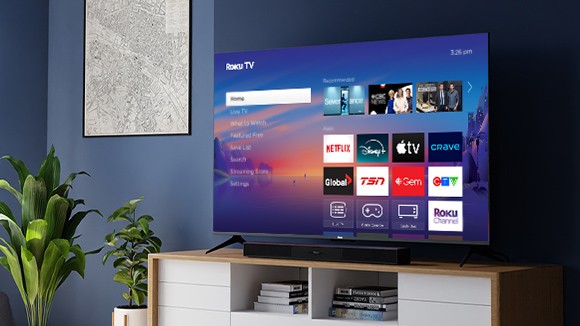
Yes, you can control your TV using Google Home Mini. Devices like Chromecast enable voice control for streaming services. Compatible TVs with built-in Chromecast also work directly. Simply link your Google Home Mini with your TV through the Google Home app for easy setup and control.
Do Smart Plugs Work With Google Home Mini?
Smart plugs are compatible with Google Home Mini and allow voice-controlled power management. Brands like TP-Link and Wemo offer integration with Google Assistant. You can schedule and control your appliances using voice commands for convenience and energy efficiency.
Are Smart Security Cameras Compatible With Google Home Mini?
Yes, many smart security cameras work with Google Home Mini. Brands like Nest and Arlo offer seamless integration. This allows you to view live feeds and receive security alerts. Simply link the cameras to your Google Home app for easy monitoring and control.
Conclusion
Google Home Mini works well with many smart devices. You can control lights, speakers, and thermostats easily. Most popular brands connect without trouble. This makes daily tasks simpler and faster. Just link your devices through the Google Home app. Enjoy hands-free control and convenience at home.
Smart devices and Google Home Mini create a useful team. Try it out and see how it fits your needs. Simple setup, easy use, and wide compatibility make it a good choice.