Does Lg Smart Tv Have a Streaming Device Built In? Ultimate Guide
Are you wondering if your LG Smart TV already has a streaming device built in? This question matters because it can save you money and simplify your entertainment setup.
Imagine cutting the clutter of extra gadgets while still enjoying all your favorite shows and movies. You’ll discover the truth about LG Smart TVs and their streaming capabilities. By the end, you’ll know exactly what you need to enjoy seamless streaming right from your TV.
Keep reading to find out if your LG Smart TV has what it takes to be your all-in-one streaming solution.
Credit: www.lg.com
Lg Smart Tv Streaming Features
LG Smart TVs come with many streaming features built into the device. These features allow users to watch movies, shows, and live content directly. No need for extra devices or cables. LG provides a smooth and simple streaming experience for its users.
Built-in Streaming Capabilities
LG Smart TVs have built-in streaming devices within their system. This means you can stream content without any extra hardware. The TV connects to the internet via Wi-Fi or Ethernet. Streaming is fast and reliable on LG Smart TVs. No need to buy separate streaming sticks or boxes.
Supported Streaming Apps
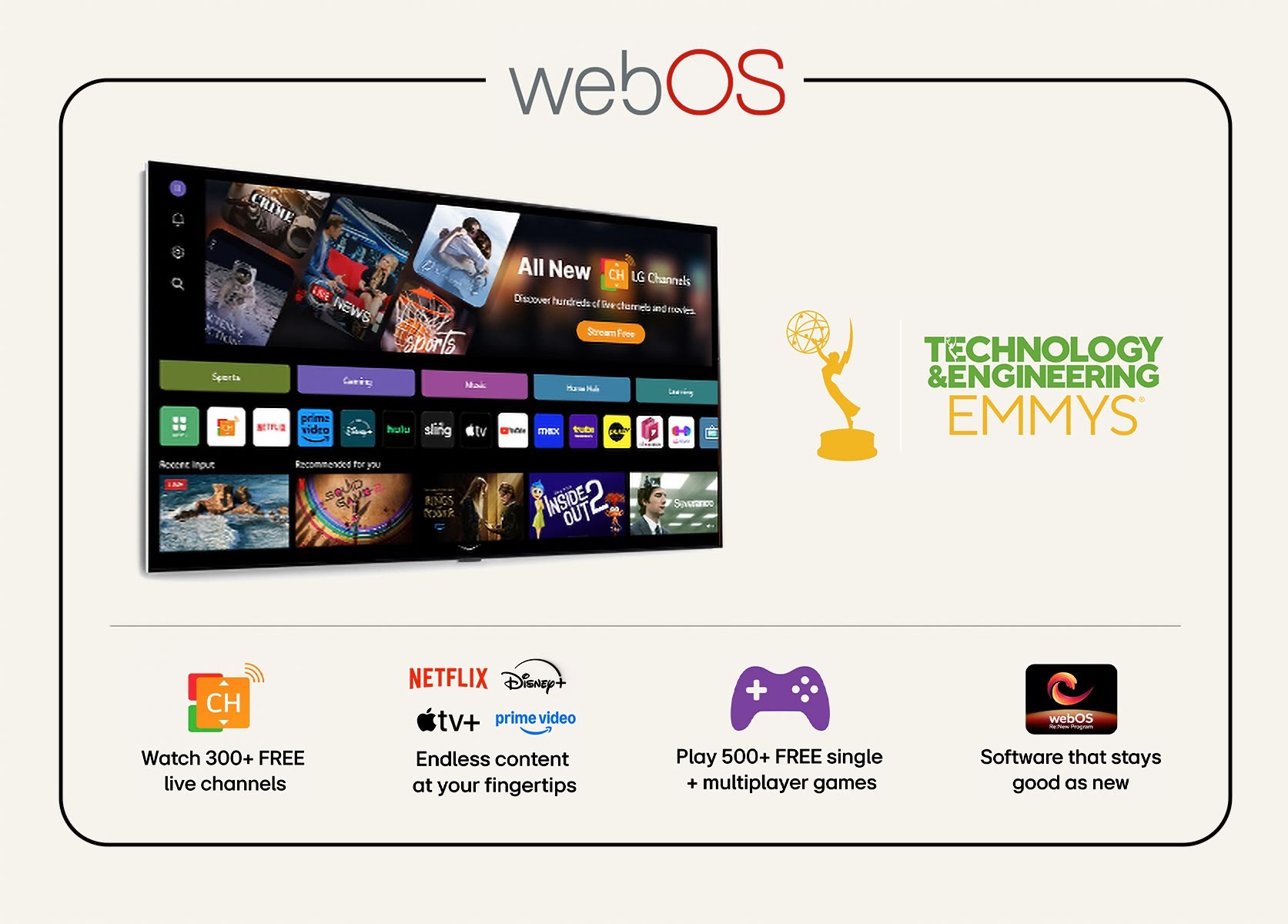
LG supports many popular streaming apps. These apps come pre-installed or are easy to download from the LG Content Store. Some popular apps include:
- Netflix
- Amazon Prime Video
- Disney+
- Hulu
- YouTube
- Apple TV+
Users find almost all major streaming platforms available on LG Smart TVs. This wide app support covers movies, series, documentaries, and more.
Operating System Overview
LG Smart TVs run on the webOS platform. WebOS is user-friendly and easy to navigate. The interface uses a simple menu at the bottom of the screen. Switching between apps and inputs is quick. The system updates regularly to add new features and improve performance. WebOS also supports voice control with LG’s ThinQ AI.
Credit: www.lg.com
How Lg Smart Tvs Stream Content
LG Smart TVs come equipped with various features that let you stream content seamlessly without the need for an external streaming device. These TVs have built-in technology designed to connect you directly to your favorite movies, shows, and apps. Understanding how they stream content helps you make the most of your TV’s capabilities.
Wi-fi And Ethernet Connectivity
Your LG Smart TV connects to the internet using Wi-Fi or an Ethernet cable. This connection allows the TV to access streaming services directly. If your Wi-Fi is strong and stable, you’ll enjoy smooth playback without annoying buffering.
Ethernet offers a more reliable connection for streaming, especially if you have a slower or crowded Wi-Fi network. You can easily check your connection status in the TV’s settings to ensure optimal performance. Have you ever tried streaming in 4K and noticed the difference a wired connection makes?
App Store And Downloads
LG Smart TVs come with an app store called the LG Content Store. Here, you can download popular streaming apps like Netflix, Hulu, Disney+, and Amazon Prime Video. This means you don’t need a separate device; everything is accessible right on your TV.
Apps update regularly, adding new features and improving performance. You can customize your home screen with the apps you use most. Think about the convenience of having all your favorite content in one place without juggling multiple remotes.
Screen Mirroring And Casting
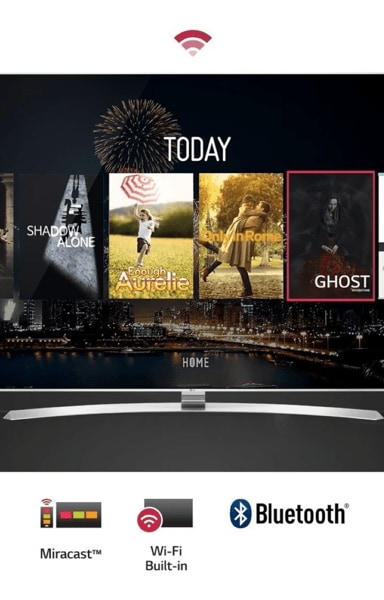
LG Smart TVs support screen mirroring and casting, letting you share content from your smartphone, tablet, or laptop directly to the TV screen. Whether it’s a YouTube video, a photo album, or a presentation, you can display it wirelessly.
This feature is perfect when you want to show something quickly without searching for an app on the TV. Have you ever streamed a video on your phone and wished it was bigger? Screen mirroring solves that instantly, making your TV a flexible entertainment hub.
Comparing Lg Smart Tv To External Streaming Devices
Choosing between an LG Smart TV’s built-in streaming capabilities and an external streaming device can shape your viewing experience significantly. Both options offer unique benefits and drawbacks, influencing how you interact with your favorite shows and apps. Understanding these differences helps you make a choice that fits your needs and lifestyle.
Advantages Of Built-in Streaming
LG Smart TVs come with webOS, a platform designed for seamless streaming right out of the box. This means you don’t need extra gadgets cluttering your living room or additional setup steps.
The interface is usually user-friendly and integrates well with the TV’s hardware. Apps like Netflix, Hulu, and Disney+ are pre-installed or easily downloadable, giving you quick access to content.
Additionally, built-in streaming reduces the number of remotes you have to juggle. You control everything with the TV remote, which simplifies your viewing experience.
Limitations Compared To Devices
Despite its convenience, the built-in system can lag behind external devices in terms of app variety and updates. Streaming sticks or boxes often receive new features and app support faster than a TV’s internal software.
Performance may also be an issue. External devices typically have better processors and more memory, which can mean smoother streaming and less buffering.
Another limitation is customization. External devices let you tailor your streaming setup with different apps and settings that aren’t always available on LG’s built-in platform.
When To Use An External Device
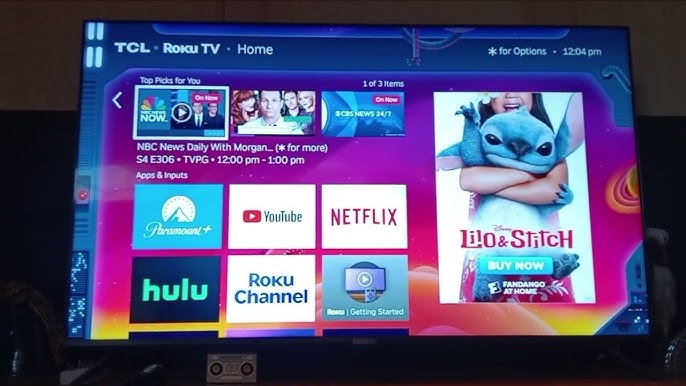
If you crave the latest streaming apps or enhanced performance, adding a device like Roku, Amazon Fire Stick, or Apple TV might be worth considering. These devices often support gaming, voice assistants, and smart home integration better than built-in systems.
Think about your tech habits. Do you upgrade your gadgets frequently? External devices let you keep your streaming experience fresh without replacing your TV.
Also, if you encounter slow app updates or missing features on your LG Smart TV, an external device can fill those gaps and expand your entertainment options.

Credit: www.yahoo.com
Popular Streaming Apps On Lg Smart Tvs
LG Smart TVs come with a built-in streaming device that supports many popular apps. These apps offer movies, TV shows, and videos directly on your TV. You do not need extra gadgets to enjoy streaming content. The user-friendly platform makes it easy to find your favorite entertainment.
Let’s explore some top streaming apps available on LG Smart TVs. These apps cover a wide range of genres and interests. They provide options for everyone in the family.
Netflix And Hulu
Netflix is a top choice for on-demand movies and series. It offers a large library of original and classic shows. Hulu focuses more on current TV episodes and live channels. Both apps work smoothly on LG TVs and offer easy navigation.
Amazon Prime Video
Amazon Prime Video has a vast collection of films and TV programs. It includes exclusive Amazon Originals that you cannot find elsewhere. The app supports 4K streaming and subtitles in many languages. You can rent or buy movies directly from the app.
Youtube And Others
YouTube lets you watch millions of videos from creators worldwide. It is perfect for music, tutorials, and vlogs. Other apps like Disney+, Apple TV+, and HBO Max are also available. LG TVs keep updating their app store to include new streaming services.
Setting Up Streaming On Lg Smart Tv
Setting up streaming on an LG Smart TV is straightforward and user-friendly. The TV comes with built-in streaming capabilities, allowing access to popular apps without extra devices. The process involves connecting the TV to the internet, downloading apps, and managing updates for smooth viewing.
Connecting To The Internet
Start by turning on your LG Smart TV and opening the settings menu. Navigate to the Network section to find available Wi-Fi networks. Select your Wi-Fi network and enter the password carefully. For a more stable connection, consider using an Ethernet cable to connect directly to your router. Once connected, the TV will confirm the internet status. This connection is essential for streaming content without interruptions.
Downloading And Installing Apps
Access the LG Content Store from the home screen to find streaming apps. Use the search function to locate apps like Netflix, Hulu, or Amazon Prime Video. Select the app and click on the Install button. The app will download and appear on your home screen once installed. You can add multiple apps to create a personalized streaming library. Some apps may require you to sign in or create an account before use.
Managing App Updates
Keep your streaming apps updated for the best performance and new features. Go to the LG Content Store and open the Updates section. You will see a list of apps with available updates. Select Update All to refresh all apps simultaneously or choose specific apps to update individually. Enabling automatic updates in settings helps keep apps current without manual effort. Regular updates improve security and fix bugs for a better streaming experience.
Troubleshooting Streaming Issues
Streaming issues can disrupt your viewing experience on LG Smart TVs. Troubleshooting these problems helps restore smooth playback quickly. Understanding common causes and fixes saves time and frustration. Below are key areas to check when streaming problems occur.
Common Connectivity Problems
Streaming relies on a stable internet connection. Slow or unstable Wi-Fi causes buffering and interruptions. Check your network speed and signal strength near the TV. Restart your router to refresh the connection. Use an Ethernet cable for a more reliable link. Avoid multiple devices using heavy bandwidth simultaneously.
App Crashes And Freezes
Streaming apps can crash or freeze due to bugs or corrupted data. Close the app completely, then reopen it. Clear the app cache to remove temporary files. Uninstall and reinstall the app if problems persist. Limit running apps to free up TV memory and improve performance.
Software Updates And Resets
Outdated software may cause streaming issues. Check for LG TV firmware updates regularly. Update apps to the latest versions from the LG Content Store. A factory reset can fix deep software problems but deletes personal settings. Backup important data before resetting your TV to default settings.
Future Of Streaming On Lg Smart Tvs
Streaming on LG Smart TVs is evolving fast. The future brings smarter, faster, and more connected experiences. LG aims to enhance how users enjoy movies, shows, and apps right on their TV screens.
New updates will improve picture quality and app performance. Streaming will become smoother with less buffering. LG is also working to make the interface easier to use for all ages.
Upcoming Features And Updates
LG plans to add more streaming apps to its platform. Users will find popular and new services available quickly. Software updates will deliver better speed and stability.
Voice control will improve, making it easier to search and browse content. Picture and sound enhancements will support the latest formats for a richer experience. Expect regular updates to keep your TV fresh and capable.
Integration With Smart Home Devices
LG Smart TVs will connect better with smart home gadgets. Control lights, speakers, and cameras using your TV screen. This creates a central hub for home management.
Integration will work with popular assistants like Google Assistant and Alexa. This allows voice commands for both TV functions and smart home tasks. The TV becomes more than just a screen—it becomes a smart home center.
Frequently Asked Questions
Does Lg Smart Tv Have Built-in Streaming Apps?
Yes, LG Smart TVs come with built-in streaming apps. These include popular platforms like Netflix, Amazon Prime Video, and YouTube. The LG Content Store offers a range of additional apps for download. This makes it easy to enjoy streaming services directly on your TV without additional devices.
Can Lg Smart Tv Stream Without A Device?
Yes, LG Smart TVs stream content without external devices. They have integrated webOS, enabling direct access to streaming services. You can enjoy platforms like Netflix, Hulu, and Disney+ directly from the TV. The built-in apps offer a seamless streaming experience with just an internet connection.
What Streaming Services Are Available On Lg Tvs?
LG Smart TVs support various streaming services such as Netflix, Amazon Prime Video, and Hulu. Additionally, you can access Disney+, Apple TV, and more. The LG Content Store frequently updates, providing new apps and services. This ensures a comprehensive entertainment experience directly on your TV.
How Do I Access Streaming Apps On Lg Tv?
To access streaming apps on an LG TV, press the Home button on your remote. Navigate to the LG Content Store. From there, browse or search for your desired app. Once found, select and install the app. You can then access it from your home screen.
Conclusion
LG Smart TVs come with built-in streaming devices. This means you can watch your favorite shows without extra gadgets. The TV has apps like Netflix, YouTube, and more. It connects easily to the internet for smooth streaming. You just need a good Wi-Fi connection.
This feature makes LG TVs simple and user-friendly. No need to buy separate streaming boxes. It saves space and reduces clutter. Overall, LG Smart TVs offer a convenient way to enjoy digital content. Perfect for anyone who wants easy access to streaming services.