Can You Change the Passwords on Smart Devices: Easy Steps to Secure
Have you ever wondered if you can change the passwords on your smart devices? Whether it’s your smart thermostat, security camera, or voice assistant, keeping your devices secure is more important than ever.
You might think once a password is set, it’s fixed—but that’s not true. Changing your passwords regularly can protect your privacy and stop hackers in their tracks. You’ll discover how easy it is to take control of your smart devices’ security and why it’s something you shouldn’t wait to do.
Ready to unlock the secrets to safer smart living? Let’s dive in.

Credit: www.youtube.com
Why Change Smart Device Passwords
Changing the passwords on smart devices is essential for protecting your privacy and data. Many smart gadgets come with default passwords that hackers easily guess. Updating these passwords strengthens your device’s security. It also helps prevent unauthorized access and protects your home network. Understanding why password changes matter helps you take control of your smart device safety.
Risks Of Default Passwords
Default passwords are widely known and rarely changed by users. Hackers use lists of these passwords to break into devices quickly. This puts your personal data and connected systems at risk. Leaving default passwords makes your devices vulnerable to cyberattacks and data theft.
Benefits Of Strong Passwords
- Protects your personal information from hackers
- Prevents unauthorized access to your smart devices
- Reduces the risk of identity theft
- Keeps your home network safer
- Improves overall device security
Common Security Threats
Smart devices face many security threats like hacking, phishing, and malware. Weak passwords make it easier for attackers to control your gadgets. Cybercriminals can misuse your devices to spy on you or steal data. Strong passwords help block these common threats and keep your devices safe.
Preparing To Change Passwords
Changing passwords on smart devices starts with careful preparation. This helps avoid problems during the update. You need to collect details about your devices. Also, understanding the rules from the makers is important. Saving your important data before changes is a smart move. These steps protect your information and keep devices safe.
Gathering Device Information
Write down the model and brand of each device. Note the current password and username used. Check the device’s IP address if possible. Keep any security questions or backup codes handy. This info helps you access the device settings quickly. It also makes the password change process smooth.
Checking Manufacturer Guidelines
Visit the official website of each device brand. Search for password change instructions or user manuals. Follow the exact steps recommended by the manufacturer. Some devices need apps or special tools for password changes. Knowing these details prevents errors and lockouts. It ensures the new password works correctly.
Backing Up Important Data
Save your photos, videos, and documents stored on devices. Use cloud storage or an external drive for backups. Check if the device has a backup feature in settings. Backups protect your data in case of device reset. They also help restore settings if something goes wrong. Always confirm the backup is complete before changing passwords.
Step-by-step Password Change Guide
Changing passwords on smart devices is vital for security. A clear guide helps complete this task quickly. Follow these simple instructions to update your device password safely. Protect your personal data with a strong new password.
Accessing Device Settings
Start by unlocking your smart device. Locate the settings icon, usually a gear symbol. Tap it to open the settings menu. This menu controls all device options.
Some devices may require a password or fingerprint to enter settings. Enter the required security to continue.
Navigating To Password Options
Scroll through the settings menu to find security or privacy. Tap to open this section. Look for options labeled “Password,” “Passcode,” or “Lock Screen.”
Different devices may use different terms. Find the option related to changing your password.
Creating A Strong Password
Choose a password that is hard to guess. Use a mix of letters, numbers, and symbols. Avoid common words or easy patterns. Aim for at least eight characters.
- Include uppercase and lowercase letters.
- Use numbers like 4, 7, or 9.
- Add special characters such as !, @, or .
Write down your new password somewhere safe. This prevents forgetting it later.
Saving And Confirming Changes
After entering the new password, look for a save or confirm button. Tap it to apply changes. Some devices may ask to enter the password again. This confirms accuracy.
Restart your device to check if the new password works. Test unlocking with the new password to be sure.

Credit: www.freshin.com
Tips For Strong Passwords
Creating strong passwords is essential to protect your smart devices from unauthorized access. A weak password can leave your personal information vulnerable and compromise your device’s security. Here are some practical tips to help you create passwords that are both secure and easy to manage.
Using Complex Characters
Strong passwords mix different types of characters. Use uppercase and lowercase letters, numbers, and special symbols like @, , or $. This variety makes it much harder for hackers to guess your password.
Think about a password like P@ssw0rd2024!instead of just “password.” It’s easy to remember but much stronger. Don’t hesitate to add a few unique characters or numbers that only make sense to you.
Avoiding Common Passwords
Steer clear of simple or predictable passwords such as “123456,” “password,” or “admin.” These are the first ones hackers try when attempting to break into accounts. It’s surprising how often people still use these.
Have you ever tried to log in somewhere and got locked out because you used a very common password? That’s a clear sign that common passwords are risky. Instead, choose something unique that doesn’t relate to your personal info like birthdays or pet names.
Utilizing Password Managers
Remembering dozens of complex passwords can be overwhelming. Password managers can help by securely storing all your passwords in one place. You only need to remember one strong master password.
I started using a password manager last year and noticed my stress about passwords dropped significantly. It also generates strong passwords for you, so you don’t have to think of them yourself. This tool makes managing your smart devices’ security much easier.
Managing Multiple Devices
Managing multiple smart devices can become challenging without proper password control. Each device may need a unique password for security. Keeping these passwords organized and updated is important. Smart devices often connect through apps or hubs, which adds complexity. This section covers how to handle passwords efficiently across many devices.
Keeping Track Of Passwords
Remembering many passwords is hard. Write them down in a secure notebook or use a password manager. Password managers store and encrypt your passwords safely. They can generate strong passwords too. Avoid using the same password for different devices. Unique passwords reduce the risk if one device is hacked.
Regularly Updating Passwords
Change passwords often to keep devices secure. Set a schedule, like every three months. Update passwords after any security breach. Some devices allow automatic password updates through their apps. Regular updates block unauthorized access and protect your data.
Centralized Security Solutions
Use centralized security tools to manage multiple devices easily. Smart home hubs and routers often have built-in password settings. These tools let you control passwords from one place. They offer alerts for unusual activity. Centralized solutions simplify security and save time.
Credit: www.appgeeker.com
Troubleshooting Password Issues
Facing password issues on your smart devices can be frustrating, especially when you need quick access. Troubleshooting these problems effectively can save you time and stress. Let’s walk through practical ways to handle common password challenges so you can regain control smoothly.
Resetting Forgotten Passwords
Forgetting a password happens to everyone. Most smart devices offer a straightforward way to reset it, usually through a “Forgot Password” link on the login screen.
This process often involves verifying your identity with an email, phone number, or security questions. Keep your recovery details updated to avoid extra hassle during this step.
If you’re not prompted with a reset option, check the device’s manual or official website for specific instructions. Sometimes, resetting requires connecting the device to a companion app on your phone.
Dealing With Locked Devices
Devices can lock you out after multiple failed attempts to enter the password. This lockout can last from a few minutes to several hours, depending on the device’s security settings.
Patience is key here—avoid trying random passwords repeatedly. Instead, use this downtime to double-check your saved passwords or notes.
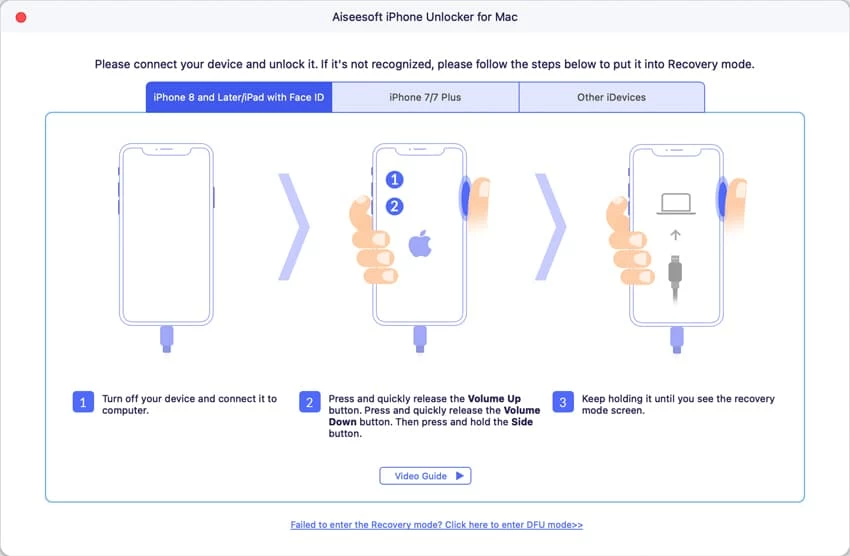
If the device remains locked, performing a factory reset might be your last option, but this will erase your data. Always back up your information regularly to prepare for such scenarios.
Contacting Support Services
If you’ve tried resets and waiting periods without success, reaching out to customer support is a smart move. Support teams can guide you through advanced recovery steps tailored to your device.
Before calling, have your device model, purchase details, and any error messages handy. This speeds up the process and helps you get precise assistance.
Remember, official support channels protect your privacy and device security—avoid third-party services that promise quick fixes but may compromise your data.
Frequently Asked Questions
Can I Change My Smart Device Passwords?
Yes, you can change passwords on smart devices. Most devices allow this through their settings menu. Regularly updating your passwords enhances security. Ensure your new password is strong and unique. Avoid using easily guessed information like birthdates. Check the device’s user manual or website for specific instructions.
How Often Should I Update Passwords?
It’s recommended to update your passwords every three to six months. Regular updates help protect against unauthorized access. If you suspect a breach, change your passwords immediately. Use password managers to help keep track of changes. Always prioritize security over convenience when managing passwords.
What Makes A Strong Password?
A strong password is long, unique, and complex. It should include a mix of uppercase, lowercase, numbers, and symbols. Avoid common words and personal information. Use a passphrase for added strength. Consider using a password manager to generate and store your passwords securely.
Can I Use The Same Password On All Devices?
It’s not advisable to use the same password on all devices. This practice increases vulnerability. If one account is compromised, others become at risk. Use unique passwords for each device and account. Consider using a password manager to help organize and maintain unique passwords.
Conclusion
Changing passwords on smart devices keeps your information safe. Most devices allow easy password updates through their settings. Regularly updating passwords helps protect against hackers and unwanted access. Strong, unique passwords make your devices harder to break into. Don’t forget to check device manuals for specific instructions.
Staying proactive with security keeps your smart home safer. Small steps like this add up to big protection. Always keep your passwords private and change them often. Simple actions can prevent many security problems later.