
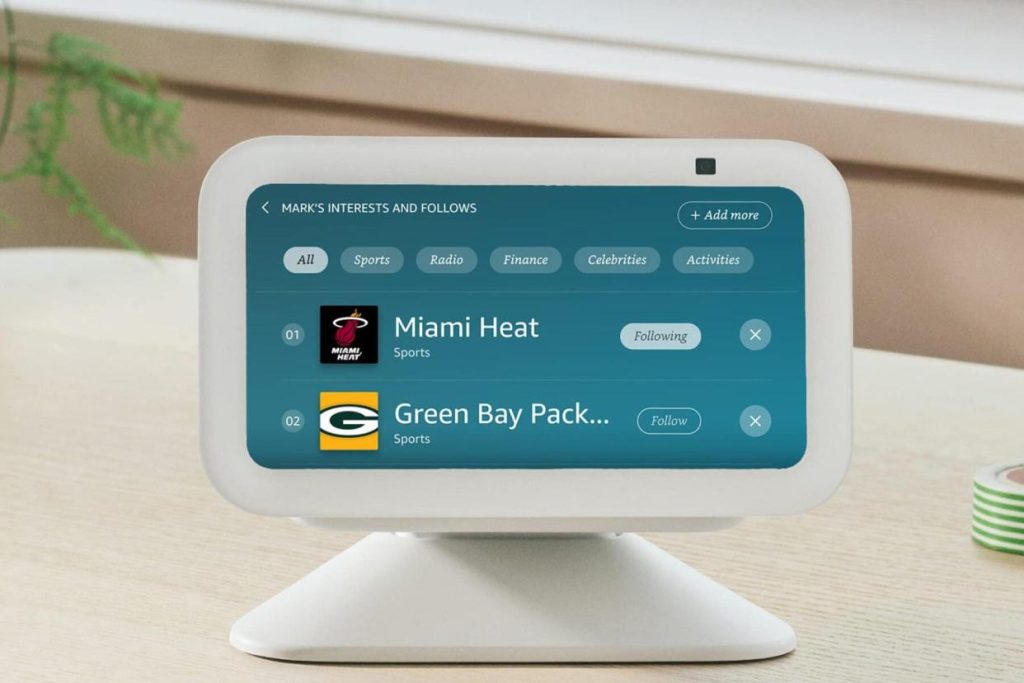
Imagine walking into your home and having your lights, thermostat, and even your coffee maker respond to your needs without a single word to Echo. Sounds futuristic, right?
You might think that smart devices are synonymous with Amazon’s Echo, but there’s a whole world of possibilities beyond that. If you’ve been wondering how to integrate smart technology into your life without depending on Echo, you’re in the right place.
This guide will walk you through simple, effective ways to create a seamless smart home experience. Get ready to discover the freedom and flexibility of using smart devices on your own terms. Dive in and unlock the potential of your smart home without the need for Echo.
Smart Devices Without Echo
Smart devices without Echo offer a simple way to control your home. These devices do not rely on Amazon’s Alexa system. They provide smart features with different voice assistants or app controls. Users can enjoy smart technology without the Echo ecosystem. Many brands make smart devices that work independently or with other platforms.
Types Of Smart Devices Available
- Smart lights that change colors and brightness with apps.
- Smart plugs to control power for lamps and appliances.
- Smart thermostats for easy temperature control.
- Security cameras with app monitoring and alerts.
- Smart speakers using Google Assistant or Apple Siri.
- Smart locks that open doors with codes or phones.
- Smart sensors for motion, humidity, or water leaks.
Benefits Of Using Non-echo Devices
Non-Echo devices give more choice for voice assistants. They often work with Google Home, Apple HomeKit, or Samsung SmartThings. This variety lets users pick what fits their needs. Privacy is easier to manage since data does not go to Amazon.
Many devices work directly through apps without hubs. This reduces setup time and cost. Users get flexibility to mix different brands and platforms. Devices may also have better compatibility with other smart home gadgets.
Setting Up Smart Devices
Setting up smart devices without relying on Echo can feel a bit unfamiliar at first, but it’s entirely doable. The key lies in establishing a solid connection and customizing the device to fit your home environment. Let’s break down the essential steps to get your smart gadgets up and running smoothly.
Connecting To Wi-fi Networks
Your smart device needs a reliable Wi-Fi connection to function properly. Most devices will prompt you to connect to a network during the initial setup. Make sure your Wi-Fi signal is strong where you plan to place the device.
If you have multiple networks, choose the one that’s most stable rather than the fastest. Some devices support only 2.4 GHz networks, so double-check your router’s settings. This small detail can save you hours of frustration.
Using Manufacturer Apps
Almost every smart device comes with its own app, which is essential for setup and control. Download the app recommended by the manufacturer from your app store. This app acts as the control center for your device.
Within the app, you’ll find prompts that guide you step-by-step through connecting your device to Wi-Fi and personalizing settings. If you’ve ever felt overwhelmed by tech, these apps are designed to simplify the process with clear instructions and visuals.
Configuring Device Settings
Once connected, spend time exploring the device settings through the app. Adjust features like notifications, schedules, and privacy options to match your lifestyle. For example, you might want your smart lights to turn on automatically at sunset or your thermostat to learn your preferred temperatures.
Don’t overlook firmware updates. These updates fix bugs and add new features, so check for them regularly. How much control do you want over your devices’ behavior? Tailoring these settings can make your smart home truly yours.
Alternative Voice Assistants
If you want to use smart devices without relying on Echo, there are plenty of alternative voice assistants to consider. These options can offer similar hands-free control, often with unique features that might suit your needs better. Let’s look at some popular alternatives and how you can integrate them into your smart home setup.
Google Assistant Integration
Google Assistant works with a wide range of smart devices and offers reliable voice commands. You can control lights, thermostats, and even security cameras using simple voice prompts through your phone or Google Nest speakers.
Setting it up is straightforward. Just connect your smart devices through the Google Home app, then use voice commands like “Hey Google, turn off the kitchen lights.” It’s very responsive and understands natural language well.
Have you tried using Google Assistant routines? They let you automate multiple actions with a single command, making daily tasks easier and faster.
Apple Siri Options
If you are invested in the Apple ecosystem, Siri can be a perfect voice assistant for your smart devices. Using the Home app on your iPhone or iPad, you can control compatible devices like smart bulbs, plugs, and locks.
Siri works well with HomeKit-enabled devices, allowing you to ask, “Hey Siri, set the thermostat to 72 degrees.” The integration feels seamless if you already use Apple products regularly.
One tip: create customized scenes in the Home app to control multiple devices at once. This feature saves you from repeating commands and makes your smart home feel more personal.
Other Voice Control Platforms
Beyond Google and Apple, several other voice assistants can help you manage smart devices. Samsung’s Bixby, for example, integrates well with Samsung smart appliances and phones.
There are also smaller platforms like Mycroft, an open-source voice assistant that you can customize for privacy-focused users. It’s a good choice if you want more control over your data.
Consider how often you use these assistants and which devices they support before choosing. What’s your priority—privacy, device compatibility, or ease of use?

Credit: www.youtube.com
Manual And App-based Controls
Smart devices offer flexible control options beyond voice assistants like Echo. Manual and app-based controls provide direct and easy ways to manage your devices. These methods work well for people who prefer physical interaction or want more control over settings.
Using your smartphone or tablet, you can access many features of your smart devices. Physical buttons on the devices themselves offer quick access without any apps. Scheduling and automation help set routines and save time by running devices automatically.
Using Dedicated Mobile Apps
Most smart devices come with dedicated mobile apps. These apps let you control devices from anywhere using your phone. You can turn devices on or off, adjust settings, and monitor status in real time.
Apps often include easy menus and buttons for quick actions. Notifications alert you about device updates or issues. You can group devices and control them together through the app.
Physical Controls And Buttons
Many smart devices have physical buttons or switches. These controls allow you to operate devices without a phone or internet. Simple presses or toggles can switch lights, fans, or appliances on and off.
Physical controls are reliable during internet outages. They provide immediate response and do not require app updates. Some devices have touch panels or dials for more precise control.
Scheduling And Automation
Scheduling helps automate your smart devices at set times. You can program lights to turn on at dusk or coffee makers to start in the morning. Automation routines reduce the need for manual control.
Many apps include easy scheduling tools with preset options. You can create custom schedules that repeat daily or only on certain days. Automation saves energy and adds convenience to your daily life.
Smart Home Hubs Without Echo
Choosing smart home hubs without relying on Echo devices opens up a world of possibilities. These hubs act as the central point to control your smart devices efficiently and privately. If you want to manage your smart home without Amazon Echo, there are several great alternatives that give you control and flexibility.
Popular Hub Options
You don’t have to stick with Echo to enjoy a connected smart home. Many hubs work well without Amazon’s ecosystem. Some popular choices include:
- Samsung SmartThings Hub:Known for supporting a wide range of devices and protocols, it’s ideal if you want versatility.
- Google Nest Hub:Perfect if you prefer Google Assistant but want a dedicated device to manage your home.
- Apple HomePod Mini:Best for those deeply invested in Apple’s ecosystem, offering seamless integration with HomeKit devices.
- Hubitat Elevation:Focused on local control, it keeps your data private and works even without internet.
Each hub has unique features, so think about what fits your tech preferences and privacy needs.
Compatibility With Devices
Before choosing a hub, check which devices it supports. Compatibility is crucial because not all smart devices work with every hub.
For example, Samsung SmartThings supports Zigbee, Z-Wave, and Wi-Fi devices, making it highly flexible. On the other hand, Apple HomePod Mini works best with HomeKit-certified gadgets, limiting your options but ensuring smooth integration.
Ask yourself: Do your current smart bulbs, plugs, or sensors work with the hub you want? If you’re starting fresh, pick a hub that supports the brands you like or plan to buy.
Setting Up Routines And Scenes
One of the best parts about smart home hubs is creating routines and scenes that automate daily tasks. Without Echo, these hubs still offer intuitive ways to do this.
With Samsung SmartThings, you can set routines that turn off lights when you leave or start your coffee maker in the morning. Google Nest Hub lets you create custom commands to control multiple devices at once.
Think about what daily actions you want to simplify. Setting up scenes like “Movie Time” to dim lights and close blinds can transform your living space effortlessly.
Privacy And Security Tips
Using smart devices without Echo can still raise privacy and security concerns. Protecting your personal information is important. Follow simple steps to keep your smart home safe and private.
Managing Data And Permissions
Review app permissions regularly. Only allow access to necessary data. Disable permissions that seem excessive or unrelated.
Clear stored data from your devices often. This reduces the risk of data leaks. Use privacy settings in each app to limit data sharing.
Turn off features that collect voice or video data unless you use them. This prevents unwanted recording. Keep software updated to fix security flaws.
Securing Your Smart Network
Use a strong, unique password for your Wi-Fi network. Avoid default or simple passwords. Change passwords regularly to enhance security.
Enable network encryption like WPA3 or WPA2. This protects data transmitted between your devices and router.
Set up a separate guest network for visitors or less trusted devices. This keeps your main network safer. Disable remote access if not needed.
Regularly check connected devices on your network. Remove unknown or unused devices promptly.
Troubleshooting Common Issues
Using smart devices without Echo can sometimes come with hiccups. Troubleshooting these common issues helps you get back on track quickly. Let’s look at the most frequent problems and how to solve them effectively.
Connectivity Problems
Is your smart device not responding? Often, the issue lies with your Wi-Fi connection. Make sure your device is within range of your router and check if other devices are connecting fine.
Try restarting your router and the smart device. Sometimes, simply disconnecting from Wi-Fi and reconnecting solves the problem. If your network uses multiple frequencies (2.4 GHz and 5 GHz), ensure your device supports the band it’s trying to connect to.
Have you checked for any interference from other electronics? Devices like microwaves or cordless phones can disrupt Wi-Fi signals. Moving your smart device or router away from these can improve connectivity.
App Malfunctions
Your smartphone app controls your smart devices, so if it freezes or crashes, it can be frustrating. Check if you’re using the latest version of the app. Developers often fix bugs and improve stability with updates.
Clear the app cache or reinstall the app if it keeps misbehaving. Sometimes, logging out and back in refreshes the connection between your device and the app. Also, verify your phone’s operating system supports the app version.
Are you running multiple apps simultaneously? Some apps may conflict or slow down your phone, affecting performance. Closing unnecessary apps could help your smart device app run smoother.
Device Resets And Updates
Resetting your smart device can often fix persistent issues, but it should be your last resort. Before resetting, try power cycling by turning the device off, waiting 10 seconds, then turning it back on.
Keep an eye out for firmware updates. These updates improve device performance and patch security risks. Check the manufacturer’s app or website regularly to see if updates are available.
Have you ever hesitated to reset because you feared losing settings? Many devices allow you to back up preferences before resetting. This way, you can restore your setup quickly after the reset.

Credit: moldstud.com
Credit: kinzuaheritage.org
Frequently Asked Questions
How Can I Control Smart Devices Without Echo?
You can use smartphone apps or other smart hubs to control devices. Many smart devices support Bluetooth or Wi-Fi control via their native apps.
Are There Alternative Voice Assistants To Echo For Smart Devices?
Yes, Google Assistant, Apple Siri, and Samsung Bixby are popular alternatives. They work with many smart devices and offer voice control without Echo.
Can I Automate Smart Devices Without Using Echo?
Yes, automation apps like IFTTT or SmartThings allow device automation. These platforms connect different devices and services for seamless smart home control.
What Apps Work Best For Smart Device Management Without Echo?
Most smart devices have dedicated apps, like Philips Hue or TP-Link Kasa. Third-party apps like Google Home or SmartThings also support many brands.
Conclusion
Using smart devices without Echo is simple and practical. Many options exist to control your gadgets easily. Apps, voice assistants, or manual controls work well. Choose what fits your needs and comfort best. Enjoy smart technology without relying on one brand.
Stay connected and make life smoother every day. Try different methods to find your favorite way. Smart living can be easy and affordable for everyone.


