Can Echo Dot Pair With Smart Devices: Ultimate Guide to Connectivity
Have you ever wondered if your Echo Dot can connect seamlessly with your smart devices? Imagine controlling your lights, thermostat, and even your TV with just your voice.
It sounds simple, but is it really that easy to pair your Echo Dot with all those gadgets? If you want to unlock the full potential of your smart home and make your daily routine smoother, this guide will show you exactly how to do it.
Keep reading to discover how your Echo Dot can become the ultimate hub for your smart devices.
Echo Dot Compatibility
The Echo Dot is designed to work smoothly with a wide range of smart devices, making it a handy hub for your smart home. Understanding its compatibility can save you time and frustration when setting up your devices. Let’s look at what devices pair well with the Echo Dot and what you need to make them work together effectively.
Supported Smart Devices
Your Echo Dot can connect with many smart devices across different categories. These include:
- Smart Lights:Brands like Philips Hue, LIFX, and TP-Link.
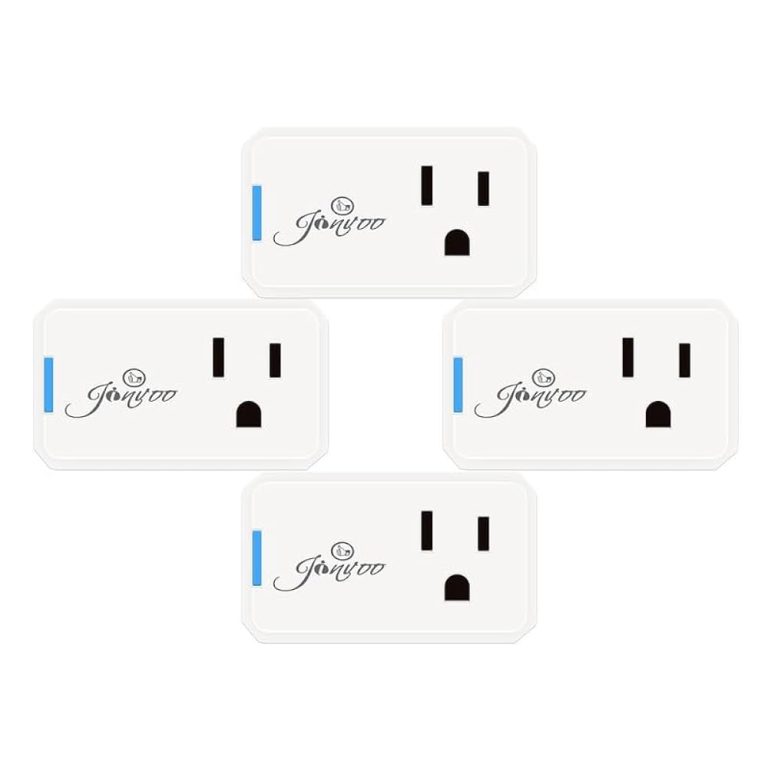
- Smart Plugs:Such as Wemo, TP-Link Kasa, and Amazon Smart Plug.
- Smart Thermostats:Nest, ecobee, and Honeywell models.
- Smart Locks:August, Schlage, and Yale.
- Smart Cameras:Ring, Arlo, and Blink.
Most devices that support Amazon Alexa will work with the Echo Dot, allowing you to control them with your voice or through the Alexa app.
Device Requirements
Not all smart devices work perfectly with the Echo Dot. You need to check a few things before connecting:
- Wi-Fi Connectivity:Devices must connect to the same Wi-Fi network as your Echo Dot.
- Alexa Skill Availability:The device should have an Alexa skill you can enable in the Alexa app.
- Compatible Firmware:Ensure your smart device firmware is up to date for smooth operation.
- Account Linking:Some devices require you to link your device account with Alexa for full functionality.
Have you ever tried to connect a device only to find it wasn’t supported? Checking these requirements first can avoid that hassle and get your smart home running faster.
Setting Up Echo Dot
Setting up your Echo Dot is simple and quick. It only takes a few minutes to get the device ready for use. Following a clear setup process helps connect your Echo Dot to smart devices smoothly. This section guides you through the basic steps to start using your Echo Dot.
Initial Device Configuration
Unbox your Echo Dot and plug it into a power outlet. Wait until the light ring turns blue, then orange. This orange light means the device is ready for setup. Download the Amazon Alexa app on your smartphone or tablet. Open the app and sign in with your Amazon account. Follow the on-screen instructions to add a new device. Select Echo Dot from the list of devices. The app will search for your Echo Dot nearby. Confirm the device found matches your Echo Dot. The app will guide you through connecting to Wi-Fi next.
Connecting To Wi-fi
Choose your home Wi-Fi network from the list displayed in the app. Enter the network password carefully to avoid errors. The Echo Dot will try to connect to the Wi-Fi. Wait for the app to confirm a successful connection. A green checkmark or confirmation message will appear. If connection fails, check your Wi-Fi password and try again. Once connected, your Echo Dot is ready to pair with smart devices. This connection allows voice commands and remote control features.
Pairing Echo Dot With Smart Devices
Pairing your Echo Dot with smart devices enhances your smart home experience. This process allows seamless control over various home gadgets. With voice commands, managing your home becomes effortless. Let’s explore how to connect your Echo Dot to different smart devices.
Using The Alexa App
The Alexa app is the key to pairing Echo Dot with devices. First, download the Alexa app on your smartphone. Ensure your Echo Dot is powered on and connected to Wi-Fi. Open the app and sign in to your Amazon account. Navigate to the ‘Devices’ tab at the bottom of the screen. Select ‘Add Device’ and choose the type of device you want to connect. Follow the on-screen instructions to complete the setup.
Bluetooth Pairing Process
Bluetooth allows your Echo Dot to pair with other devices wirelessly. Start by placing your Bluetooth device in pairing mode. Say, “Alexa, pair” to your Echo Dot. Alexa will search for nearby Bluetooth devices. Once your device appears, select it to complete the pairing. Use this method for speakers or headsets.
Wi-fi Device Integration
Integrating Wi-Fi devices with Echo Dot is simple. Ensure both devices are on the same network. Open the Alexa app and go to the ‘Devices’ tab. Select ‘Add Device’ and choose your device’s brand. Follow the prompts to complete the integration. With Wi-Fi integration, control is more stable and reliable. Enjoy managing lights, thermostats, and more with just your voice.
Common Connected Devices
Connecting your Echo Dot to various smart devices can transform your living space into a truly interactive environment. Understanding the types of devices that commonly pair with Echo Dot helps you decide which gadgets fit your lifestyle. Let’s look at some popular options that work seamlessly with your Echo Dot.
Smart Lights
Smart lights are one of the easiest ways to start smart home automation with your Echo Dot. You can control brightness, color, and schedules using simple voice commands. Brands like Philips Hue and LIFX offer reliable integration, letting you say, “Alexa, dim the living room lights.”
Imagine coming home after a long day and just telling Alexa to set the mood without lifting a finger. It’s not just convenient; it also saves energy by turning off lights automatically when you leave a room.
Smart Thermostats
Pairing your Echo Dot with a smart thermostat gives you control over your home’s temperature through voice commands. Nest and Ecobee thermostats are popular choices that work well with Alexa. You can adjust the heat or cooling, check the current temperature, and even create temperature schedules effortlessly.
Have you ever forgotten to turn down the heat before leaving? Echo Dot can handle that for you, preventing wasted energy and reducing your utility bills.
Smart Plugs And Switches
Smart plugs and switches let you control traditional devices remotely or with your voice. Plug in a lamp, fan, or coffee maker, and then tell Alexa to turn it on or off anytime. This flexibility means you don’t have to replace every device to make your home smarter.
They’re especially handy for gadgets without built-in smart features. Plus, scheduling is easy, so your coffee can be ready when you wake up without any manual effort.
Home Security Devices
Security cameras, smart locks, and alarm systems can also be paired with your Echo Dot. With devices from Ring, Arlo, or August, you can ask Alexa to show your front door camera or lock the back door. This adds an extra layer of convenience and safety to your daily routine.
Wouldn’t it be great to check your home’s security status just by asking Alexa, instead of pulling out your phone? This hands-free approach offers peace of mind without interrupting your flow.
Troubleshooting Connectivity
Dealing with connectivity problems between your Echo Dot and smart devices can be frustrating. Sometimes the devices just won’t sync or respond as expected. Understanding common issues and how to fix them can save you time and keep your smart home running smoothly.
Connection Issues
One common problem is the Echo Dot failing to connect to your smart devices. This often happens if the device is out of Wi-Fi range or if the network is unstable.
Check your Wi-Fi signal strength near the Echo Dot and the smart device. You can also try restarting your router to refresh the connection.
Have you ever thought about how many devices are competing on your network? Too many connections can slow down or block your Echo Dot from pairing properly.
Device Not Responding
If your Echo Dot pairs but doesn’t respond to commands, the issue might be with the device itself or how it’s set up.
Make sure the device firmware is updated. Sometimes, outdated software causes communication errors between devices.
Try disconnecting and reconnecting the device in the Alexa app. This often resolves any temporary glitches affecting responsiveness.
Resetting Echo Dot
Resetting the Echo Dot can be a last resort when nothing else works. It restores the device to factory settings and clears any hidden bugs.
To reset, press and hold the action button for about 25 seconds until the light ring turns orange. After resetting, you’ll need to set up the Echo Dot again in the Alexa app.
Keep in mind, resetting erases all your settings. Is it worth losing your preferences to fix the issue? Sometimes it’s the fastest way to get things working again.
Tips For Better Connectivity
Connecting your Echo Dot to smart devices can sometimes be tricky. The key to smooth operation lies in improving your device’s connectivity. Small changes can make a big difference, helping you avoid frustrating interruptions and delays.
Optimizing Wi-fi Network
Your Wi-Fi network is the backbone of your Echo Dot’s smart device connections. Place your router in a central spot to reduce signal interference. Walls, microwaves, and other electronics can weaken your Wi-Fi signal.
Consider using a dual-band router. The 5 GHz band often provides faster speeds and less congestion than the 2.4 GHz band. Also, limit the number of devices connected at the same time to avoid network overload.
Have you ever noticed your Echo Dot struggling during peak internet usage? Upgrading to a higher-speed plan or adding a Wi-Fi extender might be the fix you need.
Updating Device Firmware
Outdated firmware can cause connectivity problems between your Echo Dot and smart devices. Check regularly for updates on both your Echo Dot and the connected devices. Amazon often releases patches that improve compatibility and fix bugs.
Automatic updates can be a lifesaver, but it’s worth verifying that they’re enabled. If an update fails, try restarting your devices and attempt the update again. Sometimes, a quick reboot solves hidden glitches.
Skipping updates might seem convenient, but can lead to missed features or even security risks. How often do you check for firmware updates on your gadgets?
Managing Device Permissions
Permissions control how your Echo Dot interacts with smart devices. Sometimes connectivity issues arise because the Echo Dot lacks the necessary access. Review permissions in the Alexa app to ensure your devices can communicate freely.
For example, enabling location permissions can improve device responses related to smart thermostats or lighting. Also, verify that your smart device accounts are properly linked to Alexa.
Don’t overlook privacy settings either. Overly restrictive permissions might block commands you want to use. Adjust permissions thoughtfully to balance security and functionality.
Frequently Asked Questions
Can Echo Dot Connect With All Smart Devices?
Yes, Echo Dot supports many smart devices. It pairs with lights, thermostats, plugs, and cameras. Compatibility depends on device brand and protocol, like Zigbee or Wi-Fi. Always check the device’s Alexa support before pairing for smooth integration.
How To Pair Echo Dot With Smart Home Devices?
Open the Alexa app, tap Devices, then Add Device. Select the device type and brand, then follow on-screen instructions. Ensure both Echo Dot and smart device are on the same Wi-Fi network for successful pairing.
Does Echo Dot Support Bluetooth Smart Devices?
Yes, Echo Dot can pair with Bluetooth smart devices like speakers and headphones. Enable Bluetooth on the device, then say, “Alexa, pair Bluetooth. ” Alexa will connect to nearby compatible Bluetooth devices quickly.
Can Echo Dot Control Smart Devices Via Voice Commands?
Absolutely! After pairing, you can control smart devices using voice commands. Say commands like “Alexa, turn on the lights” or “Alexa, set thermostat to 72 degrees. ” Voice control makes managing smart homes convenient and hands-free.
Conclusion
Echo Dot works well with many smart devices. It pairs easily and controls lights, speakers, and more. Setting it up takes just a few steps. You can use voice commands to manage your home. This makes daily tasks simpler and faster.
Smart home control becomes more convenient with Echo Dot. It fits nicely in most setups. Try pairing it with your devices to see the benefits. Simple, smart, and helpful technology for your home.