Does Smart Life Control Jinvoo Devices? Discover Now
Are you wondering if your Smart Life app can control Jinvoo devices? If you’ve invested in smart gadgets, you want everything to work smoothly together.
Imagine managing all your devices from one app without the hassle of switching between different platforms. This article will clear up the confusion and help you get the most out of your smart home setup. Keep reading to discover how Smart Life and Jinvoo devices connect—and what that means for you.
Smart Life And Jinvoo Compatibility
Smart Life and Jinvoo compatibility is a key factor if you want to control your Jinvoo smart devices through a unified app. Many users ask whether the Smart Life app can manage Jinvoo products seamlessly. Understanding this compatibility helps you decide how to simplify your smart home setup without juggling multiple apps.
Device Types Supported
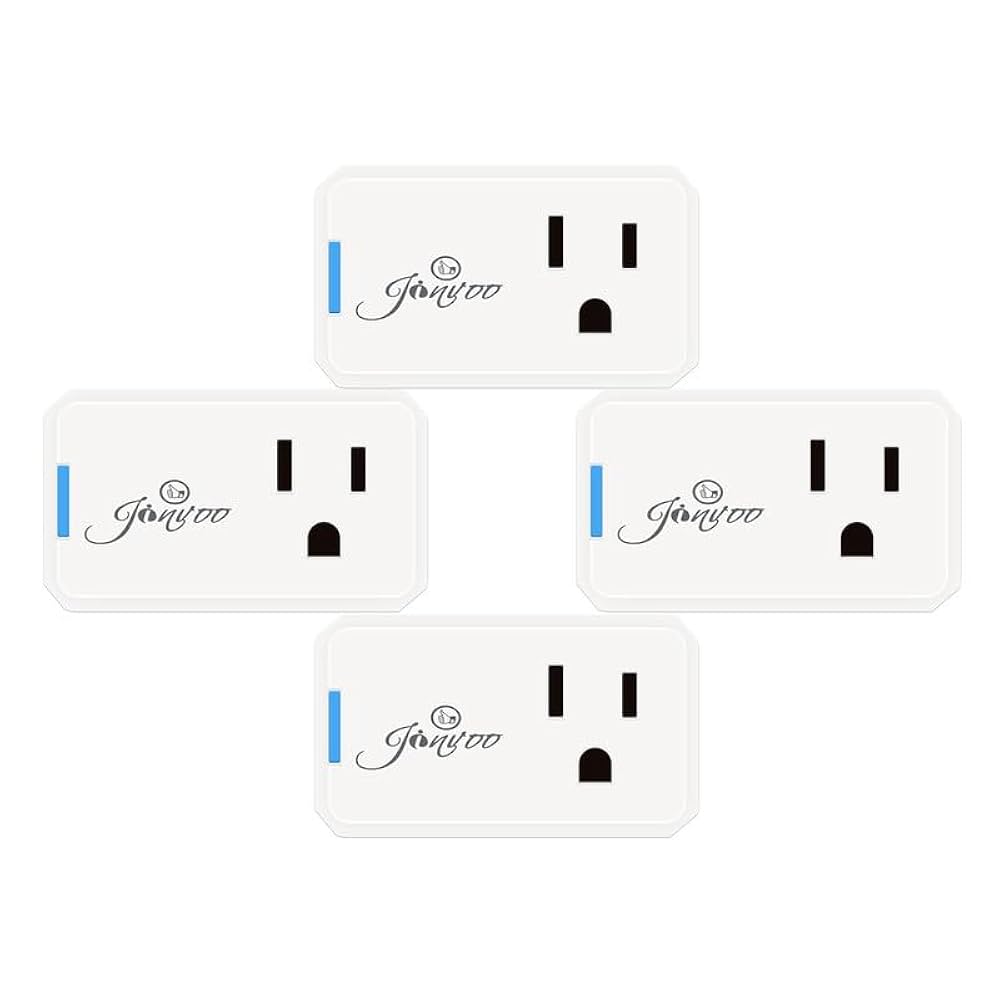
Smart Life supports a wide range of Jinvoo devices. These include smart plugs, bulbs, LED strips, and security cameras. If you already own Jinvoo smart bulbs, for example, you can easily add them to Smart Life for remote control and scheduling.
However, some specialized Jinvoo gadgets might not fully integrate. Always check the product description or packaging for “Works with Smart Life.” This ensures your device will function as expected within the Smart Life ecosystem.
Integration Requirements
To connect Jinvoo devices with Smart Life, you need a stable 2.4 GHz Wi-Fi network. The app doesn’t support 5 GHz networks, which can cause pairing failures. Make sure your phone and Jinvoo device are on the same network during setup.
You’ll also need to create a Smart Life account. This lets you save device settings and access controls remotely. Once logged in, simply follow the app’s prompts to add your Jinvoo device by selecting the correct category and model.
Remember to update both the Smart Life app and your Jinvoo device firmware regularly. Updates often fix bugs and improve compatibility. Have you experienced any hiccups while connecting your devices? Troubleshooting often starts with checking these basics.

Credit: www.amazon.ca
Setting Up Jinvoo Devices With Smart Life
Setting up Jinvoo devices with the Smart Life app is simple and quick. This process lets you control your devices from anywhere using your smartphone. Follow these steps to connect your Jinvoo device to the Smart Life platform and enjoy seamless smart home management.
Installation Steps
- Unbox your Jinvoo device and plug it into a power source.
- Download the Smart Life app from the App Store or Google Play.
- Create an account or log in to the Smart Life app.
- Open the app and tap the “+” icon to add a new device.
- Select the correct device type from the list provided.
- Put your Jinvoo device into pairing mode, usually by pressing a button.
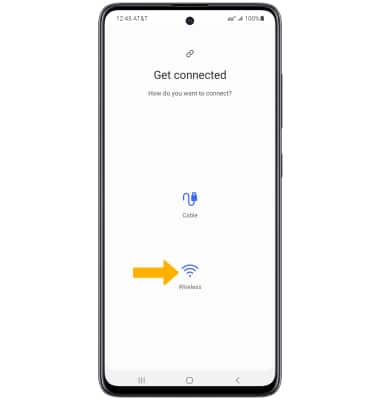
- Follow on-screen instructions to complete the installation.
Connecting To Wi-fi
- Ensure your phone is connected to a 2.4GHz Wi-Fi network.
- Enter your Wi-Fi network name and password in the app.
- Wait for the device to connect to the network.
- Check for confirmation in the Smart Life app.
- Rename your device for easy identification.
Troubleshooting Common Issues
- Device not entering pairing mode? Try resetting it by holding the button longer.
- Connection failed? Verify your Wi-Fi uses 2.4GHz frequency.
- App not detecting device? Restart your phone and reopen the app.
- Ensure your device is close to your router during setup.
- Update the Smart Life app to the latest version.
Features Enabled By Smart Life
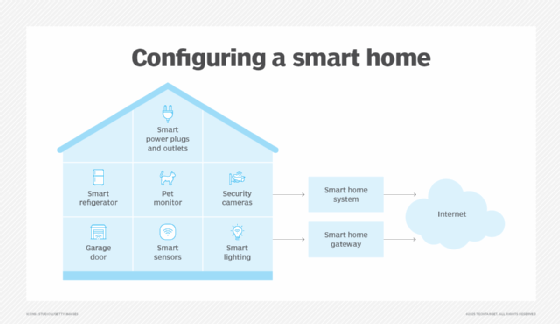
Smart Life enhances your experience with Jinvoo devices by adding a range of convenient features. These features make managing your smart home easier and more efficient. You get more control, better customization, and hands-free options that fit your lifestyle.
Remote Control Options
Smart Life lets you control your Jinvoo devices from anywhere using your smartphone. Whether you’re at work or on vacation, you can turn lights on or off, adjust settings, and monitor device status remotely. This means no more rushing back home because you forgot to switch off a device.
Have you ever wished you could check if your smart plug is still on after leaving the house? With Smart Life, it’s just a tap away. This flexibility saves energy and gives peace of mind.
Scheduling And Automation
One of the most practical features is the ability to set schedules for your Jinvoo devices. You can program lights to turn on at sunset or a heater to switch off after you leave the house. This helps automate daily routines without lifting a finger.
Beyond simple schedules, you can create automation rules that link devices. For example, set your Jinvoo smart bulb to flash when your security camera detects movement. These automations tailor your smart home to respond exactly how you want it.
Voice Assistant Support
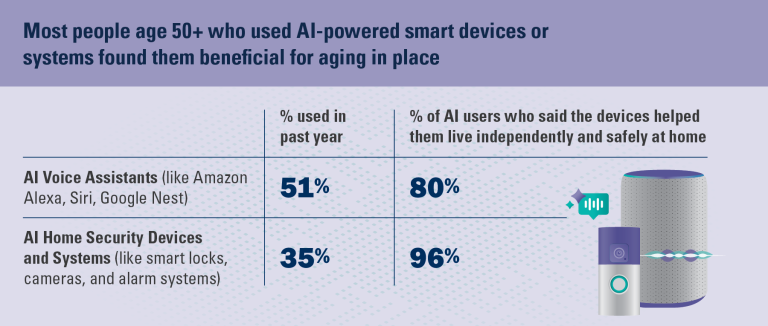
Smart Life works seamlessly with popular voice assistants like Alexa and Google Assistant. You can use voice commands to control Jinvoo devices without opening an app. Saying “Turn off the bedroom light” is faster and feels natural.
This hands-free control is especially handy when your hands are full or you’re across the room. Have you tried asking your voice assistant to manage your smart devices? It’s surprisingly convenient and makes your smart home truly smart.
Limitations And Challenges
Using Smart Life to control Jinvoo devices offers convenience, but it’s not without its hurdles. Understanding the limitations can help you avoid frustration and make smarter choices when setting up your smart home. Let’s break down some challenges you might face and how they could affect your experience.
Device Compatibility Gaps
Not all Jinvoo devices work seamlessly with Smart Life. Some models may not appear in the app’s device list or might lack full functionality after pairing. This can be frustrating when you expect smooth control but end up with limited options.
For example, I tried connecting a Jinvoo smart plug and a bulb through Smart Life. The plug synced quickly, but the bulb only responded to basic on/off commands, missing out on brightness or color adjustments.
Ask yourself: Does the device you want to control support all features via Smart Life? Checking compatibility before buying saves time and disappointment.
App Performance
Smart Life’s app can sometimes be slow or unstable. You might notice delays when sending commands or occasional crashes during setup. These hiccups interrupt the experience and can make controlling your devices a hassle.
In my experience, during peak hours, the app was sluggish, causing a delay of several seconds before lights responded. This lag can be especially problematic if you rely on quick responses for security or energy savings.
Consider whether you are okay with occasional delays or need real-time control for your devices.
Security Concerns
Smart home security is crucial, yet some users worry about data privacy and device vulnerability. Smart Life requires internet access and cloud storage, which opens potential risks if not managed properly.
Sharing your device control through Smart Life might expose your network if you use weak passwords or outdated firmware. I recommend regularly updating the app and devices, and using strong, unique passwords to protect your setup.
Think about how much control you want over your data and whether you’re comfortable with cloud-based device management.
Alternatives To Smart Life For Jinvoo
If you own Jinvoo devices but find Smart Life limiting or complicated, you’re not out of options. There are several alternatives that can offer more tailored control, better integration, or simply a different user experience. Trying different apps might even help you discover features you never knew your Jinvoo devices had.
Official Jinvoo App
The official Jinvoo app is designed specifically for their devices, so compatibility is rarely an issue. It offers straightforward setup and reliable performance, which can be a relief if you’ve struggled with Smart Life’s interface.
One advantage is that the app often receives updates aligned closely with new Jinvoo products. This means you get timely support for the latest features and device models. If you value simplicity and direct control, the official app might be the best fit for your smart home setup.
Third-party Control Apps
Besides the official app, many third-party apps support Jinvoo devices, often adding advanced controls or better automation options. Apps like Home Assistant or OpenHAB allow you to integrate Jinvoo gadgets into a broader smart home ecosystem.
These apps can be a bit technical at first, but they empower you with customization that goes beyond basic on/off commands. You can create complex routines, link different brands, and even use voice assistants more seamlessly.
Have you tried mixing different control apps for your devices? Sometimes, using a combination of the official app and a third-party solution gives you the best of both worlds.

Credit: www.amazon.com
User Experiences And Reviews
Users of Smart Life controlling Jinvoo devices share varied experiences. Their feedback helps understand real-world use and common issues. This section highlights what users like and dislike most.
Positive Feedback
- Many find the app easy to set up and use.
- Users appreciate seamless control over lights and appliances.
- Scheduling features receive praise for convenience.
- Integration with voice assistants is seen as helpful.
- Remote control access works well for most users.
- Device response time is quick and reliable.
- Customer support often receives positive remarks.
Common Complaints
- Some report occasional connection drops between app and device.
- Firmware updates can sometimes cause temporary issues.
- Users mention difficulty syncing multiple devices at once.
- Limited customization options frustrate a few users.
- App interface can feel cluttered or confusing to some.
- Notifications are sometimes delayed or inconsistent.
- Device compatibility with older smartphones is not always smooth.

Credit: www.amazon.com
Frequently Asked Questions
Does Smart Life App Support Jinvoo Devices?
Yes, the Smart Life app supports many Jinvoo smart devices. It enables easy control and automation through one platform. Compatibility depends on the specific Jinvoo model and firmware version.
How To Connect Jinvoo Devices With Smart Life?
To connect, open the Smart Life app, add a new device, and select the correct Jinvoo device type. Follow on-screen pairing instructions to complete the setup quickly and seamlessly.
Can Smart Life Control Jinvoo Devices Remotely?
Yes, Smart Life allows remote control of Jinvoo devices via internet. Users can manage devices anytime, anywhere, enhancing convenience and smart home automation.
Are Jinvoo Devices Compatible With Smart Life Voice Assistants?
Jinvoo devices connected through Smart Life support voice commands via Alexa and Google Assistant. This integration enables hands-free control for a smarter home experience.
Conclusion
Smart Life works well with many Jinvoo devices. You can control lights, plugs, and more easily. The app offers simple steps to connect and manage. It saves time and makes your home smarter. Some devices may need updates for best use.
Try pairing your Jinvoo gadgets with Smart Life today. Enjoy better control and convenience every day. Smart Life helps bring your smart home ideas to life.