Can Google Home Mini Control Smart Devices: Ultimate Guide 2025
Have you ever wished you could control your smart devices with just your voice? Imagine turning off the lights, adjusting the thermostat, or playing your favorite music without lifting a finger.
The Google Home Mini promises to do just that. But can this small device really manage all your smart gadgets seamlessly? Keep reading to discover how the Google Home Mini can transform your daily routine and make your home smarter than ever.
Google Home Mini Basics
The Google Home Mini is a compact smart speaker designed to bring convenience and control to your everyday life. It acts as a voice-activated assistant, helping you manage tasks, answer questions, and control compatible smart devices around your home. Understanding the basics of the Google Home Mini can help you decide how it fits into your smart home setup.
Key Features
The Google Home Mini offers several standout features that make it a popular choice. It listens to your voice commands using built-in microphones and responds with clear audio. You can ask it to play music, set reminders, check the weather, or control smart devices.
Its compact size fits easily in any room, and it supports multiple languages, making it accessible for various users. The device connects to your Wi-Fi network, enabling seamless integration with other smart gadgets like lights, thermostats, and security cameras.
- Voice recognition for personalized responses
- Compatibility with a wide range of smart home devices
- Hands-free operation for multitasking
- Affordable price point with reliable performance
Setup Process
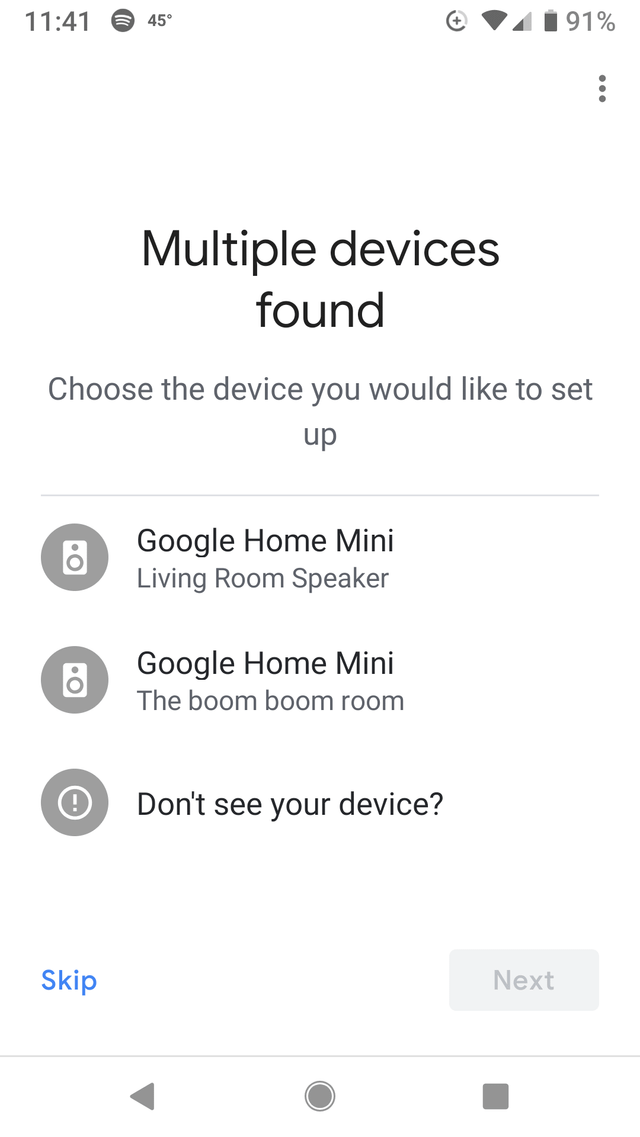
Setting up the Google Home Mini is straightforward and user-friendly. First, plug in your device and download the Google Home app on your smartphone or tablet. The app will guide you through connecting the Mini to your Wi-Fi network.
Next, you’ll be asked to sign in with your Google account. This step is essential because it allows the device to personalize your experience and sync with your calendar, contacts, and other Google services.
Once connected, you can start adding compatible smart devices through the app. This process often involves linking your device accounts to Google Home and assigning names for easy voice control. Have you ever felt frustrated by complicated tech setups? Google Home Mini aims to remove that hassle, letting you control your home with simple voice commands.
Smart Device Compatibility
Google Home Mini enhances home automation by connecting with smart devices. It acts as a central hub, allowing users to control their gadgets through voice commands. This seamless integration makes life more convenient, efficient, and enjoyable.
Supported Brands
Google Home Mini supports a wide range of brands. These brands offer various smart home devices compatible with Google Assistant. Some of the most popular include:
- Philips Hue
- Samsung SmartThings
- TP-Link
- Nest
- LG
These brands ensure a diverse selection of devices that fit different needs. They provide reliable and user-friendly options for smart home enthusiasts.
Device Types
Google Home Mini can control various types of smart devices. This versatility transforms any space into a smart home. Some common devices include:
- Smart lights
- Thermostats
- Security cameras
- Smart plugs
- Speakers
Each device type enhances home automation through easy, hands-free operation. By connecting with Google Home Mini, users enjoy more control over their environment.
Connecting Devices To Google Home Mini
Connecting smart devices to Google Home Mini allows you to control your home with ease. This device acts as a hub for various smart gadgets. It helps you manage lights, thermostats, cameras, and more. Setting up these devices is simple and takes only a few minutes.
Google Home Mini works best when devices are linked correctly. Proper connection ensures smooth voice control and automation. Follow clear steps to connect your smart devices for the best experience.
Using The Google Home App
The Google Home app is the main tool for connecting devices. Start by downloading the app on your smartphone or tablet. Open the app and sign in with your Google account. Tap the “+” button to add a new device.
Select “Set up device” and choose “New devices.” The app will scan for compatible gadgets nearby. Follow the on-screen instructions to connect each device. Make sure your smart devices are powered on and in pairing mode.
Once connected, you can name each device. Naming helps you control them easily using voice commands later. The app also shows device status and settings for quick adjustments.
Voice Command Setup
Google Home Mini responds to voice commands after devices connect. Start by saying “Hey Google” to activate the assistant. Try simple commands like “Turn on the living room light.”
Use clear and specific names for devices to avoid confusion. For example, say “Turn off kitchen light” instead of just “Turn off light.” The assistant learns your preferences and improves over time.
You can create routines for multiple devices with one command. For instance, say “Good night” to turn off lights and lock doors. Voice control makes managing your smart home easy and fast.
Controlling Smart Devices
Controlling smart devices with Google Home Mini turns your living space into a responsive environment. It simplifies daily tasks by letting you manage lights, thermostats, cameras, and more using just your voice. This hands-free control saves time and adds convenience, especially when your hands are full or you’re across the room.
Voice Commands Examples
Using voice commands with your Google Home Mini is straightforward and intuitive. You can say things like:
- “Hey Google, turn on the living room lights.”
- “Hey Google, set the thermostat to 72 degrees.”
- “Hey Google, lock the front door.”
- “Hey Google, show the backyard camera.”
These commands give you instant control without touching any device. Have you noticed how much easier it is to adjust settings this way compared to searching for an app or switch?
Routine Automation
Google Home Mini also lets you automate multiple smart devices together through routines. For example, you can create a “Good Morning” routine that turns on lights, adjusts the thermostat, and plays your favorite news briefing with a single command.
Setting up routines means fewer repetitive tasks for you. Imagine telling your Google Home Mini “Good night” and having it turn off all lights, lock doors, and lower the temperature automatically.
What daily tasks could you automate to save time and make your home smarter?
Troubleshooting Connection Issues
Troubleshooting connection issues with Google Home Mini helps keep your smart devices responsive. Problems may arise due to network glitches or device settings. Identifying the root cause speeds up the fix. Clear steps can restore smooth control over your smart home gadgets.
Common Problems
- Google Home Mini not connecting to Wi-Fi
- Smart devices not responding to voice commands
- Intermittent connection drops during use
- Devices showing offline status in the app
- Compatibility issues between Google Home Mini and smart devices
Fixing Device Unresponsiveness
- Restart your Google Home Mini and smart device
- Check Wi-Fi signal strength near your devices
- Ensure both devices use the same Wi-Fi network
- Update Google Home app and device firmware
- Re-link smart devices within the Google Home app
- Factory reset devices if problems persist
Privacy And Security Measures
Privacy and security are top concerns when you use Google Home Mini to control your smart devices. Your personal data and home environment rely on strong protection measures. Understanding how Google handles your information can help you feel confident using voice commands for daily tasks.
Data Protection
Google Home Mini encrypts your voice commands to keep them safe during transmission. This means hackers can’t easily intercept what you say or control your devices without permission. Your voice recordings are stored securely and can be deleted anytime through your Google account settings.
Think about a time when you accidentally triggered the assistant in a crowded room. Google’s system is designed to recognize your voice and respond only to you, reducing false activations. Still, you should regularly review your activity history and clear any recordings you don’t want saved.
Managing Permissions
You control which apps and devices connect to your Google Home Mini. The Google Home app lets you easily add or remove smart devices and adjust their access levels. This means you decide what your assistant can do and which devices it can control.
It’s smart to review permissions often. For example, if you no longer use a smart plug or security camera, removing it from your setup stops any unnecessary data sharing. Also, enabling two-factor authentication on your Google account adds an extra layer of protection against unauthorized access.
Future Updates And Features
Google Home Mini continues to evolve with new updates and features. These changes aim to improve smart device control and user experience. Future updates will expand its capabilities and make it more useful in daily life.
Upcoming Integrations
Google plans to connect Home Mini with more smart devices. This means more brands and types of gadgets will work with it. Users will control lights, thermostats, cameras, and more through voice commands. New integrations will bring easier setup and smoother operation. Expect better compatibility with home security and entertainment systems.
Software Improvements
Software updates will enhance Google Home Mini’s performance. Voice recognition will become faster and more accurate. The device will understand commands in different languages and accents better. Updates will also improve privacy controls, giving users more control over their data. Overall, the device will respond quicker and handle complex tasks more efficiently.
Frequently Asked Questions
Can Google Home Mini Control All Smart Devices?
Google Home Mini supports many smart devices, mainly those compatible with Google Assistant. However, some brands may not be supported. Always check device compatibility before purchase to ensure smooth integration and control.
How Do I Connect Smart Devices To Google Home Mini?
Open the Google Home app, tap “Add,” then “Set up device. ” Follow prompts to link your smart device account. Once connected, Google Home Mini can control the device via voice commands.
Which Smart Devices Work Best With Google Home Mini?
Devices like smart lights, plugs, thermostats, and cameras from brands such as Philips Hue, TP-Link, and Nest work well. These offer seamless integration and reliable voice control with Google Home Mini.
Can Google Home Mini Control Smart Devices Without Wi-fi?
No, Google Home Mini requires a stable Wi-Fi connection to communicate with and control smart devices. Without internet, voice commands and device control won’t function properly.
Conclusion
Google Home Mini can control many smart devices in your home. It uses voice commands to turn lights on or off. You can adjust the thermostat or play music without lifting a finger. Setting it up is simple and quick.
It works with popular brands and devices. This makes daily tasks easier and saves time. Small, but powerful. A helpful tool for managing smart homes.