What Aspect Ratio Is An Ultrawide Monitor Explained
You're scanning listings for a new monitor and keep hitting the word "ultrawide." The term gets thrown around like it's one specific thing, but that's not the full story. When you ask what aspect ratio is ultrawide monitor, the answer is actually a small family of wide formats, not a single number. The right pick depends entirely on how you plan to use the screen, how deep your desk sits, and whether you'd rather turn your head or just your eyes.
The core idea is simple. Ultrawide displays stretch well past the familiar 16:9 rectangle, giving you more horizontal space without stacking two separate panels. As of 2026, the two dominant ratios in this category are 21:9 and 32:9, with a few outliers like 24:10 trying to carve a middle ground.
Most mainstream ultrawides land on 21:9, while the extra-wide super ultrawide models use 32:9. Both deliver the seamless, bezel-free experience people want, but they go about it in different ways.
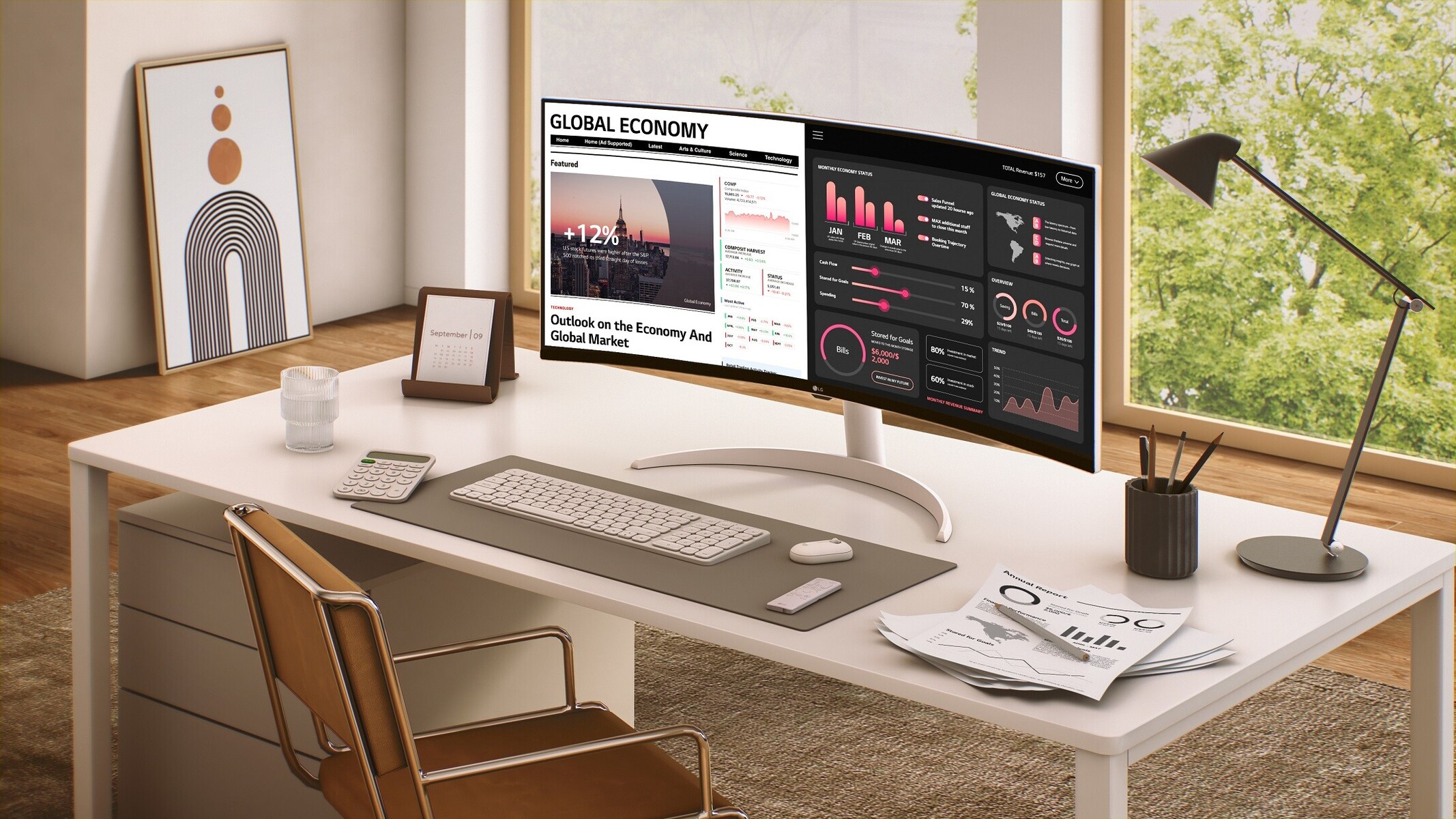
Image source: Web (Bing) / techpowerup.com (Web image (fair-use with source credit))
Quick Answer
Ultrawide monitors use an aspect ratio wider than standard 16:9 screens. The most common ultrawide ratio is 21:9, typically found on 34-inch panels. The wider super ultrawide ratio is 32:9, usually on 49-inch panels.
A few models use 24:10 for extra vertical room. The 21:9 ratio balances immersion and desk space for most people.
The Short Answer: Ultrawide Ratios Decoded
The term ultrawide covers any monitor with an aspect ratio noticeably broader than the 16:9 standard that has dominated for over a decade. The jump to 21:9 was the first real shift, roughly doubling the horizontal stretch of old letterbox movie bars. Then 32:9 arrived, essentially giving you two 16:9 screens stitched together with no gap in the middle.
Both approaches solve the same headache: too many cables, too many bezels, and a window management mess.
Here is a quick breakdown of the numbers you'll actually see on a spec sheet.
| Ratio | Typical Diagonal | Common Resolution | Marketing Label |
|---|---|---|---|
| 21:9 | 34 inches | 3440 x 1440 | UWQHD |
| 21:9 | 38 inches | 3840 x 1600 | WQHD+ |
| 32:9 | 49 inches | 5120 x 1440 | DQHD |
| 24:10 | 25-27 inches | 1920 x 1200 | 16:10 family |
The ratio tells you the shape. The diagonal and resolution tell you how sharp that shape will look at arm's length. A 34-inch 21:9 at 3440 x 1440 yields around 109 pixels per inch, which is close to a 27-inch 1440p panel.
A 49-inch 32:9 at 5120 x 1440 drops to roughly 108 ppi, so the clarity holds up. The real difference comes down to physical width and how much your neck will agree with it.
What “Ultrawide” Actually Means Beyond Marketing
Marketing teams love to label anything with a curved panel as ultrawide, but the term really comes down to geometry. Any display with a horizontal-to-vertical ratio above 2:1 earns the title. A 16:9 screen sits at about 1.78:1, so the shift to 21:9 (roughly 2.37:1) feels significant.
Step up to 32:9 (about 3.56:1) and the screen wraps toward you like a small section of a curved cinema display.
The curve itself is not a requirement for the ultrawide label, but almost all of them use one. A gentle radius like 1500R or 1800R reduces distortion at the edges on such a wide panel. Steeper curves like 1000R wrap even further into your peripheral vision, which some people find immersive and others find overwhelming.
Manufacturers match the curve to the ratio and the intended viewing distance, so you'll see different radii on 21:9 versus 32:9 models.
This format also changes the way you think about screen real estate. A dual-monitor setup uses two separate panels with a physical gap. An ultrawide uses one continuous sheet of glass.
That eliminates the bezel split right in the center of your vision, which matters when you're dragging a timeline across a video edit or comparing two documents side by side. It's the same reason a single large panel often beats two smaller ones for focus and comfort.
The Main Contenders: 21:9, 32:9, and the In-Between Options
The mainstream choice for most buyers is 21:9, typically on a 34-inch panel. This ratio adds a generous amount of horizontal room without eating your entire desk. It pairs well with a single monitor arm and still leaves space for a laptop or a small secondary screen if you need one.
Most games and applications have had years to adapt to this shape, so compatibility is solid.
The 32:9 super ultrawide takes things further, usually landing at a 49-inch diagonal. This is essentially two 27-inch 1440p monitors fused together. It's a compelling replacement for a full dual-monitor rig, especially in trading setups, coding workflows, or simulation gaming where peripheral vision adds immersion.
The trade-off is the sheer physical footprint. These monitors demand a deep desk and often sit best on a VESA mount to free up surface area.
There is also a smaller niche around 24:10 and 16:10 variants that sit closer to traditional monitors. These give you a bit more width and noticeably more vertical pixels than a standard 16:9 panel, without going full ultrawide. They are not as common, but they appeal to people who prioritize vertical space for reading code or documents over horizontal stretch.
If you've ever wished your 27-inch panel were just a bit taller, this is the category to watch.
How 21:9 Ultrawide Feels in Real Use
The 21:9 ratio hits a sweet spot for mixed use. In productivity scenarios, you can comfortably place two full-size browser windows or documents side by side with a small third panel for chat or music. Tools like FancyZones or DisplayFusion snap windows into predefined zones, and the width makes that feel natural.
You stop thinking about window management and just work.
Gaming on a 21:9 panel pulls you into supported titles with a wider field of view. Racing games, flight sims, and many first-person shooters render extra peripheral detail that 16:9 cuts off. Not every game handles this well, though.
Older titles or console ports sometimes show black bars on the sides or a stretched HUD. Console support has improved, but it's still a mixed bag depending on the platform and the specific game.
For creative work, the extra width is a quiet superpower. Video editors gain more visible timeline without constantly zooming. Spreadsheet jockeys see more columns without scrolling.
Photographers keep a full-resolution preview on one side and their tool panels on the other. The resolution of 3440 x 1440 provides enough workspace that you rarely feel cramped, and the pixel density keeps text sharp enough for long sessions. If you're also weighing the energy draw of a larger display, our guide to monthly electronics costs can help you factor in the extra power.
How 32:9 Super Ultrawide Performs Day to Day
The 32:9 experience is more intense. At 49 inches, the panel stretches across your entire field of vision when you sit at a normal desk distance. Productivity can feel like sitting in a mission control center.
Running three or four windows side by side becomes trivial, and you can keep a full reference document, your main workspace, and a communication app all visible at once. This is where the format shines for traders, data analysts, and developers who juggle many sources.
Gaming on a 32:9 super ultrawide is a more selective experience. Flight sims and racing titles become deeply immersive. The curve wraps the image toward you, and the extra width fills your peripheral vision in a way that 21:9 cannot match.
However, not every game natively supports the ratio. Some titles render a normal 16:9 image in the center with the sides unused, while others stretch the view uncomfortably. You may end up using third-party patches or just tolerating the quirk for titles you love.
The physical demand is real. A 49-inch 32:9 panel typically weighs over 11 kg and requires a deep desk to sit far enough back comfortably. Many buyers end up mounting it on a monitor arm to reclaim desk space and position it properly.
You'll also want to consider viewing distance; sitting too close means more head turning to catch the far edges. A deeper desk setup or a longer monitor arm makes a big difference. If you're already thinking about pairing a machine with this kind of display, our roundup of work-and-gaming laptops covers systems that can actually drive these resolutions.
21:9 vs 32:9: A No-Nonsense Side-by-Side
The choice between 21:9 and 32:9 comes down to scale and compatibility. A 34-inch 21:9 panel measures about 31 inches wide. A 49-inch 32:9 panel stretches to roughly 47 inches wide.
That extra 16 inches of width changes how the monitor sits on your desk and how your eyes and neck interact with it.
Here is a direct comparison of the two mainstream options.
| Factor | 21:9 (34") | 32:9 (49") |
|---|---|---|
| Width | ~31 in | ~47 in |
| Resolution | 3440 x 1440 | 5120 x 1440 |
| Pixel Density | ~109 ppi | ~108 ppi |
| GPU Demand | Moderate | High |
| Game Compatibility | Strong | Mixed |
| Desk Depth Needed | 24-30 in | 30-36+ in |
| Best Replacement For | Single monitor | Dual 27" setup |
The pixel density stays nearly identical between the two, which is important. You're not sacrificing sharpness by going wider. You are asking your GPU to push more pixels in total, though.
A 32:9 panel drives about 7.4 million pixels versus 4.9 million on a 21:9 panel. That difference matters for frame rates in demanding games. You'll want a modern mid-range or better graphics card to keep things smooth at the higher resolution.

Image source: Web (Bing) / esquire.co.za (Web image (fair-use with source credit))
Game compatibility is another real divider. Most modern PC titles support 21:9 natively or with minor tweaks. Support for 32:9 is growing but still inconsistent.
Some games render the full width beautifully. Others crop the image or leave black bars. If you play a specific competitive title regularly, check its ultrawide support before committing to the wider format.
Which Ratio Fits Your Work, Gaming, and Creative Flow
For mixed productivity and casual gaming, 21:9 remains the safer bet. It handles everyday tasks like document editing, web browsing, and video calls without feeling overwhelming. The width lets you place two comfortable side-by-side windows, and most people adapt to the shape within a day or two.
It also works well as a single-panel upgrade from a standard 27-inch monitor without demanding a complete desk overhaul.
For simulation enthusiasts and multitasking power users, 32:9 delivers something 21:9 cannot match. Racing sims, flight sims, and real-time strategy games feel genuinely different when the image wraps into your peripheral vision. In professional workflows, the ability to keep multiple full-size panels visible at once reduces the friction of constant window switching.
Day traders, video editors working with long timelines, and software developers monitoring several data streams all benefit from the extra width.
For creative professionals who prioritize color accuracy and vertical space, neither ultrawide ratio is perfect out of the box. Many ultrawide panels prioritize refresh rate and immersion over factory-calibrated color. If your work demands precise color reproduction, you'll want to verify the panel's gamut coverage and calibration standards before buying.
A high-quality 16:9 or 16:10 panel sometimes serves color-critical work better than a wide-but-less-accurate ultrawide.
The Trade-Offs Most Reviews Skip
The biggest hidden cost of going ultrawide is vertical space. A 34-inch 21:9 panel gives you the same vertical pixels as a 27-inch 1440p monitor, roughly 1440 lines. A 32:9 panel gives you the same 1440 lines.
If you're coming from a 32-inch 4K display, you'll actually lose vertical room. That can feel cramped for reading long documents, editing tall images, or working with stacked timelines.
Head and eye movement is another factor that spec sheets don't mention. On a 32:9 panel, the far edges sit well outside your central vision. You'll turn your head more often, which some people find fatiguing over long sessions.
A 21:9 panel keeps most of the content within a comfortable eye-swing range. The curve helps, but it doesn't eliminate the issue entirely.
Software compatibility still trips people up. macOS has historically handled non-standard resolutions and aspect ratios less gracefully than Windows. Some apps don't scale properly, and window management can feel clunky without third-party tools. Windows handles ultrawides better overall, but even there, some older applications ignore the full width or render at odd scaling levels.
If you rely on specific legacy software, test its behavior on an ultrawide before committing.
Pricing, Specs, and What You Actually Pay For
As of 2026, 21:9 ultrawides start around $300 for basic 34-inch models with 60Hz panels and modest color specs. Mid-range options with 100Hz to 144Hz refresh rates, better color gamut, and improved build quality land between $450 and $700. Premium 21:9 panels with OLED technology, 240Hz refresh rates, and factory calibration push past $900.
The 32:9 super ultrawide category starts higher. Entry-level models begin around $600 to $700, while well-equipped panels with strong color performance and high refresh rates typically sit between $900 and $1,400. Flagship models with OLED or advanced mini-LED backlighting can exceed $1,500.
The price gap between the two formats has narrowed over the years, but 32:9 still commands a premium.
What drives the price beyond the ratio itself? Panel technology matters most. IPS panels offer strong color and viewing angles.
VA panels deliver deeper contrast but sometimes slower response times. OLED provides perfect blacks and fast response but costs more and carries a risk of burn-in with static elements. Refresh rate, curvature radius, and connectivity options like USB-C power delivery or built-in KVM switches also affect the final number.
Common Mistakes People Make Choosing an Ultrawide Aspect Ratio
The most common mistake is buying for the wrong use case. People see a 32:9 panel in a friend's setup or a YouTube video and assume they need that much width. If your daily work is email, documents, and a bit of web browsing, a 21:9 panel already feels luxurious.
Going wider than you need adds cost, desk strain, and potential compatibility headaches without real benefit.
Another frequent error is ignoring desk depth. A 49-inch 32:9 panel needs to sit about 30 to 36 inches from your eyes for comfortable viewing. On a shallow desk, that pushes the screen too close, forcing excessive eye movement.
Measuring your actual desk depth before buying saves a lot of frustration. If your desk is shallow, a 21:9 panel or a high-quality 34-inch display fits more naturally.
Underestimating GPU requirements catches some buyers off guard. Driving 5120 x 1440 at high refresh rates demands significantly more graphics power than 3440 x 1440. If your current system runs a mid-tier card, you may need to upgrade the GPU alongside the monitor to get the experience you're paying for.
That hidden cost can add several hundred dollars to the total investment.
Finally, some people skip checking game and app compatibility for their specific titles. Ultrawide support is better than it used to be, but it's not universal. If you play a handful of specific games or rely on niche software, spend ten minutes searching for ultrawide compatibility before ordering.
A quick check prevents the disappointment of black bars or stretched interfaces in the applications you use most.
Final Verdict: The Right Ultrawide Ratio for You
For most people buying their first ultrawide, 21:9 on a 34-inch panel is the smarter starting point. It delivers the wide-screen experience without overwhelming your desk or your GPU. Game compatibility is stronger, the learning curve is gentler, and the price-to-performance ratio is better.
Unless you specifically need to replace a dual-monitor setup or you're deep into simulation gaming, 21:9 covers the widest range of needs.
Go for 32:9 if you know exactly why you want it. If you're a trader watching multiple data streams, a sim racer craving peripheral immersion, or a creative professional who needs a massive timeline visible at all times, the extra width pays for itself. Just make sure your desk is deep enough, your GPU is strong enough, and your favorite software plays nicely with the format.
Frequently Asked Questions
Is 21:9 the same as ultrawide?
21:9 is the most common ultrawide ratio, but the term covers any aspect ratio wider than 16:9. Super ultrawide panels use 32:9, and a few niche models use other ratios. Think of ultrawide as a category, not a single specification.
Can I split a 32:9 monitor into two virtual screens?
Yes. Most 32:9 panels support Picture-by-Picture mode, which lets you connect two sources and display them side by side. Software tools like DisplayFusion or built-in window management also let you create virtual zones that mimic a dual-monitor setup.
Do all games support 21:9 ultrawide?
Most modern PC games support 21:9 natively, but some older titles and console ports do not. Unsupported games may show black bars or stretch the image. Checking compatibility for your specific titles before buying is always a good idea.
Is an ultrawide better than two monitors?
It depends on your priorities. A single ultrawide eliminates the center bezel and reduces cable clutter. A dual-monitor setup offers more flexibility in positioning and can be cheaper to replace if one panel fails.
For seamless immersion, ultrawide wins. For modular flexibility, dual monitors still hold an advantage.
How far should I sit from a 49-inch 32:9 monitor?
Aim for at least 30 to 36 inches of viewing distance. This reduces the need for excessive head turning and lets your eyes take in the full width more comfortably. A deep desk or a VESA monitor arm helps achieve the right position.