Do All Smart Devices Have an Operating System? Unveiling Truths
Have you ever wondered what makes your smart devices tick? Whether it’s your phone, smartwatch, or even a smart fridge, there’s something working behind the scenes to keep everything running smoothly.
But do all smart devices actually have an operating system like your computer or phone does? Understanding this can change how you see the gadgets you use every day. Keep reading, and you’ll discover surprising facts about the brains behind your smart devices—and why it matters to you.
Smart Devices And Operating Systems
Smart devices are a part of daily life. They include phones, watches, and home assistants. Each device works because of its software. This software is called an operating system. Understanding how these systems work helps explain why smart devices behave as they do.
What Makes A Smart Device
A smart device connects to the internet. It can send and receive data. It often has sensors or cameras. These devices can run apps and update automatically. They learn user habits to improve function. Examples include smartphones, smart TVs, and fitness trackers.
Role Of Operating Systems In Devices
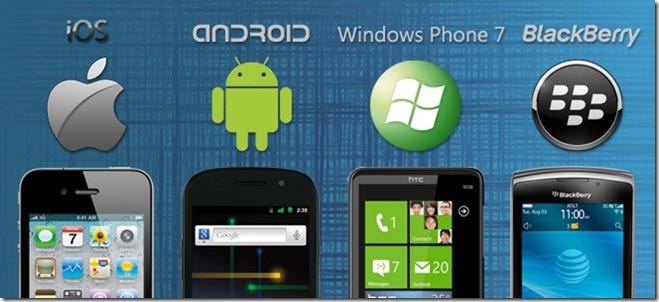
The operating system manages device hardware and software. It controls memory, processes, and storage. The OS allows apps to run smoothly. It provides a user interface for easy use. Popular operating systems are Android, iOS, and Windows. Without an OS, smart devices cannot operate efficiently.

Credit: premioinc.com
Types Of Operating Systems In Smart Devices
Smart devices run on different operating systems. These systems control how devices work and interact with users. The choice of operating system depends on the device’s purpose and hardware. Understanding the types helps to know how smart devices function efficiently.
Embedded Operating Systems
Embedded operating systems are built for specific devices. They run with limited memory and resources. These systems are common in smart home devices, like thermostats and cameras. They focus on stability and low power use. Examples include FreeRTOS and VxWorks.
Mobile Operating Systems
Mobile operating systems power smartphones and tablets. They offer user-friendly interfaces and support many apps. Android and iOS are the most popular mobile OS. These systems handle touch input, connectivity, and multimedia features. They provide security and regular updates.
Real-time Operating Systems
Real-time operating systems (RTOS) prioritize fast response times. They are essential in devices needing immediate actions. Common in medical devices and automotive systems, RTOS ensure tasks finish on time. Examples are QNX and RTLinux. These systems improve safety and reliability.
Smart Devices Without Traditional Operating Systems
Not all smart devices rely on traditional operating systems like Windows, Android, or iOS. Some operate with minimal software designed to perform specific tasks. Understanding these devices can help you better appreciate the technology inside everyday gadgets.
Basic Firmware And Microcontrollers
Many smart devices use firmware, a simple form of software embedded directly into hardware. This firmware runs on microcontrollers, which are tiny computers inside devices. Unlike full operating systems, firmware is tailored to one job and doesn’t support multitasking.
Think about a basic fitness tracker or a smart light bulb. These devices need to manage sensors and communicate with other devices but don’t require complex user interfaces. The firmware handles these tasks efficiently with low power consumption and fast response times.
Functionality Without A Full Os
Devices without full operating systems focus on delivering core functions reliably. They often run a single program that controls everything from start to finish.
This simplicity can improve security since there are fewer points of failure or attack. It also means updates are less frequent but critical, often addressing specific bugs or adding essential features.
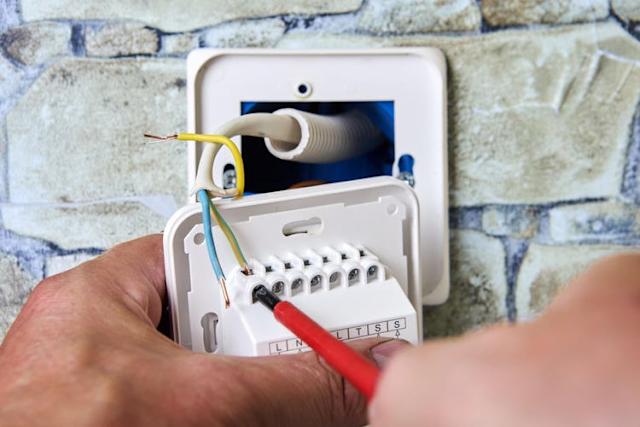
Have you ever wondered how your smart thermostat adjusts the temperature so smoothly without crashing or freezing? It’s likely using firmware on a microcontroller rather than a full operating system. This approach keeps the device lightweight and responsive.
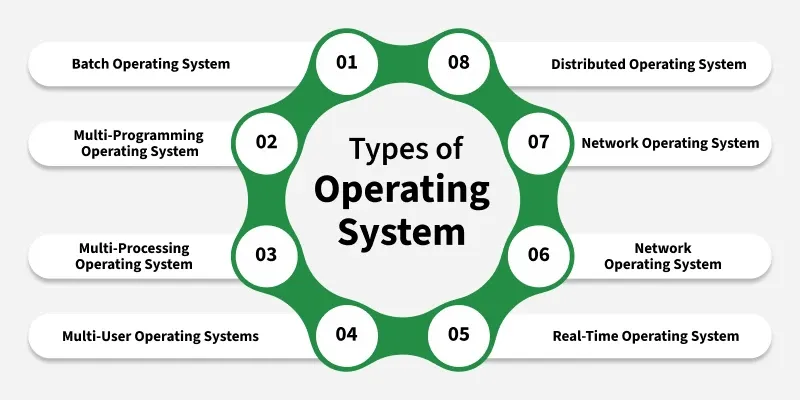
Credit: www.geeksforgeeks.org
How Operating Systems Impact Device Performance
Operating systems play a crucial role in how smart devices perform daily tasks. They act as the middle layer between hardware and applications, ensuring everything runs smoothly. Understanding their impact can help you choose devices that work efficiently and securely.
Resource Management
Operating systems control how your device uses its resources like memory, CPU, and battery. Efficient resource management means your device stays fast and responsive, even with multiple apps open. If an OS poorly manages resources, you’ll notice slowdowns or quick battery drain.
Think about your smartphone lagging when you switch apps or your smart speaker taking too long to respond. These issues often trace back to how the operating system handles resource allocation.
Security Features
Your device’s operating system also guards against threats and unauthorized access. It provides built-in security measures such as encryption, firewalls, and regular updates. These features protect your personal data and keep your device safe from hacks or malware.
Devices with outdated or weak operating systems leave you vulnerable. Have you ever ignored an update notification? That delay can compromise your device’s security.
User Experience
The operating system shapes how you interact with your smart device. It determines the interface design, navigation, and responsiveness. A well-designed OS makes your device intuitive and enjoyable to use.
Consider how different your experience is between a smart TV with a cluttered menu versus one with a clean, simple interface. The OS influences how quickly you find what you need and how satisfied you feel using the device.
Future Trends In Smart Device Operating Systems
Smart device operating systems are evolving fast, shaping how you interact with technology every day. The future points to systems that are not only smarter but also more efficient and interconnected. Understanding these trends can help you anticipate how your devices will perform and what new capabilities they might offer.
Lightweight And Custom Os
Smart devices often face limits in processing power and memory. Lightweight operating systems help devices run smoothly without needing heavy hardware. You might notice your smartwatch or smart thermostat becoming faster and more responsive as they adopt these slimmed-down OS versions.
Custom OS designs allow manufacturers to tailor software specifically for the device’s purpose. This means better performance and longer battery life for your gadgets. Have you ever wondered why some devices feel faster than others even if they look similar? It often comes down to the OS being designed just for that device.
Ai Integration
Artificial intelligence is no longer just a feature; it’s becoming the core of smart device OS. AI helps devices learn your habits and preferences, making your experience more personal and efficient. Your smart assistant, for example, gets better at understanding your commands over time without extra setup.
This trend means your devices will anticipate your needs and act proactively. Imagine your smart fridge ordering groceries when you’re running low, or your home security system adjusting settings based on your routine. How would it change your daily life if your devices thought ahead for you?
Unified Ecosystems
Managing multiple smart devices can be tricky when they run on different systems. Unified ecosystems aim to connect all your devices under one platform for seamless control. You could turn off lights, adjust temperature, and check security cameras from a single app on your phone.
This simplification reduces frustration and saves time. It also encourages more smart devices to work together, creating a truly connected environment. What if every smart device in your home communicated effortlessly? How much easier would managing your technology become?

Credit: premioinc.com
Frequently Asked Questions
Do Smart Devices Need An Operating System?
Yes, most smart devices require an operating system. It manages hardware resources and provides essential functionalities. The operating system ensures smooth user interactions and supports applications. Without it, a smart device would lack basic operational capabilities.
What Operating Systems Do Smart Devices Use?
Smart devices use various operating systems like Android, iOS, and Windows. Each system is designed for specific devices and functionalities. Android is common in smart TVs and wearables, while iOS is prevalent in Apple devices.
Are All Operating Systems The Same For Smart Devices?
No, operating systems differ in functionality and compatibility. Each is tailored to specific device needs and user experiences. For instance, Android is more customizable, while iOS offers a more controlled ecosystem.
Can Smart Devices Function Without An Os?
Generally, smart devices cannot function without an OS. The operating system is crucial for device operation and app support. It facilitates user interaction and manages device resources efficiently.
Conclusion
Not all smart devices have a full operating system. Some use simple software for basic tasks. Devices like smart bulbs or sensors work this way. Others, like smartphones and tablets, need complex systems. These systems help run apps and manage hardware.
Understanding this difference helps when choosing devices. It also shows how smart technology works daily. Every device fits a specific need and use. Knowing this makes smart tech easier to use.