How Does Wifi Smart Home Devices Work: Ultimate Guide Explained
Imagine controlling your home with just a tap on your smartphone. Pretty amazing, right?
WiFi smart home devices are making this a reality, transforming how you interact with your living space. Whether it’s adjusting the thermostat, dimming the lights, or even checking who’s at the door, these gadgets offer convenience and control like never before.
But have you ever wondered how they actually work? Understanding the magic behind these devices can empower you to make smarter choices for your home. Stick around, and you’ll discover the fascinating technology that makes your smart home tick, and how it can simplify your everyday life.
Basics Of Wifi Smart Home Devices
WiFi smart home devices bring convenience and control to daily life. These gadgets connect to the internet and communicate through a wireless network. Understanding their basics helps users make smart choices for their homes.
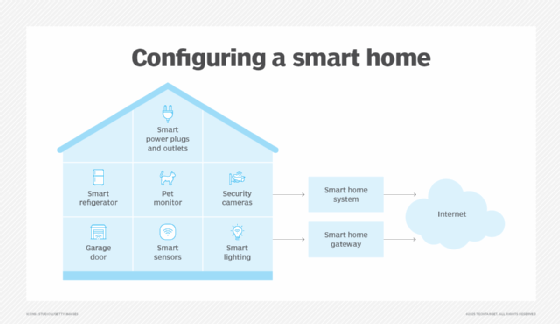
Smart devices often include lights, thermostats, cameras, and speakers. They work together to create an automated and responsive living space. This section explains what makes a device smart and the role WiFi plays in smart homes.
What Makes A Device Smart
A smart device can connect to the internet or other devices. It collects data and reacts based on commands or conditions. Features often include remote control and automation.
- Connectivity to WiFi or other networks
- Ability to receive and send data
- Automation through schedules or sensors
- Remote control via apps or voice assistants
These traits allow smart devices to improve comfort and security. They adapt to user preferences and save energy.
Role Of Wifi In Smart Homes
WiFi is the main link connecting smart devices to each other and to the internet. It enables real-time communication without wires. This wireless connection supports multiple devices at once.
- Allows devices to share data quickly
- Enables remote access through smartphones
- Supports integration with voice assistants
- Makes automation and updates possible
WiFi networks must be strong and secure for smooth smart home operation. Proper setup ensures devices work reliably and protect user privacy.
Key Components In Wifi Smart Devices
WiFi smart home devices depend on several key components to function smoothly. These parts work together to detect changes, process data, and communicate wirelessly. Understanding these components helps you see how smart devices control your home environment.
Sensors And Actuators
Sensors detect physical changes like temperature, motion, or light. They collect data from the environment and send it to the device’s brain. Actuators receive signals to perform actions, such as turning on lights or adjusting thermostats. Together, sensors and actuators enable smart devices to interact with your home.
Microcontrollers And Processors
Microcontrollers act as the control center of smart devices. They process input from sensors and decide what action to take. Processors handle complex tasks and run the device’s software. These components ensure devices respond quickly and correctly to commands or changes.
Wireless Communication Modules
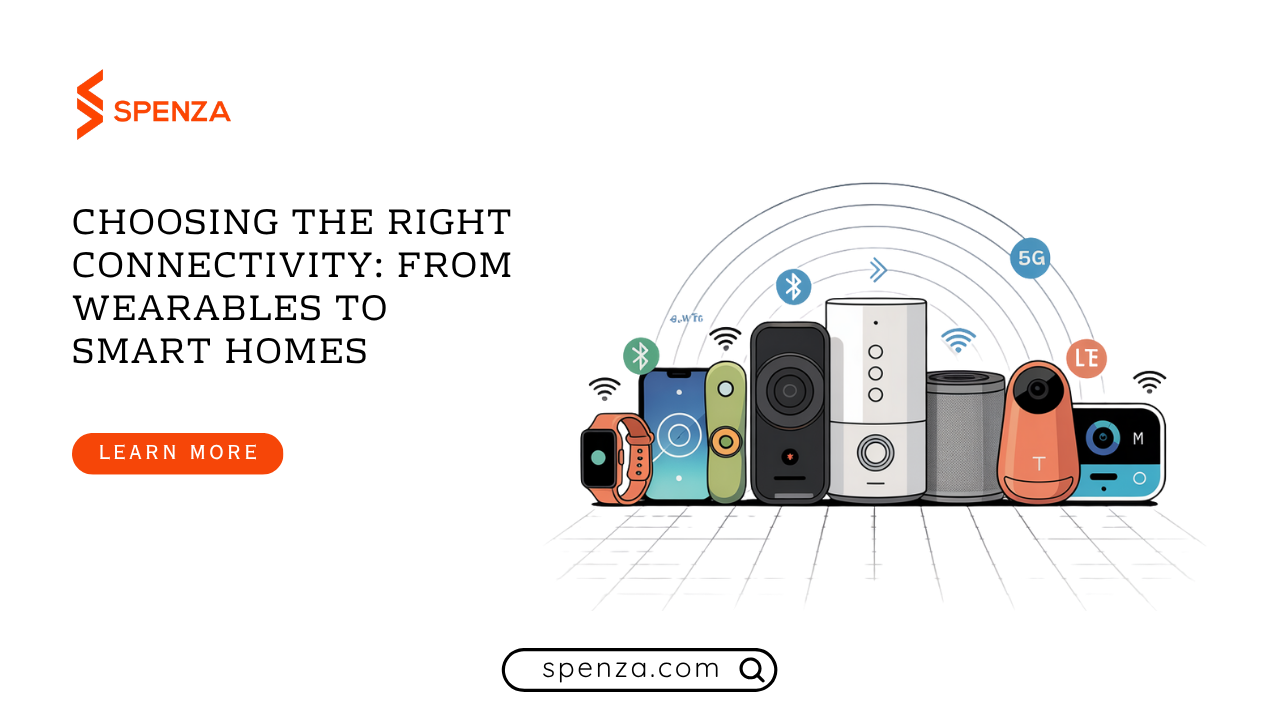
Wireless modules allow smart devices to connect to your WiFi network. They send and receive data between devices and your smartphone or hub. Common modules support WiFi, Bluetooth, or Zigbee protocols. These modules enable seamless control and monitoring from anywhere.
How Devices Connect And Communicate
Understanding how your WiFi smart home devices connect and communicate is key to making the most of your smart setup. Each device must first join your home’s WiFi network before it can interact with other devices or respond to your commands.
Wifi Network Setup
Setting up your WiFi network is the first step to getting smart devices online. Your router creates a wireless signal that devices use to connect to the internet and each other.
Make sure your network is secure with a strong password to prevent unauthorized access. Also, check if your router supports the 2.4 GHz band, as many smart devices prefer it for better range and reliability.
Device Pairing And Configuration
Once on the network, each device needs to be paired with your smartphone or hub. This usually involves downloading an app and following on-screen instructions to connect the device securely.
During pairing, you often name the device and assign it to a room or category, which helps you manage your smart home more easily. Have you noticed how naming your devices clearly makes voice commands much smoother?
Data Transmission And Protocols
After pairing, devices use specific communication protocols to send and receive data. WiFi smart devices mainly use standard protocols like TCP/IP, ensuring they speak the same language over your network.
This communication allows your devices to update status, trigger actions, or sync with other devices instantly. For example, your smart thermostat might send temperature data to your phone while adjusting settings based on your preferences.

Credit: kamonk.in
Control And Automation Methods
Wifi smart home devices offer flexible ways to control and automate your home. These methods make daily tasks easier and help save energy. Users can choose how to interact with devices and set rules for automated actions. Control and automation improve comfort and security without complex setups.
Using Mobile Apps
Mobile apps connect directly to smart home devices through wifi. These apps let you turn devices on or off from anywhere. You can adjust settings like brightness or temperature with simple taps. Apps often show real-time device status, helping you monitor your home remotely. Notifications alert you about important events or changes instantly.
Voice Assistants Integration
Voice assistants work with many wifi smart devices. Speaking commands to Alexa, Google Assistant, or Siri controls your devices hands-free. You can ask to switch lights, play music, or check security cameras by voice. Voice control adds convenience, especially when your hands are busy. It supports multiple users, allowing everyone in the home to manage devices easily.
Scheduled And Triggered Actions
Schedules automate tasks without manual input. Set devices to turn on or off at specific times daily. Triggers activate devices based on conditions like motion detection or temperature changes. For example, lights can turn on when you enter a room. Automation saves energy and ensures your home responds to your lifestyle.
Security Measures For Wifi Smart Devices
Keeping your WiFi smart home devices secure is crucial to protect your privacy and prevent unauthorized access. These devices connect to your network and can share sensitive data, so understanding the security measures they use helps you stay safe. Let’s look at how encryption, common vulnerabilities, and best safety practices play a role in securing your smart home.
Encryption And Authentication
Encryption scrambles the data your devices send, making it unreadable to outsiders. Most smart devices use WPA2 or WPA3 encryption standards to protect your WiFi network. This means your device’s communication is locked behind complex codes that only authorized users can unlock.
Authentication confirms the identity of devices trying to connect to your network. Secure devices require you to enter passwords or use two-factor authentication before granting access. This extra step helps stop hackers from sneaking in, even if they know your network name.
Common Vulnerabilities
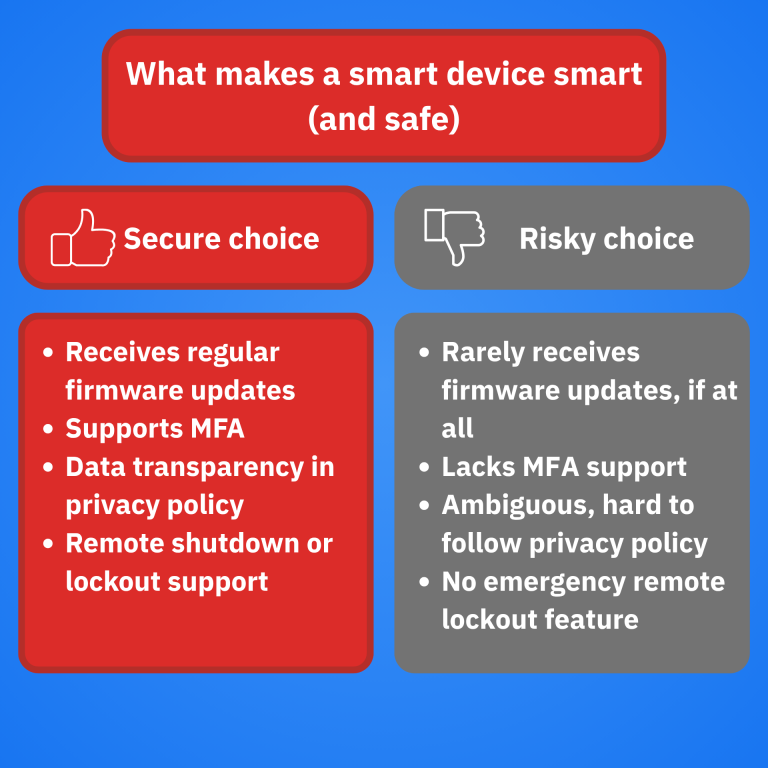
Many smart devices share similar weaknesses that attackers exploit. Weak or default passwords are a top risk—devices often come with generic logins that users forget to change. Unpatched software is another problem; outdated firmware can have security holes waiting to be discovered.
Another vulnerability is unsecured communication channels. Some devices send data without encryption, making it easy for hackers to intercept. Are you aware of how often your devices update their software? Ignoring updates can leave your smart home exposed.
Best Practices For Safety
- Change default passwords immediately.Use strong, unique passwords for each device and your WiFi network.
- Keep firmware and apps updated.Regular updates fix security flaws and improve device protection.
- Disable unnecessary features.Turn off remote access or voice control if you don’t use them.
- Use a separate network for smart devices.Setting up a guest WiFi network limits risks to your main devices.
- Monitor device activity.Check logs or notifications for unusual behavior or unknown connections.
Taking these steps puts you in control of your smart home’s security. Have you reviewed your device settings lately to ensure they follow these safety tips?
Credit: spenza.com
Popular Wifi Smart Home Devices
WiFi smart home devices have become essential tools for making your living space more convenient and efficient. These devices connect to your home network, allowing you to control them remotely through your smartphone or voice assistants. Let’s look at some popular types that you might consider adding to your smart home setup.
Smart Lights And Switches
Smart lights and switches let you control your home’s lighting with simple taps on your phone or voice commands. You can adjust brightness, change colors, or schedule lights to turn on and off automatically. Imagine walking into a room where lights adjust to your mood without you lifting a finger.
Many smart bulbs work with popular platforms like Alexa or Google Assistant, making integration straightforward. They also help save energy by ensuring lights aren’t left on unnecessarily. Have you ever forgotten to turn off a light? These devices solve that problem easily.
Thermostats And Climate Control
Smart thermostats learn your schedule and preferences to maintain comfortable temperatures while saving energy. You can adjust settings from anywhere, ensuring your home is cozy when you arrive. Some models provide detailed energy reports, helping you understand your usage better.
These devices often connect with other smart home systems, creating a seamless climate control experience. For instance, your thermostat can lower the temperature when smart window sensors detect open windows. Could your heating and cooling bills benefit from this level of control?
Security Cameras And Sensors
Security cameras and sensors offer peace of mind by letting you monitor your home remotely. Many cameras provide real-time video feeds and motion alerts straight to your phone. Sensors can detect doors or windows opening, sending instant notifications if something seems off.
Integrating these devices with your WiFi network allows you to create custom alerts and automate responses, such as turning on lights when motion is detected. This proactive approach can deter intruders and protect your family. How secure do you feel knowing you can check your home anytime, anywhere?
Troubleshooting Common Issues
Troubleshooting common issues in WiFi smart home devices helps keep your system running smoothly. Small problems can stop devices from working correctly. Knowing how to fix these issues saves time and frustration.
Connectivity Problems
WiFi smart devices need a strong connection to work well. Poor signal or interference causes devices to disconnect or respond slowly. Check your router’s position. Place it near devices for better signal.
- Restart your router and smart devices.
- Remove physical obstacles between devices and router.
- Reduce interference from other electronics.
- Use a WiFi extender for larger homes.
Device Malfunctions
Devices may stop working due to hardware or software glitches. Sometimes, they freeze or fail to respond. Try resetting the device by turning it off and on again. If the problem continues, consult the device manual for specific fixes.
- Check power supply and battery levels.
- Ensure devices are within the recommended range.
- Clear app cache or reinstall the controlling app.
Firmware Updates
Firmware updates improve device performance and fix bugs. Outdated software can cause errors or security risks. Regularly check for updates through the device app or manufacturer’s website. Install updates promptly to keep devices secure and efficient.
- Enable automatic updates if available.
- Keep devices powered during update installation.
- Follow on-screen instructions carefully.

Credit: www.lifx.com
Future Trends In Wifi Smart Home Tech
The future of WiFi smart home technology is shaping up to be more connected, intelligent, and energy-conscious than ever before. As these devices become central to our daily lives, understanding the trends driving their evolution can help you make smarter choices for your home setup. Let’s dive into the key areas where WiFi smart home tech is headed next.
Advancements In Connectivity
WiFi technology is evolving rapidly to support faster speeds and more reliable connections. The rollout of WiFi 6 and WiFi 6E is already improving how smart devices communicate, reducing latency and handling more devices simultaneously.
This means your smart bulbs, cameras, and speakers won’t lag or drop connections even when the network is busy. Imagine streaming music in every room without interruption, or your security system sending alerts instantly when needed.
How often have you experienced smart devices losing connection at crucial moments? Enhanced connectivity aims to eliminate those frustrating gaps.
Integration With Ai And Iot
Smart home devices are increasingly working together through AI and the Internet of Things (IoT). This integration allows them to learn your habits and adjust settings automatically for convenience and comfort.
For example, your thermostat might communicate with window sensors to optimize heating and cooling. AI-driven assistants will not only respond to commands but anticipate your needs based on patterns they detect over time.
Think about how much time you spend manually adjusting settings—what if your home could do that for you without prompts?
Energy Efficiency Improvements
Energy-saving features in WiFi smart home devices are becoming a priority. New sensors and smarter scheduling help reduce unnecessary power use, cutting costs and environmental impact.
Devices will learn when rooms are empty and adjust lighting or temperature accordingly, minimizing wasted energy. Some systems even provide detailed reports so you can see exactly where you’re saving power.
Wouldn’t it be great if your smart home helped lower your bills while also reducing your carbon footprint?
Frequently Asked Questions
How Do Wifi Smart Home Devices Connect?
WiFi smart home devices connect to your home router using wireless signals. This connection allows control through apps or voice assistants remotely.
What Role Does A Hub Play In Smart Homes?
A hub acts as a central controller, linking various smart devices. It simplifies management and enhances communication among devices on different protocols.
Can Wifi Smart Devices Work Without Internet?
Yes, some WiFi smart devices work locally without internet but offer limited features. Full functionality usually requires an active internet connection.
How Is Data Secured In Smart Home Devices?
Smart devices use encryption and secure protocols to protect data. Regular updates and strong passwords further enhance smart home security.
Conclusion
Wifi smart home devices connect to your router and talk to each other. They use signals to share data and work together. You can control them using a phone or voice commands. This makes daily tasks easier and saves time.
These devices bring comfort and security to any home. Understanding how they work helps you use them better. Smart homes are becoming common and simple to manage. Small steps lead to a more connected lifestyle.