Does Vivint Work With Pre-Existing Smart Home Devices: Compatibility Guide
Are you wondering if Vivint will fit seamlessly with the smart devices you already own? It’s a common concern—after all, you’ve invested in your home’s technology, and you want everything to work smoothly together.
Imagine controlling all your gadgets from one simple system without the hassle of replacing what you already have. You’ll discover how Vivint interacts with your existing smart home devices, so you can make the best choice for your home’s security and convenience.
Keep reading to find out if Vivint is the right match for your smart home setup.
Vivint Smart Home System
The Vivint Smart Home System offers a modern way to control and protect your home. It combines security, automation, and energy management into one easy platform. The system is designed to make daily life simpler and safer.
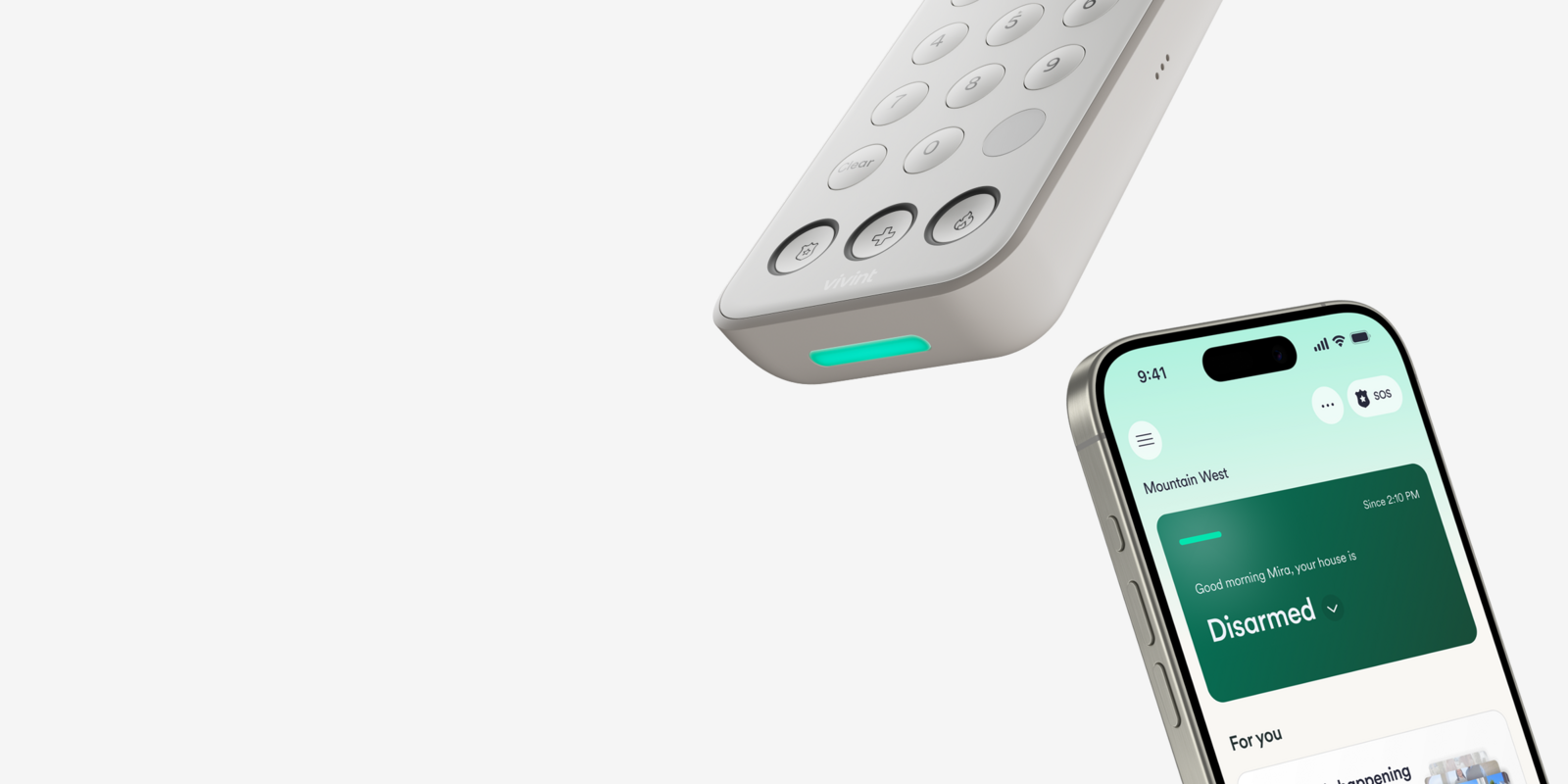
Vivint allows users to manage their homes remotely through a smartphone app. This app connects all devices, giving real-time updates and control. The system also supports voice commands with popular assistants. It is a flexible solution that adapts to different home setups.
Core Features
- 24/7 professional monitoring for emergencies
- Smart security cameras with live video
- Doorbell cameras with two-way talk
- Smart locks for keyless entry
- Environmental sensors for smoke, CO, and water leaks
- Automation schedules for lights and thermostats
- Mobile app for remote control and alerts
Supported Devices
Vivint works best with its own branded devices. These are optimized for seamless integration and performance. The system also supports some third-party devices, but compatibility is limited.
Devices that typically work with Vivint include:
- Vivint smart cameras and sensors
- Google Assistant and Amazon Alexa for voice control
- Smart thermostats like Nest and Ecobee (with restrictions)
- Some Z-Wave and Zigbee smart home products
Pre-existing smart home devices may not fully integrate. Some features could be restricted or unavailable. Users should check device compatibility before connecting to Vivint.
Credit: www.vivint.com
Common Pre-existing Smart Devices
Many homeowners already have smart devices installed before considering Vivint. Knowing which devices are common can help you decide if Vivint will fit smoothly into your existing setup. Understanding popular brands and device types gives you a clearer picture of compatibility and ease of integration.
Popular Brands
You’ve probably heard of or even own smart devices from well-known brands. These include:
- Amazon Alexa– Voice assistants and smart hubs
- Google Nest– Thermostats, cameras, and speakers
- Ring– Video doorbells and security cameras
- Philips Hue– Smart lighting solutions
- Arlo– Wireless security cameras
Each brand has its own ecosystem, which sometimes makes integration tricky. Have you noticed how some devices just won’t talk to each other, even if they’re “smart”?
Device Types
Smart home devices typically fall into clear categories. These include:
- Security Devices:Cameras, door/window sensors, smart locks
- Climate Control:Smart thermostats and air conditioners
- Lighting:Smart bulbs, switches, and dimmers
- Voice Assistants:Smart speakers and hubs
- Appliances:Smart plugs and connected kitchen devices
Knowing which types you already use can help you spot what Vivint can add or replace. Are your current devices covering all your needs, or is there room for a smarter system?
Compatibility Factors
Compatibility factors play a key role in connecting Vivint with pre-existing smart home devices. They determine how well devices can communicate and work together. Understanding these factors helps avoid frustration and extra costs. It also ensures a smooth and functional smart home experience.
Communication Protocols
Communication protocols are the languages devices use to talk to each other. Vivint mainly uses Z-Wave and Wi-Fi protocols. Devices with these protocols often connect easily. Devices using Zigbee or Bluetooth may need extra adapters or might not connect at all.
Software Integration
Software integration means how well Vivint’s app and platform work with other devices’ software. Vivint supports many popular smart home apps. Devices compatible with these apps usually sync well. Older devices with outdated software might face issues syncing or controlling through Vivint.
Hardware Requirements
Hardware requirements include the physical and technical needs to connect devices. Vivint systems require specific hubs or controllers. Some older devices might lack support for these hubs. Checking device specifications ensures they meet Vivint’s hardware needs before integration.
Vivint Integration With Popular Devices
Vivint works well with many popular smart home devices, making it easier for you to manage your home security and automation from one place. If you already have smart gadgets installed, Vivint can often connect with them, so you don’t have to replace everything. This integration helps you save money and keeps your smart home setup streamlined.
Smart Thermostats
Vivint supports several well-known smart thermostats like Nest and Ecobee. You can control your home’s temperature through the Vivint app alongside your security system. This means you can adjust the thermostat remotely or set schedules that fit your routine without switching between apps.
Have you ever forgotten to lower the heat before leaving? Vivint’s integration helps prevent energy waste by letting you check and change settings from anywhere. It’s a simple way to make your home smarter and more energy-efficient.
Security Cameras
Vivint offers its own security cameras, but it also works with other popular brands such as Ring and Arlo. You can view all your camera feeds in one app, which simplifies monitoring. This is especially useful if you already invested in cameras before choosing Vivint.
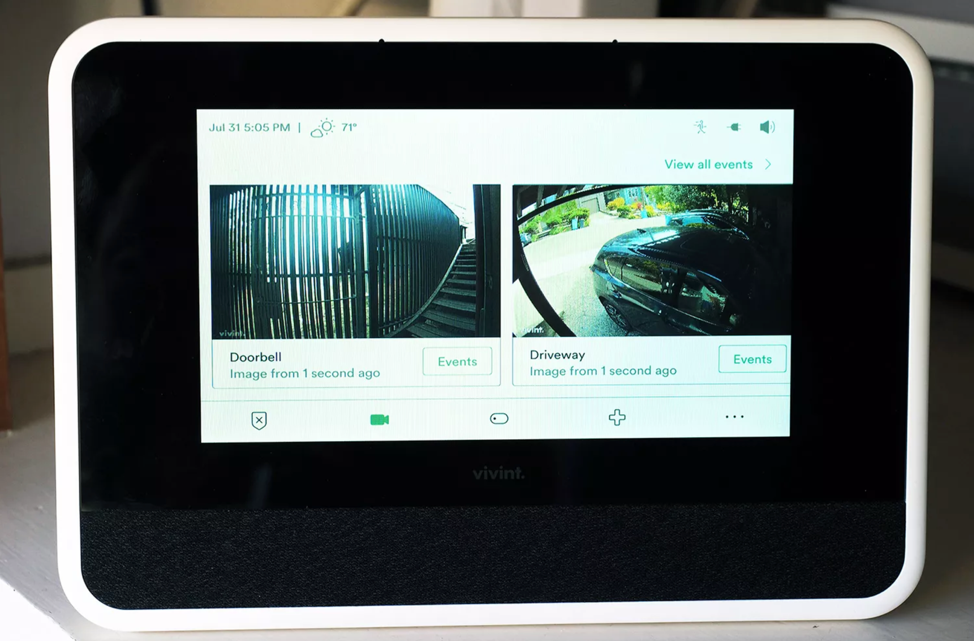
Imagine being able to see live footage of your front door and backyard without juggling multiple apps. Vivint’s system brings everything together for clear, instant access to your home’s safety. What could be better for peace of mind?
Lighting Systems
Many smart lighting brands, including Philips Hue and LIFX, can connect with Vivint. This lets you control your lights remotely and set up automated scenes based on your security system’s status. For example, you can program your lights to turn on when you unlock the door or when motion is detected.
Does your current lighting system offer that kind of convenience? Integrating with Vivint could add a new layer of control and security to your home lighting without extra hassle.
Voice Assistants
Vivint works smoothly with popular voice assistants like Amazon Alexa and Google Assistant. You can use voice commands to arm or disarm your system, check camera feeds, or control smart devices. This hands-free control can be a real time-saver, especially when your hands are full.
Have you tried managing your smart home devices with voice commands before? Adding Vivint to your voice assistant’s routine makes home management feel more natural and immediate.
Setting Up Vivint With Existing Devices
Setting up Vivint with your existing smart home devices can save you time and money while keeping your home connected the way you want. You might wonder if the new system will recognize your current gadgets or if you’ll need to replace everything. The good news is that Vivint often works well with many popular smart devices, but a smooth setup takes some careful steps.
Connection Steps
First, check if your existing devices use compatible protocols like Z-Wave or Zigbee, which Vivint supports. Start by powering on your Vivint panel and accessing the device management menu. From there, choose the option to add new devices.
- Put your existing device in pairing mode—usually by pressing a button on the device or following its manual.
- Use the Vivint panel to scan for nearby devices and select your device when it appears.
- Follow the on-screen prompts to confirm the connection and assign the device to a room or zone.
Remember, each device may have a slightly different pairing process. Patience during this step helps avoid frustration.
Troubleshooting Tips
If your device doesn’t connect, start by checking its power and battery status. Dead or weak batteries often cause connection failures.
- Make sure your Vivint panel’s firmware is up to date—updates often fix compatibility issues.
- Restart both your Vivint panel and the smart device before trying to pair again.
- Verify your home Wi-Fi network is stable and that devices are within range.
Have you experienced a device that just won’t connect? Sometimes resetting the device to factory settings can clear hidden glitches. It might feel tedious, but it’s often the key to success.
Finally, don’t hesitate to contact Vivint support if you hit a wall. Their technicians can guide you through specific device quirks, saving you hours of guessing.
Credit: innovation.vivint.com
Limitations And Workarounds
Integrating Vivint with your existing smart home devices can be a great way to upgrade your home security and automation. However, you might face some challenges due to compatibility issues. Understanding these limitations and knowing the possible workarounds will help you get the most out of your smart home setup.
Non-compatible Devices
Vivint supports a wide range of devices, but some popular brands and models may not work seamlessly. For example, if you have smart bulbs from brands that use Zigbee or Z-Wave protocols unsupported by Vivint, they might not connect properly. Similarly, certain smart locks or cameras from niche brands might lack integration options.
Have you checked if your current devices use protocols like Z-Wave, Zigbee, or Wi-Fi? Vivint primarily focuses on devices that communicate through specific protocols, so this can limit compatibility.
Alternative Solutions
If your devices don’t directly connect to Vivint, there are ways to make them work together. One option is using a third-party hub that supports multiple protocols, like Samsung SmartThings. This hub can act as a bridge, allowing Vivint to indirectly control your other devices.
Another practical option is replacing non-compatible devices with Vivint-approved ones gradually. This helps maintain system reliability and ensures all components work smoothly.
- Use smart plugs to connect non-compatible appliances and control them via Vivint.
- Consider voice assistant platforms like Amazon Alexa or Google Assistant to unify control of different smart devices.
- Check if your devices offer IFTTT support to create custom automation that links them with Vivint.
What’s your priority—keeping all your current devices or having a fully integrated, hassle-free system? Balancing these factors will guide your best approach.
Benefits Of Using Vivint With Existing Devices
Using Vivint with your existing smart home devices offers several clear benefits. It helps you save money and improves how your devices work together. This makes your home smarter and more efficient without extra hassle.
Cost Savings
Vivint allows you to keep devices you already own. This means no need to buy new gadgets right away. You save money on equipment and installation fees. Vivint’s system works with many popular brands. This reduces your overall spending. You also avoid the waste of discarding useful devices.
Enhanced Automation
Vivint connects your current devices to one smart system. This creates smoother control over your home. Devices can work together better. For example, your lights can turn on when the door unlocks. You get more convenience and comfort. Vivint’s app lets you customize settings easily. This makes your home respond faster to your needs.
Credit: www.vivint.com
Frequently Asked Questions
Does Vivint Support Existing Smart Home Devices?
Yes, Vivint supports many popular smart home devices. It integrates with brands like Amazon Alexa, Google Assistant, and select smart locks and cameras. Compatibility depends on the specific device model. Always check Vivint’s official compatibility list before purchasing.
Can I Connect Vivint With My Current Smart Thermostat?
Vivint is compatible with certain smart thermostats, including Nest and ecobee. This allows centralized control via the Vivint app. However, compatibility may vary by model. Confirm your thermostat’s integration options with Vivint to ensure seamless connectivity.
Will Vivint Work With My Smart Security Cameras?
Vivint supports some smart security cameras, especially those from its own product line. Integration with third-party cameras is limited. For best results, use Vivint-approved camera models for smooth operation and monitoring within the Vivint system.
How Easy Is It To Integrate Pre-existing Devices With Vivint?
Integration is generally straightforward using the Vivint app. The system guides you through connecting compatible devices step-by-step. However, some devices may require additional setup or may not be supported. Always verify device compatibility before attempting integration.
Conclusion
Vivint works well with many smart home devices you already own. It supports popular brands and helps them connect smoothly. You can control everything from one app. This makes managing your home easier and faster. Small setup steps make the process simple.
You don’t need to replace all your devices. Vivint keeps your home smart and secure. It fits with your current system and grows with your needs. This way, your smart home stays flexible and reliable.