How Do I Secure My Smart Home Devices: Essential Safety Tips
You’ve invested in smart home devices to make your life easier and more connected. But have you ever stopped to wonder—how secure are these gadgets?
Each device linked to your network could be a door for hackers if not properly protected. You don’t want to risk your privacy or safety. You’ll discover simple, effective steps to lock down your smart home. Keep reading to take control and make your home truly smart—and safe.
Common Risks For Smart Homes
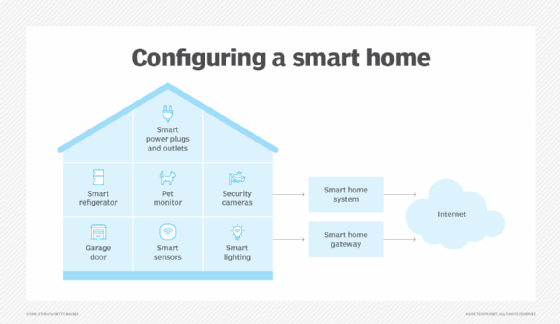
Smart homes bring incredible convenience, but they also open doors to unique risks. Understanding these risks helps you protect your devices and personal space effectively. Let’s look closely at the common threats that can affect your smart home setup.
Vulnerabilities In Devices
Many smart devices have weak points that hackers can exploit. Some come with default passwords that are easy to guess, while others lack regular security updates. I once overlooked updating a smart camera’s firmware, and it became an entry point for unauthorized access.
Ask yourself: Are you regularly checking for updates and changing default settings? Small steps like these can block many common attacks.
Privacy Concerns
Smart devices collect a lot of personal data, from your daily routines to voice commands. This data can be intercepted or misused if not properly secured. Think about how much your smart speaker hears—are you comfortable with that information being vulnerable?
Control your privacy by reviewing device permissions and limiting unnecessary data sharing. You deserve to know where your information goes and who can access it.
Network Threats
Your home Wi-Fi network is the backbone of all smart devices. If your network is weak or unsecured, it becomes an easy target for cybercriminals. Once inside, they can take control of multiple devices or steal sensitive information.
Consider setting up a separate network for your smart devices and use strong, unique passwords. Would you leave your front door unlocked while you’re away? Your network needs the same level of protection.

Credit: cpisecurity.com
Strong Password Practices
Strong password practices form the first line of defense for securing your smart home devices. Weak or reused passwords can make it easy for hackers to break into your network, putting your privacy and safety at risk. Taking control of your password habits empowers you to protect your home effectively.
Creating Complex Passwords
Complex passwords are harder to guess or crack. Aim for a mix of uppercase and lowercase letters, numbers, and special characters. Instead of simple words, use a random combination of unrelated characters, or try turning a phrase into an acronym only you understand.
Think about a phrase like “I love to drink coffee at 7am!” You could create a password like “ILtDc@7a!”. This approach makes passwords both strong and memorable, avoiding common pitfalls like using “password123” or “admin.”
Using Password Managers
Remembering multiple complex passwords can be overwhelming. Password managers help by securely storing and generating strong passwords for each device or service. This way, you only need to remember one master password, reducing the temptation to reuse weak passwords.
Many password managers also alert you if a password is compromised or weak. This proactive feature can save you from potential breaches without requiring constant manual checks. Have you tried a password manager yet to simplify your security?
Regularly Updating Credentials
Even the best passwords can become vulnerable over time. Regularly changing your passwords limits the chance that old credentials can be exploited. Set a reminder every few months to update your smart device passwords.
If a device or app asks you to update your credentials, don’t delay. Staying on top of updates keeps your security tight. How often do you review and change your passwords to keep your smart home safe?
Network Security Measures
Network security is vital for protecting smart home devices from hackers and unauthorized access. Securing your network stops threats before they reach your gadgets. Simple steps can greatly improve your home’s digital safety.
Focus on strong Wi-Fi protection, separate guest access, and tools like firewalls and VPNs. These measures create layers of defense around your smart home.
Securing Your Wi-fi
Wi-Fi is the main connection for most smart devices. Protect it by:
- Changing the default router password to a strong, unique one
- Using WPA3 or WPA2 encryption for your wireless network
- Disabling WPS (Wi-Fi Protected Setup) to prevent easy access
- Regularly updating your router firmware for security patches
These actions reduce the risk of outsiders accessing your network. Strong Wi-Fi security keeps your smart devices safe and private.
Setting Up Guest Networks
Guest networks separate visitors from your main smart home system. Benefits include:
- Limiting access to your primary devices and data
- Reducing the chance of malware spreading to your smart devices
- Allowing visitors to use the internet without affecting your home network
Set up a guest network with a different password and restricted permissions. This simple step adds an important security layer.
Using Firewalls And Vpns
Firewalls act as barriers between your smart home and the internet. They monitor and block suspicious traffic. Most routers have built-in firewall features—enable them.
VPNs (Virtual Private Networks) encrypt your internet connection. They hide your location and data from outsiders. Use a reliable VPN service on devices that support it. This protects your privacy and prevents hacking attempts.
Device Configuration Tips
Configuring your smart home devices properly is crucial for keeping your home secure. Small changes in settings can significantly reduce the risk of unauthorized access. Let’s dive into practical tips you can apply right away to tighten your device security.
Disabling Unnecessary Features
Many smart devices come with features you might never use, like remote access or voice control. Each active feature is a potential entry point for hackers. Review your device settings and turn off anything that doesn’t add value to your daily routine.
For example, I disabled my smart speaker’s voice purchasing option after realizing anyone nearby could order items without my permission. It’s a simple step that gave me peace of mind and reduced risk.
Keeping Firmware Updated
Manufacturers regularly release firmware updates to fix security flaws and improve device performance. Skipping these updates leaves your devices vulnerable to known exploits. Set your smart devices to update automatically or check for updates frequently.
Think about how often you update apps on your phone—smart home devices need the same attention. If an update adds new features, review the settings afterward to ensure nothing changes without your knowledge.
Managing Device Permissions
Smart devices often request access to different parts of your home network or personal data. It’s essential to control what each device can do and access. Limit permissions to only what’s necessary for the device to function.
- Restrict devices from accessing your entire network if possible.
- Use separate guest networks for less trusted devices.
- Regularly review app permissions linked to your smart devices.
Have you checked which devices have full access to your network recently? Taking a few minutes to audit permissions can prevent potential privacy breaches and keep your smart home safer.
Monitoring And Alerts
Monitoring and alerts form the backbone of smart home security. They help you detect unusual activities quickly. These systems notify you of potential threats or malfunctions in real-time. Staying informed lets you act fast and protect your devices and data.
Setting Up Notifications
Enable notifications on all smart home devices and apps. Choose alerts for unusual logins, firmware updates, or device disconnections. Use push notifications or emails for instant updates. Customize alert settings to avoid missing critical warnings.
Regular Security Audits
Perform regular checks on your smart home network and devices. Look for outdated firmware, weak passwords, or unauthorized access. Review connected devices and remove those unused or unknown. Schedule audits monthly or quarterly for ongoing protection.
Using Security Apps
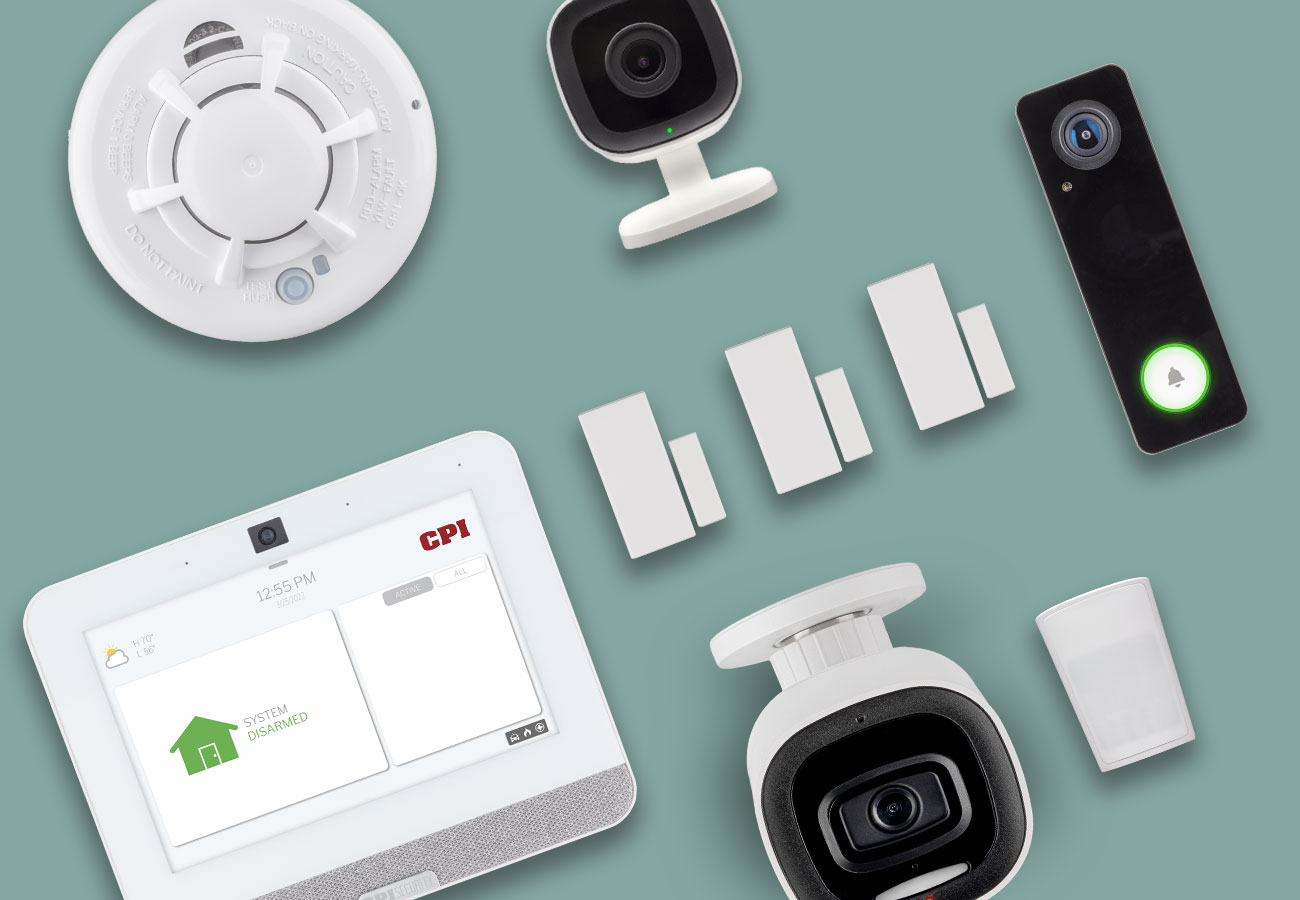
Install security apps designed for smart homes. These apps monitor device behavior and network traffic. They provide alerts about suspicious activities or vulnerabilities. Many apps offer easy-to-understand reports and tips for improvement.
Credit: cpisecurity.com
Physical Security For Devices
Physical security is a key step to protect smart home devices from theft and damage. Devices left in easy reach invite tampering or unauthorized access. Securing these items creates a safer environment and keeps your data private. Simple actions can make a big difference in device safety.
Placement Considerations
Place devices out of direct sight from windows and doors. Avoid locations near entrances where burglars can spot or reach them quickly. High shelves or locked cabinets work well. Keep devices away from areas with heavy foot traffic to reduce accidental damage.
Securing Access Points
Secure physical points where devices connect to power or network cables. Use cable locks or covers to prevent unplugging. Limit access to power outlets with childproof plugs or locked panels. Check for any exposed wires and shield them to avoid tampering.
Protecting Against Tampering
Use tamper-evident stickers or seals on devices to detect interference. Install smart locks or alarm systems near critical devices. Regularly inspect devices for signs of physical damage. Train family members on the importance of not touching or moving devices without permission.
Backup And Recovery Plans
Backup and recovery plans are essential for keeping your smart home devices safe and functional. If something goes wrong—like a software glitch, hacking attempt, or accidental change—you want to be ready to restore everything quickly. Having a clear plan ensures your devices stay secure and your data isn’t lost forever.
Regular Data Backups
Backing up your smart home data regularly means you keep a copy of all important settings and information. Many devices allow you to export configurations or save cloud backups. Set a schedule to back up your devices weekly or monthly depending on usage.
If you’ve ever lost custom settings after a device reset, you know how frustrating it can be. Keeping backups helps you avoid this hassle and saves time on reconfiguring everything from scratch.
Restoring Factory Settings
Knowing how to restore factory settings is a key part of recovery. This resets your device to its original state and removes any unwanted changes or malware. But remember, this erases all your personal data and settings.
Before resetting, check if you have a recent backup. After the reset, use your backup to quickly restore your smart home setup without missing a beat.
Emergency Response Steps
When something goes wrong, having a step-by-step emergency response can save you from panic. Start by disconnecting affected devices from your network to stop further damage. Then, run a backup restore or factory reset based on the problem.
- Identify the affected device(s)
- Disconnect from Wi-Fi
- Reset to factory settings if needed
- Restore from backup
- Update firmware and passwords immediately
Have you ever faced a smart home device failure that left you scrambling? Preparing these steps ahead will make you feel in control and ready to act fast.
Credit: www.bitdefender.com
Frequently Asked Questions
How Can I Protect My Smart Home Network?
Securing your home network starts with using a strong, unique password. Regularly update your router’s firmware to patch vulnerabilities. Enable network encryption and consider using a guest network for visitors. Limit device access to trusted users and regularly review connected devices to ensure they are secure and authorized.
What Is The Best Way To Secure Smart Devices?
Start by changing default passwords to strong, unique ones. Keep all device firmware updated to fix security issues. Use two-factor authentication where available. Disable unnecessary features or services to reduce exposure. Consider a dedicated security solution specifically designed for IoT devices to monitor and protect your smart home.
Do Smart Home Devices Need Antivirus Protection?
Smart home devices generally don’t have antivirus software. Instead, they rely on secure networks and regular firmware updates. It’s crucial to keep your router and all devices updated. Implement network-level security measures, like firewalls, to protect against malware and other threats.
Always use strong, unique passwords for each device.
How Do I Know If My Smart Home Is Hacked?
Signs of a hacked smart home include unusual network activity or device behavior. Devices may act erratically or respond slowly. Check for unauthorized users on your network. Sudden spikes in internet usage or unexpected changes in settings can also indicate a breach.
Regularly monitor and review your devices for any anomalies.
Conclusion
Securing your smart home devices keeps your family safe and your data private. Change default passwords and update devices often. Use strong, unique passwords for each device. Connect devices to a secure Wi-Fi network with encryption. Turn off features you do not use.
Regularly check device settings for unusual activity. Stay informed about new security updates. Small steps make a big difference in protecting your smart home. Stay alert and keep your smart home safe every day.