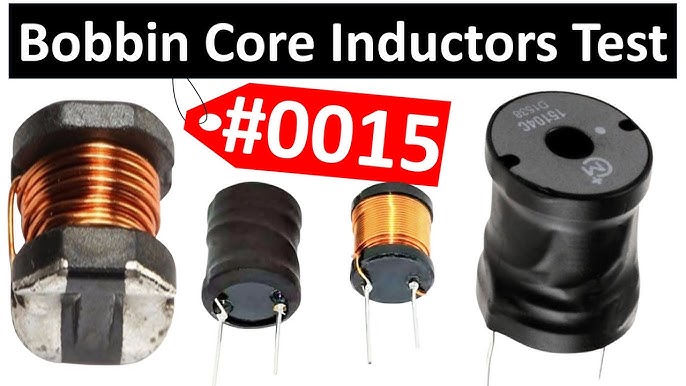
How to Clean Electronics Components After a Flood: Essential Steps
Imagine the panic when your electronic devices get soaked after a flood. You might think they’re ruined beyond repair.
But before you give up, there’s a way to save your valuable components. Knowing how to clean electronics after water damage can make all the difference. You’ll discover simple, effective steps to rescue your devices and avoid costly replacements. Keep reading—your electronics might just have a second chance.

Credit: www.reddit.com
Assessing Damage
Assessing damage is the first critical step after electronics get flooded. It helps to understand which parts need cleaning or replacement. Proper assessment prevents further harm and improves the chance of recovery.
Identifying Affected Devices
Start by listing all electronics exposed to water. Check devices in the flood area carefully. Include small gadgets, cords, and power supplies. Look for visible signs like water stains or corrosion.
Separate devices that are wet from those that stayed dry. Wet devices need immediate attention. Dry ones might still have hidden damage, so inspect closely.
Evaluating Extent Of Water Exposure
Determine how long each device was underwater or wet. Longer exposure increases damage risk. Note if devices were in clean, fresh, or dirty water. Dirty water causes more corrosion and contamination.
Check inside devices if possible. Look for moisture, rust, or residue on circuit boards. Use a flashlight to see small parts clearly. This evaluation guides the cleaning process and repair decisions.
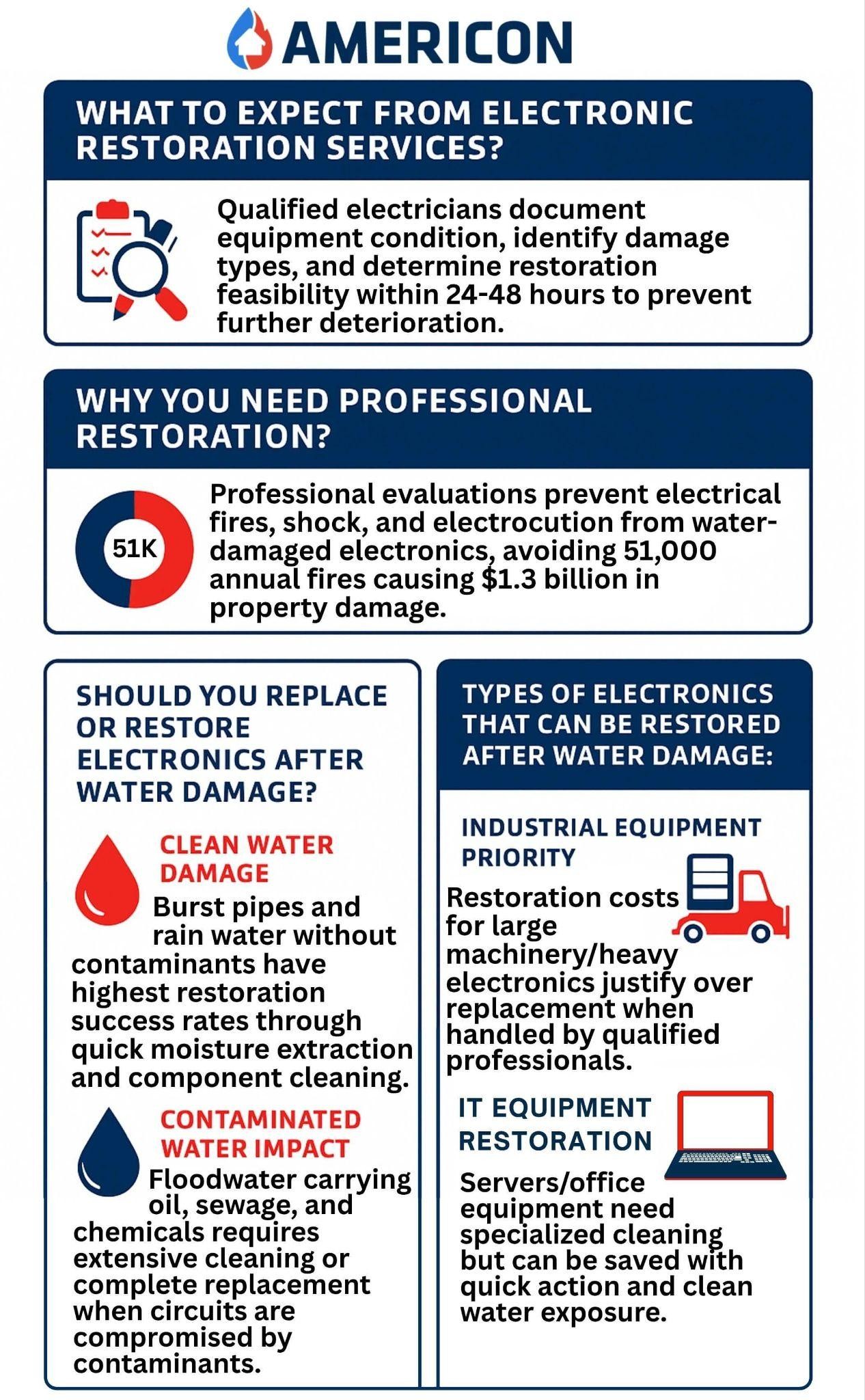
Credit: www.americonrestoration.com
Safety Precautions
Handling electronic components after a flood demands more than just cleaning skills—it requires strict safety measures. Ignoring safety can lead to serious injury or permanent damage to your devices. Before you begin, it’s crucial to protect yourself and the equipment by following clear safety steps.
Disconnecting Power Sources
Always ensure your electronics are completely disconnected from any power source before touching them. Floodwater can cause short circuits or electric shocks if the device is still live. Unplug cables, remove batteries, and if possible, switch off the main power supply to the affected area.
Have you ever underestimated the risk of electricity in wet conditions? It’s easy to forget, but even a small amount of water can turn your device into a dangerous hazard. Taking this step first can save you from serious harm.
Wearing Protective Gear
Protect yourself by wearing gloves and safety goggles before you start cleaning. Floodwater often contains harmful bacteria, chemicals, and debris that can irritate your skin or eyes. Nitrile gloves are ideal because they resist punctures and chemicals better than regular latex gloves.
Think about the last time you cleaned something dirty—did you protect your hands? Electronics after a flood are much riskier. Wearing the right gear isn’t just about comfort; it’s about keeping yourself safe from unseen dangers.
Gathering Necessary Tools
Cleaning electronic components after a flood needs careful preparation. Gathering the right tools helps avoid damage and makes the process smoother. Use tools that are safe and effective for sensitive parts.
Organizing your materials before starting saves time and reduces mistakes. Have everything ready to handle moisture, dirt, and corrosion on your electronics.
Essential Cleaning Materials
- Isopropyl alcohol (90% or higher) to remove dirt and dry components
- Soft-bristle brushes to clean small parts gently
- Lint-free cloths for wiping surfaces without leaving fibers
- Compressed air cans to blow away dust and water droplets
- Distilled water for rinsing off salt or mud residues
- Plastic containers to soak parts safely
- Protective gloves to keep hands clean and avoid static
Specialized Equipment
- Multimeter to test electrical connections and check for damage
- Anti-static wrist strap to prevent static shock during cleaning
- Ultrasonic cleaner to deep clean small and delicate parts
- Heat gun or hair dryer on low setting to dry components carefully
- Magnifying glass to inspect for corrosion or broken areas
Initial Drying Process
After a flood, drying electronic components quickly is vital. Water causes short circuits and corrosion, so remove moisture fast. The initial drying process focuses on removing surface and internal water carefully. Proper drying improves the chance of restoring the device.
Air Drying Techniques
Air drying is a simple, effective way to remove moisture from electronics. Place components in a dry, well-ventilated area. Avoid direct sunlight or heat sources that may damage parts. Use a fan to increase airflow and speed up drying.
- Remove batteries and power sources first
- Shake gently to expel trapped water
- Lay components on absorbent paper or cloth
- Keep the area dust-free to prevent contamination
Patience is key. Air drying can take several days depending on the item’s size and water exposure. Do not power on electronics until completely dry.
Using Desiccants
Desiccants absorb moisture quickly and are ideal for delicate electronics. Silica gel packs are common and safe to use around sensitive parts. Place components in an airtight container with desiccant packets to draw out moisture.
- Use enough desiccant to cover the device area
- Seal the container tightly to trap humidity
- Check and replace desiccants if they become saturated
- Leave components in the container for 24 to 72 hours
This method reduces drying time and lowers corrosion risks. Combine desiccants with air drying for best results.
Cleaning Electronics
Cleaning electronics after a flood is a delicate task that demands patience and precision. You need to remove contaminants carefully to prevent further damage. The goal is to restore your components as close to their original condition as possible.
Removing Dirt And Debris
Start by gently removing loose dirt and debris from the surface. Use a soft brush or compressed air to avoid scratching fragile parts. Avoid rubbing, as wet particles can grind into the circuitry and cause more harm.
Pay close attention to connectors and crevices where dirt tends to hide. You might be surprised how much grime accumulates in these tiny spaces. Taking your time here can save your electronics from corrosion later.
Cleaning With Isopropyl Alcohol
Isopropyl alcohol is your best friend for cleaning electronic components after water exposure. Use at least 90% concentration to ensure quick evaporation and avoid moisture residue. Dip a lint-free cloth or cotton swab into the alcohol and gently wipe the affected areas.
Be cautious not to saturate the components; a light touch works best. Alcohol dissolves oils and dries fast, preventing rust and corrosion. Have you noticed how stubborn some residues are? This method often makes them easier to lift without damage.
Inspecting Components
After a flood, electronics need careful inspection before cleaning. Water can damage internal parts, causing short circuits or corrosion. A close look helps identify which components need special care or replacement. This step protects the device and improves the chance of recovery.
Checking For Corrosion
Corrosion appears as a white or green powdery layer on metal parts. It happens when water reacts with metal components. Focus on circuit boards, battery contacts, and connectors. Corrosion can cause poor connections or device failure.
Use a magnifying glass to see small corrosion spots. Gently clean with a soft brush dipped in isopropyl alcohol. Avoid rubbing too hard to prevent damage. If corrosion is severe, the component might need replacement.
Assessing Connectors And Ports
Connectors and ports often trap water and dirt after flooding. Check USB ports, headphone jacks, and charging connectors carefully. Look for bent pins, dirt, or signs of rust.
Clean these areas using a dry cloth or a soft brush. For stubborn dirt, use a small amount of isopropyl alcohol on a cotton swab. Ensure all moisture is removed before reconnecting or powering the device.
Testing Functionality
Testing the functionality of electronic components after a flood is crucial. It confirms whether the cleaning process worked. It also helps identify any damaged parts that need replacement. This stage requires careful attention to avoid further harm. Follow these steps to test your electronics safely and effectively.
Reconnecting Power
Before reconnecting power, ensure all components are dry. Use a multimeter to check for residual moisture. Plug the device into a surge protector to avoid electrical spikes. Turn on the power gradually and watch for unusual sounds or smells. If the device does not power on, disconnect immediately. Do not force power, as it may cause short circuits.
Monitoring Performance
Observe the device closely during initial operation. Check if all functions respond correctly and smoothly. Test buttons, screens, ports, and other interactive parts. Listen for strange noises or irregular vibrations. If any issues arise, shut down the device right away. Record any errors or malfunctions for further diagnosis. Continuous monitoring helps prevent permanent damage after flooding.

Credit: thecavepearlproject.org
Preventive Measures
Flood damage to electronics can be devastating, but taking preventive measures can save you time, money, and stress. Protecting your devices before disaster strikes is essential. You might be surprised how small changes in how you store and set up your electronics can make a huge difference during a flood.
Storing Electronics Properly
Where and how you store your electronics matters more than you think. Keep devices off the ground, especially in basements or areas prone to flooding. Using elevated shelves or wall mounts can keep your gear safe from unexpected water levels.
Consider airtight, waterproof containers for smaller components like circuit boards or cables. These containers block moisture and dust, extending the life of your electronics. Have you checked if your current storage setup is flood-safe?
Label your storage boxes clearly. In a crisis, quick access can be critical, and fumbling through piles wastes precious time. You don’t want to find your essential electronics buried beneath other items when every second counts.
Flood-proofing Your Setup
Flood-proofing isn’t just about barriers outside your home; it’s about how you arrange your electronics inside. Position power strips and surge protectors well above potential flood lines. Water reaching these devices can cause short circuits or permanent damage.
Use waterproof covers or bags for devices that you can’t move easily. Plastic sheeting or custom-fit covers can block water from reaching delicate components. Have you tested how well your electronics would survive if water entered your room?
Invest in smart plugs or remote power shutoffs. Cutting power remotely during a flood reduces the risk of electrical fires or damage. This small addition to your setup can protect both your devices and your home.
Frequently Asked Questions
How Do I Safely Dry Electronics After Flooding?
First, unplug the device and remove batteries. Use a soft cloth to wipe moisture. Air-dry in a warm, ventilated space for 48 hours. Avoid using heat sources like hairdryers to prevent damage.
Can I Clean Circuit Boards With Isopropyl Alcohol?
Yes, isopropyl alcohol (90% or higher) effectively removes corrosion and dries quickly. Apply gently with a soft brush. It helps prevent short circuits by removing moisture and contaminants.
When Should I Avoid Repairing Flooded Electronics?
Avoid repairs if the device shows extensive corrosion or physical damage. Also, if sensitive components are submerged for long, replacement is safer. Consult a professional if unsure about safety or repair viability.
What Tools Are Essential For Cleaning Electronic Parts After Floods?
You need isopropyl alcohol, soft brushes, microfiber cloths, tweezers, and compressed air. These tools help remove dirt and dry components without causing harm.
Conclusion
Cleaning electronic parts after a flood takes patience and care. Start by drying all components completely. Use gentle cleaning methods to avoid damage. Check each part for signs of rust or corrosion. Replace parts that look unsafe. Always work in a dry, clean space.
Taking these steps helps bring your electronics back to life. Small efforts now can save you time and money later. Stay calm and follow the process carefully. Your electronics deserve the best care after water exposure.