What is Maintenance in Information Technology: Essential Guide
Have you ever wondered how your computer or software keeps running smoothly without sudden crashes or slowdowns? The secret lies in something called maintenance in information technology.
Understanding this can save you time, money, and a lot of frustration. You’ll discover what IT maintenance really means, why it’s crucial for your devices, and how it helps prevent problems before they happen. Keep reading, and you’ll learn simple ways to keep your technology working at its best.

Credit: terotam.com
Types Of It Maintenance
IT maintenance involves various activities that keep software and systems running smoothly. Different types of maintenance address specific needs and challenges. Understanding these types helps manage IT resources effectively and reduce downtime.
Corrective Maintenance
Corrective maintenance fixes problems found in software or hardware. It occurs after an error or bug appears. The goal is to restore normal function quickly. This type of maintenance reduces the impact of failures on users.
Preventive Maintenance
Preventive maintenance aims to stop issues before they happen. It includes regular checks, updates, and system cleaning. This helps avoid unexpected breakdowns. Preventive actions increase system reliability and extend equipment life.
Adaptive Maintenance
Adaptive maintenance adjusts software to work with new environments. This includes updates for new operating systems or hardware. It keeps the system compatible with changing technology. Adaptive maintenance ensures the software remains useful over time.
Perfective Maintenance
Perfective maintenance improves software performance or features. It focuses on user feedback and changing needs. Enhancements might include adding new functions or refining existing ones. This type keeps the software relevant and efficient.
Key It Maintenance Activities
Key IT maintenance activities keep computer systems working well and secure. Regular care helps avoid breakdowns and data loss. These activities also improve system speed and reliability. IT teams focus on several tasks to maintain software, hardware, and security.
Software Updates And Patches
Software updates fix bugs and improve performance. Patches close security holes to stop attacks. Regular updates keep systems compatible with new programs. Skipping updates can lead to errors and vulnerabilities.
Hardware Inspections
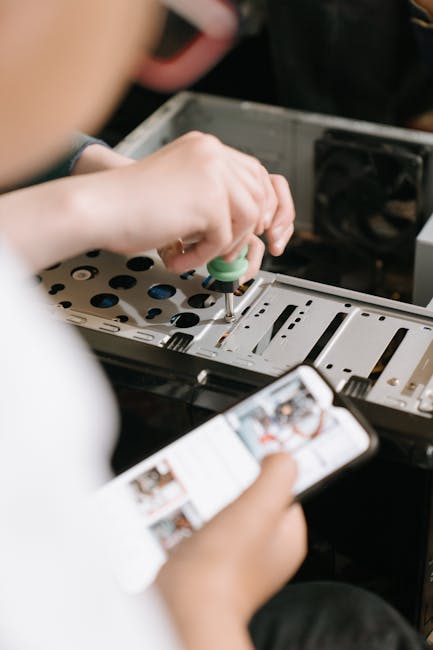
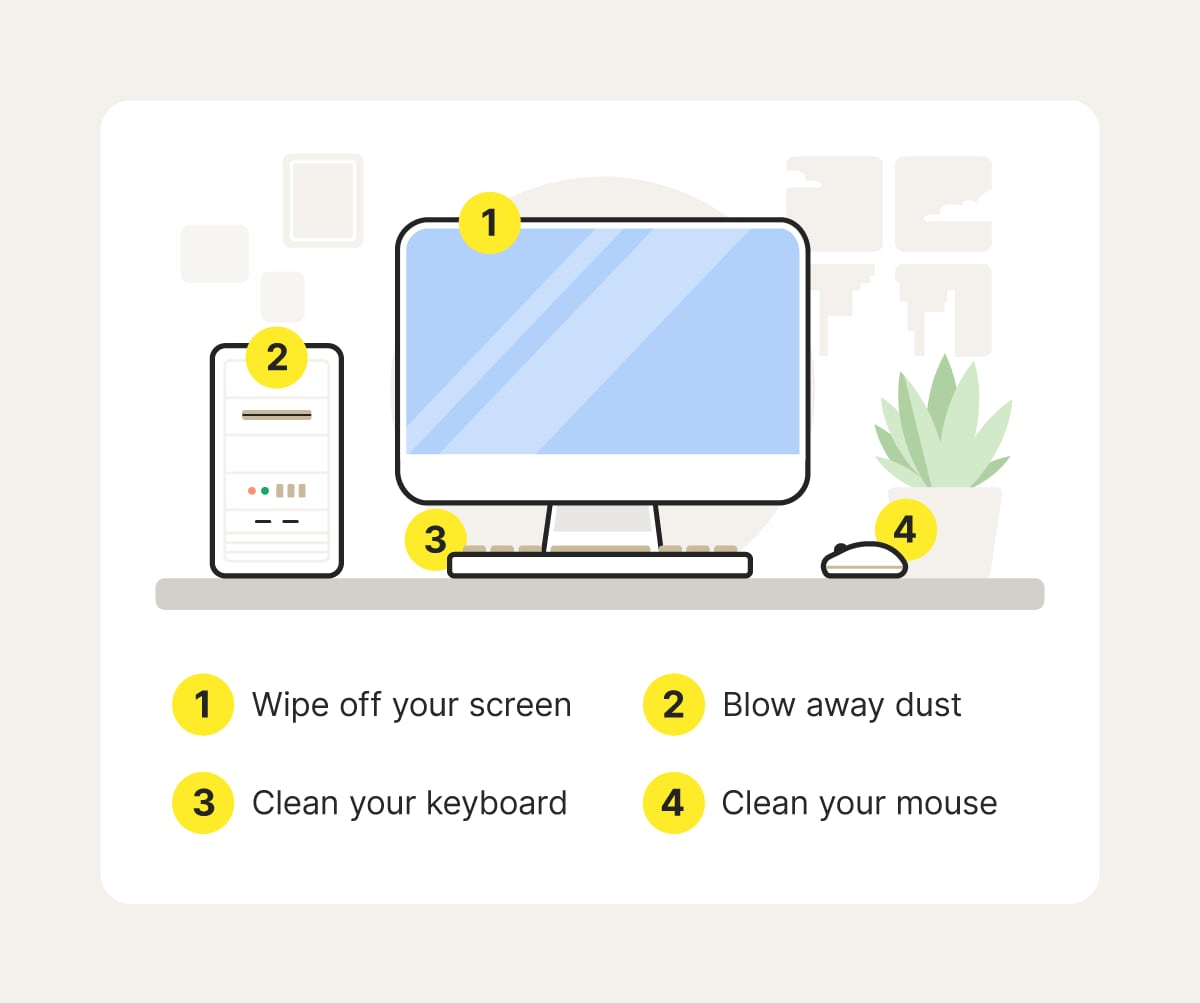
Hardware checks ensure all parts work correctly. Inspecting devices helps find wear and tear early. Cleaning and replacing parts prevents unexpected failures. Good hardware health supports smooth IT operations.
System Backups
Backups copy important data to safe locations. They protect against data loss from errors or attacks. Regular backups ensure quick recovery after problems. Testing backups confirms data can be restored properly.
Security Monitoring
Security monitoring watches for unusual activity or threats. It helps detect malware, hacking, and unauthorized access. Using tools and alerts, teams respond fast to risks. Constant monitoring strengthens overall IT safety.
Benefits Of It Maintenance
Regular IT maintenance keeps technology running smoothly and efficiently. It helps avoid many common problems and improves overall system health. Proper care of IT systems supports business growth and user satisfaction.
Improved System Performance
Maintenance ensures systems work at their best speed. It removes unnecessary files and updates software. This keeps computers and networks fast and responsive. Users experience fewer delays and better productivity.
Reduced Downtime
Routine checks catch issues before they cause failures. Fixing small problems early prevents major breakdowns. Systems stay available longer with less unexpected downtime. This means work continues without costly interruptions.
Enhanced Security
Maintenance includes updating security patches and antivirus tools. It protects systems from viruses and hackers. Regular updates close security gaps quickly. Data stays safe and privacy is maintained.
Cost Savings
Preventive maintenance lowers repair and replacement costs. It extends the life of hardware and software. Avoiding big failures saves money on emergency fixes. Budgeting for upkeep reduces financial risks.
Common It Maintenance Challenges
Maintaining IT systems is never straightforward. You face obstacles that can slow down progress and increase costs. Understanding common challenges helps you prepare better and avoid costly mistakes.
Resource Allocation
Allocating the right resources—time, money, and personnel—can be a constant struggle. You might have limited staff, yet the workload keeps growing. This imbalance often leads to rushed fixes or postponed maintenance, which can cause bigger issues later.
Think about your current team: Are they overwhelmed or underutilized? Sometimes, investing in training or hiring specialists can save more time and money than trying to do everything in-house.
Keeping Up With Technology
Technology changes quickly, and keeping your systems up-to-date feels like a race. New software versions, patches, and security updates come out regularly. Falling behind leaves your system vulnerable and inefficient.
Have you ever delayed an update only to face a security breach or system crash? Regular, scheduled updates—even if small—help keep your IT environment secure and smooth.
Managing Legacy Systems
Older systems often don’t play well with new technology. Legacy software might be critical for your operations but hard to maintain or integrate. Supporting these systems drains resources and slows innovation.
Ask yourself: Is it more cost-effective to maintain these old systems or plan for gradual replacement? Sometimes, a phased upgrade can reduce risks and improve performance without disrupting daily work.
Ensuring Data Integrity
Data is your most valuable asset, yet maintaining its accuracy and security is challenging. Errors, corruption, or unauthorized access can happen at any time. Ensuring data integrity requires constant vigilance and robust backup strategies.
How confident are you that your data is safe and accurate right now? Regular audits, automated backups, and strict access controls are practical steps you can take to protect your information.
Best Practices For Effective It Maintenance
Effective IT maintenance keeps systems running smoothly and prevents downtime. It requires careful planning and consistent efforts. Following best practices ensures your technology stays secure and efficient. Focus on regular checks, smart tools, trained staff, and clear records to maintain IT health.
Regular Audits
Regular audits help identify problems before they cause damage. Check hardware, software, and network components frequently. Audits reveal outdated systems and weak security points. They help plan updates and repairs at the right time. Make audits part of your routine schedule.
Automated Monitoring Tools
Automated tools track system performance 24/7. They alert teams about errors or unusual activity immediately. These tools reduce the chance of unnoticed failures. Use software that fits your system needs. Automation saves time and improves response speed.
Staff Training
Well-trained staff handle IT issues faster and better. Regular training keeps skills up to date with new technology. Teach employees about security risks and best practices. Empower your team to solve common problems independently. Training reduces errors and boosts confidence.
Clear Documentation
Clear documentation records all maintenance activities and system details. Keep manuals, procedures, and logs organized and accessible. Documentation guides staff during troubleshooting and upgrades. It also helps new team members learn quickly. Accurate records improve communication and decision-making.
Credit: us.norton.com
Role Of It Maintenance In Business Continuity
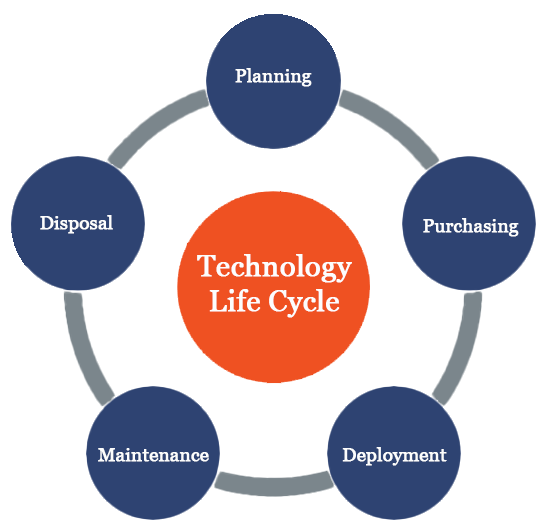
IT maintenance plays a vital role in keeping businesses running smoothly. It helps prevent downtime and protects data. This ongoing process ensures systems work well, even during unexpected problems. Reliable IT maintenance supports business continuity by reducing risks and preparing companies for challenges.
Disaster Recovery Planning
Disaster recovery planning is a key part of IT maintenance. It prepares businesses for data loss or system failures. Regular backups and recovery tests make sure data can be restored quickly. This planning limits damage and speeds up recovery after disasters. It helps businesses stay operational despite emergencies.
Minimizing Operational Risks
IT maintenance reduces operational risks by fixing issues early. It includes updating software and hardware to avoid failures. Monitoring systems helps detect problems before they cause downtime. These actions keep business processes steady and reliable. Minimizing risks protects revenue and customer trust.
Supporting Compliance Requirements
Many industries require strict rules for data security. IT maintenance supports compliance by ensuring systems meet standards. Regular audits and updates keep software aligned with regulations. This prevents legal problems and fines. Compliance through IT maintenance builds confidence with clients and partners.
Credit: clarkcomputerservices.com
Frequently Asked Questions
What Is Maintenance In Information Technology?
Maintenance in IT involves updating and fixing software or hardware to ensure optimal performance. It includes bug fixes, upgrades, and system improvements. Regular maintenance prevents failures and extends the lifespan of IT systems, keeping them secure and efficient.
Why Is It Maintenance Important For Businesses?
IT maintenance ensures systems run smoothly, reducing downtime and increasing productivity. It protects data security and minimizes risks from cyber threats. Regular maintenance saves costs by preventing major breakdowns and extends the life of technology assets.
What Are The Types Of It Maintenance?
The main types are corrective, adaptive, perfective, and preventive maintenance. Corrective fixes bugs, adaptive updates systems for new environments. Perfective improves performance, while preventive avoids future problems. Each type plays a vital role in keeping IT systems reliable and efficient.
How Often Should It Maintenance Be Performed?
IT maintenance frequency depends on system complexity and usage. Critical systems may require daily checks, while others need monthly or quarterly reviews. Regularly scheduled maintenance ensures timely updates and reduces the risk of unexpected failures.
Conclusion
Maintenance in information technology keeps systems running smoothly. It stops problems before they start. Regular updates protect data and improve performance. IT maintenance saves time and reduces costs. It helps businesses stay secure and efficient. Simple checks and fixes make a big difference.
Everyone benefits from good IT care. Keep maintenance a priority to avoid future issues. It is key to lasting technology success.