What is Computerized Maintenance Management System Cmms Software: Ultimate Guide
Are you struggling to keep track of your maintenance tasks and equipment? Imagine having a tool that helps you organize, schedule, and manage everything with ease.
That’s exactly what a Computerized Maintenance Management System (CMMS) software does for you. It takes the hassle out of maintenance management and puts you in control. You’ll discover how CMMS software can save you time, cut costs, and boost your team’s efficiency.
Keep reading to find out how this smart solution can transform the way you handle maintenance every day.
Cmms Software Basics
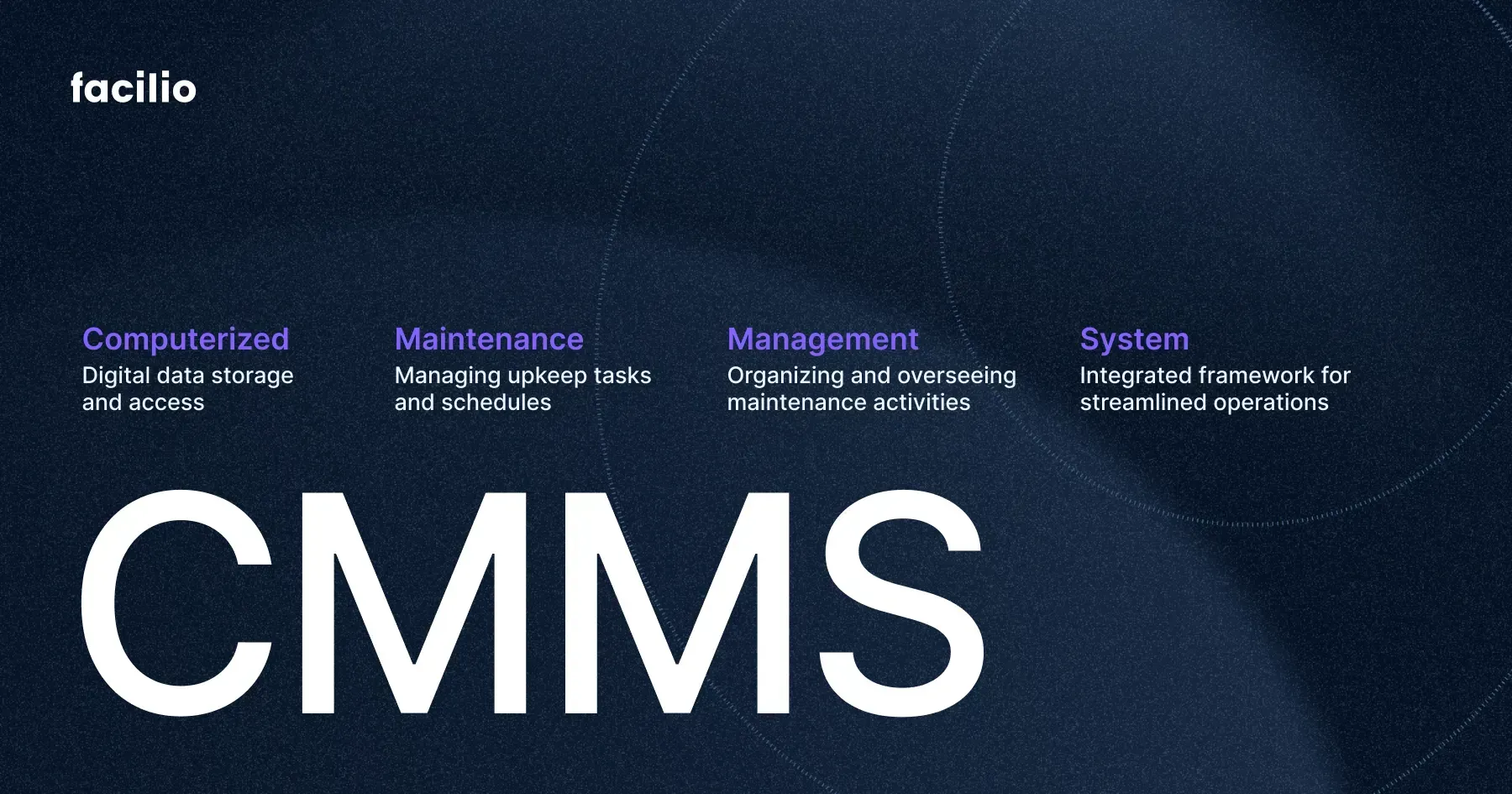
A Computerized Maintenance Management System (CMMS) is software designed to help manage maintenance tasks. It organizes, tracks, and schedules work to keep equipment running smoothly. CMMS software makes maintenance easier and more efficient.
This software stores data about assets, work orders, and maintenance history. It helps teams plan preventive maintenance to avoid breakdowns. Using CMMS reduces downtime and extends the life of machines.
What Does Cmms Software Do?
CMMS software tracks all maintenance activities in one place. It creates work orders and assigns tasks to technicians. The system sends reminders for scheduled maintenance. It also records completed work and parts used.
Key Features Of Cmms Software
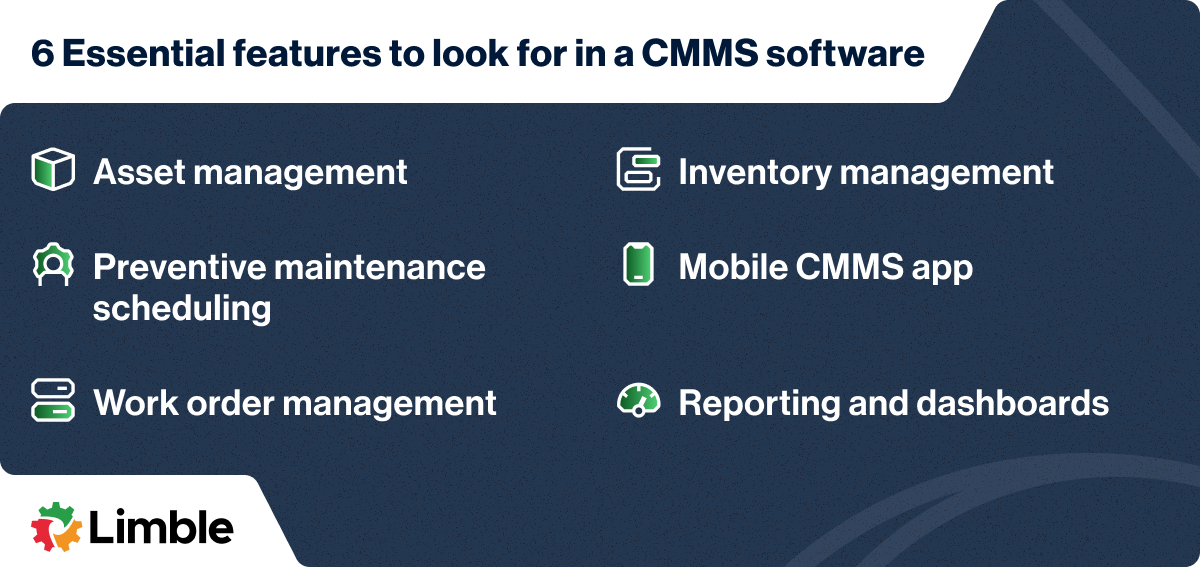
- Asset Management: Keeps detailed records of equipment and machines.
- Work Order Management: Creates and tracks maintenance tasks.
- Preventive Maintenance Scheduling: Plans regular maintenance to prevent failures.
- Inventory Control: Monitors spare parts and supplies.
- Reporting and Analytics: Provides data to improve maintenance processes.
Who Uses Cmms Software?
Maintenance teams in factories, offices, and hospitals use CMMS software. Facility managers rely on it to keep buildings and equipment in good shape. It suits any business needing regular equipment upkeep.
Key Features
Understanding the key features of a Computerized Maintenance Management System (CMMS) software helps you see how it can make your maintenance tasks easier and more efficient. Each feature targets specific challenges you face in managing equipment, work orders, and supplies.
Work Order Management
Work order management is the heart of any CMMS. It lets you create, assign, and track maintenance tasks effortlessly.
You can prioritize urgent repairs and keep your team updated in real-time. Imagine no more lost requests or forgotten jobs—everything stays organized in one place.
How much time could you save if you always knew the status of every work order at a glance?
Asset Management
Asset management helps you keep detailed records of all your equipment. This includes purchase dates, warranty info, maintenance history, and performance data.
With this feature, you can spot trends like frequent breakdowns or parts wearing out too fast. That insight helps you make smarter decisions about repairs or replacements.
Would having instant access to your asset’s full history change how you plan maintenance?
Preventive Maintenance Scheduling
Preventive maintenance scheduling automates reminders for routine checks and servicing. This means you don’t have to rely on memory or manual logs to keep equipment in top shape.
Setting up schedules based on time or usage helps avoid unexpected failures and costly downtime. It’s like having a safety net for your machines.
What if regular maintenance was so easy to track that breakdowns became rare?
Inventory Control
Inventory control tracks all spare parts and supplies in real-time. You can see what’s in stock, what needs reordering, and avoid overstocking.
This feature prevents delays caused by missing parts and keeps your budget in check. You’ll know exactly when to order without guesswork.
How much smoother would your repair process run if parts were always available when needed?
Benefits Of Cmms
CMMS software offers many benefits that help businesses maintain equipment easily. It streamlines maintenance tasks and keeps everything organized. Using CMMS reduces downtime and improves workflow. It also helps save money and extend the life of assets.
Improved Efficiency
CMMS automates routine maintenance tasks. It schedules work orders and tracks progress in real time. This reduces manual work and errors. Teams can respond faster to issues, keeping operations smooth. Workers spend less time on paperwork and more on actual maintenance.
Cost Reduction
CMMS helps spot problems early before they become expensive. It lowers emergency repairs and unplanned downtime. By planning maintenance, it reduces labor and material waste. Businesses spend less on fixing breakdowns. This leads to better budget control and savings.
Enhanced Asset Lifespan
Regular maintenance keeps machines running longer. CMMS tracks service history and schedules timely checks. It prevents wear and tear by addressing issues quickly. Well-maintained equipment performs better and lasts more years. This reduces the need for frequent replacements.
Data-driven Decision Making
CMMS collects detailed maintenance data and reports. Managers gain insights into asset performance and costs. They can identify trends and plan upgrades wisely. Data helps prioritize tasks based on urgency and impact. Decisions become smarter, improving overall maintenance strategy.
Industries Using Cmms
Computerized Maintenance Management System (CMMS) software helps many industries manage their maintenance tasks. It tracks work orders, schedules preventive maintenance, and stores equipment data. Different industries benefit from CMMS in unique ways. Here are some key sectors using this software to improve operations and reduce downtime.
Manufacturing
Manufacturing plants rely on CMMS to keep machines running smoothly. It schedules regular checks and repairs to avoid breakdowns. This software helps track inventory of spare parts and maintenance costs. Factories improve productivity by reducing unplanned stops.
Healthcare
Hospitals and clinics use CMMS to maintain medical equipment and facilities. It ensures critical devices work safely and meet regulations. The software helps plan cleaning, inspections, and repairs efficiently. This keeps patient care safe and reliable.
Facilities Management
Facilities managers use CMMS to handle building maintenance tasks. It organizes repairs for HVAC, lighting, and plumbing systems. The software tracks vendor contracts and maintenance history. This improves building safety and comfort for occupants.
Utilities
Utility companies use CMMS to maintain infrastructure like power grids and water systems. It schedules preventive work to reduce outages and failures. The software helps manage assets and comply with regulations. Utilities keep services running smoothly and safely.
Choosing The Right Cmms
Choosing the right Computerized Maintenance Management System (CMMS) is crucial for your business’s efficiency and long-term success. The right software can simplify maintenance tasks, improve asset management, and save you time and money. But how do you decide which CMMS fits your unique needs?
Assessing Business Needs
Start by identifying what your business truly needs from a CMMS. Are you managing a large number of assets, or just a few? Do you need features like preventive maintenance scheduling or real-time reporting?
Consider how your current maintenance process works and where it falls short. This helps you avoid paying for features you won’t use. Think about who will use the software daily and what their priorities are.
Evaluating Features
Look closely at the features each CMMS offers. Essential functions often include work order management, asset tracking, and inventory control. Some systems also provide mobile access, integration with other software, and customizable dashboards.
Ask yourself, which features will improve your workflow the most? For instance, if your team works on-site, mobile access could be a game-changer. It’s also helpful to see demos or trial versions to understand how user-friendly the software is.
Budget Considerations
Set a clear budget before you start shopping. CMMS pricing can vary widely depending on the number of users, features, and support options. Some providers charge monthly, others require a one-time license fee.
Think about the total cost of ownership, including training, updates, and potential customizations. Sometimes, paying a bit more upfront can save you headaches and extra costs later on.
Vendor Support And Training
Good support can make or break your experience with a CMMS. Check what kind of training and ongoing support the vendor offers. Do they provide live help, tutorials, or a knowledge base?
Consider how quickly they respond to issues and whether they offer support during your business hours. A responsive vendor can help you get the most out of your investment and avoid costly downtime.

Credit: medium.com
Implementation Process
The implementation process of a Computerized Maintenance Management System (CMMS) software is vital for its success. It involves several key stages that ensure smooth adoption and efficient use. Each phase builds a strong foundation for ongoing maintenance management.
Planning And Strategy
Planning sets the direction for the entire CMMS project. Define clear goals and objectives for what the system should achieve. Identify key users and stakeholders to understand their needs. Develop a timeline and allocate resources carefully. A solid plan reduces risks and improves chances of success.
Data Migration
Data migration moves existing maintenance data into the new CMMS. Clean and organize data before transfer to avoid errors. Include asset information, work orders, and maintenance history. Verify data accuracy after migration to maintain system reliability. Proper migration ensures the CMMS starts with quality information.
User Training
User training helps employees learn how to use the CMMS effectively. Provide clear instructions with simple language and examples. Use hands-on sessions to practice key functions like work orders and reporting. Training builds confidence and reduces user resistance. Support users with resources and help desks after launch.
System Testing
System testing checks if the CMMS works as expected. Test all features, including scheduling, notifications, and reporting. Involve end users to identify issues from their perspective. Fix bugs and improve usability before going live. Thorough testing prevents disruptions and ensures a smooth start.
Challenges And Solutions
Implementing a Computerized Maintenance Management System (CMMS) can transform how you manage maintenance tasks, but it comes with its own set of challenges. Addressing these obstacles head-on can save you time, reduce frustration, and boost the system’s effectiveness.
Data Accuracy
Accurate data is the backbone of any CMMS. If your records are incomplete or outdated, the system’s recommendations will be off, leading to costly mistakes.
To keep data reliable, establish clear protocols for regular updates. Train your team to enter information immediately after maintenance tasks. Think about using barcode scanning or IoT sensors to automate data capture, reducing human error.
User Adoption
Getting your team to embrace new software isn’t always easy. Resistance often comes from unfamiliarity or perceived extra workload.
Make the system user-friendly and provide hands-on training sessions. Share real examples showing how CMMS makes daily jobs easier. Involve users early in the process so they feel ownership, not just obligation.
Integration With Other Systems
Your CMMS won’t operate in a vacuum; it needs to connect with existing tools like ERP or inventory management software. Without smooth integration, you risk data silos and inefficiencies.
Check if the CMMS supports APIs or common data formats. Plan integration as a project with clear steps and test phases. Sometimes, a middleware solution can bridge gaps between incompatible systems.
Scalability Concerns
What works for a small facility might falter as your operation grows. Scalability is critical to avoid outgrowing your CMMS too soon.
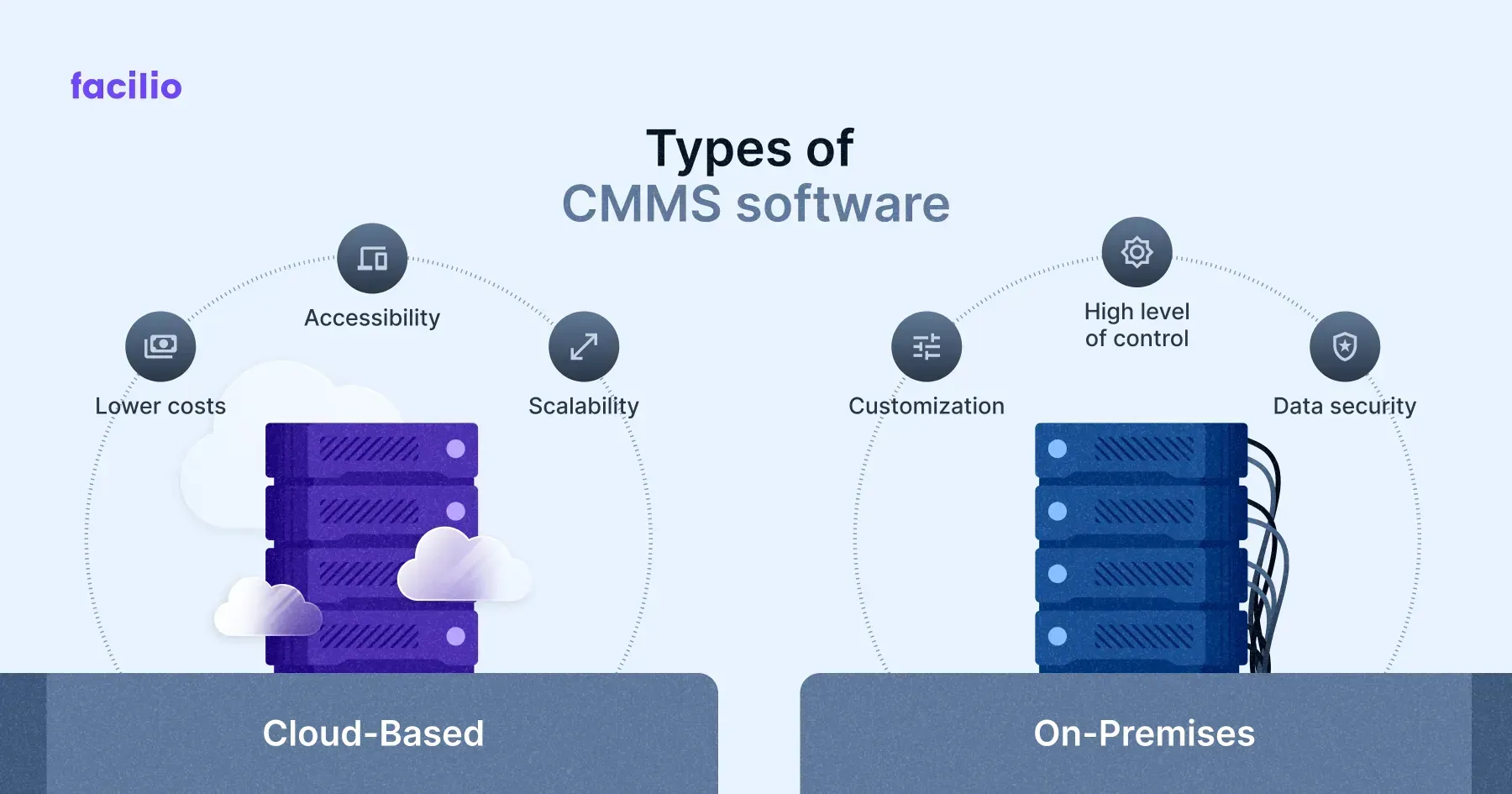
Choose software that can handle increasing users, assets, and data volume. Ask vendors about their upgrade paths and performance benchmarks. Consider cloud-based options that adjust resources on demand.
Credit: facilio.com
Future Trends In Cmms
The future of Computerized Maintenance Management Systems (CMMS) holds exciting possibilities that can transform how you manage and maintain assets. As technology evolves, CMMS software is becoming smarter, more connected, and easier to use. Understanding these trends can help you stay ahead and make better decisions for your maintenance operations.
Iot Integration
Connecting your equipment through the Internet of Things (IoT) allows real-time monitoring and data collection. Imagine your machines sending alerts when they show signs of wear or need servicing—this reduces downtime and unexpected failures. Are you ready to use sensors and smart devices to keep your operations running smoothly?
Ai And Machine Learning
AI can analyze vast amounts of maintenance data to predict problems before they occur. Machine learning helps the system improve over time, offering smarter scheduling and resource allocation. Think about how much time you could save if your CMMS suggested the best times for maintenance based on past performance.
Cloud-based Solutions
Moving CMMS to the cloud means you can access your maintenance data anytime, anywhere. It also simplifies updates and reduces the need for expensive on-site servers. Would you benefit from having your maintenance team connected, whether they’re in the office or on the field?
Mobile Accessibility
With mobile apps, technicians can receive work orders, update statuses, and access manuals right from their smartphones or tablets. This instant access improves response times and accuracy. How much more efficient would your team be if they didn’t have to return to a desk to log their work?
Credit: limblecmms.com
Frequently Asked Questions
What Is A Computerized Maintenance Management System (cmms)?
A CMMS is software that helps organizations manage maintenance tasks efficiently. It schedules, tracks, and records maintenance activities, improving equipment uptime and reducing costs.
How Does Cmms Software Improve Maintenance Operations?
CMMS streamlines work orders, tracks assets, and monitors maintenance history. This leads to faster repairs, better resource allocation, and reduced downtime.
Who Can Benefit From Using Cmms Software?
Industries like manufacturing, healthcare, and facilities management benefit from CMMS. It helps maintenance teams, managers, and technicians maintain equipment effectively.
What Features Should I Look For In Cmms Software?
Look for work order management, asset tracking, preventive maintenance scheduling, reporting, and mobile access. These features optimize maintenance processes and improve productivity.
Conclusion
A Computerized Maintenance Management System (CMMS) helps organize maintenance tasks. It saves time by scheduling work and tracking assets. Teams can fix problems before they grow bigger. Data from CMMS improves decision-making and cuts costs. Using this software makes maintenance simpler and more efficient.
It supports better communication across teams. Businesses of all sizes benefit from CMMS tools. A clear, easy-to-use system keeps equipment running smoothly. Choosing the right CMMS boosts productivity and reduces downtime. Simple steps lead to strong maintenance management.