

Can I Process Electronic Certified Mail Return Receipt from Home? Easy Steps!
Imagine being able to manage your certified mail without leaving the comfort of your home. You might wonder, “Can I process electronic certified mail return receipt from home?”
The answer is not only “yes,” but it’s also incredibly easy and convenient. With just a few clicks, you can ensure your important documents are securely sent and received, all while sipping your morning coffee. This article will walk you through the process, highlighting the benefits and steps involved.
By the end, you’ll have the confidence and knowledge to manage your certified mail like a pro. Stick around to discover how you can streamline this task effortlessly and securely, saving time and energy in your daily routine.
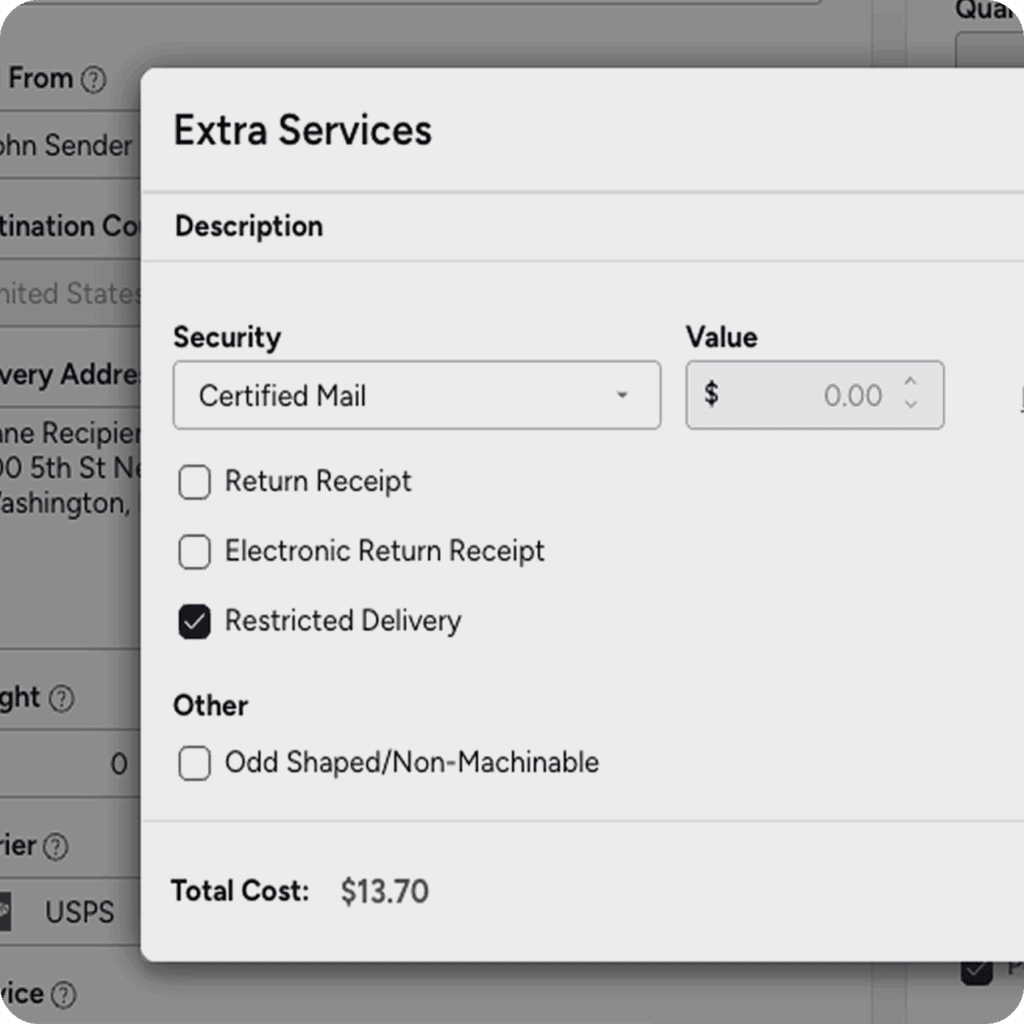
Credit: www.stamps.com
What Is Electronic Certified Mail Return Receipt
Electronic Certified Mail Return Receipt is a digital version of the traditional return receipt service. It provides proof that the recipient received the mail. This service is used for important documents and legal papers. It helps senders track and confirm delivery without paper forms.
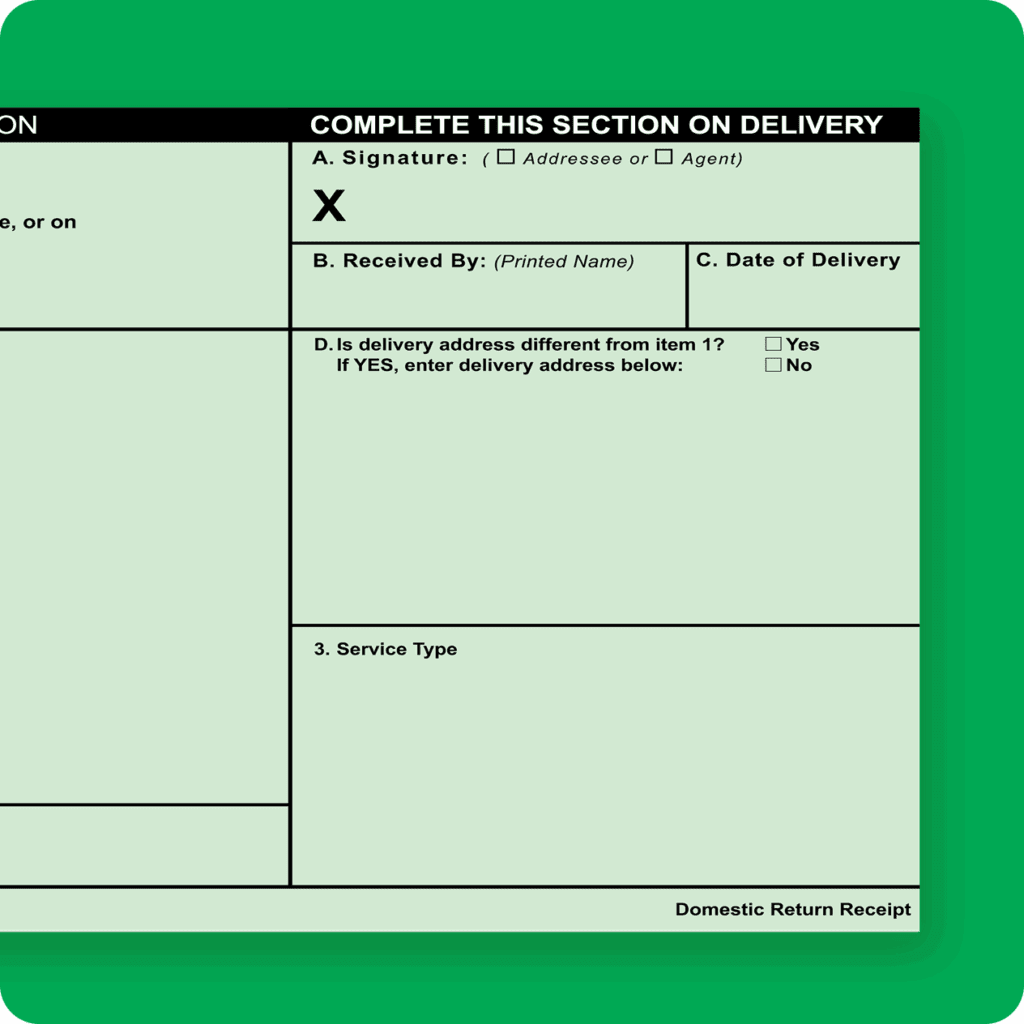
The electronic version offers faster processing and easy access to records. It reduces the need to handle physical receipts. Senders receive a digital confirmation with details such as the recipient’s signature and delivery date. This makes it convenient to store and retrieve proof of mailing online.
How Electronic Certified Mail Return Receipt Works
After sending mail with this service, the recipient signs upon delivery. The signature and delivery info are scanned and uploaded. The sender can then view the receipt online. This removes the wait time for mailed paper receipts. Tracking updates happen in real-time, improving communication.
Benefits Of Using Electronic Certified Mail Return Receipt
- Immediate access to delivery confirmation
- Secure and reliable proof of receipt
- Easy storage and retrieval of digital records
- Environmentally friendly by reducing paper use
- Cost-effective compared to traditional methods
Who Can Use Electronic Certified Mail Return Receipt
Businesses, legal professionals, and individuals use this service. It suits anyone needing proof of important document delivery. The service is available through authorized postal providers. Users must register online to send and track certified mail electronically.
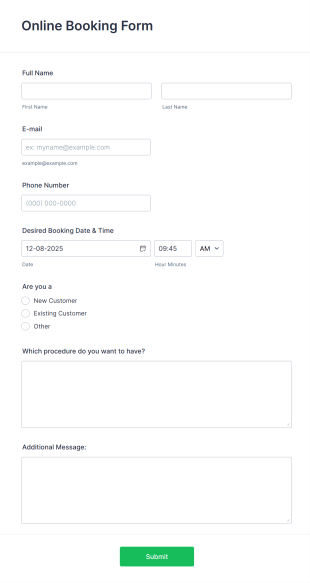
Credit: www.jotform.com
Benefits Of Processing From Home
Processing electronic certified mail return receipts from home offers many advantages. It saves time and effort by avoiding trips to the post office. You gain control over the mailing process with easy digital access. This convenience fits well with busy schedules or remote work setups.
Handling certified mail from home also reduces stress. You can send and track important documents securely without leaving your house. It keeps sensitive information private and gives peace of mind.
Convenience Of Managing Mail Online
Access your certified mail anytime through a simple online platform. No need to wait in line or adhere to post office hours. You manage everything with a few clicks, making the process fast and easy.
Cost And Time Savings
Eliminate travel expenses and save fuel. Skip the time spent driving and standing in queues. Processing mail electronically cuts down on overall mailing costs and effort.
Improved Tracking And Record Keeping
Track every certified mail instantly from your computer. Receive electronic receipts and confirmations automatically. Store digital records safely for future reference without paper clutter.
Enhanced Security And Privacy
Send sensitive documents securely with encrypted methods. Avoid exposing important mail during transport or at a post office. Control who receives your certified mail and when.
Flexibility For Busy Schedules
Process certified mail whenever it fits your day. No need to adjust your schedule to post office hours. Work at your own pace without pressure or deadlines.
Requirements For Home Processing
Processing electronic certified mail return receipts from home requires specific tools and setup. This ensures the process is smooth and meets postal service standards. Understanding these requirements helps avoid delays and errors.
Setting up for home processing involves having the right technology and creating an appropriate account. Both are essential for managing certified mail efficiently.
Necessary Equipment
- A reliable computer or laptop with internet access.
- A printer capable of printing on standard and label-sized paper.
- A scanner or a multifunction device to digitize documents.
- Software for managing and storing electronic documents.
- Access to a secure email service for communication and notifications.
Account Setup
- Create an account with the United States Postal Service (USPS) or the relevant postal provider.
- Register for electronic certified mail services within the online portal.
- Verify your identity with required documentation.
- Set up payment methods for mailing fees and service charges.
- Configure notification preferences for delivery and receipt tracking.
Step-by-step Processing Guide
Processing electronic certified mail return receipts from home is simpler than you might think. This guide walks you through the key actions, making sure you handle each part correctly to avoid delays or mistakes. Ready to take control of your certified mail from your own desk?
Accessing The Postal Service Portal
First, you need to visit the official postal service website. The portal is designed for ease of use, but you must have a registered account. If you don’t have one, creating it takes just a few minutes—keep your ID and address info handy.
Once logged in, navigate to the certified mail section. You’ll find clear options to start an electronic return receipt. This step ensures you are working within the official system, which is essential for security and accuracy.
Filling Out The Electronic Return Receipt
Next, you fill out the return receipt form. The portal asks for the recipient’s name, address, and the certified mail tracking number. Double-check these details to avoid errors—incorrect info can cause your receipt to be invalid.
You’ll also need to specify delivery preferences, like whether you want a digital signature or a scanned copy of the receipt. Think about what proof you need for your records or legal purposes. This choice impacts how you track and confirm delivery later.
Submitting And Tracking
After completing the form, submit it through the portal. Payment options usually appear at this stage; most accept credit cards or digital wallets. Confirm your submission by reviewing the summary screen before finalizing.
Once submitted, you can track your certified mail’s status right from your account dashboard. Notifications alert you when the mail is delivered and when the return receipt is available. Have you considered how tracking in real-time could help you manage important documents more efficiently?
Common Issues And Solutions
Processing Electronic Certified Mail Return Receipts from home can be convenient, but it doesn’t come without challenges. You might encounter technical glitches, delivery delays, or even confusion over the correct procedure. Identifying these common issues early helps you avoid frustration and keeps your mail tracking smooth and reliable.
Technical Glitches And System Errors
Sometimes, the online platform for processing certified mail can freeze or fail to load. This often happens due to browser compatibility issues or slow internet connections. Clearing your browser cache, updating your browser, or switching to a different one can solve many of these problems quickly.
If the system throws an error message during submission, double-check that all required fields are filled correctly. Missing or incorrect information like the recipient’s address can cause the process to halt. Have you ever tried entering the same data twice just to spot what went wrong?
Delayed Return Receipts
Waiting for your electronic return receipt can feel longer than expected. Delays often occur because the recipient hasn’t signed for the mail yet or due to postal service backlogs. To minimize waiting, schedule your mail sending during less busy times and notify the recipient in advance to look out for it.
Tracking your mail online regularly can alert you to any unusual hold-ups. If you notice excessive delays, contacting your local post office can provide clarity and sometimes speed up the process.
Confusion Over Proper Documentation
Many users struggle with which forms to upload or how to attach digital signatures properly. Make sure to follow official guidelines for document formats and size limits. Always save a copy of your submission confirmation to prevent disputes later on.
Have you checked if your digital signature software is compatible with the certified mail system? Incompatibility issues can cause your receipt to be rejected without clear notice. Testing your setup with a small, non-critical mail piece can save you headaches down the road.
Security Concerns And Privacy
Sending sensitive documents electronically raises concerns about data security. Ensure you use secure, encrypted connections and avoid public Wi-Fi when processing certified mail. Some services offer additional security features like two-factor authentication—consider enabling them.
Think about who else might have access to your computer or email accounts. Keeping your devices protected with strong passwords and updated antivirus software helps maintain your privacy.
Tips For Smooth Processing
Processing electronic Certified Mail Return Receipts from home can save you time and streamline your mailing tasks. However, a few careful steps can make the entire process smoother and help you avoid common pitfalls. Here are practical tips that will keep your mail handling efficient and hassle-free.
Prepare Your Documents Clearly And Completely
Make sure all the details on your Certified Mail form are accurate before submitting. Double-check recipient addresses and return addresses to prevent delays or lost mail.
Clear and legible information reduces errors in processing. Have your documents ready in a digital format that the system accepts, such as PDF or JPEG.
Use Reliable Internet And Compatible Devices
Your home setup can affect how smoothly you process electronic mail. A stable internet connection prevents interruptions during submission.
Use updated browsers and devices that meet the postal service’s technical requirements. Compatibility issues often cause unexpected errors or delays.
Track Your Mail And Confirm Receipt Promptly
After sending your electronic Certified Mail, actively monitor its status online. Promptly review the Return Receipt to confirm successful delivery.
Staying on top of tracking not only gives peace of mind but helps you react quickly if something goes wrong. Have you ever missed a delivery update and faced unexpected delays?
Keep Copies Of All Transaction Records
Always save digital copies of your Certified Mail forms and receipts. These records serve as proof if any disputes arise about mailing or delivery.
Organize your files with clear labels and dates to find them easily later. This small habit can save you a lot of stress and time.
Familiarize Yourself With Postal Service Policies
Each postal service may have specific rules for electronic Certified Mail. Reviewing these policies helps you understand what to expect and how to handle exceptions.
Check official resources regularly to stay updated on any changes. How often do you review the guidelines before sending important mail?
Credit: www.stamps.com
Frequently Asked Questions
Can I Send Certified Mail Return Receipt Electronically From Home?
Yes, you can process electronic Certified Mail Return Receipts from home using the USPS website or approved third-party services. This allows you to track and receive proof of delivery digitally without visiting the post office.
What Equipment Do I Need To Process Electronic Return Receipts?
To process electronic return receipts, you need a computer or smartphone with internet access. You also require an account on the USPS website or a certified mailing platform to manage and track your mail online.
Is Electronic Certified Mail As Legally Valid As Paper Receipts?
Yes, electronic Certified Mail Return Receipts are legally valid and accepted in courts. They provide official proof of mailing and delivery, just like traditional paper receipts, but with added convenience and faster access.
How Do I Track My Certified Mail Return Receipt Online?
You can track your Certified Mail return receipt online through the USPS tracking system using your tracking number. The system shows real-time updates on delivery status and proof of recipient signature electronically.
Conclusion
Processing electronic certified mail return receipts from home is simple and saves time. You can track your mail easily online. No need to visit the post office. This method keeps your important documents safe and organized. It fits well with busy schedules.
Just follow the steps carefully to avoid mistakes. Using this service helps you stay in control of your mail. It works well for personal and business needs. Try it out and enjoy the convenience today.


