Do I Need a Hub for Smart Devices: Essential Guide for Beginners
Are you wondering if you really need a hub for your smart devices? With so many gadgets promising to make your home smarter, it’s easy to feel overwhelmed.
You might ask yourself: Will a hub simplify everything, or just add another layer of complexity? Understanding whether a hub is essential can save you time, money, and frustration. Keep reading to discover how a hub could change the way your devices work together—and if it’s the right choice for your home.
Smart Device Connectivity
Understanding how your smart devices connect is key to deciding if you need a hub. Smart device connectivity is about how gadgets talk to each other and to your home network. This affects everything from setup ease to how smoothly your smart home runs.
How Smart Devices Communicate
Smart devices use wireless signals to send and receive data. They can communicate directly with your smartphone or through a central controller, like a hub. Some devices connect over Wi-Fi, while others use specialized wireless methods designed for low power and longer battery life.
Think about your smart light bulbs and thermostat. If they can connect straight to your phone, you might not need a hub. But if they rely on a common language that your phone doesn’t support, a hub acts as the translator.
Common Communication Protocols
Different protocols govern how smart devices talk to each other. Here are some of the most popular ones:
- Wi-Fi:Most common and easy to use since it connects directly to your home network. However, it can drain device batteries faster.
- Bluetooth:Ideal for short-range connections and low power use but limited in range.
- Zigbee:A low-power, mesh network protocol that extends range by letting devices pass signals to each other. Often requires a hub.
- Z-Wave:Similar to Zigbee but operates on a different frequency with good device compatibility. Usually needs a hub.
- Thread:A newer, low-power mesh protocol designed to work without a hub on some devices, but compatibility is still growing.
Knowing these protocols helps you check if your devices will work together. Have you ever bought a smart gadget only to find it doesn’t connect properly? That’s often because of mismatched protocols or missing hubs.
Credit: www.youtube.com
Role Of A Smart Hub
A smart hub acts as the heart of your smart home system. It connects and manages all your smart devices in one place. This makes controlling different gadgets easier and faster. Instead of using multiple apps, you get one control center. The hub helps devices communicate even if they use different technologies.
Centralized Control Benefits
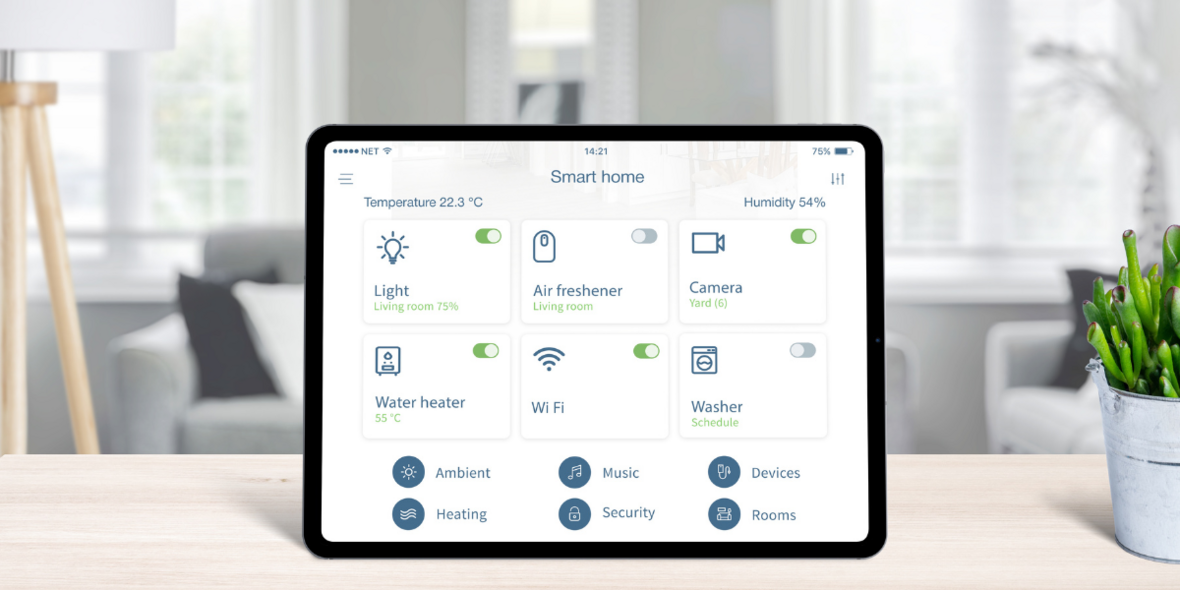
A smart hub lets you control many devices from one app or voice command. It saves time and effort by unifying controls. You can set routines that automate tasks, such as turning off lights at night. The hub tracks device status and alerts you if something needs attention. It simplifies managing your smart home for better convenience and security.
Compatibility With Devices
Smart hubs support a wide range of devices from different brands. They work with lights, cameras, locks, thermostats, and more. The hub translates signals between devices with different protocols. This ensures everything works smoothly together. Choosing a hub with broad compatibility avoids device conflicts and future-proofs your setup.
When A Hub Is Necessary
Knowing when a hub is necessary helps simplify your smart home experience. Not all setups require a hub, but some do to keep devices working smoothly. A hub acts as a central control point for your devices. It makes communication easier and improves performance in complex systems.
Complex Smart Home Setups
Large smart homes with many devices often need a hub. It connects all devices on one network, reducing signal interference. A hub allows better control and automation across different rooms and devices. Without a hub, devices might struggle to communicate or respond slowly.
Hubs help manage multiple devices at once. They support automation routines and scenes that involve several devices. This makes your smart home more efficient and easier to control.
Using Multiple Brands
Smart devices from different brands may not work well together. A hub can bridge these devices, making them communicate smoothly. It acts like a translator between different protocols and standards.
Without a hub, you might need separate apps for each brand. A hub lets you control all devices with one app or voice assistant. This saves time and reduces confusion.
Hubless Smart Device Options
Hubless smart device options offer a straightforward way to start building your smart home without the need for an additional central controller. These devices connect directly to your existing Wi-Fi network or use apps for control, making setup easier and often more affordable. If you want to avoid clutter and extra gadgets, these options might be just what you need.
Wi-fi Enabled Devices
Many smart devices now come with built-in Wi-Fi, allowing them to connect straight to your home network. This means you can control lights, cameras, thermostats, and more without buying a separate hub.
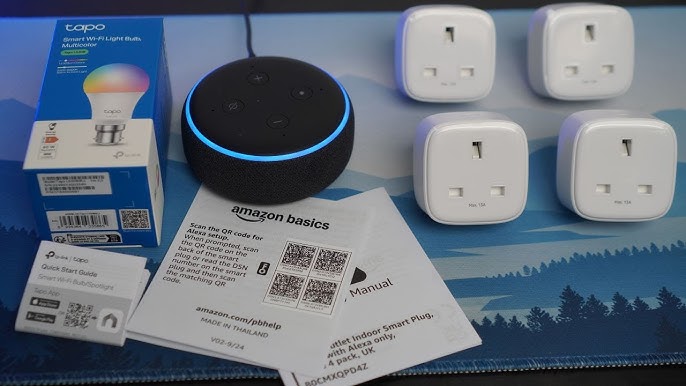
Think about smart plugs that let you turn appliances on or off from your phone. They connect directly to Wi-Fi, so there’s no extra hardware needed. This simplicity saves space and reduces the number of devices you manage.
However, Wi-Fi devices may consume more power and sometimes experience slower response times compared to hub-based setups. Still, if you want quick installation and easy integration, Wi-Fi enabled gadgets are a solid choice.
App-based Control
Many smart devices come with dedicated apps that let you control them individually or in groups. These apps often include scheduling, automation, and remote access features.
You might wonder, do I really need a hub if the app can handle everything? In many cases, the answer is no. Apps provide a user-friendly way to manage your smart devices without extra equipment.
Keep in mind, though, that managing multiple devices through separate apps can get confusing. Some brands offer apps that control multiple devices within their ecosystem, which helps reduce app overload.
Choosing The Right Hub
Choosing the right hub for your smart devices matters. A good hub connects all your gadgets smoothly. It makes controlling your smart home easier and more reliable. Consider your needs and the devices you own. The right hub fits your lifestyle and tech setup perfectly.
Key Features To Consider
- Compatibility:Check if the hub works with your devices and brands.
- Connectivity:Look for hubs supporting Wi-Fi, Zigbee, or Z-Wave protocols.
- Ease of Use:Choose a hub with a simple app and setup process.
- Automation:The hub should allow easy creation of routines and schedules.
- Voice Control:Ensure it supports popular voice assistants like Alexa or Google Assistant.
- Security:Strong encryption and regular updates keep your smart home safe.
- Expandability:Pick a hub that can grow with your smart home devices.
Popular Hub Models
| Hub Model | Key Features | Best For |
|---|---|---|
| Samsung SmartThings | Supports Zigbee, Z-Wave, Wi-Fi; easy app; voice control | Users with diverse smart devices |
| Amazon Echo Plus | Built-in Zigbee hub; Alexa voice control; affordable | Amazon ecosystem users |
| Hubitat Elevation | Local processing; advanced automation; supports Zigbee and Z-Wave | Advanced users wanting fast response |
| Google Nest Hub Max | Google Assistant; smart display; limited Zigbee/Z-Wave support | Google users preferring visual interface |

Credit: eu.aqara.com
Setting Up A Smart Hub
Setting up a smart hub can transform how you control your smart devices. It acts as the central point where all your gadgets connect, making your smart home seamless and efficient. But how do you get started without getting overwhelmed?
Installation Steps
Begin by choosing a suitable location for your smart hub—somewhere central in your home for better connectivity. Plug the hub into power and connect it to your Wi-Fi router using an Ethernet cable or Wi-Fi, depending on the model.
Next, download the hub’s app on your smartphone or tablet. The app will guide you through the initial setup, including signing in or creating an account. This process usually takes just a few minutes.
Have you ever struggled with weak signals in certain rooms? Positioning your hub properly can reduce dead zones and improve device response times.
Connecting Devices
Once the hub is ready, start adding your smart devices through the app. Most hubs support a range of products like lights, thermostats, cameras, and locks.
- Open the app and select “Add Device” or a similar option.
- Put your device into pairing mode, which usually involves pressing a button or following the device’s instructions.
- Wait for the app to detect the device and follow on-screen prompts to complete the connection.
Think about how many devices you want to control from one place. Can your hub handle them all? Checking compatibility before connecting saves you time and frustration.
Once connected, you can create routines or scenes—like turning off all lights when you leave home—with just a tap. Setting up a smart hub might seem technical, but with these clear steps, you’ll enjoy smoother control over your smart home in no time.
Security And Privacy
Security and privacy are crucial when setting up smart devices in your home. These devices connect to your network and can access personal information. Understanding how a hub impacts your security helps you make smarter choices about protecting your digital life.
Protecting Your Network
Your network is the gateway to all your smart devices. If one device is vulnerable, it can put everything at risk. A hub often acts as a central point that can monitor and control traffic between devices, adding a layer of protection.
Think about your own experience with network security. Have you ever noticed a device acting strangely or slowing down your Wi-Fi? That could be a sign of security issues. A hub can help by isolating devices and limiting their access to sensitive parts of your network.
- Hubs can segment your network, keeping smart devices separate from personal computers.
- They can detect unusual activity and alert you immediately.
- Some hubs offer automatic firmware updates, closing security gaps without your intervention.
Hub Security Features
Not all hubs provide the same level of security. Look for features like end-to-end encryption, secure boot processes, and multi-factor authentication. These make it harder for hackers to break in.
When I set up my smart home, I chose a hub that required two-step verification. It gave me peace of mind knowing that even if someone guessed my password, they couldn’t access my devices easily.
| Security Feature | What It Does | Why It Matters |
|---|---|---|
| End-to-End Encryption | Protects data between devices and hub | Keeps your information private from outsiders |
| Multi-Factor Authentication | Requires multiple proofs of identity to access | Prevents unauthorized access |
| Automatic Updates | Keeps software up to date with latest security patches | Reduces risk of known vulnerabilities |
Ask yourself: How important is the privacy of your smart home data? If you want tight control and peace of mind, a secure hub can be a valuable investment.
Credit: www.vesternet.com
Frequently Asked Questions
What Is A Smart Home Hub?
A smart home hub connects and controls smart devices from one place. It simplifies managing multiple devices. Hubs often offer compatibility across different brands. This ensures seamless communication and integration. Popular hubs include Amazon Echo and Google Nest Hub.
Do All Smart Devices Need A Hub?
Not all smart devices require a hub. Many modern devices connect directly to Wi-Fi or Bluetooth. Hubs provide benefits like centralized control and improved connectivity. They are especially useful for complex smart home setups. Consider your specific needs before purchasing.
How Does A Hub Improve Device Connectivity?
A hub acts as a central point for device communication. It enhances connectivity by integrating different protocols. This ensures devices work together smoothly. Hubs also reduce network congestion. This leads to faster response times and better performance.
Can A Hub Enhance Smart Home Security?
Yes, a hub can enhance security by consolidating device management. It allows for better monitoring and control. Many hubs offer features like security alerts and automated responses. This helps protect your home from unauthorized access. Consider security features when choosing a hub.
Conclusion
Choosing a hub depends on your smart devices and needs. A hub can help devices talk to each other easily. It can make your home smarter and simpler to control. Without a hub, some devices may not work well together.
But some smart devices work fine alone. Think about how many devices you have and how they connect. A hub adds convenience but also costs extra. Weigh the benefits against the price before deciding. Your smart home should feel easy and helpful to you.