How to Make Your Own Diy Electronic Instruments: Easy & Fun Guide
Have you ever dreamed of creating your own electronic instruments but didn’t know where to start? Imagine the thrill of playing music made entirely by your hands—sounds you designed, sounds that are truly unique.
Making DIY electronic instruments is easier than you think, and you don’t need to be an expert. You’ll discover simple steps to build your own devices, unlocking a world of creativity and fun. Ready to turn your ideas into sound?
Let’s dive in and make your musical vision come alive.
Choosing Your Instrument Type
Choosing the right type of electronic instrument is the first step in your DIY journey. Each instrument offers unique sounds and building challenges. Think about what kind of music you enjoy and how complex you want your project to be. Simple projects help beginners gain confidence. Advanced builds allow more creativity and control.
Consider the space you have for your instrument. Some designs are small and portable. Others need more room and parts. Budget also matters. Some instruments require expensive components. Others use easy-to-find materials. Choose a type that fits your skills, needs, and resources.
Simple Synthesizers
Simple synthesizers are great for beginners. They produce sounds using basic circuits and components. You can create different tones by adjusting knobs and switches. These synths teach fundamental electronics and sound design. They are compact and easy to carry. Ideal for experimenting with melodies and rhythms.
Drum Machines
Drum machines focus on rhythm and beats. They usually have buttons to trigger drum sounds. Building one helps you learn about timing and sequencing. Drum machines can be simple or complex. They add energy and groove to your music. Perfect for those who love percussion and patterns.
Effect Pedals
Effect pedals change how sound is heard. They alter guitar or synth sounds with effects like delay or distortion. Creating pedals teaches you about signal processing. These projects are smaller but require precision. Effect pedals enhance creativity and sound texture. Great for musicians wanting to shape their tone.
Theremins And Sensors
Theremins use hand movements to control sound without touch. Sensors detect motion or light to change tones. These instruments feel futuristic and interactive. They help explore new ways of making music. Building them involves learning about sensors and wireless signals. Excellent for creative and tech-savvy makers.
Gathering Essential Tools
Before you dive into creating your own DIY electronic instruments, gathering the right tools is crucial. Having the proper equipment not only makes your work easier but also ensures your projects are safe and effective. Let’s break down the essential tools you’ll need to get started and how each one plays a role in your instrument-building journey.
Basic Electronics Kit
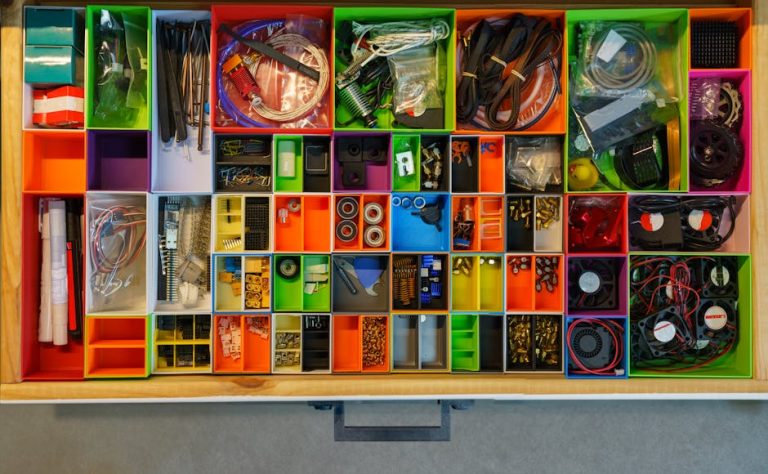
A solid electronics kit is the foundation for any DIY project. It usually includes resistors, capacitors, LEDs, transistors, and a breadboard. These components let you experiment with circuits without soldering, so you can prototype your instrument’s functionality quickly.
When I first started, having a well-organized kit saved me hours hunting for tiny parts. Consider kits that come with a variety of values for each component to cover different project needs. Do you already have a favorite brand or supplier for these parts?
Soldering Equipment
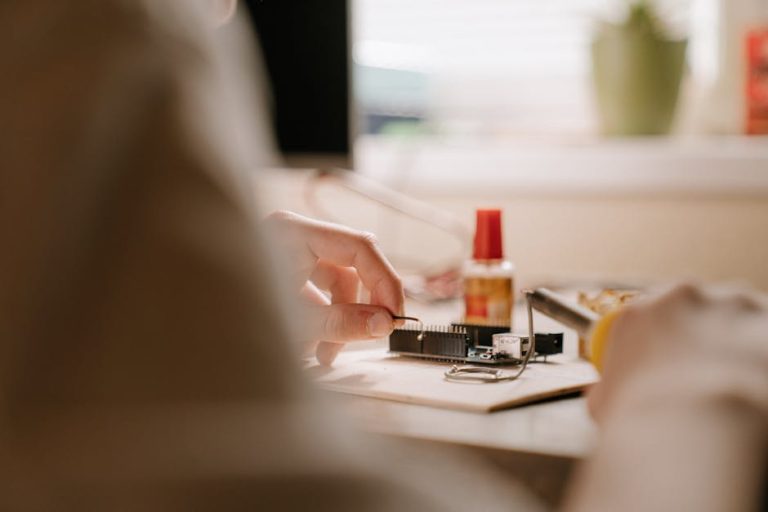
Soldering is essential when you want your electronic instrument to be durable and reliable. A good soldering iron with adjustable temperature control gives you precision and prevents damage to sensitive components. Don’t forget solder wire, a stand, and a sponge for cleaning the tip.
Investing in a quality soldering station changed how confident I felt working on complex circuits. If you’re new, practicing on simple kits before your main project can improve your skills dramatically. Have you tried soldering before, or is this your first time?
Multimeter And Testers
A multimeter is your best friend for troubleshooting and verifying circuits. It measures voltage, current, and resistance, helping you catch mistakes early. Some testers come with continuity checks, which are handy for ensuring connections are solid.
I’ve lost count of how many times a multimeter saved a project that seemed broken. It’s a small investment that can save hours of frustration. What’s the most challenging circuit issue you’ve encountered that a multimeter could have solved?
Software And Apps
Modern DIY instrument makers often use software to design circuits or program microcontrollers. Tools like Arduino IDE or circuit simulators help you visualize and test your ideas before building. Some apps even help tune and configure your instruments once assembled.
Starting with free and user-friendly software eased my learning curve significantly. If you want your instrument to interact with a computer or smartphone, exploring these apps is a smart move. Have you explored any music-related electronic software yet?
Selecting Components
Choosing the right parts shapes how your instrument sounds and works. Focus on quality components like resistors, capacitors, and chips. Small details affect the final result a lot.
Selecting the right components for your DIY electronic instruments is crucial. The parts you choose impact performance and sound quality. Understanding each component’s role helps in making informed decisions. Let’s explore the essential components you will need.
Resistors And Capacitors
Resistors control the flow of electric current in your circuit. They protect components from too much current. Choose resistors based on the required resistance value. Capacitors store and release electrical energy. They help in filtering and smoothing signals. Select capacitors according to their capacitance and voltage ratings. Both components are vital for stable circuit operation.
Microcontrollers And Chips
Microcontrollers serve as the brain of your electronic instrument. They process inputs and control outputs. Popular options include Arduino and Raspberry Pi. Choose a microcontroller that fits your project size and complexity. Integrated chips add functionality like sound generation. Select chips based on specific features needed for your instrument.
Speakers And Outputs
Speakers convert electrical signals into sound. Select speakers according to the desired volume and quality. Consider speaker size and power rating. Outputs like jacks and plugs connect your instrument to other devices. Choose quality connectors to ensure reliable sound transmission.
Power Supplies
A stable power supply is essential for consistent performance. Choose a power source that matches your instrument’s voltage requirements. Batteries offer portability but need frequent replacement. Wall adapters provide continuous power but limit mobility. Ensure the power supply can deliver adequate current for your components.
Building Your Circuit
Building your circuit is where your DIY electronic instrument starts to come alive. It’s the stage where theory meets practice, and your creativity takes shape in components and connections. Understanding how to read schematics, use breadboards, solder effectively, and troubleshoot issues will save you time and frustration.
Reading Schematics
Schematics are like blueprints for your circuit. They use symbols to represent components and lines to show connections. If you struggle at first, focus on learning common symbols such as resistors, capacitors, and transistors.
Try tracing the flow of electricity from power supply to output in the schematic. This helps you understand how signals move through your instrument. Ask yourself, what role does each component play? This approach makes schematics less intimidating and more useful.
Breadboarding Techniques
Breadboards let you build and test circuits without soldering, which is perfect for experimenting. Start by placing components in the breadboard rows and columns to match the schematic connections. Keep wires short and tidy to avoid confusion.
Test smaller sections of your circuit before combining everything. This step-by-step approach helps isolate problems early. Have you noticed how a clean layout speeds up troubleshooting and saves time?
Soldering Tips
Soldering is what makes your circuit permanent and durable. Use a soldering iron with a fine tip and keep it clean for smooth joints. Heat the component lead and pad together before applying solder to avoid cold joints.
Remember to work in a well-ventilated area and use safety gear. Practice on spare components first to build confidence. How much easier does your project become when your solder joints are shiny and solid?
Troubleshooting Common Issues
Problems are part of building circuits, but they don’t have to stop you. Use a multimeter to check voltages and continuity along your circuit paths. If something doesn’t work, retrace your steps and verify connections against the schematic.
Look out for common mistakes like reversed components or loose wires. Sometimes, swapping out a suspect part reveals the issue quickly. What’s your go-to tactic when the circuit refuses to cooperate?
Programming Your Device
Programming your DIY electronic instrument is the heart of the project. This step turns your hardware into a playable device. Writing code controls sound output and interaction. It allows you to customize tones, rhythms, and responses. Even simple coding can bring your instrument to life.
Basic Coding For Sound
Start with simple sound commands. Use code to create tones and beats. Many beginner-friendly languages support sound functions. For instance, you can generate sine waves or play notes. Experiment with timing to build rhythms. Keep the code clear and easy to follow. This helps you learn and fix issues fast.
Using Arduino Or Raspberry Pi
Arduino and Raspberry Pi are popular for DIY instruments. Arduino uses C/C++ code, great for precise control. Raspberry Pi runs Python and other languages, good for complex projects. Both platforms have sound libraries and tutorials. Choose one based on your comfort and project needs. Connect speakers or MIDI devices for sound output.
Integrating Sensors
Sensors make your instrument interactive. Attach buttons, knobs, or touch sensors. Program the device to respond to sensor input. For example, a sensor can change pitch or volume. Use simple if-else statements to link sensors and sounds. This adds expressiveness and fun to your instrument.
Testing And Debugging
Test your code often during development. Run small parts of code to check function. Use debugging tools to find and fix errors. Listen carefully to sound output for glitches. Adjust code and hardware until it works smoothly. Testing saves time and improves your final instrument.
Designing The Enclosure
Designing the enclosure for your DIY electronic instrument is more than just creating a shell—it defines the look, feel, and usability of your creation. The enclosure protects delicate components, offers comfort during play, and reflects your personal style. Thinking carefully about the design can turn a basic project into a unique piece that stands out.
Material Choices
Your choice of materials affects durability, weight, and sound quality. Wood is warm and easy to work with, giving a natural aesthetic that many musicians love. Plastic is lightweight and can be molded into complex shapes, while metal provides strong protection but can add weight.
Consider how the material influences your instrument’s tone and handling. For example, a wooden enclosure might enhance acoustic qualities, while plastic could reduce unwanted vibrations. Have you thought about using recycled materials or combining different ones for a balance of strength and style?
Creative Customization
Customizing your enclosure lets you express your personality and make the instrument truly yours. Painting, engraving, or adding stickers can give it a distinct look. You might also experiment with LED lights or transparent panels to showcase the inner electronics.
Think about how you want others to perceive your instrument. Do you prefer a sleek modern look or a vintage vibe? Adding tactile elements like textured grips or unique button shapes can also improve your playing experience.
Ensuring Accessibility
Accessibility means making sure you can easily reach all controls and ports. Plan the layout so knobs, switches, and connectors are intuitive and comfortable to use. If you often perform live, quick access to key features becomes essential.
Consider the size of your hands and playing style. Would angled surfaces or adjustable panels help? Don’t forget ventilation holes to prevent overheating, especially if your electronics generate heat during use.
Protecting Electronics
Electronics need protection from dust, moisture, and accidental impacts. Use internal padding or foam inserts to cushion sensitive parts. Sealing gaps with rubber gaskets can keep out dust and moisture, extending your instrument’s life.
Think about how you’ll open the enclosure for repairs or upgrades. Magnetic closures or easily removable panels can save time and effort. Have you planned for cable management inside to avoid tangles and shorts?
Enhancing Sound Quality
Enhancing the sound quality of your DIY electronic instruments can transform a simple project into a rich audio experience. Small tweaks and thoughtful additions make a big difference. Let’s dive into practical ways you can boost your instrument’s sound to a professional level.
Amplification Tips
Choosing the right amplifier is key to getting clear, powerful sound. Use a low-noise amplifier to avoid unwanted hiss or distortion in your signal chain. If your instrument’s output is weak, consider adding a preamp stage to boost the signal before it hits the main amp.
Experiment with different speaker sizes and enclosures. Smaller speakers offer crisp highs but may lack bass, while larger ones provide fuller sound. Try placing your amplifier and speakers in different positions to find the best acoustic response in your room.
Adding Effects
Effects can add character and depth to your electronic instrument. Start with simple pedals or modules like reverb, delay, or chorus to enrich the sound. Use effects sparingly; too many can clutter your tone and reduce clarity.
Think about how each effect interacts with your instrument’s natural sound. For example, a subtle delay can make a simple synth line feel spacious, while distortion can add grit to a drum machine. What kind of mood do you want your instrument to convey?
Improving Signal Flow
Clean signal flow helps maintain sound integrity from source to output. Keep your cables short and of good quality to prevent signal loss and interference. Organize your wiring to avoid tangles and unwanted noise.
Use proper shielding and grounding techniques to reduce hum and buzz, especially in DIY setups where components are close together. Test your signal path step-by-step to catch any weak points or sources of noise early on.
Fine-tuning Controls
Precise control over volume, tone, and modulation parameters lets you shape your sound exactly how you want it. Use high-quality potentiometers and switches that feel smooth and responsive. Calibrate your controls to avoid jumps or dead spots in their range.
Consider adding visual feedback like LED indicators or small displays to help you monitor settings at a glance. How often do you adjust your instrument’s controls during a jam? Making this process intuitive can keep your focus on playing rather than tweaking.
Experimenting And Expanding
Experimenting and expanding your DIY electronic instruments is where creativity truly takes flight. After building your first device, the next challenge is to push boundaries and discover new sonic possibilities. This phase turns your instrument from a simple project into a personal sound laboratory.
Modular Add-ons
Adding modular components lets you customize your instrument piece by piece. You can attach new sensors, knobs, or switches to change how your device responds. I once added a simple light sensor to my homemade synth, which allowed it to react to room lighting—making performances more dynamic.
Think about what functionalities you want to add next. Could a delay effect module or an extra oscillator make your instrument more interesting? Small add-ons keep your project flexible and evolving.
Connecting Multiple Devices
Linking several DIY instruments together opens up a world of complex sounds. Devices can communicate via MIDI or simple audio cables to create layered textures. When I connected my drum machine with a bass synth, it felt like my setup suddenly had a life of its own.
Ask yourself: how can your instruments interact? Experiment with different connections to find surprising combinations. Even basic setups can produce rich, evolving soundscapes.
Exploring New Sounds
Don’t hesitate to tweak your instrument’s code or circuitry to produce unexpected tones. Changing a resistor value or adjusting a code parameter can drastically alter the sound. I discovered a unique distortion effect simply by swapping out a capacitor on my circuit board.
Try recording your instrument and manipulating the audio with software too. Layering live tweaks and digital effects can push your sound into new territory. What sounds have you never thought your instrument could make?
Joining Maker Communities
Sharing your progress and challenges with others can speed up your learning and spark fresh ideas. Online forums, social media groups, and local maker spaces are great places to find support. I found valuable advice and new project ideas just by posting a question in a DIY synth forum.
Engage with others who share your passion. Collaboration often leads to innovations you wouldn’t have reached alone. Are you ready to connect and grow with fellow creators?
Frequently Asked Questions
What Basic Tools Do I Need For Diy Electronic Instruments?
You need a soldering iron, wire cutters, screwdrivers, and a multimeter. These tools help assemble and test circuits accurately.
Can Beginners Create Functional Diy Electronic Instruments?
Yes, beginners can start with simple kits and tutorials. Basic knowledge of electronics is helpful for better results.
How Do I Choose Components For Diy Electronic Instruments?
Select components based on your instrument’s design and sound goals. Research specifications and compatibility before purchasing parts.
What Safety Precautions Should I Follow During Assembly?
Always work in a well-ventilated area and wear safety glasses. Disconnect power while soldering and avoid touching live circuits.
Conclusion
Building your own DIY electronic instruments can be fun and rewarding. You learn new skills while creating unique sounds. Start with simple projects, then try more complex ones. Experiment often to find what works best. This hands-on approach helps you understand electronics better.
Enjoy the process and don’t worry about mistakes. Every step brings you closer to your musical goals. Keep practicing, stay curious, and have fun making music your way.