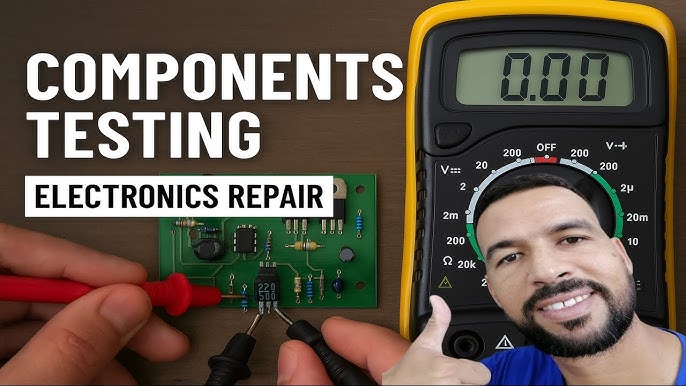
How to Use Multimeter to Check Electronic Components: Easy Guide
Are you struggling to figure out if your electronic components are working properly? Using a multimeter can save you time and money by helping you quickly check resistors, capacitors, diodes, and more.
Imagine being able to troubleshoot your devices with confidence and avoid costly repairs or replacements. You’ll learn simple, step-by-step ways to use a multimeter effectively—even if you’re a complete beginner. Keep reading, and soon you’ll have the skills to test your electronics like a pro.
Choosing The Right Multimeter
Choosing the right multimeter is a key step before you start testing electronic components. The right tool not only makes your job easier but also ensures accurate readings, saving you time and frustration. Let’s break down what you should look for to pick the perfect multimeter for your needs.
Digital Vs Analog
Do you prefer clear, easy-to-read numbers or a needle moving across a scale? Digital multimeters show readings on a screen, which most beginners find easier to understand. They offer precise measurements and often come with extra features like auto-ranging, which adjusts the scale automatically.
Analog multimeters use a needle to indicate values. Some technicians still prefer them because the needle movement helps spot fluctuating signals instantly. However, analog meters can be harder to read accurately, especially if you’re just starting out.
If you’re testing components like resistors or capacitors, a digital multimeter usually gives you faster and more reliable results. Think about what kind of projects you’ll do most often before deciding.
Essential Features
Not all multimeters are created equal. Look for these must-have features to get the best value and functionality:
- Auto-ranging:Saves you the hassle of manually setting measurement ranges.
- Continuity test:Lets you quickly check if a circuit is complete with a beep sound.
- Diode test:Useful for checking semiconductor components.
- Backlit display:Helps in low-light conditions.
- Durability:A sturdy case and good build quality mean your multimeter will last longer.
Think about what you’ll test most often. If you deal with high voltages, make sure your multimeter has the right safety ratings. Also, consider the size and weight if you need something portable for fieldwork.
Safety Precautions
Using a multimeter to check electronic components can be straightforward, but safety must never be an afterthought. Handling electrical devices without proper care can lead to serious injuries or damage to your equipment. Understanding and following safety precautions ensures your work stays safe and efficient.
Handling Guidelines
Always start by disconnecting power from the circuit before you begin testing. Touching live wires can cause shocks or short circuits. Use insulated tools and avoid working in wet or damp areas to reduce the risk of electric shock.
Check your multimeter’s leads and probes for any signs of damage before use. Damaged insulation or exposed wires can be dangerous. Make sure the multimeter is set to the correct measurement type and range for the component you are testing.
Personal Protective Equipment
Wearing the right gear isn’t just for professionals. Simple items like safety glasses protect your eyes from accidental sparks. Insulated gloves add an extra layer of protection, especially when working with higher voltages.
Consider using a non-conductive mat or surface to stand on while testing. This reduces the chance of grounding yourself accidentally. Have you ever underestimated the importance of a small safety step until it saved you? Don’t let that be your experience with electrical testing.
Basic Multimeter Functions
Understanding the basic functions of a multimeter is essential for anyone working with electronic components. These functions allow you to measure key electrical properties like voltage, current, and resistance, which can help you diagnose problems or verify that components are working correctly. Getting comfortable with these measurements will make your troubleshooting process faster and more accurate.
Measuring Voltage
Voltage measurement tells you the electrical potential difference between two points in a circuit. To measure voltage, set your multimeter to the correct voltage range—AC or DC depending on your circuit. Place the probes across the component or section of the circuit you want to test, making sure not to touch the metal parts with your fingers to avoid inaccurate readings.
Have you ever wondered why your battery-powered device suddenly stops working? Checking the voltage can reveal if the battery is dead or if there’s a wiring issue. Always start with the highest voltage range to protect your multimeter and adjust down if needed for a clearer reading.
Measuring Current
Measuring current requires you to connect the multimeter in series with the circuit so the current flows through the meter. Switch your multimeter to the current measurement mode and select the right range to avoid blowing a fuse inside the meter. Be cautious because incorrect setup can damage both your multimeter and the circuit.
Current measurement shows how much electric charge is flowing, which helps identify if a component is drawing too much or too little power. For example, if an LED is dim, measuring current can help determine if it’s receiving enough power or if there’s a fault.
Measuring Resistance
Resistance measurement helps you check the condition of resistors, wires, or connections by measuring how much they oppose electric current. Set your multimeter to the resistance mode and place the probes across the component you want to test, ensuring the circuit is powered off to avoid damage or inaccurate readings.
Have you noticed a device that intermittently works? Measuring resistance can point out loose connections or damaged resistors. Low resistance usually means a good connection, while very high or infinite resistance could indicate a break or fault.

Credit: www.youtube.com
Testing Resistors
Testing resistors with a multimeter is a simple but essential skill for anyone working with electronics. Resistors control current flow, so knowing their condition helps you avoid circuit problems. Your multimeter can quickly tell you if a resistor is working or if it needs replacement.
Identifying Resistor Values
Before testing, you need to know the resistor’s value. Most resistors have colored bands that indicate their resistance in ohms.
- Use a resistor color code chart or an online tool to decode these colors.
- Set your multimeter to the resistance (Ω) mode.
- Touch the multimeter probes to each end of the resistor.
The number on the multimeter should closely match the resistor’s rated value. If it’s very different, the resistor may be faulty or damaged. Have you ever found a resistor that looked fine but failed this test? That’s a clear sign you need to trust your multimeter over your eyes.
Testing For Faults
Resistors can fail by breaking internally or changing their resistance. Your multimeter can detect these issues fast.
- Ensure the resistor is disconnected from the circuit to avoid false readings.
- Check for open circuits: if the multimeter shows infinite resistance, the resistor is broken.
- Look for resistance values that are far off from the expected rating—this suggests damage or wear.
Sometimes, resistors drift from their original value due to heat or age. Testing regularly can save you hours troubleshooting odd circuit behavior. What’s the last resistor you replaced after a quick multimeter check?
Checking Capacitors
Checking capacitors with a multimeter is an essential skill for anyone working with electronics. Capacitors can hold a charge, store energy, and sometimes fail in ways that cause circuits to malfunction. Understanding how to test these components can save you time and money by pinpointing issues quickly.
Capacitance Measurement
To measure capacitance, your multimeter must have a capacitance testing function. Connect the probes to the capacitor’s terminals—observe polarity if it’s an electrolytic capacitor. The multimeter will display the capacitance value, which you can compare with the capacitor’s rated value printed on its body.
Values significantly lower or higher than the rated capacitance usually indicate a faulty capacitor. Keep in mind some variation is normal due to tolerance levels. If your multimeter lacks a capacitance feature, you can still check basic functionality using resistance mode, but it won’t be as precise.
Identifying Leaks And Shorts
Capacitors sometimes develop internal leaks or shorts that affect circuit performance. Using the resistance mode on your multimeter, you can detect these faults. Place the probes on the capacitor leads and watch the meter reading.
- A very low resistance reading close to zero usually signals a shorted capacitor.
- A very high or infinite resistance reading means the capacitor is not leaking.
- If the resistance changes slowly, rising from low to high, the capacitor is charging and discharging, which is normal for a good capacitor.
Have you ever found a capacitor that tested fine with capacitance but failed under load? Checking for leaks and shorts helps catch these hidden issues. This dual approach—measuring capacitance and resistance—gives you a clearer picture of your capacitor’s health.

Credit: www.youtube.com
Testing Diodes And Leds
Testing diodes and LEDs with a multimeter is a straightforward way to check their health and functionality. These components allow current to flow in one direction, so understanding their behavior under different conditions is key. Using your multimeter’s diode test mode can quickly reveal whether a diode or LED is working properly.
Forward And Reverse Bias Testing
To test a diode or LED, you need to check it in both forward and reverse bias.
- Forward bias:Connect the multimeter’s positive (red) lead to the anode and the negative (black) lead to the cathode. In this mode, a good diode or LED will show a voltage drop, typically between 0.6V to 0.7V for silicon diodes and slightly higher for LEDs.
- Reverse bias:Reverse the leads—red on the cathode and black on the anode. The multimeter should show no conduction or an open circuit (OL or 1). This means the diode blocks current in this direction, which is expected behavior.
Have you ever noticed your LED not lighting up despite apparent power? This simple test often uncovers whether the LED itself has failed or if the issue lies elsewhere.
Identifying Faulty Diodes
A faulty diode or LED can show several signs during testing. If the multimeter reads zero or very low resistance in both directions, the diode is likely shorted. This means it allows current to flow freely both ways, which is not normal.
On the other hand, if the multimeter shows no reading or infinite resistance in both directions, the diode is open or broken internally. This means it blocks current flow entirely, even in the forward direction.
Sometimes, LEDs fail but still show a forward voltage drop. A good test is to observe if the LED lights faintly when tested with the diode function. If it doesn’t light up or the readings are inconsistent, the LED is probably damaged.
Testing these components yourself saves time and money. Next time you face a non-working circuit, ask yourself: could a quick diode check solve the mystery?
Assessing Transistors
Transistors are the heart of many electronic circuits. Testing them with a multimeter helps you confirm if they’re working properly or need replacement. Understanding how to assess transistors can save you time and frustration during troubleshooting.
Npn And Pnp Testing
Most transistors fall into two categories: NPN and PNP. Using your multimeter in diode mode, you can check the junctions between the transistor’s leads.
- NPN transistor:Place the positive (red) probe on the base and the negative (black) probe on the emitter or collector. You should see a forward voltage drop (usually around 0.6 to 0.7 volts).
- PNP transistor:Reverse the probes—negative on the base and positive on the emitter or collector. A similar voltage drop indicates the transistor is functioning.
If the readings don’t match these expectations, your transistor might be faulty. You can also check between collector and emitter; there should be no conduction in either direction.
Detecting Faulty Transistors
Faulty transistors often show open or shorted junctions. If your multimeter reads zero volts or a continuous beep between any two leads, it means there’s a short.
On the other hand, if you get no reading or infinite resistance between the base and other leads, the transistor might be open or damaged.
Think about the last time you replaced a transistor in a device. Did you test it first, or guess? Testing helps avoid unnecessary replacements and can pinpoint the real problem quickly.
Evaluating Inductors
Evaluating inductors is a key skill when troubleshooting or building electronic circuits. Inductors store energy in a magnetic field, so checking their health ensures your circuit performs as expected. Using a multimeter, you can quickly assess if an inductor is functioning properly or needs replacement.
Measuring Inductance
Not all multimeters measure inductance, but if yours does, this is the most direct way to check an inductor. Set your multimeter to the inductance (L) mode and connect the probes to the inductor’s leads. The reading should match the inductor’s specified value within the tolerance range.
If you don’t have an inductance setting, you can still infer functionality by measuring resistance. A very low or zero reading on resistance typically means the coil is intact, though it doesn’t reveal the exact inductance value.
Have you ever wondered why some inductors have color codes? These codes help you identify their inductance without testing. Keep a chart handy or use an online tool to cross-check if you’re unsure.
Identifying Shorted Inductors
A shorted inductor can cause major issues in your circuit, like drawing too much current or failing to filter signals properly. Use your multimeter in resistance mode to spot shorts easily. A reading close to zero ohms usually indicates a short within the coil.
Compare your measurements with a known good inductor if possible. This can highlight subtle differences and save you from unnecessary replacements. Also, inspect the inductor physically for any signs of damage or burns that might confirm your findings.
Testing inductors may seem straightforward, but missing a shorted coil can lead to repeated circuit failures. How often do you double-check your components before blaming other parts?
Troubleshooting Common Issues
Troubleshooting common issues with electronic components is easier using a multimeter. It helps detect faults that stop devices from working properly. Understanding how to identify open and short circuits is crucial. These are frequent problems that can cause devices to fail.
Identifying Open Circuits
An open circuit means the electrical path is broken. The current cannot flow through the component. Use the multimeter’s continuity or resistance mode to check this.
- Set the multimeter to continuity or ohms mode.
- Place the probes on both ends of the wire or component.
- No beep or infinite resistance means an open circuit.
- A beep or low resistance means the circuit is closed.
Open circuits can happen due to broken wires, loose connections, or damaged components. Finding them saves time during repairs.
Recognizing Short Circuits
A short circuit occurs when two points that should not connect, do. This causes excessive current flow and may damage parts.
- Switch the multimeter to continuity or ohms mode.
- Touch the probes to points that should be separated.
- A beep or very low resistance shows a short circuit.
- No beep means no short between those points.
Short circuits often happen because of solder bridges or broken insulation. Detecting shorts early prevents further damage.

Credit: www.youtube.com
Frequently Asked Questions
How Do I Test A Resistor With A Multimeter?
Set the multimeter to the resistance mode (ohms). Connect probes to resistor leads. Read the displayed resistance value. Compare it with the resistor’s rated value to check if it’s working properly.
Can I Check A Capacitor Using A Multimeter?
Yes, use the capacitance mode on your multimeter. Connect the probes to the capacitor terminals. The reading shows the capacitance value. Compare it with the capacitor’s rating to confirm its condition.
How To Measure Diode Functionality With A Multimeter?
Set the multimeter to diode test mode. Place the red probe on the anode, black on the cathode. A good diode shows a voltage drop between 0. 5-0. 8V. Reverse the probes to check for no conduction.
Is It Possible To Test A Transistor With A Multimeter?
Yes, use the diode test mode. Check the junctions between base-emitter and base-collector. Proper junctions show a voltage drop, while reverse connections show none. This verifies if the transistor is functional.
Conclusion
Using a multimeter helps you check electronic parts quickly and easily. You can test resistors, capacitors, and diodes with confidence. Always follow safety steps to avoid mistakes or harm. Practice often to get better and faster. This tool saves time and money when fixing devices.
Keep your multimeter ready for any small electronic job. Simple steps lead to accurate results every time. Now, you can troubleshoot electronics like a pro.