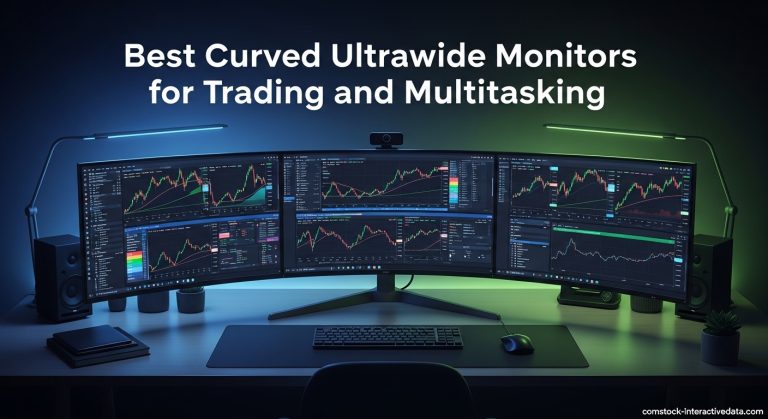
Curved Ultrawide vs Flat: Which Is Actually Better?
Is curved ultrawide monitor better than flat? That's the question that trips up almost every shopper looking to upgrade their desk. The answer isn't a simple yes or no.
It comes down to how you actually use your screen, how far you sit from it, and what you value most in a display.
Manufacturer specifications indicate that a curved ultrawide with a 1000R radius matches the natural curvature of the human eye, which can reduce eye strain during long sessions. But a flat ultrawide offers uniform viewing angles that creative professionals rely on for color-critical work. Let's break down the real differences so you can make the right call for your setup.

Image source: Bing (Web (fair-use with source credit))
The Short Answer: It Depends on What You Do Most
A curved ultrawide is better for immersive gaming and movies. A flat ultrawide is better for productivity and color-accurate work. Your desk depth and viewing distance matter.
Choose curved if you sit close and want immersion. Choose flat if you need straight lines and uniform colors.
Why This Comparison Actually Matters
The wrong monitor choice can lead to daily frustration. You might deal with distorted lines, eye strain, or colors that shift when you move your head. That's a real problem if you edit photos or spend hours in spreadsheets.
OSHA's computer workstation guidelines recommend positioning your monitor at arm's length with the top of the screen at or slightly below eye level. A curved screen changes that equation because the edges wrap toward you. If you sit too far back, the curve loses its benefit.
If you sit too close, you might notice distortion.
This isn't just about preference. It's about matching the tool to the task. A sim racer wants to feel inside the cockpit.
A graphic designer needs to trust that a straight line looks straight from every angle. Your use case decides which monitor wins.
How Curved Ultrawide Monitors Work (And Why Some People Love Them)
A curved monitor bends the panel so that every point on the screen is roughly the same distance from your eyes. That consistent focal distance can reduce the need for your eyes to refocus as you look across the display. Many users report less fatigue during long work sessions.
The role of curvature radius (1000R, 1800R, 1900R)
The curvature radius tells you how tightly the screen bends. A 1000R curve means the monitor forms a circle with a 1-meter radius. An 1800R curve is gentler, forming a circle with a 1.8-meter radius.
- 1000R: Aggressive curve. Best for sitting close, around 2 to 3 feet away. Ideal for immersive gaming and sim setups.
- 1800R: Moderate curve. Works well at typical desk distances of 2.5 to 3.5 feet. A solid all-rounder.
- 1900R and 2300R: Subtle curve. Feels closer to a flat screen. Good for mixed use where you want a hint of immersion without strong distortion.
If you're also considering a laptop for hybrid work and gaming, check out our guide to the best laptops for work and gaming to complete your setup.
Panel types and how curvature interacts with IPS, VA, and OLED
The panel technology matters just as much as the curve. Each type behaves differently when bent.
- VA panels often come with deeper curves like 1000R or 1500R. They offer high contrast ratios, typically 3000:1, which makes blacks look deep. The downside is slower response times and visible black smear in dark scenes.
- IPS panels have faster response times and wider viewing angles. On a curved screen, IPS glow can become more noticeable near the edges. Color accuracy tends to be excellent, which is why many professional curved ultrawides use IPS.
- QD-OLED and OLED panels deliver perfect blacks and infinite contrast. Curved OLED ultrawides exist but are rare and expensive. They offer the best image quality but carry a risk of burn-in with static elements.
Look for VESA DisplayHDR certification to ensure genuine HDR performance. The official DisplayHDR standard sets clear benchmarks for brightness, color gamut, and contrast.
The Case for Flat Ultrawides
Flat ultrawides solve problems that curved screens create. They keep straight lines actually straight. That matters when you're editing video timelines, working with CAD drawings, or aligning objects in design software.
When a flat screen solves problems a curved one creates
A curved screen bends the image slightly. For most content that's invisible. But if you draw a horizontal line across the entire display, it can appear to bow downward on a curved panel.
That's a dealbreaker for precision work.
Flat screens also handle glare differently. A curved surface can catch light from wider angles, creating reflections that move as you shift position. A flat screen with a good matte coating often manages reflections more predictably.
Wall mounting is another area where flat wins. A flat ultrawide sits flush against the wall. A curved monitor sticks out at the edges, leaving a gap that looks awkward and limits tilt adjustment.
For a portable secondary display that complements a flat ultrawide, our best portable monitor for laptops guide covers excellent options.
Why flat ultrawides still dominate certain professional setups
Color-critical work demands uniform brightness and color from edge to edge. On a curved screen, your eyes hit the panel at slightly different angles across the width. That can cause subtle gamma shifts, especially on VA panels.
Flat ultrawides are also easier to integrate into multi-monitor arrays. You can place two flat screens side by side with minimal gap and consistent alignment. Curved monitors create a visible seam where the curves don't match.
Pairing a flat ultrawide with a solid work-from-home laptop creates a powerful productivity station that handles spreadsheets, coding, and video calls without compromise.
Side-by-Side: Curved vs Flat at a Glance
Here's a quick comparison to help you see the trade-offs at a glance.
| Factor | Curved Ultrawide | Flat Ultrawide |
|---|---|---|
| Immersion | Excellent, wraps around your field of view | Good, but less enveloping |
| Color accuracy | Slight edge shift on some panels | Uniform across the screen |
| Straight lines | Can appear bowed | Remain true |
| Productivity | Great for focused single-tasking | Better for multi-window precision |
| Sim racing / flight sims | Outstanding presence | Functional but less engaging |
| Competitive FPS | Good, but edges may distort aim | Preferred for crosshair accuracy |
| Desk depth needed | More depth for optimal curve benefit | Works in shallower desks |
| Wall mounting | Awkward, edges stick out | Flush and clean |
| Price | Often a slight premium | Generally more affordable |
| Panel options | Mostly VA and IPS | IPS, some VA, fewer OLED |
| Eye strain | Reduced for close sitters | Consistent at any distance |
| Glare handling | Can catch light from more angles | Easier to manage with coatings |
The price gap between curved and flat models isn't huge, but it's worth factoring into your monthly electronics budget. If you can wait for a sale, the best time to buy often brings solid discounts on monitors too.
Best for Gaming: Immersion vs Competitive Edge
A curved ultrawide pulls you into the game world. The wraparound effect fills your peripheral vision, making cockpits, racetracks, and open worlds feel more present. That's why sim enthusiasts often prefer a deep 1000R curve.
Sim racing, flight sims, and single-player immersion
In a racing sim, a curved screen mimics the natural arc of a windshield. Your eyes track the apex without straining to see the edges. Flight sims benefit the same way, especially when you're scanning instruments across a wide panel.
The curve reduces the need to turn your head, which keeps you focused on the action.
Single-player RPGs and adventure games also shine. The added depth makes landscapes feel more expansive. HDR performance on a curved VA panel can deliver deep blacks that add to the atmosphere.
Just make sure your graphics card can push the full 3440×1440 resolution at a decent frame rate.
Competitive FPS and fast-paced titles
Competitive players often prefer flat screens. A curved panel can subtly warp the image at the edges, which might throw off crosshair placement or target tracking. In fast-paced shooters, that slight distortion can be the difference between a headshot and a miss.
Flat ultrawides also tend to have faster response times in IPS variants. If you play at 144Hz or above, a flat IPS panel with 1ms GtG response time gives you a crisp, distortion-free image. Many esports professionals stick with flat 16:9 monitors, but a flat ultrawide offers extra peripheral vision without the curve penalty.
If you split your time between immersive and competitive gaming, a mild 1800R curve can be a reasonable compromise. It adds some immersion without heavily distorting the edges.
Best for Productivity and Multitasking
Productivity is where the curved versus flat debate gets nuanced. Both can handle multiple windows, but the experience differs depending on your workflow.
Coding, spreadsheets, and static content
For long coding sessions or spreadsheet work, a flat ultrawide keeps text lines perfectly straight. You won't notice any bowing when scrolling through code or aligning columns. That matters when you're staring at static content for hours.
A flat screen also makes it easier to position windows side by side with consistent geometry. You can snap three windows across the display and trust that each one looks uniform. On a curved panel, the outer windows might appear slightly skewed if you're not sitting dead center.
If you pair your monitor with a portable second screen, a flat ultrawide serves as a stable primary display while the portable handles reference material.
Multi-window workflows and PBP/PIP usage
Curved ultrawides excel when you want a single, seamless workspace. The curve brings the edges closer to your eyes, reducing the need to turn your head when glancing at a secondary window. That can feel more natural than a flat screen where the edges sit farther away.
Picture-by-picture and picture-in-picture modes work on both curved and flat models. However, a curved screen can make the dividing line between inputs feel less abrupt. The gentle arc helps your eyes transition between the two sources.
For traders and analysts who monitor multiple data streams, a curved 49-inch super ultrawide can replace a dual-monitor setup without the bezel gap. The curve keeps all windows within a comfortable viewing range.
Best for Creative Work: Color Accuracy and Straight Lines
Creative professionals need to trust what they see. Color shifts and geometric distortion can ruin hours of precise work.
Photo editing, color grading, and graphic design
A flat ultrawide is the safer choice for color-critical tasks. When you edit a photo, you need the colors at the left edge to match the colors at the right edge. On a curved screen, the viewing angle changes slightly across the panel, which can cause gamma shifts, especially on VA panels.
IPS panels handle this better, but even a curved IPS can exhibit slight color temperature changes toward the edges. For print work or client deliverables, a flat IPS ultrawide with factory-calibrated Delta E under 2 is the standard.
Graphic designers also rely on straight lines. A curved monitor can make a horizontal rule appear to sag in the middle. That's a constant annoyance when aligning elements or checking symmetry.
How curvature affects edge-to-edge uniformity
Uniformity is the real challenge. A curved panel forces your eyes to view the center straight-on but the edges at an angle. That angle can make the edges look slightly darker or shift in hue.
Manufacturers use compensation films to reduce this, but it's never perfect.
If you must use a curved screen for creative work, choose an IPS panel with a gentle 1900R or 2300R curve. Calibrate it with a hardware colorimeter and check uniformity across the screen. Some professionals accept the trade-off for the immersive feel during long editing sessions.
For a complete creative workstation, pair your flat ultrawide with a laptop that handles work and gaming so you can switch between tasks without compromising on color fidelity.
Desk Depth, Viewing Distance, and Ergonomics: The Deciding Factors
Your physical setup often makes the decision for you. A curved monitor demands more desk depth to shine, while a flat screen adapts to tighter spaces.

Image source: Web (Bing) / us.ktcplay.com (Web image (fair-use with source credit))
Measuring your setup to match the right curvature
A 1000R curve is designed for a viewing distance of about 1 meter, roughly 3.3 feet. If your desk is shallow and you sit closer than that, the curve might feel too aggressive. An 1800R curve works well at 1.5 to 2 meters, which fits most standard desks.
Measure from your eyes to the screen. If you sit around 2 to 2.5 feet away, a 1000R or 1500R curve will feel natural. If you sit 3 feet or more back, a 1900R or flat screen might be more appropriate.
Sitting too far from a deep curve flattens the effect and can make the image feel distorted.
Eye strain, head turning, and long-session comfort
The main ergonomic benefit of a curve is reduced eye movement. Your eyes don't need to refocus as dramatically when glancing from center to edge. Many users report less fatigue during 8-hour workdays on a curved panel.
Head turning is also minimized. On a flat 34-inch ultrawide, you might need to turn your head slightly to see the far edges. A curve brings those edges into your peripheral vision, keeping your neck more neutral.
That's a real benefit if you're prone to neck strain.
However, if you sit too close to a deep curve, your eyes may need to converge more than usual, which can cause discomfort. Finding the sweet spot is key. Adjust your monitor stand so the top of the screen is at or slightly below eye level, and tilt it back about 10 degrees.
Common Mistakes When Choosing Curvature
Many buyers focus on the curve and overlook other critical factors. That leads to regret after the first week of use.
Assuming more curve is always better
A 1000R curve sounds impressive, but it's not universally superior. If you sit far back, a deep curve can make the screen feel like it's closing in on you. The distortion of straight lines also becomes more pronounced.
Mild curves around 1800R to 2300R offer a subtle immersion boost without the downsides. They're a safer choice if you're unsure about your viewing distance or if you share the screen with others who might sit at different positions.
Ignoring panel type and viewing angle shifts
The panel technology interacts with curvature. A VA panel with a deep curve can suffer from color shift at the edges. An IPS panel with a mild curve handles viewing angles better but may show IPS glow in dark scenes.
Always check the panel type before falling for a curve specification. For mixed use, an IPS ultrawide with a moderate curve gives you the best balance of color accuracy and immersion.
Overlooking wall-mount and monitor arm compatibility
Curved monitors don't sit flush against a wall. If you plan to wall-mount, you'll need a full-motion arm that extends far enough to accommodate the curve. Even then, the edges will protrude.
Monitor arms must also support the weight and VESA pattern of the curved screen. Some curved ultrawides are heavier than their flat counterparts due to the bending process. Check the weight capacity of your arm before buying.
If you're mounting on a desk, ensure your arm allows for the necessary tilt and swivel adjustments. A curved screen that's not properly aligned can cause more discomfort than a flat one.
The Verdict: Which One Should You Buy?
Choose a curved ultrawide if you primarily game, watch movies, or want a single immersive workspace. A 34-inch 1000R or 1800R VA or IPS panel suits most desks. It pulls you into the action and reduces head turning during long sessions.
Choose a flat ultrawide if you do color-critical creative work, need straight lines for design or CAD, or plan to wall-mount. A 34-inch or 38-inch IPS panel with factory calibration gives you uniform colors and geometry. It's also the safer bet if you share the screen or sit at varying distances.
If you're still torn, a mild 1900R curve offers a middle ground. You get a subtle immersion boost without the strong distortion of a deep curve. It handles both gaming and productivity reasonably well.
Your desk depth and viewing distance are the final arbiters. Measure where you sit, match it to the curvature radius, and let that guide your choice.
Frequently Asked Questions
Is a curved ultrawide good for office work?
Yes, if you sit at the right distance. A curved ultrawide reduces head turning and can ease eye strain during long sessions. For text-heavy tasks, a mild 1800R or 1900R curve works best.
Deep curves may distort lines in spreadsheets or documents.
Does a curved monitor cause eye strain?
Not when properly positioned. A curve matched to your viewing distance keeps a consistent focal length, which can reduce fatigue. Sitting too close to a deep curve or too far from a gentle one may cause discomfort.
Adjust height and tilt to keep the top of the screen at eye level.
Can you wall-mount a curved ultrawide?
Yes, but it won't sit flush. A curved monitor needs a full-motion VESA arm that extends from the wall to accommodate the curve. The edges will protrude, leaving a gap behind the screen.
A flat ultrawide is simpler for clean wall mounting.
Is a curved monitor better for gaming?
For immersion, yes. A curved ultrawide fills your peripheral vision and makes games feel more enveloping. For competitive FPS, a flat screen avoids edge distortion that can affect aim.
Sim racers and flight sim players benefit most from a deep curve.
Do curved monitors have worse color accuracy?
They can, especially VA panels. The curve changes the viewing angle across the screen, which may cause gamma shifts at the edges. IPS curved panels handle this better.
For critical color work, a flat IPS ultrawide remains the standard.
Is an ultrawide better than dual monitors?
It depends on your workflow. An ultrawide eliminates the bezel gap and simplifies cable management. Dual monitors offer more flexibility for separate input sources and can be cheaper.
A single 34-inch ultrawide replaces two 24-inch screens for most users.