
Do Liquid Cooling Systems Require Maintenance: Essential Tips Revealed
Are you wondering if your liquid cooling system needs regular care? You might think that once installed, it just works quietly in the background.
But the truth is, like any important part of your setup, it does require some attention. Ignoring maintenance can lead to problems that slow down your device or even cause damage. You’ll discover exactly what kind of upkeep liquid cooling systems need and how simple steps can keep your system running smoothly and efficiently.
Keep reading to protect your investment and get the best performance possible.
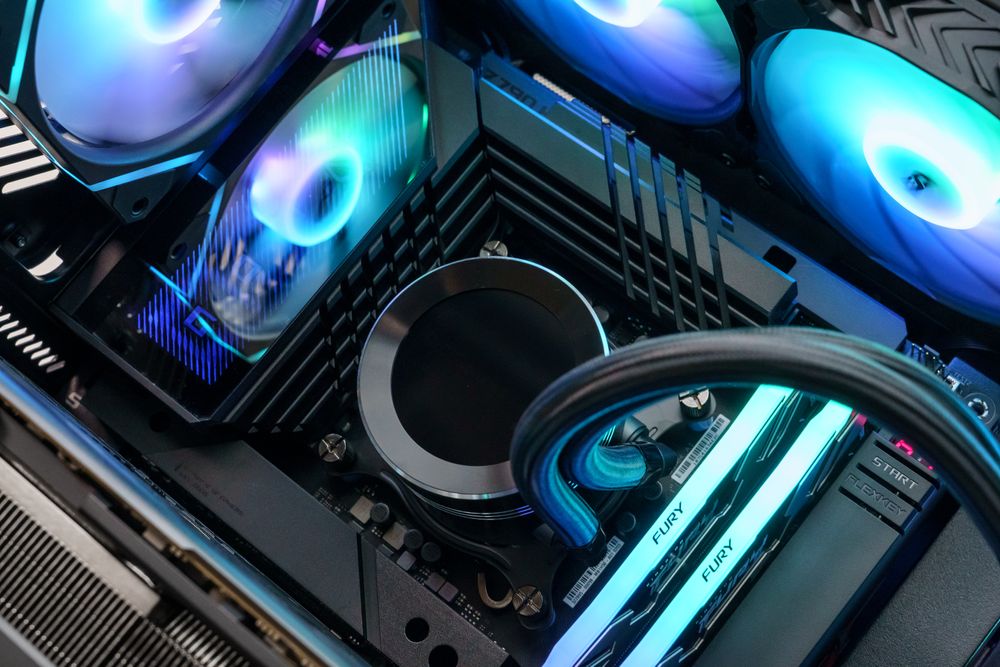
Credit: www.darkflash.com
Basics Of Liquid Cooling Systems
Understanding the basics of liquid cooling systems is key to knowing whether they need maintenance and how often. These systems use a liquid, usually water mixed with coolant, to absorb heat from your computer’s components and move it away efficiently. This process keeps your hardware running cooler than traditional air cooling methods.
What Are The Main Components?
Liquid cooling systems consist of a few critical parts:
- Water block:Attached to the CPU or GPU, it absorbs heat from the component.
- Pump:Moves the coolant through the system continuously.
- Radiator:Releases heat from the liquid into the air.
- Tubing:Connects all the parts and carries the coolant.
- Coolant:The liquid that carries heat away from the components.
Each part plays a specific role in maintaining optimal temperatures. If any of these fail or degrade, the cooling efficiency drops, affecting your system’s performance.
How Does Liquid Cooling Work?
Liquid cooling works by transferring heat away from your computer parts faster than air alone. The water block sits directly on the processor, pulling heat into the coolant.
The pump pushes this heated coolant through the tubes to the radiator. The radiator then cools the liquid by dissipating heat into the surrounding air, often with the help of attached fans.
After cooling down, the liquid cycles back to the water block, repeating the process continuously. This loop keeps your components running at safer temperatures, especially during heavy use.
Are All Liquid Cooling Systems The Same?
No, liquid cooling systems vary widely. Some are all-in-one (AIO) units, pre-filled and sealed, requiring less upkeep. Others are custom loops where you pick each part and fill the coolant yourself.
Custom loops often deliver better cooling but need more attention. You’ll want to check for leaks, replace coolant, and clean parts regularly. AIOs are more user-friendly but still benefit from occasional maintenance checks.
Knowing what type you have helps you decide how much maintenance is necessary and how to approach it effectively.
Common Components In Liquid Cooling
Understanding the common components in liquid cooling systems is key to knowing why maintenance matters. Each part plays a crucial role in keeping your PC cool and running smoothly. Let’s break down these components so you can spot potential issues before they become problems.
Pumps And Reservoirs
The pump moves the coolant through the system, making sure heat is carried away efficiently. Without a functioning pump, your liquid cooling won’t work, leading to overheating. The reservoir holds extra coolant and helps remove air bubbles, which can reduce performance.
Have you ever noticed a strange noise from your PC? It might be the pump struggling or air trapped in the reservoir. Regularly checking these can save you from unexpected shutdowns or hardware damage.
Radiators And Fans
Radiators dissipate heat from the coolant, while fans blow air across the radiator fins to speed up cooling. Dust buildup on these parts can drastically reduce their efficiency. Cleaning your radiator and fans every few months keeps airflow smooth and temperatures low.
Think about your last PC cleaning—did you pay attention to the radiator and fans? Skipping this can cause your system to run hotter, affecting performance and lifespan.
Coolant And Tubing
Coolant absorbs heat and transfers it through the system. Over time, it can degrade or get contaminated, which reduces its cooling ability. Tubing carries the coolant between parts but can develop leaks or cracks if not maintained.
When was the last time you checked your coolant’s condition or inspected the tubing? Replacing coolant every year and inspecting tubes for wear can prevent leaks and keep your system stable.
Why Maintenance Is Necessary
Maintenance is key for liquid cooling systems to work well over time. These systems have moving parts and fluids that need care to avoid problems. Regular checks help catch small issues before they grow into big failures. This keeps your system safe and reliable.
Preventing Component Wear
Liquid cooling systems include pumps, tubes, and blocks. These parts face wear from constant use. Dirt and debris can cause damage inside the tubes. Regular maintenance removes buildup and keeps parts clean. This lowers the risk of leaks and breakdowns.
Ensuring Optimal Performance
Cooling efficiency depends on clean fluids and clear pathways. Old coolant loses its ability to absorb heat well. Blockages slow down fluid flow, reducing cooling power. Flushing and refilling the system restores peak performance. This helps your device run smoothly and stay cool.
Avoiding System Overheating
Overheating damages computer components and shortens lifespan. A poorly maintained cooling system cannot control temperature properly. Dust and sludge cause heat to build up inside. Routine cleaning and fluid changes prevent overheating. This protects your hardware and keeps it safe.

Credit: jlmmarine.com
Signs Your System Needs Maintenance
Knowing the signs that your liquid cooling system needs maintenance can save you from costly repairs and downtime. These systems are designed to run smoothly, but when something goes wrong, it often shows clear warning signals. Paying attention to these signs early helps you act quickly and keep your system performing at its best.
Unusual Noises
Have you heard strange sounds coming from your cooling system? Clicking, grinding, or gurgling noises are not normal and usually indicate a problem. These sounds might mean the pump is struggling or there’s air trapped inside the tubes.
Ignoring these noises can lead to pump failure or reduced cooling efficiency. Regularly listen to your system, especially after installation or moving your PC, to catch these warning signs early.
Temperature Spikes
Is your CPU or GPU suddenly running hotter than usual? Temperature spikes are a red flag that your liquid cooling isn’t working properly. This could be caused by clogged tubes, a failing pump, or low coolant levels.
Tracking your system’s temperature over time helps you spot sudden increases. If you notice temps rising quickly under normal loads, it’s time to check your cooling setup and perform necessary maintenance.
Visible Leaks
Seeing liquid outside your cooling system is a clear sign you need to act. Leaks can damage your hardware and cause system failures. Look for wet spots, discoloration, or coolant residue around fittings and tubes.
Leaks often happen due to loose connections or worn seals. Regular inspections can catch these issues before they cause serious damage to your PC components.
Routine Maintenance Tips
Routine maintenance keeps your liquid cooling system running smoothly and extends its lifespan. Neglecting simple upkeep can lead to overheating or costly repairs. Let’s look at practical tips you can apply easily to keep your system in top shape.
Cleaning Radiators And Fans
Dust buildup on radiators and fans reduces cooling efficiency and can cause your system to overheat. Use compressed air or a soft brush to gently remove dust every few weeks. Avoid using water directly on these components to prevent damage.
Have you noticed your PC running hotter after a few months? Cleaning these parts often fixes that problem. Regular cleaning improves airflow and keeps your liquid cooler working as intended.
Checking And Replacing Coolant
Coolant can degrade or evaporate over time, lowering your system’s cooling performance. Check the coolant level every few months and top it off if needed. If the coolant looks cloudy or discolored, it’s time to replace it completely.
Don’t wait for leaks or overheating to check your coolant. Maintaining the right fluid condition helps prevent corrosion and blockages inside your tubes and radiator. This simple step can save you from major repairs later.
Inspecting Tubing For Wear
Tubing can develop cracks, kinks, or discoloration, which might lead to leaks. Carefully inspect all tubing every few months, especially around connectors and bends. Replace any tubing that looks worn or brittle immediately.
Have you experienced a sudden coolant leak before? Regular checks reduce the risk of unexpected spills that could damage your hardware. Keeping your tubing in good shape ensures safe and effective liquid flow throughout your system.
Troubleshooting Common Issues
Liquid cooling systems are efficient but sometimes face issues that can impact performance. Knowing how to troubleshoot common problems can save you time and prevent costly repairs. Let’s look at how to identify and fix some typical issues you might encounter with your system.
Dealing With Air Bubbles
Air bubbles trapped inside your liquid cooling system can cause noise and reduce cooling efficiency. You might hear gurgling sounds or notice higher temperatures. To fix this, gently tilt and shake your PC case while the pump is running to help dislodge the bubbles.
Bleeding the system by opening fill ports or reservoirs allows trapped air to escape. Be careful not to spill any coolant. Regularly checking and topping off your coolant can also prevent air buildup over time.
Fixing Leaks
Leaks are one of the most critical issues because they can damage your hardware. Inspect tubing, fittings, and connections for moisture or discoloration frequently. If you find a leak, immediately power down your system to avoid short circuits.
Replace damaged tubing or tighten loose fittings with the right tools. Sometimes, applying a small amount of silicone sealant around fittings can help prevent minor leaks. Remember, using high-quality components reduces the chance of leaks occurring in the first place.
Addressing Pump Failures
A failing pump will cause your system to overheat quickly. Listen for unusual noises like grinding or a sudden silence, which might indicate the pump stopped working. Checking pump speed in your BIOS or software can confirm if it’s functioning properly.
If the pump has failed, replacing it is usually the best option. Avoid running your system without a working pump, as this can cause irreversible damage. Regular monitoring and cleaning can extend your pump’s lifespan and keep your system running smoothly.
Choosing The Right Tools And Supplies
Choosing the right tools and supplies for maintaining your liquid cooling system can make a huge difference in performance and longevity. Having everything you need on hand saves time and prevents mishaps. Do you know which items are essential for keeping your system clean and running smoothly?
Essential Cleaning Tools
Keeping your liquid cooling system clean is key to preventing clogs and overheating. You’ll want to have a few basic tools ready:
- Soft microfiber cloths:Perfect for wiping down surfaces without scratching.
- Small brushes:These help reach tight spots and remove buildup inside tubes and fittings.
- Compressed air canister:Blows away dust from radiators and fans quickly.
- Distilled water:Use it for flushing the system to avoid mineral deposits.
Without these, you might miss hidden dirt or damage delicate parts. Have you checked your cleaning kit lately?
Recommended Coolant Brands
Your choice of coolant impacts how well your system performs and how often you’ll need maintenance. Some brands stand out for their reliability and additives that prevent corrosion and algae growth. Consider brands like:
- EK CryoFuel
- Mayhems X1
- PrimoChill Vue
- Corsair Hydro X Series
These options provide clear instructions and are widely trusted. Using the right coolant means fewer flushes and less system downtime. Have you tried switching coolant brands to see the difference?
Spare Parts And Accessories
Having spare parts ready can save you from costly repairs and system failures. Common items to keep include:
- Extra tubing in the same diameter and length
- Replacement fittings and clamps
- Backup pumps or fans compatible with your system
- Sealing O-rings and thermal paste
These parts wear out or break over time, especially if you tinker with your setup often. Do you have a kit of spare parts ready for unexpected leaks or component swaps?

Credit: www.youtube.com
Professional Vs Diy Maintenance
Deciding between professional and DIY maintenance for liquid cooling systems can impact their performance and lifespan. Both options have advantages and challenges. Understanding these can help choose the best care approach for your cooling setup.
Benefits Of Professional Services
- Experts use proper tools and knowledge for thorough cleaning.
- Professionals can detect early issues before they cause damage.
- They ensure coolant quality and system pressure are optimal.
- Service includes flushing old coolant and refilling with fresh fluid.
- Professionals reduce the risk of leaks or component damage.
- They offer warranty coverage and post-service support.
Diy Maintenance Steps
- Turn off and unplug the system before starting work.
- Drain old coolant carefully into a sealed container.
- Flush the loop with distilled water to remove residues.
- Check and clean all tubing, fittings, and water blocks.
- Refill with the correct type and amount of coolant.
- Inspect for leaks and test system operation after refill.
Cost Considerations
| Maintenance Type | Typical Cost | Additional Notes |
|---|---|---|
| Professional Service | $50 – $150 | Includes labor, tools, and coolant replacement |
| DIY Maintenance | $10 – $40 | Costs mainly for coolant and cleaning supplies |
Choosing between professional and DIY maintenance depends on budget, skill level, and system complexity. Each option has clear trade-offs.
Future Trends In Liquid Cooling Maintenance
Liquid cooling systems have become more common, especially in high-performance computing and gaming setups. As these systems evolve, so do the ways we maintain them. Looking ahead, maintenance will become smarter, easier, and more eco-friendly. Are you ready to keep your cooling system up to date with the latest trends?
Innovations In Coolant Technology
Coolants are getting better at preventing corrosion and reducing the buildup of deposits. New formulas now last longer, which means fewer coolant changes and less downtime for your system. Some coolants even include additives that help detect leaks early by changing color.
Imagine a coolant that not only cools but also tells you when it’s time for a refill or replacement. This kind of innovation helps you avoid unexpected failures and keeps your system running smoothly without constant checks.
Advances In System Design
Modern liquid cooling systems are designed with easier maintenance in mind. Components like quick-disconnect fittings allow you to swap parts without draining the entire system.
Manufacturers are also integrating sensors that track temperature, flow rate, and coolant quality in real time. This data can alert you to potential issues before they become serious problems, saving you time and money.
Sustainability In Maintenance Practices
As you maintain your liquid cooling system, consider the environmental impact of your choices. Reusing coolant and properly recycling components are becoming standard practices.
Many companies now offer eco-friendly coolants made from biodegradable materials. Choosing these options not only protects the environment but also aligns your maintenance routine with growing sustainability trends.
Frequently Asked Questions
Do Liquid Cooling Systems Need Regular Maintenance?
Yes, liquid cooling systems require regular maintenance to ensure optimal performance. Maintenance includes checking coolant levels, cleaning components, and inspecting for leaks to prevent overheating and prolong system lifespan.
How Often Should I Maintain My Liquid Cooling System?
Maintenance should be performed every 6 to 12 months. This schedule helps avoid coolant degradation, blockages, and ensures efficient heat transfer, keeping your system running smoothly and safely.
What Are Common Signs Of Liquid Cooling System Issues?
Common signs include rising temperatures, unusual noises, coolant leaks, and reduced cooling efficiency. These symptoms indicate potential problems needing immediate inspection and maintenance to prevent hardware damage.
Can I Maintain A Liquid Cooling System Myself?
Yes, basic maintenance like refilling coolant and cleaning fans can be done by users. However, complex repairs or leak fixes may require professional assistance to avoid damage.
Conclusion
Liquid cooling systems need regular care to work well. Cleaning dust and checking for leaks keep them safe. Changing the coolant helps stop blockages and corrosion. Skipping maintenance can cause overheating and damage parts. A little effort saves big repair costs later.
Keep your system cool and running smoothly. Simple steps make a big difference in performance. Stay on top of maintenance for longer device life.