Do You Have to Have a Hub for Smart Devices? Essential Guide
Are you wondering if you really need a hub to connect all your smart devices? It’s a question many people ask when setting up their smart home.
You want everything to work smoothly without extra hassle or hidden costs. Imagine controlling your lights, locks, and thermostat easily—without juggling multiple apps or gadgets. You’ll discover whether a hub is essential for your smart devices and how it can make your life simpler.
Keep reading to find out what works best for your home and your peace of mind.
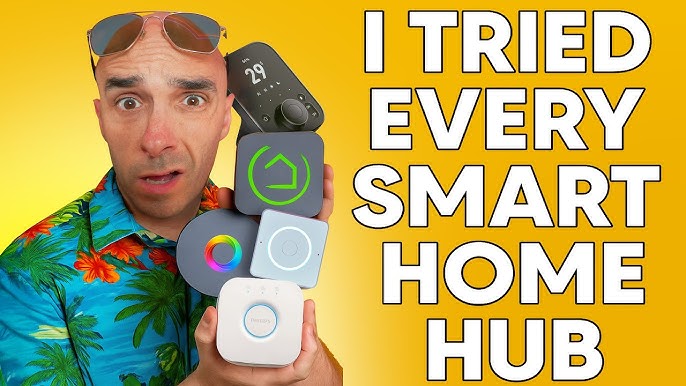
Credit: www.youtube.com
What Is A Smart Device Hub
A smart device hub acts as the central point for managing all smart gadgets in your home. It connects various devices so they work together smoothly. Without a hub, controlling multiple smart products can become confusing and less efficient.
The hub allows your smart devices to communicate, share information, and respond to commands from a single app or voice assistant. It simplifies the way you interact with technology in your home, making everyday tasks easier and faster.
Role Of A Hub In Smart Homes
A hub brings all smart devices under one control system. It helps devices from different brands work as a team. The hub processes commands and sends them to the right device instantly.
It also improves security by managing device connections safely. Hubs can automate tasks like turning lights on or adjusting thermostats based on your routine. This automation adds comfort and saves energy.
Types Of Smart Hubs
- Standalone Hubs:Dedicated devices that connect and control smart gadgets. Examples include Samsung SmartThings and Wink Hub.
- Voice Assistant Hubs:Devices like Amazon Echo or Google Nest that serve as both voice assistants and smart hubs.
- App-Based Hubs:Software platforms on smartphones that connect to smart devices without extra hardware.
- Router-Based Hubs:Some modern routers include smart hub functions, managing devices directly through the network.
Benefits Of Using A Hub
Using a hub for your smart devices can change the way you manage your home technology. It brings multiple advantages that make daily interactions smoother and more reliable. Let’s look at what a hub can really do for your smart setup.
Centralized Control
A hub acts as the main command center for your smart devices. Instead of juggling multiple apps, you get one place to control lights, thermostats, cameras, and more.
This saves time and reduces frustration, especially if you have many devices from different brands. Imagine adjusting your home’s temperature and turning off all the lights with a single tap or voice command.
Enhanced Compatibility
Smart devices don’t always play well together, especially if they use different protocols like Zigbee, Z-Wave, or Wi-Fi. A hub bridges these gaps, allowing devices to communicate seamlessly.
This means you can mix and match brands without worrying about compatibility issues. Have you ever bought a smart bulb only to find it won’t work with your existing system? A hub can prevent this problem.
Improved Security
Security is a top concern with connected devices. A hub can act as a secure gateway, filtering data and monitoring device activity for unusual behavior.
It adds an extra layer of protection by isolating your smart devices from the wider internet. This reduces the risk of hacking and keeps your personal information safer.
Smart Devices That Need A Hub
Not all smart devices operate the same way. Some need a central hub to connect and communicate effectively, while others can work independently with just your smartphone. Understanding which devices require a hub helps you avoid compatibility issues and makes your smart home setup smoother.
Zigbee And Z-wave Devices
Zigbee and Z-Wave are popular wireless protocols used by many smart devices. These devices usually don’t connect directly to your Wi-Fi network. Instead, they rely on a hub to act as a bridge between the device and your home network.
Think about smart bulbs, sensors, or door locks that use Zigbee or Z-Wave. Without a hub, these devices can’t communicate with your phone or other smart gadgets. Hubs like Samsung SmartThings or Hubitat Elevation manage these connections seamlessly, allowing you to control everything from one app.
Advanced Automation Systems
If you want complex automation where multiple devices work together, a hub becomes essential. Basic setups may run fine without one, but advanced systems need a hub to coordinate actions and responses accurately.
Imagine setting your lights to turn on, your thermostat to adjust, and your security camera to activate—all triggered by a single event like you arriving home. Achieving this level of control usually requires a hub that supports sophisticated programming and device integration.
Are you aiming for simple control or detailed automation? Knowing this helps decide if investing in a hub is worth it for your smart home goals.
Devices That Work Without A Hub
Not all smart devices need a central hub to connect and work seamlessly. Many gadgets today are designed to operate independently, simplifying your smart home setup. This means fewer devices to manage and less worry about compatibility issues.
Wi-fi Smart Devices
Wi-Fi smart devices connect directly to your home network without requiring a hub. This direct connection allows you to control them using your smartphone or voice assistant apps.
Common examples include smart plugs, cameras, and thermostats. Since they use your existing Wi-Fi, setup is often straightforward—just plug in and connect through the app.
Have you noticed how quickly you can add a new Wi-Fi smart bulb to your room without extra hardware? That convenience is a big reason many choose Wi-Fi devices for their smart homes.
Bluetooth-enabled Gadgets
Bluetooth smart devices communicate directly with your phone or tablet, bypassing the need for a hub. This is ideal for smaller setups or when you want to control devices only within a limited range.
Devices like smart locks, fitness trackers, and some speakers use Bluetooth effectively. They offer quick pairing and easy control, especially when you’re nearby.
Think about how you unlock your smart lock just by tapping your phone. That quick, hub-free connection proves how Bluetooth can simplify your smart device experience.
Hub Vs. Hubless Smart Home Setup
Choosing between a hub-based or hubless smart home setup can shape how you control your devices daily. Each approach has its unique benefits and challenges that affect convenience, compatibility, and cost. Understanding these differences helps you decide what fits best with your lifestyle and tech comfort.
Pros And Cons Of Using A Hub
A hub acts as the central brain for your smart devices, connecting them through a single platform. This setup often provides smoother communication between devices, especially if they use different protocols like Zigbee or Z-Wave.
- Pros:
- Centralized control simplifies managing multiple devices.
- Improved compatibility across brands that might not natively work together.
- Often enhances security by isolating smart devices from your main Wi-Fi network.
- Can enable more complex automation scenarios.
- Cons:
- Additional cost for purchasing and maintaining the hub.
- One point of failure—if the hub goes down, many devices may stop working.
- Setup and troubleshooting can be more complex for beginners.
Pros And Cons Of Going Hubless
Hubless setups connect smart devices directly to your Wi-Fi network or use apps that communicate independently. This approach has grown popular with the rise of smart speakers and phone apps that control multiple devices without extra hardware.
- Pros:
- Lower upfront cost since no hub is needed.
- Simple setup and easy to add or remove devices.
- Control your devices from anywhere with your smartphone.
- Less hardware means less clutter and fewer points of failure.
- Cons:
- Devices may not work well together if they use different communication standards.
- Dependent on your Wi-Fi network quality and security.
- Automation options might be limited compared to hub setups.
- Can lead to managing multiple apps instead of a single control point.
Think about your current smart devices and how you like to control them. Do you prefer one app for everything, or is it okay to juggle a few? Your answer can guide whether a hub or hubless setup fits your smart home vision.
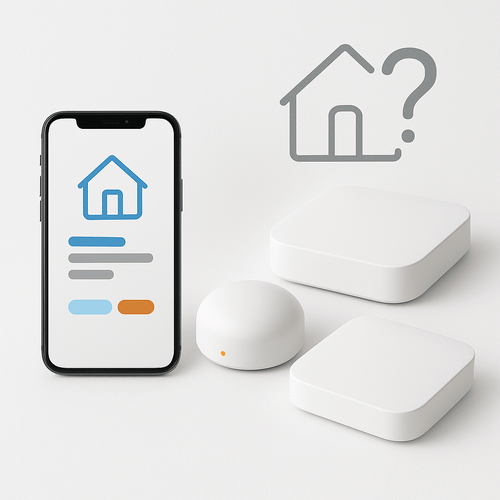
Credit: www.vesternet.com
Choosing The Right Hub For Your Home
Choosing the right hub for your home smart devices can feel overwhelming. You want a system that works smoothly without causing frustration. The right hub makes managing your devices easier and enhances your home’s convenience.
Compatibility With Devices
Not every hub works with every smart device. Check if the hub supports the brands and types of devices you already own or plan to buy. Some hubs work only with specific ecosystems like Apple HomeKit, Google Assistant, or Amazon Alexa.
For example, if you have smart lights from Philips Hue, ensure the hub supports Zigbee protocol, which Hue uses. Otherwise, you might end up with devices that don’t communicate well with your hub. Ask yourself: will this hub grow with my smart home setup?
Ease Of Use And Setup
You want a hub that’s simple to install and operate. Some hubs come with intuitive apps that guide you through setup step-by-step. Others require more technical know-how, which can be frustrating if you’re not tech-savvy.
Think about how much time and effort you want to spend configuring your system. A hub with voice control and automation features can save you time. If you’ve ever struggled with complicated setups, look for hubs praised for their user-friendly design.
Budget Considerations
Smart hubs come in a wide price range. Expensive hubs might offer advanced features and better compatibility, but that doesn’t always mean they’re the best fit for your needs. Sometimes a more affordable hub covers all your essentials without unnecessary extras.
Consider what features you actually need and what you can skip. Are you looking for simple device control, or do you want complex automation? Setting a budget upfront helps you avoid overspending on features you won’t use.
Future Of Smart Home Hubs
The future of smart home hubs looks bright and full of change. Smart hubs today connect many devices, but new ideas will make them smarter and easier to use. These hubs will help different brands and gadgets work together better. They will also use less energy and become more secure. Smart home hubs will not just control devices but learn from users to improve comfort and safety.
Emerging Technologies
New technologies are shaping smart home hubs. Voice control is getting better and more natural. Artificial intelligence helps hubs understand habits and predict needs. Edge computing allows hubs to process data locally, making them faster and safer. Wireless standards like Matter aim to unify device communication. These changes mean hubs will be more powerful and user-friendly.
Trends In Smart Device Integration
Devices are becoming easier to connect without a central hub. Many smart products now support direct communication. Cloud services allow remote control and updates. Integration focuses on simplicity and compatibility. Users want their devices to work together smoothly. The trend moves toward flexible systems that adapt to user lifestyles.

Credit: eu.aqara.com
Frequently Asked Questions
Do Smart Devices Need A Hub To Function?
Not all smart devices need a hub to function. Many smart devices can connect directly to your Wi-Fi network. However, some devices, like Zigbee or Z-Wave devices, often require a hub for better connectivity and control. A hub can also enhance integration and automation between different devices.
What Is A Smart Home Hub?
A smart home hub is a central device that connects various smart devices. It allows them to communicate and work together. It acts as a bridge, especially for devices using different communication protocols. A hub can simplify managing multiple devices from one interface or app.
Are There Benefits To Using A Smart Hub?
Yes, using a smart hub offers several benefits. It improves device connectivity, especially for Zigbee and Z-Wave devices. It also enhances automation and integration between different devices. With a hub, you can manage multiple devices through a single app, making smart home management more efficient.
Can I Use Smart Devices Without A Hub?
Yes, many smart devices can be used without a hub. Devices that connect directly to Wi-Fi don’t need a hub. However, using a hub can enhance connectivity and automation. It’s beneficial for devices that rely on Zigbee or Z-Wave communication protocols.
Conclusion
A hub can make managing smart devices easier and more organized. It helps devices talk to each other smoothly. Yet, some smart devices work fine without a hub. Choosing one depends on your needs and budget. Think about how many devices you have.
Also, check if they need a hub to connect. Simple setups might not need extra equipment. Bigger systems often benefit from a hub’s control. Decide what fits best for your home. A hub is helpful but not always required.