What is N4 Computerized Maintenance Management System Cmms: Explained
Are you tired of juggling endless maintenance tasks and struggling to keep everything running smoothly? What if there was a way to simplify your work, save time, and boost your team’s efficiency?
That’s exactly what the N4 Computerized Maintenance Management System (CMMS) can do for you. This powerful tool is designed to take the hassle out of managing equipment, schedules, and repairs. Keep reading to discover how N4 CMMS can transform your maintenance process and make your job easier than ever before.
Basics Of N4 Cmms
Understanding the basics of N4 Computerized Maintenance Management System (CMMS) is essential if you want to improve your maintenance operations. N4 CMMS is designed to streamline the way you manage assets, schedules, and work orders. It helps you stay organized and reduces downtime by keeping all maintenance information in one place.
Core Features
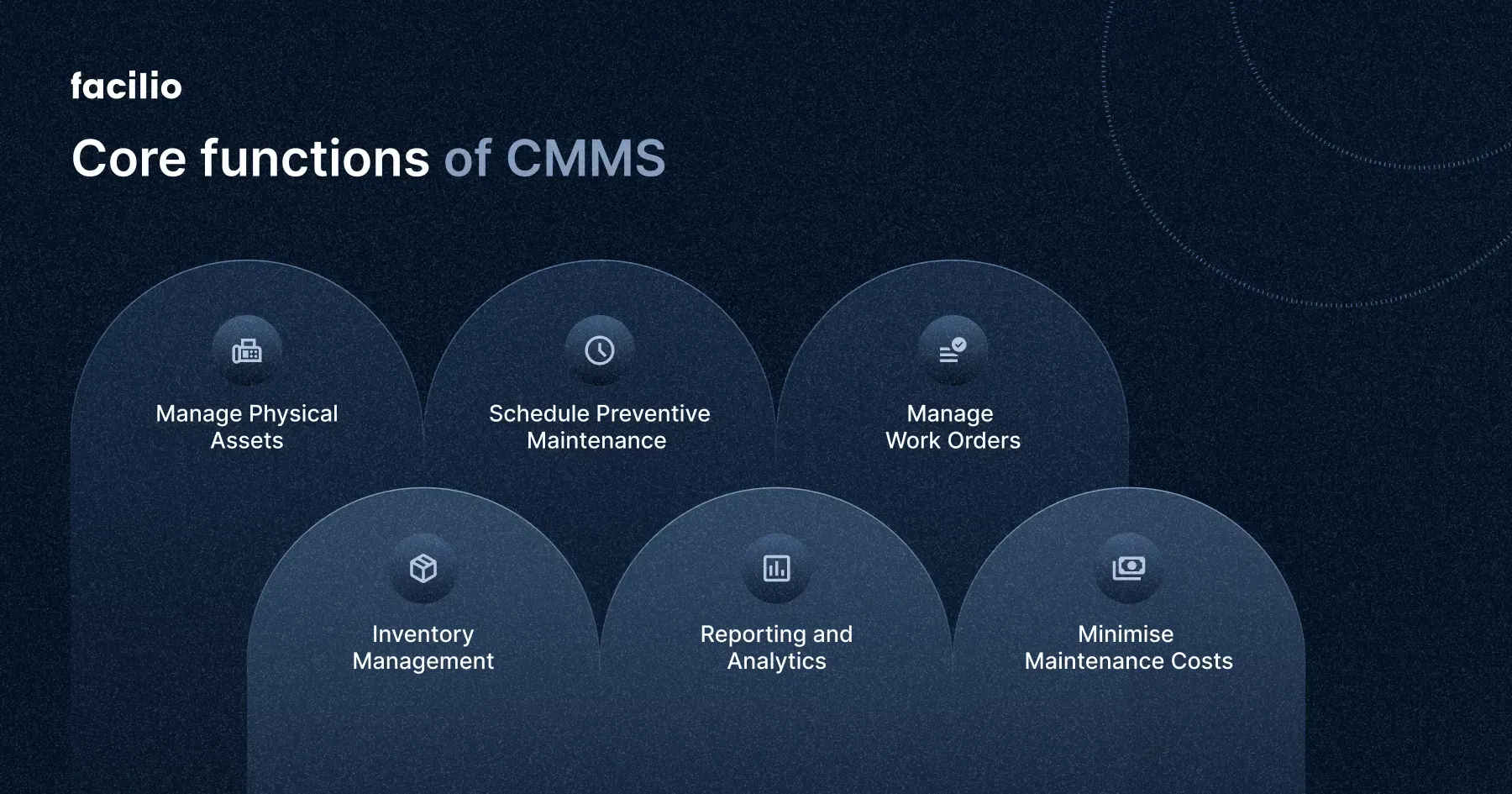
N4 CMMS offers a variety of features that simplify maintenance management. You can create and track work orders easily, ensuring nothing gets missed. The system also helps schedule preventive maintenance to avoid unexpected breakdowns.
It includes asset management tools to keep detailed records of your equipment. Reporting and analytics give you insights into maintenance performance, helping you make informed decisions. Inventory management is another key feature, so you always know what parts you have on hand.
Target Users
This system is ideal for maintenance teams in industries like manufacturing, facilities management, and utilities. If you manage a team that handles equipment upkeep, N4 CMMS can help you stay on top of tasks. It’s also useful for supervisors who need to monitor maintenance workflows and generate reports.
Whether you’re a small team or a large department, the system scales to fit your needs. Have you ever struggled to keep track of work orders or asset history? N4 CMMS is built to solve those exact problems.
System Architecture
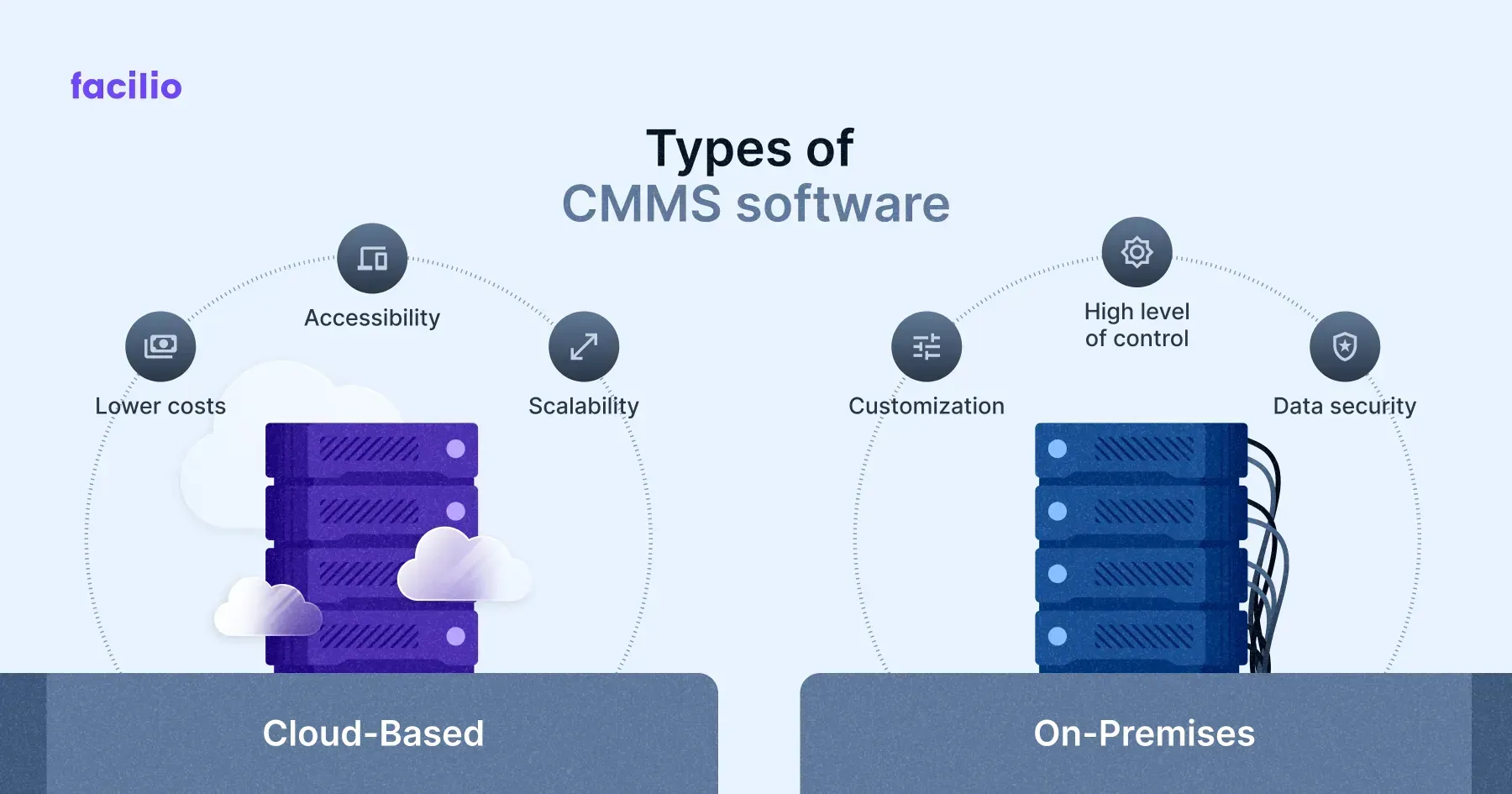
N4 CMMS is built on a flexible architecture that supports both cloud-based and on-premise deployment. This means you can choose what works best for your organization’s security and accessibility needs. The system integrates with other software, like ERP and IoT platforms, to gather real-time data.
Its modular design allows you to add features as your maintenance needs grow. The user interface is designed to be intuitive, so your team can start using it quickly without extensive training. How much easier would your daily tasks be with a system that adapts to your workflow?
Credit: facilio.com
Key Benefits
N4 Computerized Maintenance Management System (CMMS) offers many benefits. It helps businesses manage maintenance tasks efficiently. The system improves scheduling, asset tracking, and cuts costs. These key benefits make maintenance easier and more organized.
Improved Maintenance Scheduling
N4 CMMS allows precise planning of maintenance activities. It sends reminders for upcoming tasks. This reduces equipment downtime and prevents unexpected failures. Teams can prioritize work based on urgency and importance. Better scheduling leads to smoother operations and less disruption.
Enhanced Asset Management
The system keeps detailed records of all assets. It tracks usage, condition, and repair history. This information helps in making informed decisions about equipment. Managers can identify which assets need repair or replacement. Accurate asset data improves reliability and extends equipment life.
Cost Reduction
N4 CMMS helps lower maintenance costs by preventing costly breakdowns. It optimizes resource use and reduces overtime work. The system also minimizes inventory expenses by managing spare parts effectively. Overall, it supports budget control and increases savings.
Implementation Process
The implementation process of the N4 Computerized Maintenance Management System (CMMS) is crucial for its success. It ensures the system fits well with your maintenance needs and daily operations. This process involves several key steps that help set up the software, transfer existing data, and prepare users for smooth operation.
Initial Setup
The initial setup is the foundation of the CMMS implementation. It includes installing the software and configuring it to match your maintenance workflows. During this phase, you define key settings such as equipment lists, maintenance schedules, and user roles. Proper setup ensures the system runs efficiently and supports your maintenance goals.
Data Migration
Data migration moves your existing maintenance records into the new system. This step requires careful planning to avoid data loss or errors. Clean and organize your current data before migration. The CMMS will import asset details, work orders, and service histories, allowing for accurate tracking and reporting from day one.
User Training
User training helps your team understand how to use the CMMS effectively. Training sessions cover system navigation, work order creation, and reporting tools. Well-trained users can quickly adopt the software and improve maintenance productivity. Ongoing support and refresher courses keep skills up to date.
Integration Capabilities
N4 Computerized Maintenance Management System (CMMS) offers strong integration capabilities. These connections allow the system to work smoothly with other software and devices. Integration helps centralize data and improve maintenance processes. It reduces manual work and errors. N4 CMMS supports various integrations to fit different business needs.
Erp Systems
N4 CMMS integrates easily with Enterprise Resource Planning (ERP) systems. This link helps share data about assets, inventory, and finances. It creates a unified view of company operations. Users can track maintenance costs and schedules directly from the ERP. This reduces data duplication and speeds up decision-making.
Iot Devices
The system connects with Internet of Things (IoT) devices. Sensors on machines send real-time data to N4 CMMS. It monitors equipment health and alerts users of issues. This integration helps prevent breakdowns and extend asset life. Automated data collection saves time and improves accuracy.
Reporting Tools
N4 CMMS links with various reporting tools. It exports data for custom reports and analysis. Users create visual dashboards and track key metrics easily. This helps understand maintenance trends and improve strategies. Integration with reporting tools supports data-driven decisions.
Common Challenges
Implementing the N4 Computerized Maintenance Management System (CMMS) can bring significant benefits, but it also comes with its share of challenges. Understanding these common obstacles helps you prepare better and make the most out of the system. Let’s look closely at three key issues many users face.
Data Accuracy
Accurate data is the backbone of any CMMS, including N4. If the information you input is outdated or incorrect, the system’s reports and maintenance schedules will be unreliable.
Think about a time you tried to fix a machine with incomplete info—frustrating, right? The same happens with CMMS data errors. Regular audits and training your team on proper data entry can prevent these problems.
User Adoption
Getting your team to fully use the N4 CMMS isn’t always easy. People often resist new software because it changes their daily routine or feels complicated.
Encourage adoption by showing how the system makes their work easier and faster. Provide hands-on training and ongoing support to boost confidence and reduce frustration.
System Customization
Every facility has unique needs, but N4 CMMS might not fit perfectly right out of the box. Customizing the system to match your workflows can be tricky and time-consuming.
Ask yourself which features are essential and which can be adjusted later. Prioritize changes that improve efficiency without overcomplicating the system for users.

Credit: llumin.com
Future Trends
The future of N4 Computerized Maintenance Management System (CMMS) is shaping up to be more dynamic and user-friendly. Staying ahead means embracing new technologies that improve how you manage maintenance tasks and assets. Let’s look at some key trends that will impact your experience with N4 CMMS.
Ai And Predictive Maintenance
Artificial intelligence is changing how maintenance is done. Instead of waiting for equipment to break, AI helps predict failures before they happen. This means you can schedule repairs at the best time, avoiding costly downtime.
Imagine your system sending alerts based on real-time data and historical patterns. You get a clear picture of what needs attention, so you can prioritize tasks better. This proactive approach saves money and extends the life of your equipment.
Mobile Accessibility
Managing maintenance on the go is becoming standard. N4 CMMS is moving towards mobile-friendly platforms that let you access schedules, reports, and work orders from your phone or tablet. This flexibility keeps your team connected no matter where they are.
Think about how much faster you can respond to issues when you don’t have to be at a desk. Mobile access also helps field workers update job statuses immediately, reducing communication delays and errors.
Cloud Deployment
Cloud-based solutions are gaining ground because they offer easy access and scalability. With N4 CMMS in the cloud, you don’t need to worry about installing software or managing servers. Updates happen automatically, and data is backed up securely.
This setup supports remote teams and multiple locations effortlessly. Plus, you pay only for what you use, making it cost-effective for growing businesses. How much more could you achieve if your maintenance system was always available and up-to-date?
Credit: facilio.com
Frequently Asked Questions
What Is N4 Computerized Maintenance Management System (cmms)?
N4 CMMS is software that streamlines maintenance operations. It helps track assets, schedule tasks, and manage work orders efficiently. This system improves equipment uptime and reduces maintenance costs through automation and real-time data management.
How Does N4 Cmms Improve Maintenance Efficiency?
N4 CMMS automates maintenance scheduling and work order management. It ensures timely repairs and preventive maintenance. This reduces downtime and extends asset life, enhancing overall operational efficiency.
Who Can Benefit From Using N4 Cmms?
Industries like manufacturing, healthcare, and facilities management benefit most. N4 CMMS suits any organization aiming to optimize maintenance tasks and asset management. It supports decision-making with data-driven insights.
What Features Does N4 Cmms Offer?
N4 CMMS includes asset tracking, work order management, preventive maintenance scheduling, and reporting tools. It also provides inventory management and mobile access, ensuring maintenance teams stay connected and informed.
Conclusion
N4 Computerized Maintenance Management System helps organize maintenance tasks. It tracks equipment, schedules work, and manages resources easily. This system improves efficiency and reduces downtime. Users find it simple and reliable for daily maintenance needs. Choosing N4 CMMS can save time and cut costs.
A smart tool for better maintenance control.