Which Electronic Components are Used in Fourth Generation Computers: Key Insights
Have you ever wondered what makes fourth generation computers so powerful and fast? The secret lies in the electronic components inside them.
Understanding these components can help you appreciate how your devices work and why they perform better than ever. You will discover the key electronic parts that drive fourth generation computers. By the end, you’ll see how these tiny components impact your everyday technology.
Keep reading to unlock the mystery behind the machines you use every day!
Credit: www.geeksforgeeks.org
Fourth Generation Computers Overview
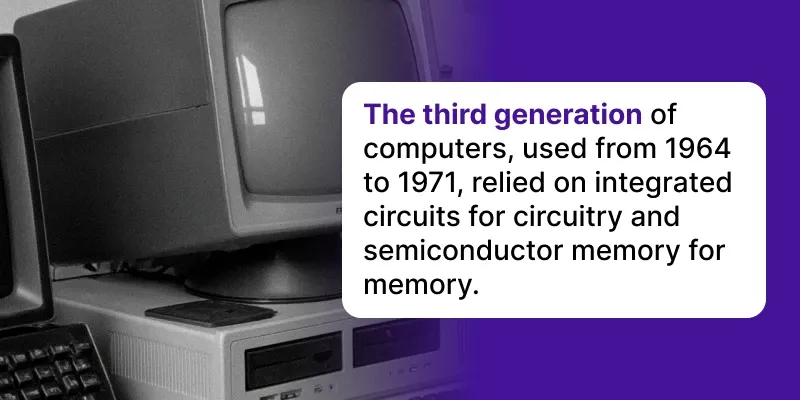
Fourth generation computers marked a big step in technology. They appeared in the early 1970s and changed how computers worked. These computers used new electronic parts to make them faster and smaller. Many industries started using them because they were more powerful and reliable.
The main change in fourth generation computers was the use of microprocessors. These tiny chips combined many functions into one small piece. This made computers less expensive and easier to build. Personal computers became possible thanks to these advances.
This generation also improved memory and storage devices. It allowed computers to handle more data and run complex programs. The speed of processing grew, helping users complete tasks quickly.
Microprocessors are small chips that act like the brain of a computer. They contain millions of tiny switches called transistors. These chips process instructions and manage data inside the computer. They replaced larger, slower components from earlier computers.
Semiconductor Memory
Semiconductor memory stores data electronically. It is faster than older magnetic storage methods. This type of memory includes RAM and ROM chips. It helps computers access information instantly.
Integrated Circuits
Integrated circuits combine many electronic parts on one small chip. They reduce the size of computer systems. These circuits improve speed and reliability. Fourth generation computers used large-scale integration technology.
Input And Output Devices
Input devices like keyboards and mice became common. Output devices included monitors and printers. These tools helped users interact with computers easily. They made computing more accessible for everyone.
Microprocessors
Microprocessors are the heart of fourth generation computers. They combine many functions of a computer’s central processing unit (CPU) into a single chip. This innovation reduced size and cost while increasing speed. Microprocessors control all operations, making computers faster and more efficient.
Development Of Microprocessors
The first microprocessor was introduced in the early 1970s. Intel created the 4004, the first single-chip CPU. This invention marked a major leap in computer technology. Over time, microprocessors became more powerful and complex. Manufacturers increased the number of transistors on a chip, improving performance.
Microprocessors evolved through generations, from simple processors to advanced multi-core chips. Each improvement allowed computers to handle more tasks simultaneously. This development made personal computers affordable and widely available.
Role In Fourth Generation Computers
Microprocessors served as the main processing unit in fourth generation computers. They replaced earlier bulky and slower components. Their compact size helped create smaller and portable computers. Microprocessors enabled faster data processing and multitasking.
They also supported new software and operating systems. This allowed computers to perform complex applications. The use of microprocessors made computers more reliable and energy-efficient. They are the foundation of modern computing devices.
Memory Components
Memory components are the backbone of fourth-generation computers, shaping how data is stored, accessed, and processed. These components directly affect the speed and efficiency of computing tasks. Understanding the types of memory used helps you appreciate the technological leaps made during this era.
Ram And Rom
RAM (Random Access Memory) serves as the computer’s short-term memory. It holds data temporarily while you run programs, allowing quick read and write access. This made multitasking and complex software more feasible in fourth-generation computers.
ROM (Read-Only Memory), on the other hand, stores essential instructions permanently. It retains data even when the computer is powered off. This was crucial for storing the system’s firmware and boot instructions, ensuring reliable startup processes.
Both RAM and ROM evolved to become faster and more reliable, enabling smoother user experiences. Have you noticed how modern computers boot almost instantly compared to older machines? That’s partly because of improvements that started in this generation.
Advancements In Memory Technology
Fourth-generation computers introduced semiconductor memory, replacing bulky magnetic cores. This shift resulted in smaller, faster, and more energy-efficient memory modules. It allowed computers to handle larger programs and more data without lag.
Memory chips became cheaper and easier to produce, which made computers more accessible to businesses and individuals. This period also saw the emergence of integrated circuits that combined multiple memory functions onto a single chip.
Think about your current device’s memory capacity—how often do you run out of space or speed? The strides made in the fourth generation laid the groundwork for the vast, rapid memory systems we rely on today.
Semiconductor Devices
Semiconductor devices form the heart of fourth generation computers. These devices allowed computers to become smaller, faster, and more reliable. Their use marked a big shift from earlier technologies like vacuum tubes and transistors alone. Semiconductor materials, mainly silicon, control electrical signals effectively. This control made it possible to design complex circuits on tiny chips. The main semiconductor devices used in these computers are integrated circuits and transistors.
Integrated Circuits
Integrated circuits, or ICs, combined many electronic components on a single chip. This chip could contain thousands of transistors, resistors, and capacitors. ICs reduced the size and cost of computers drastically. They also increased speed by shortening the distance signals had to travel. These circuits made complex tasks possible inside small devices. ICs come in different types, such as digital, analog, and mixed-signal. They are the building blocks of modern computer processors and memory units.
Transistors
Transistors act as switches or amplifiers in computers. They control the flow of electrical current very precisely. Fourth generation computers used smaller and more efficient transistors than before. These transistors were made using semiconductor materials like silicon. They replaced vacuum tubes, which were larger and less reliable. Transistors helped increase processing speed and reduce power consumption. Their durability and size made portable computers possible.
Input And Output Components
Input and output components play a crucial role in how you interact with fourth generation computers. These components are the bridge between you and the machine, allowing seamless communication. Understanding these parts helps you appreciate the improvements made in computer technology over time.
Keyboards And Mice
Keyboards and mice are the primary input devices used in fourth generation computers. Keyboards evolved to be more ergonomic and responsive, making typing faster and reducing strain during long use. The mouse, becoming a standard input tool, introduced point-and-click functionality that changed how users navigate software.
Think about how your daily work depends on the accuracy and comfort of these devices. A responsive keyboard and precise mouse can boost your productivity significantly. Have you ever noticed how a laggy mouse or sticky keys can slow down your workflow?
Monitors And Printers
Monitors in fourth generation computers moved from simple displays to color screens with higher resolutions. This change improved the clarity of images and text, making it easier to work on detailed tasks. Printers also advanced, offering faster print speeds and better quality, which helped businesses and individuals produce professional documents quickly.
Consider how having a clear display impacts your ability to focus on complex projects. A good monitor reduces eye strain and helps you spot errors early. Similarly, a reliable printer ensures your hard copies reflect your digital work accurately.
Credit: www.ibuypower.com
Storage Technologies
Storage technologies in fourth generation computers marked a shift towards greater capacity and faster access. These computers used various devices to save and retrieve data efficiently. The evolution focused on reliable, reusable, and cost-effective storage solutions. Two key types of storage were hard disk drives and removable media like floppy disks and optical discs.
Hard Disk Drives
Hard disk drives (HDDs) became the main storage device in fourth generation computers. They used magnetic disks to store data digitally. HDDs offered much larger storage than earlier storage methods. Data could be accessed quickly due to the spinning disk and moving read/write heads. Their non-volatile nature meant data remained intact without power. This made HDDs ideal for operating systems, applications, and large files.
Floppy Disks And Optical Discs
Floppy disks provided a portable way to store and transfer small amounts of data. They used magnetic storage and were common for software distribution and backups. Although limited in capacity, floppy disks were inexpensive and easy to use.
Optical discs, such as CDs, brought higher storage capacity and durability. They stored data using laser technology on reflective surfaces. Optical discs were useful for multimedia files and software installation. Both floppy disks and optical discs supported easy data sharing and backup.
Networking Components
Networking components played a crucial role in the development of fourth generation computers. These components allowed computers to connect and communicate with each other, expanding their capabilities far beyond standalone machines. Understanding these parts helps you see how early networks laid the foundation for today’s internet-driven world.
Modems And Network Cards
Modems were essential for converting digital data into signals suitable for transmission over phone lines. This allowed computers to connect to remote networks and share information. Network cards, on the other hand, were installed inside the computer to enable direct connections to local area networks (LANs).
With a network card, your computer could communicate with others in the same office or building. This was a big step forward from isolated machines, helping businesses work faster and more efficiently. Think about how sending a simple email today depends on those early networking components.
Impact On Connectivity
These components made it possible for computers to exchange data quickly and reliably. You might not realize it, but your ability to stream videos or join virtual meetings traces back to these early networking technologies. They created new opportunities for collaboration and information sharing.
Imagine the frustration of waiting days for a file to arrive versus sending it instantly over a network. How has your own work or personal life changed because of fast, reliable connectivity? The networking components of fourth generation computers set the stage for the connected world you live in today.
Power Supply Units
Power Supply Units (PSUs) are the backbone of fourth generation computers, providing the essential energy that keeps every component running smoothly. Without a reliable PSU, even the most advanced processors and memory modules would fail to operate. Understanding the types and efficiency of these power supplies helps you grasp how these computers manage power effectively.
Types Of Power Supplies
Fourth generation computers primarily used switching power supplies instead of the older linear types. Switching power supplies convert electrical power more efficiently by rapidly switching on and off, reducing wasted energy. This change allowed computers to become smaller and cooler while still delivering stable voltage to sensitive electronic parts.
There were also improvements in the design of power supply circuits, such as adding multiple voltage rails. These rails provide different voltage levels simultaneously, catering to the diverse needs of processors, memory, and peripheral devices. You might notice your modern computer still uses this multi-rail concept for safety and performance.
Efficiency Improvements
Efficiency in power supply units improved significantly during the fourth generation era, with efficiency ratings climbing from around 60% to over 80%. Higher efficiency means less energy is wasted as heat, which lowers the risk of overheating and reduces the need for bulky cooling systems. Imagine saving energy and cutting costs just by upgrading to a better PSU.
Manufacturers started to focus on power factor correction (PFC) to make energy use cleaner and more stable. This feature not only benefits the computer but also reduces strain on electrical grids. Have you ever thought about how your computer’s power supply affects your electricity bill and the environment?
Cooling Systems
Cooling systems play a crucial role in fourth generation computers, which rely on advanced microprocessors and integrated circuits. These components generate significant heat during operation, and without effective cooling, performance can drop sharply or hardware may fail. Understanding how these systems keep computers running smoothly helps you appreciate the technology inside your devices.
Importance Of Cooling
Heat affects the speed and reliability of electronic components. If your computer overheats, it might slow down or shut off unexpectedly to protect itself. Proper cooling extends the lifespan of the microchips and prevents costly repairs or replacements.
Have you ever felt your laptop getting hot after hours of use? That warmth is a sign your cooling system is working hard. Without it, the tiny circuits inside could easily overheat and stop working.
Innovations In Cooling Technology
Fourth generation computers introduced several cooling innovations to handle increased heat output. Traditional fans were improved with quieter, more efficient designs that push air through compact cases.
- Heat sinks:Metal blocks attached to processors that draw heat away quickly.
- Thermal paste:A special compound placed between chips and heat sinks to improve heat transfer.
- Liquid cooling:Systems using coolant to carry heat away from components, often found in high-performance computers.
Advances in materials also helped. For instance, aluminum and copper became standard for heat sinks due to their excellent heat conduction. The combination of these methods allows your computer to stay cool even during demanding tasks like gaming or video editing.

Credit: dev.to
Frequently Asked Questions
What Electronic Components Define Fourth Generation Computers?
Fourth generation computers primarily use microprocessors, integrated circuits, and semiconductor memory. These components increased speed and efficiency, enabling compact designs and better performance.
How Do Microprocessors Impact Fourth Generation Computers?
Microprocessors act as the brain of fourth generation computers. They integrate CPU functions on a single chip, improving processing speed and reducing size and cost significantly.
Why Are Integrated Circuits Crucial In Fourth Generation Computers?
Integrated circuits combine multiple electronic components on one chip. This innovation led to smaller, faster, and more reliable computers with lower power consumption and manufacturing costs.
What Role Does Semiconductor Memory Play In Fourth Generation Computers?
Semiconductor memory provides faster and more reliable data storage. It replaced magnetic core memory, enabling quicker access and improved overall system performance in these computers.
Conclusion
Fourth generation computers rely on tiny, powerful electronic components. Microprocessors and integrated circuits form their core. These parts make computers faster and more efficient. They use semiconductors to control electric signals precisely. Memory chips store data quickly and safely. Transistors switch and amplify electronic signals inside.
These components work together smoothly every second. Understanding them helps us appreciate modern computer power. Technology keeps improving, but these parts remain essential. The future will build on this strong foundation.